Mini router 4G AIRHOME 200 s odnímateľnými 4G anténami
Nenašli sa žiadne položky.
Nenašli sa žiadne položky.
Všetky otázky
Mini router 4G AIRHOME 200 s odnímateľnými 4G anténami
Nenašli sa žiadne položky.
Nenašli sa žiadne položky.
Ako môžem zmeniť PIN kód SIM karty?
PIN kód vašej SIM karty je možné zmeniť prostredníctvom webového rozhrania. Postupujte podľa nižšie uvedených pokynov.
1. Pripojte sak Wi-Fi sieti vášho routera
Musíte sa pripojiť k webovému používateľskému rozhraniu. Na to zadajte do svojho zariadenia SSID (názov siete Wi-Fi) a heslo k Wi-Fi routera.

2Prejditena nasledujúcu IP adresu
Potom zadajte do prehliadača nasledujúcu IP adresu: 192.168.188.1

3Zadajtesvoje prihlasovacie údaje
Musíte zadať heslo. Potom kliknite na „Prihlásiť sa“.

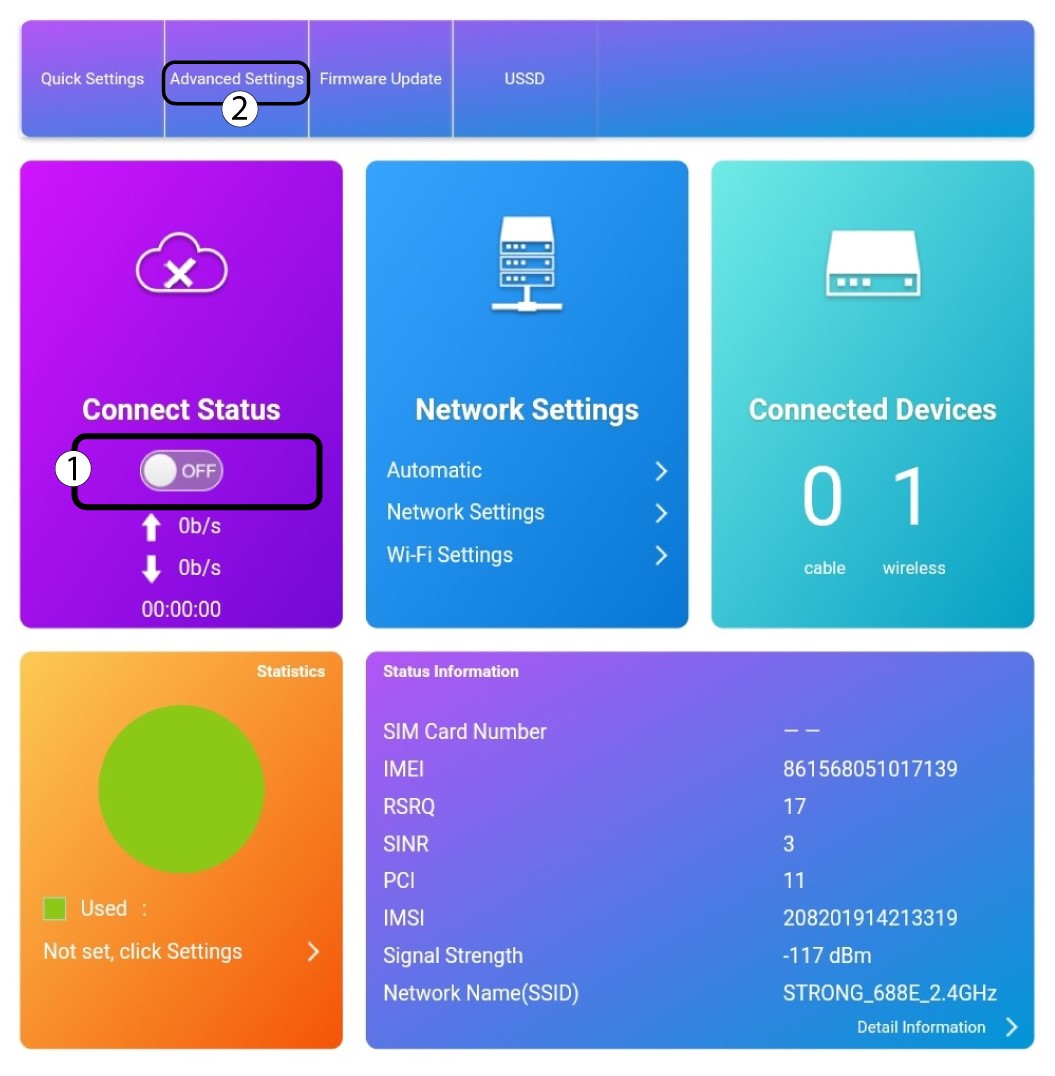
4. Pokročilénastavenia
Kliknite na prepínač v časti „Stav pripojenia“ a potom kliknite na „Pokročilé nastavenia“.
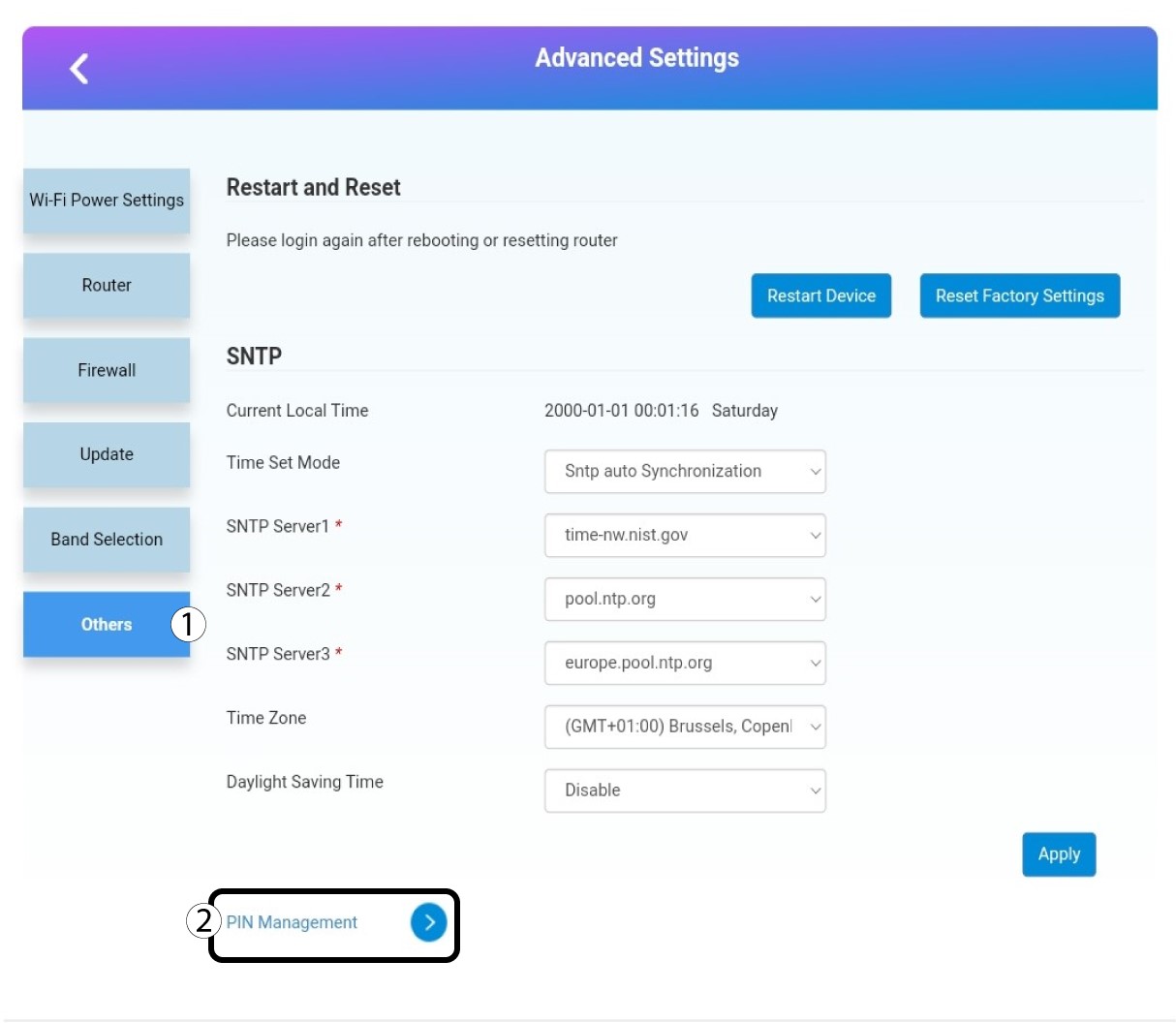
Správa 5PIN
Kliknite na položku „Ostatné“ a „Správa PIN kódov “.
6ZmeniťPIN
Kliknite na „Zmeniť PIN“.

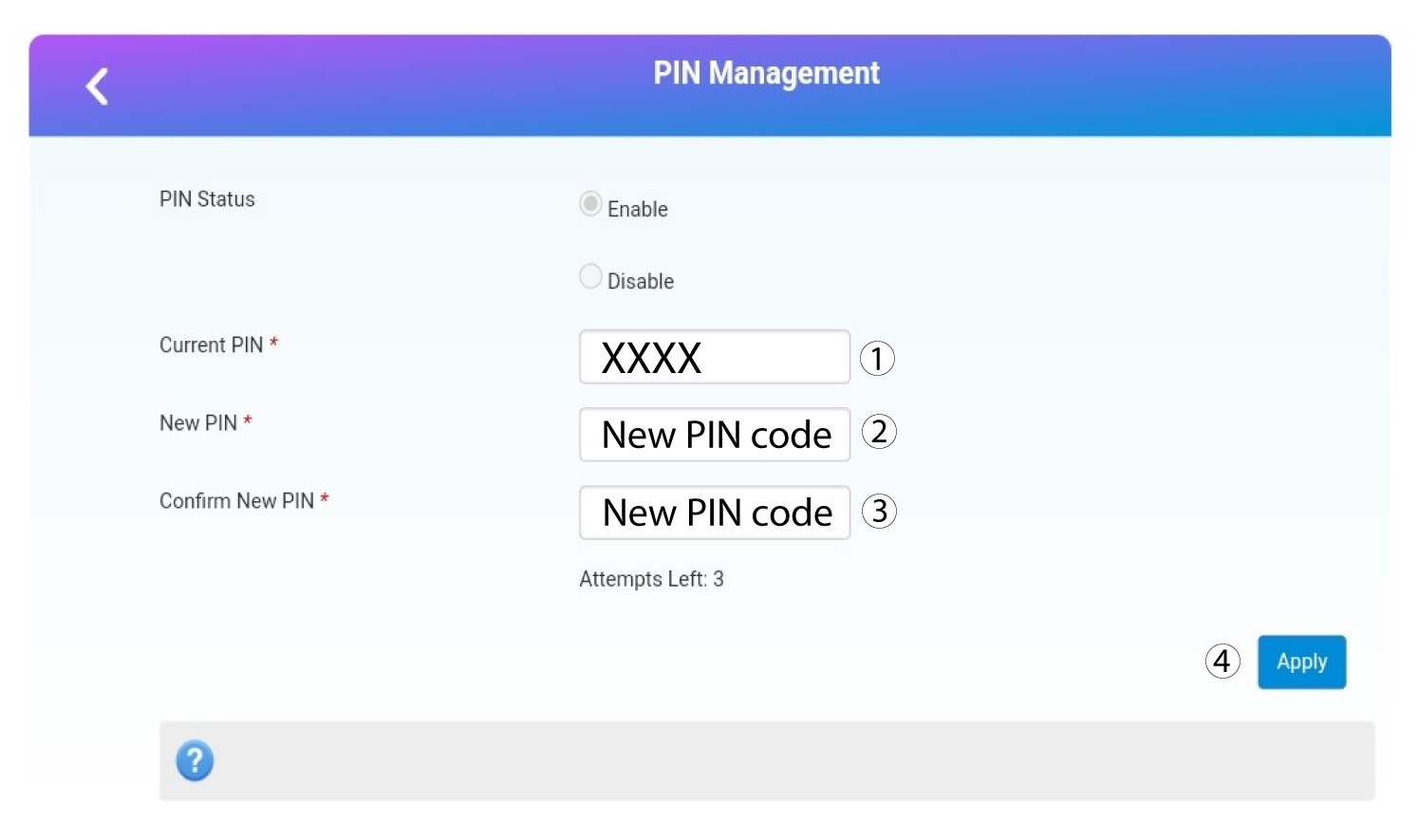
7Zadajtenový PIN kód
Pred kliknutím na tlačidlo „Použiť“ zadajte nasledujúce informácie:
- Aktuálny PIN: Zadajte svoj aktuálny PIN kód.
- Nový PIN: Zadajte nový PIN kód.
- Potvrdenie nového PIN kódu: Zadajte nový PIN kód.