Mini router 4G AIRHOME 200 s odnímateľnými 4G anténami
Nenašli sa žiadne položky.
Nenašli sa žiadne položky.
Všetky otázky
Mini router 4G AIRHOME 200 s odnímateľnými 4G anténami
Nenašli sa žiadne položky.
Nenašli sa žiadne položky.
Ako môžem obnoviť továrenské nastavenia svojho routera?
Niekedy sa môže stať, že vaše zariadenie nefunguje správne a nemáte prístup k internetu. V takomto prípade odporúčame obnoviť továrenské nastavenia zariadenia a v prípade potreby následne znovu aktualizovať jeho firmvér.
Máte na to dva spôsoby: zariadenie môžete obnoviť stlačením tlačidla reset alebo prostredníctvom webového rozhrania.
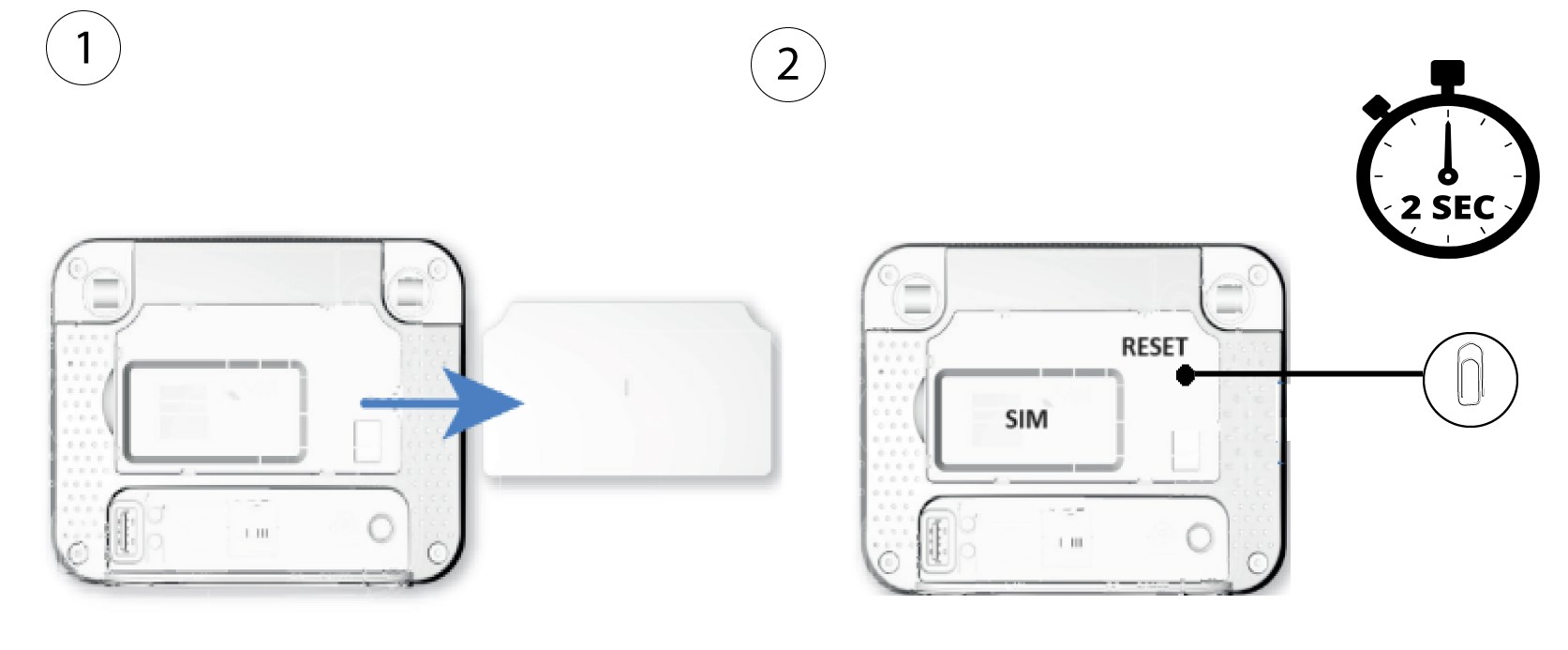
1Prípad1: Tlačidlo resetovania.
Na to odstráňte kryt na zadnej strane routera a pomocou spinky stlačte tlačidlo RESET na 2 sekundy.
1Prípad2: Obnovenie nastavení v webovom rozhraní
Na resetovanie routera sa musíte prihlásiť do webového rozhrania. Postupujte podľa nasledujúcich pokynov:
2. Aktualizácia firmvéru
Potom kliknite na položku „Aktualizácia firmvéru“.

3Obnovenietovárenských nastavení
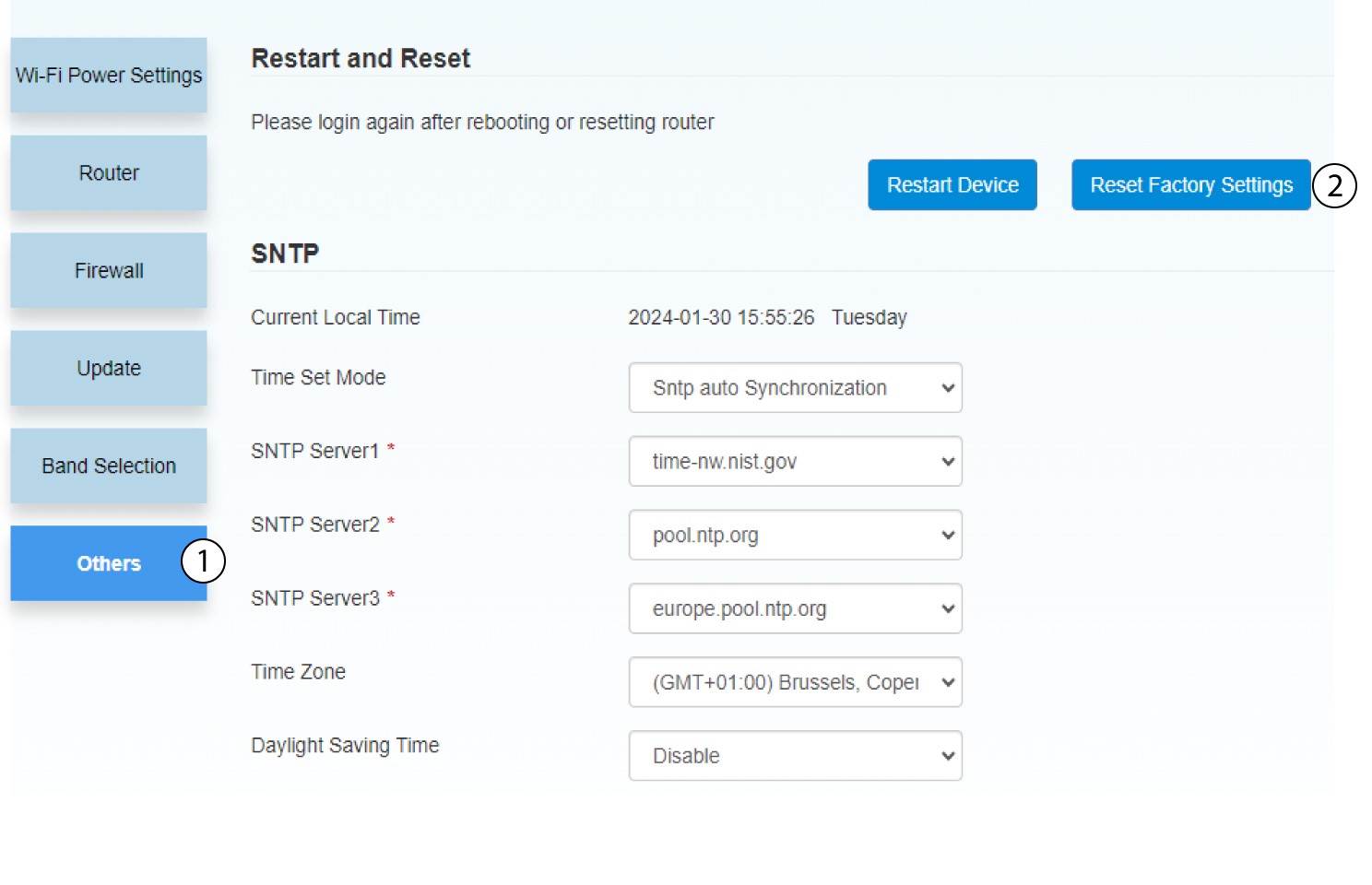
Kliknite na polož ku „Ostatné“. V časti „Reštartovanie a obnovenie“ kliknite na položku „Obnoviť továrenské nastavenia“.
4. Vyskakovacie okienko
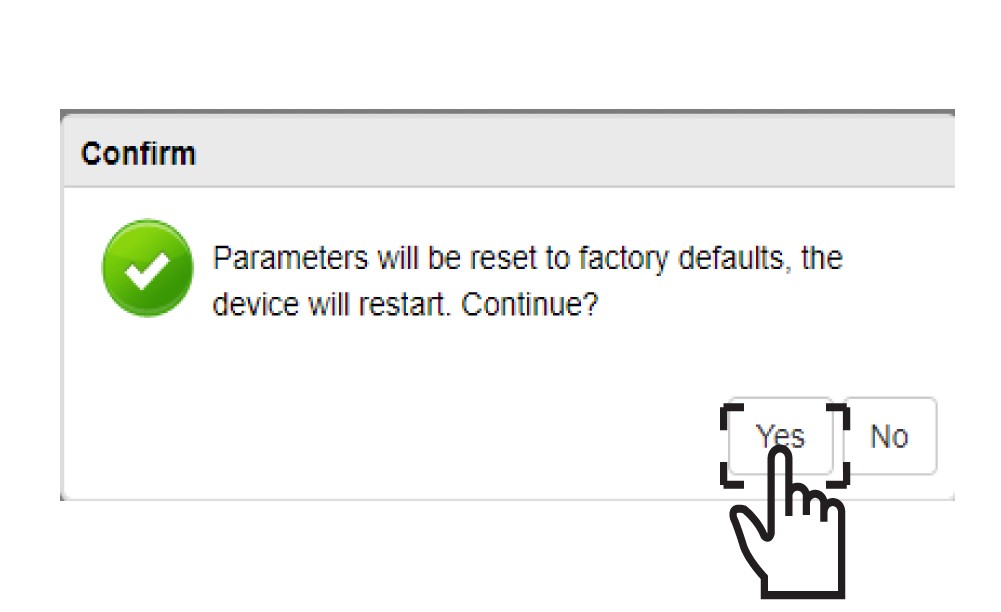
V zobrazenom okienku kliknite na ÁNO.