
Mini router 4G AIRHOME 200 s odnímateľnými 4G anténami
Nenašli sa žiadne položky.
Nenašli sa žiadne položky.
Všetky otázky
Mini router 4G AIRHOME 200 s odnímateľnými 4G anténami
Nenašli sa žiadne položky.
Nenašli sa žiadne položky.
Ako môžem pripojiť svoje zariadenia pomocou WPS?

Pripojenie mobilného telefónu pomocou funkcie WPS nie je možné. Ak chcete telefón jednoducho pripojiť k sieti Wi-Fi, naskenujte prosím QR kód umiestnený na zadnej strane routera – telefón sa automaticky pripojí k sieti bez zadávania hesla k sieti Wi-Fi.
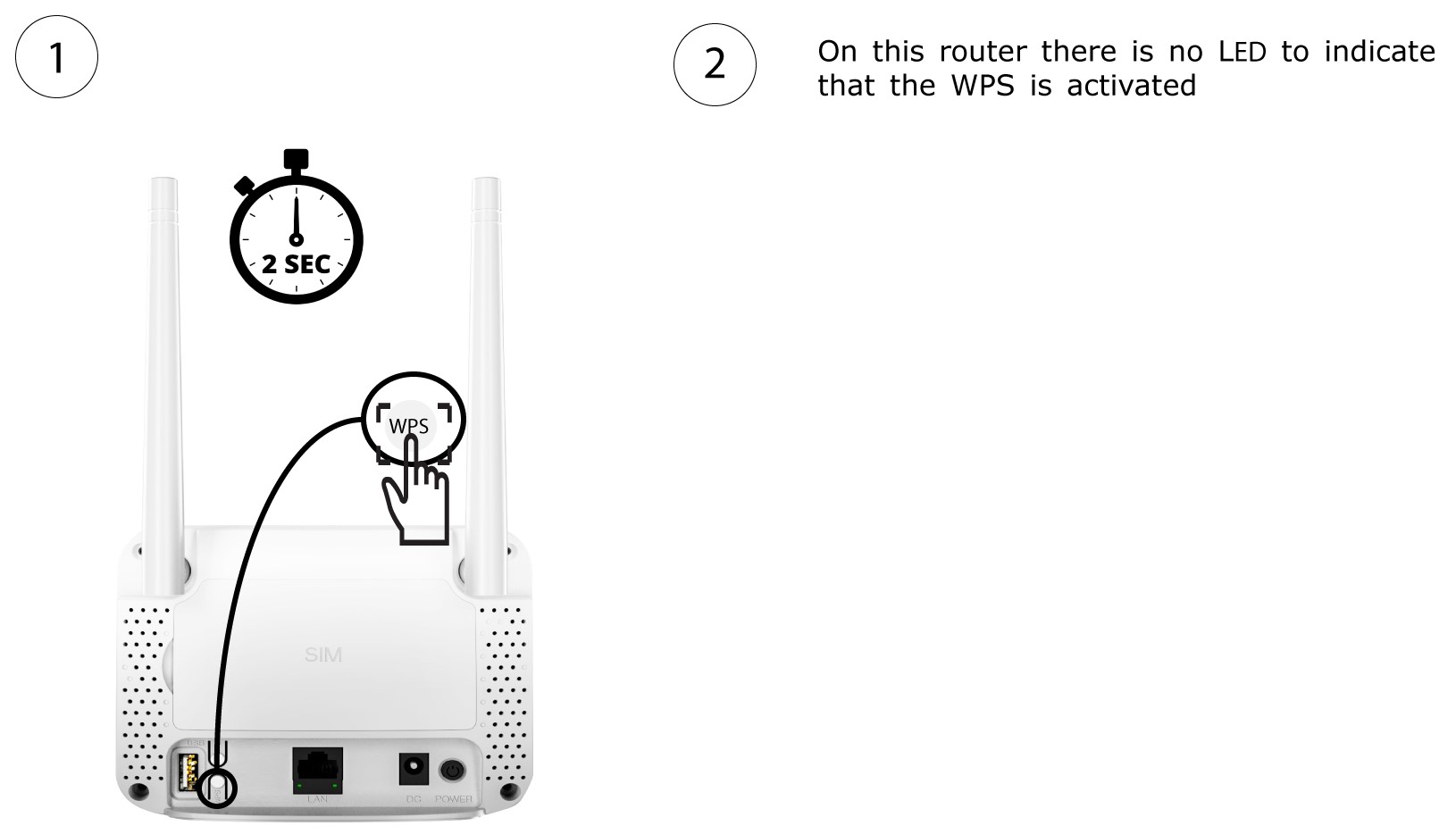
1. Aktivujtefunkciu WPS
Stlačte tlačidlo WPS umiestnené na zadnej strane routera a podržte ho stlačené 2 sekundy, aby sa akékoľvek kompatibilné zariadenie vo vašej domácnosti mohlo automaticky pripojiť k Wi-Fi sieti routera.
2Vybertesieť Wi-Fi zo zoznamu
Prejdite do nastavení Wi-Fi na vašom počítači a kliknutím na názov routera ho vyberte.

3. Pripojtesa k sieti Wi-Fi
Potom kliknite na tlačidlo „Pripojiť “.
