Nenašli sa žiadne položky.
LEAP 41 | 4K Google TV s HDR10+
Nenašli sa žiadne položky.
Všetky otázky
Nenašli sa žiadne položky.
LEAP 41 | 4K Google TV s HDR10+
Nenašli sa žiadne položky.
Ako môžem odstrániť aplikáciu?
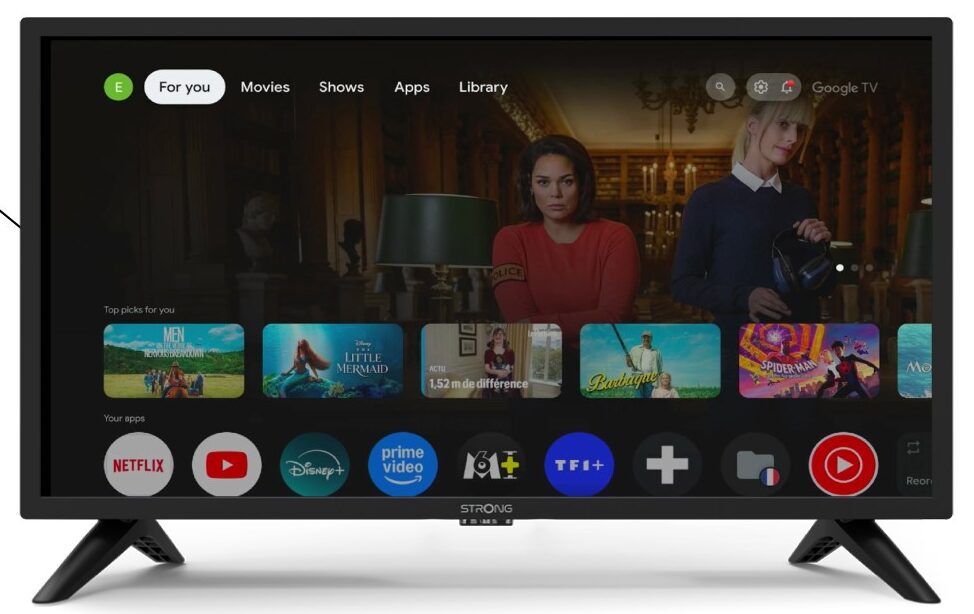
1Nastavenia
Stlačte tlačidlo „Nastavenia“ na diaľkovom ovládači (ikona ozubeného kolesa). Na obrazovke televízora sa zobrazí ponuka „Nastavenia“.
2Apps
V nastaveniach vyberte položku Aplikácie.

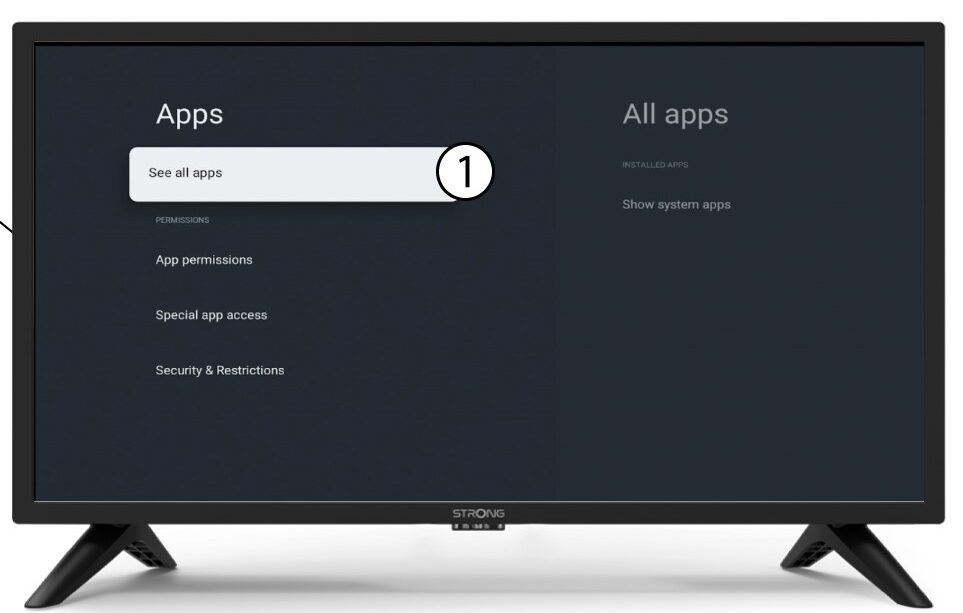
3Všetkyaplikácie
Vyberte možnosť „Zobraziť všetky aplikácie“.
4Vyberteaplikáciu, ktorú chcete odstrániť
Vyberte aplikáciu zo zoznamu.
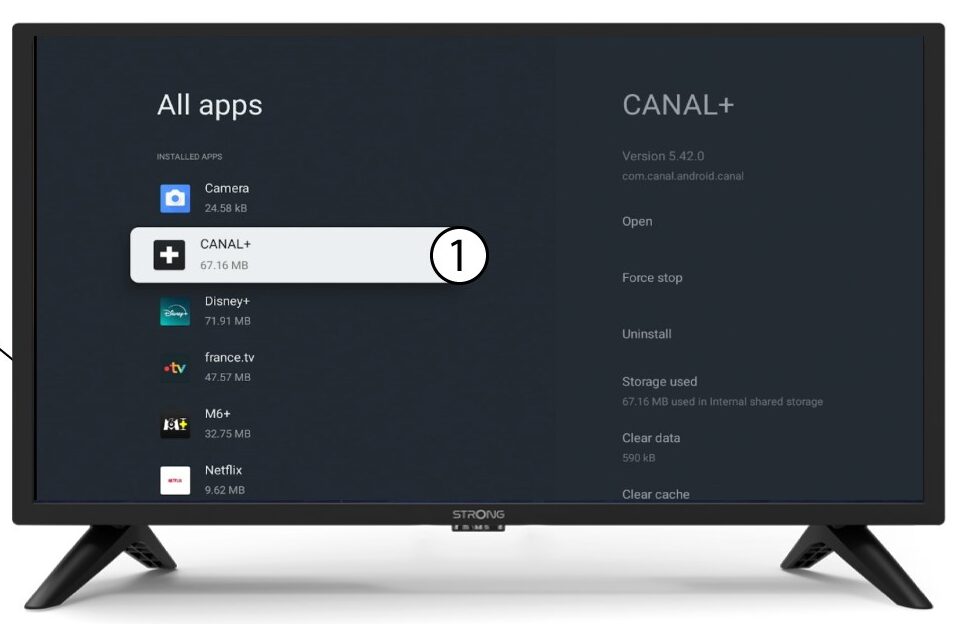
5Odinštalovať
Vyberte možnosť Odinštalovať.
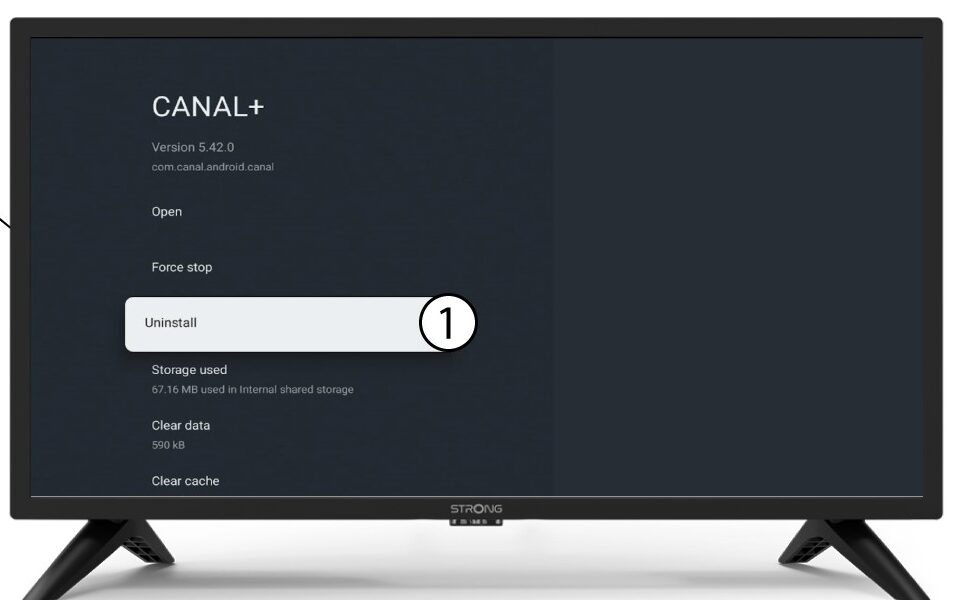
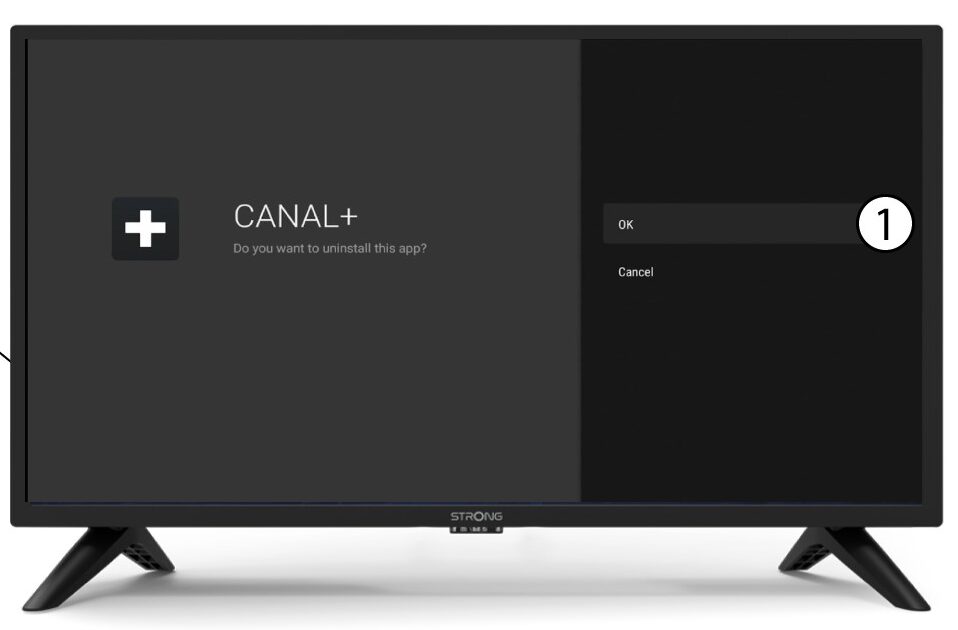
6Potvrdiťvymazanie
Kliknite na tlačidlo OK.