Nenašli sa žiadne položky.
LEAP 41 | 4K Google TV s HDR10+
Nenašli sa žiadne položky.
Všetky otázky
Nenašli sa žiadne položky.
LEAP 41 | 4K Google TV s HDR10+
Nenašli sa žiadne položky.
Ako môžem obnoviť továrenské nastavenia zariadenia?
1Zapnitetelevízor a prijímač
Zapnite televízor a prijímač.
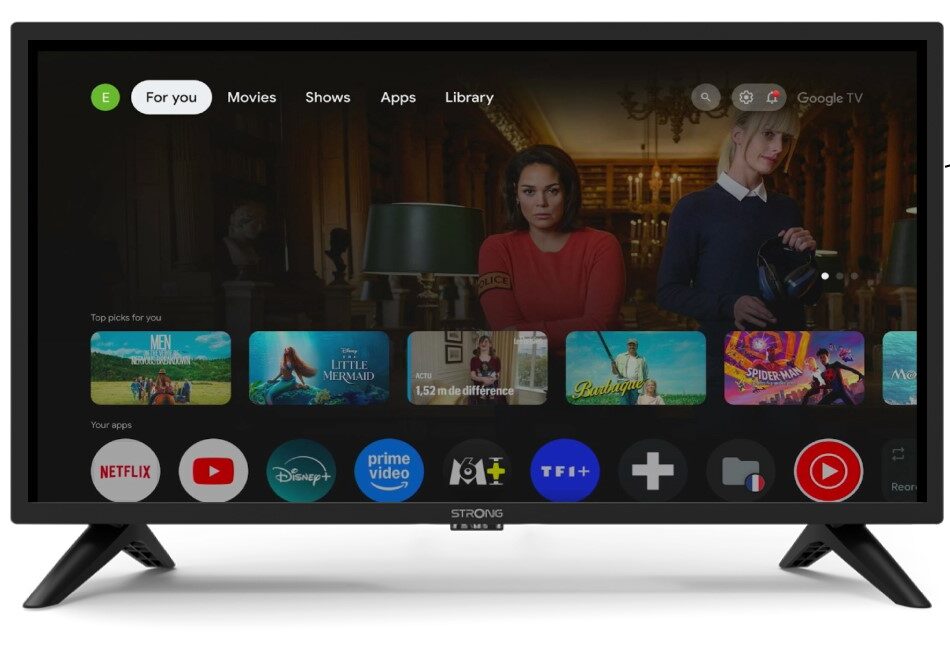
2 Nastavenia
Stlačte ikonu ozubeného kolesa na diaľkovom ovládači.
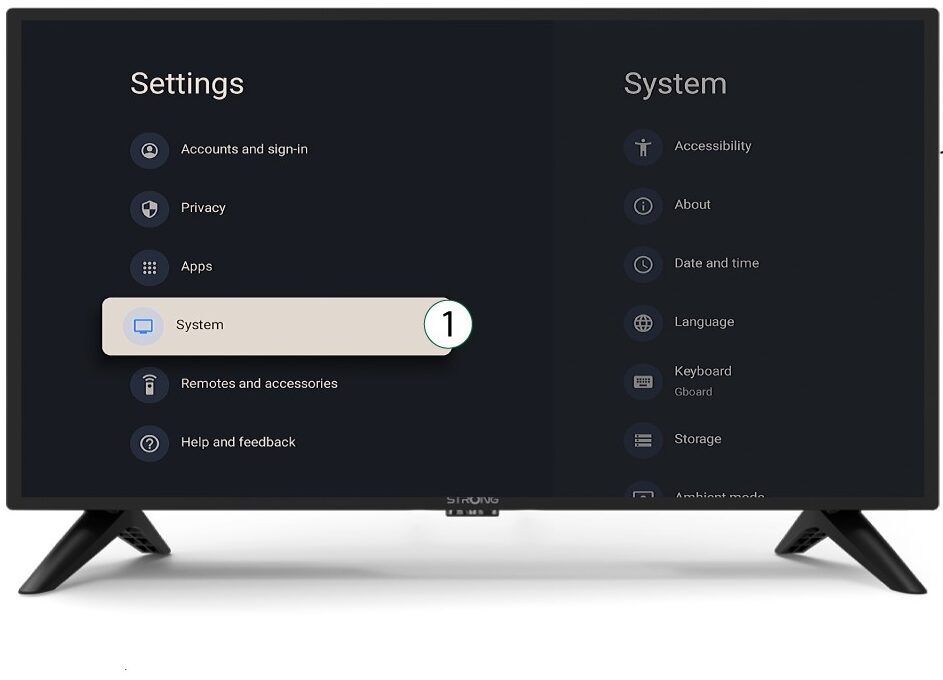
3System
V ponuke Nastavenia vyberte položku Systém a stlačte tlačidlo OK.
4Onás
V systémovom menu vyberte položku „O programe“ a stlačte tlačidlo OK.
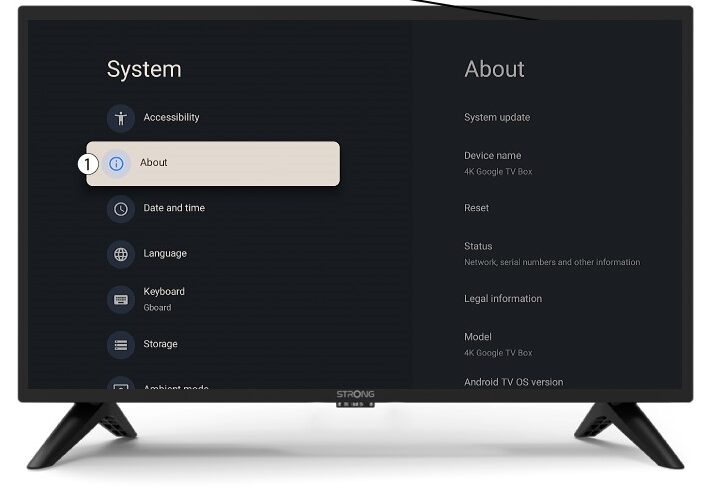
5Resetovať
Vyberte možnosť „Reset“.
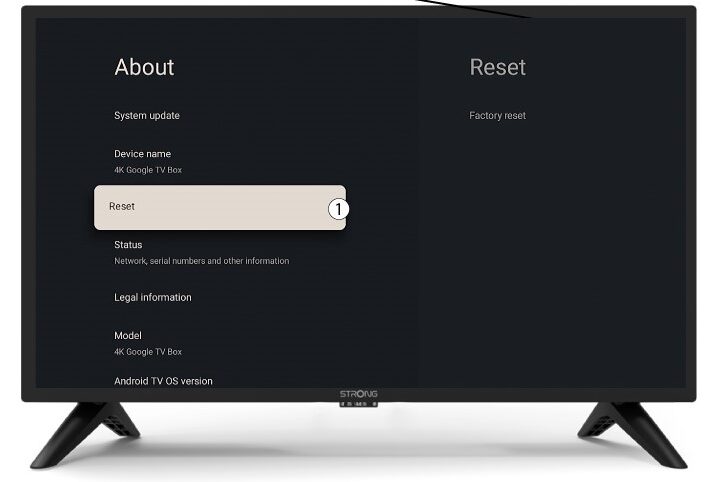
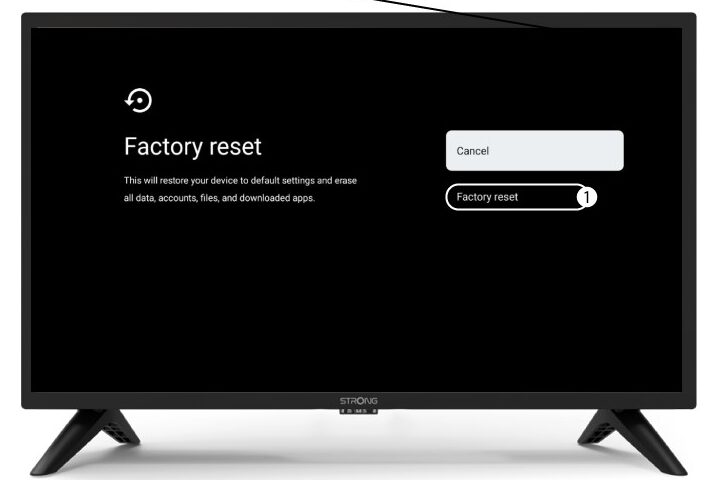
6. Obnovenie továrenskýchnastavení
Vyberte možnosť „Obnovenie továrenských nastavení “ a stlačte tlačidlo OK.
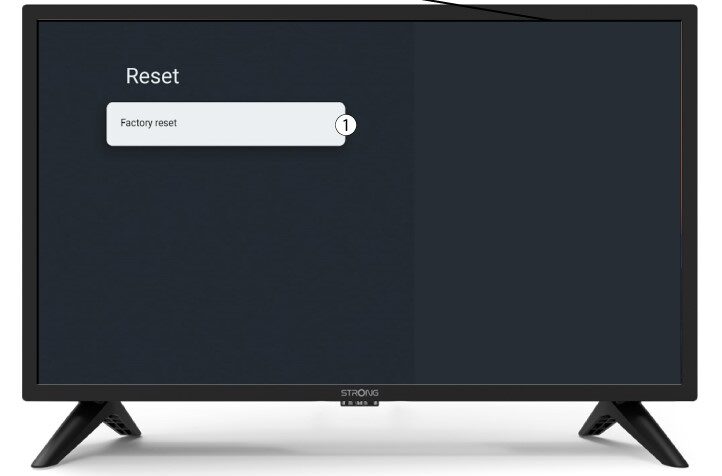
7Potvrdiťvynulovanie
Na stránke „Obnovenie továrenských nastavení“ vyberte možnosť „Obnovenie továrenských nastavení“.