Wi-Fi 4G AIRSPOT 220 s displejom
Nenašli sa žiadne položky.
Nenašli sa žiadne položky.
Všetky otázky
Wi-Fi 4G AIRSPOT 220 s displejom
Nenašli sa žiadne položky.
Nenašli sa žiadne položky.
Ako môžem deaktivovať PIN kód SIM karty?
PIN kód vašej SIM karty je možné deaktivovať prostredníctvom webového rozhrania.
Postupujte podľa nižšie uvedených pokynov.
1. Pripojtesa k Wi-Fi sieti routera
Musíte sa pripojiť k webovému používateľskému rozhraniu. Na to zadajte do svojho zariadenia SSID (názov siete Wi-Fi) a heslo k Wi-Fi routera.

2Prejditena IP adresu webového rozhrania
Potom zadajte do prehliadača nasledujúcu IP adresu: 192.168.188.1

3Prihlásenie
Musíte zadať heslo. Potom kliknite na „Prihlásiť sa“.

4 Stav pripojenia
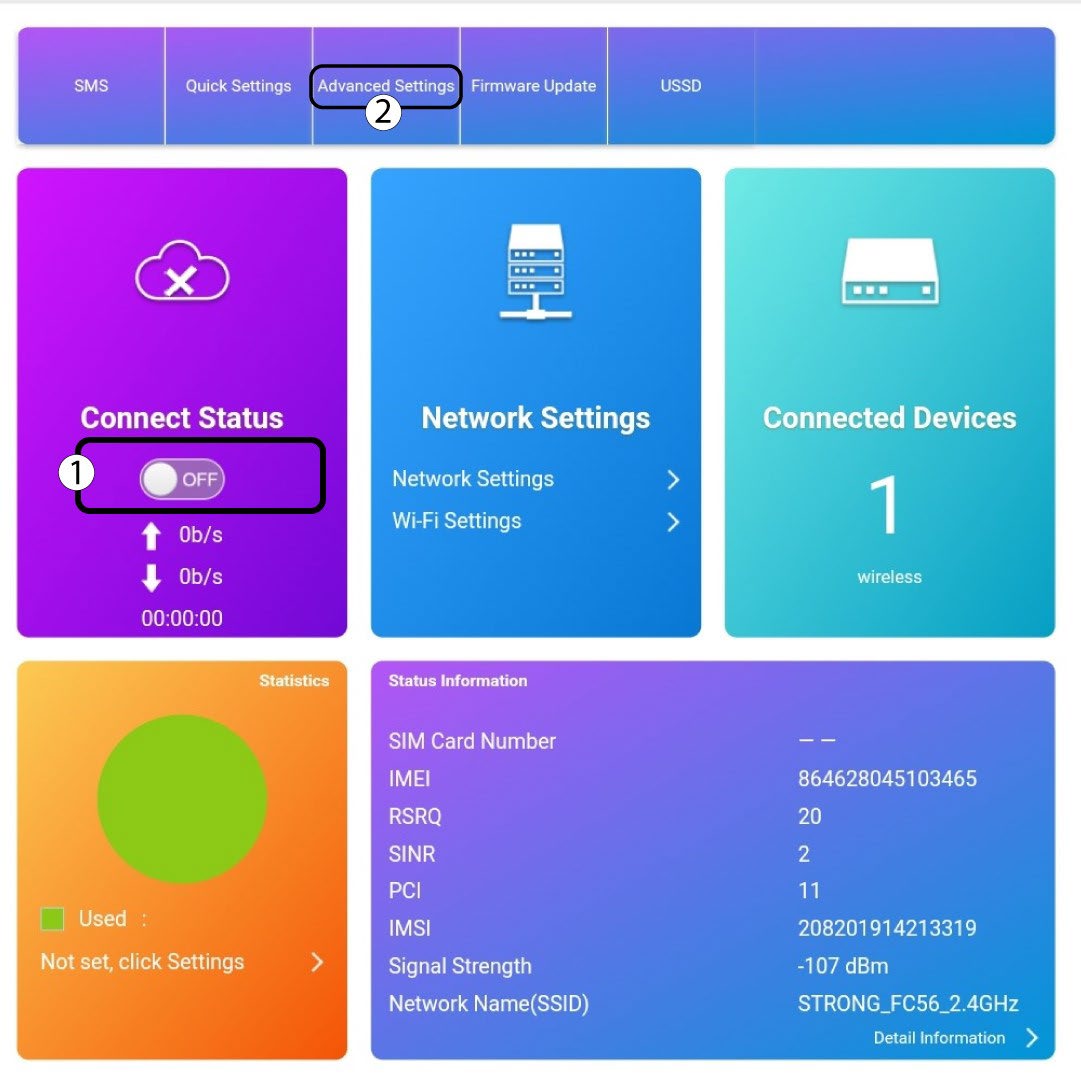
Kliknite na prepínač v časti „Stav pripojenia“ a potom kliknite na „Pokročilé nastavenia“.
5. Pokročilénastavenia
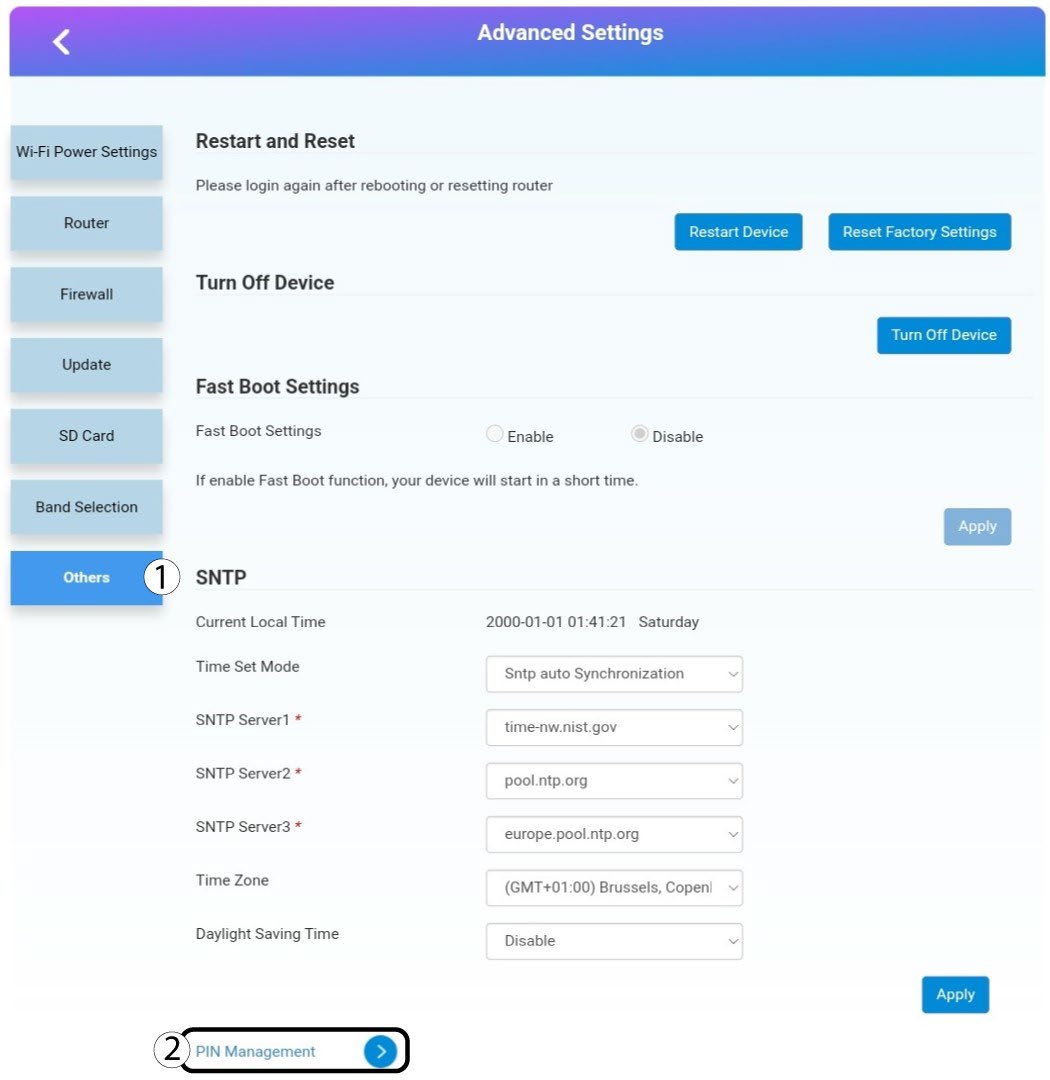
Kliknite na položku „Ostatné“ a „Správa PIN kódov“.
Správa 6PIN
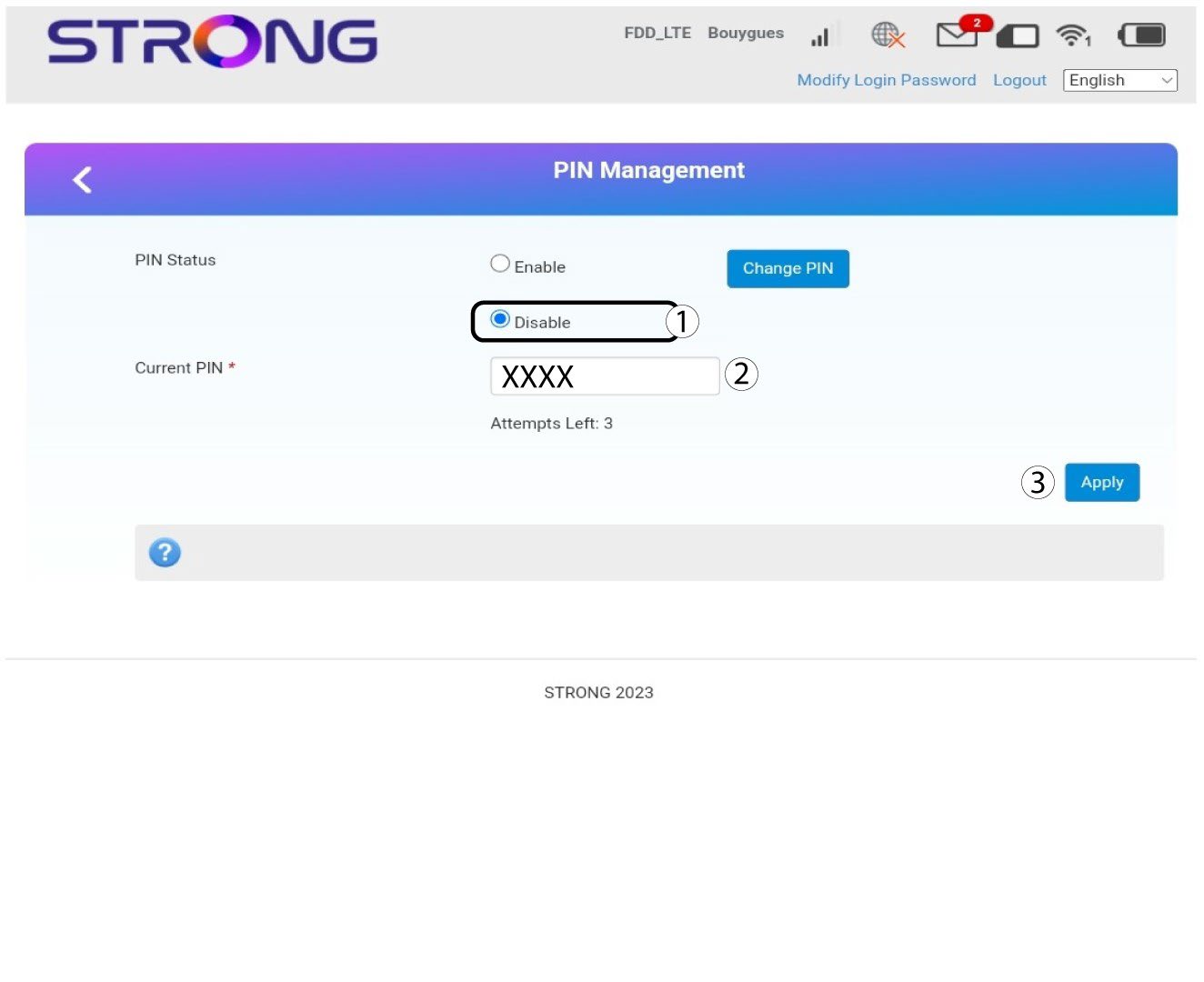
Kliknite na „Zakázať“, zadajte PIN kód a potom kliknite na „Použiť“.