Wi-Fi 4G AIRSPOT 220 s displejom
Nenašli sa žiadne položky.
Nenašli sa žiadne položky.
Všetky otázky
Wi-Fi 4G AIRSPOT 220 s displejom
Nenašli sa žiadne položky.
Nenašli sa žiadne položky.
Ako môžem obnoviť továrenské nastavenia svojho routera?
Niekedy sa môže stať, že vaše zariadenie nefunguje správne a nemáte prístup k internetu. V takom prípade odporúčame obnoviť továrenské nastavenia zariadenia a v prípade potreby následne znovu aktualizovať jeho firmvér.
Máte na to dve možnosti: zariadenie môžete obnoviť stlačením tlačidla na obnovenie alebo prostredníctvom webového rozhrania.
PRÍPAD 1: Tlačidlo na vynulovanie.
Na to odstráňte kryt na zadnej strane routera a pomocou kancelárskej sponky stlačte tlačidlo RESET na 2 sekundy.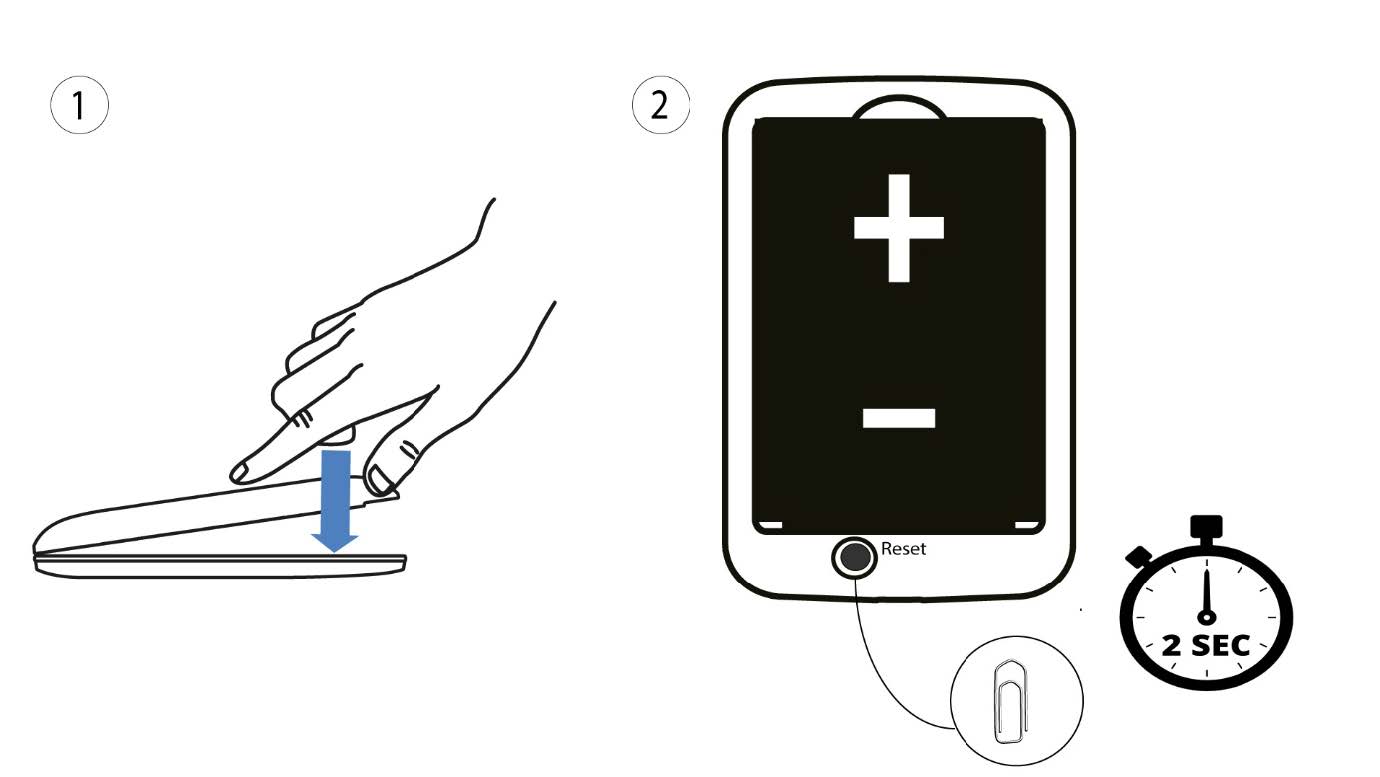
1Prípad2: obnovenie nastavení v webovom rozhraní
1. Musíte sa pripojiť k sieti Wi-Fi vo vašom zariadení.

2. ZadajteIP adresu webového rozhrania
Potom do prehliadača zadajte nasledujúcu IP adresu: 192.168.188.1.

3Prihlásenie
Musíte zadať heslo.

4Nastavenia
Potom kliknite na položku „Pokročilé nastavenia“.
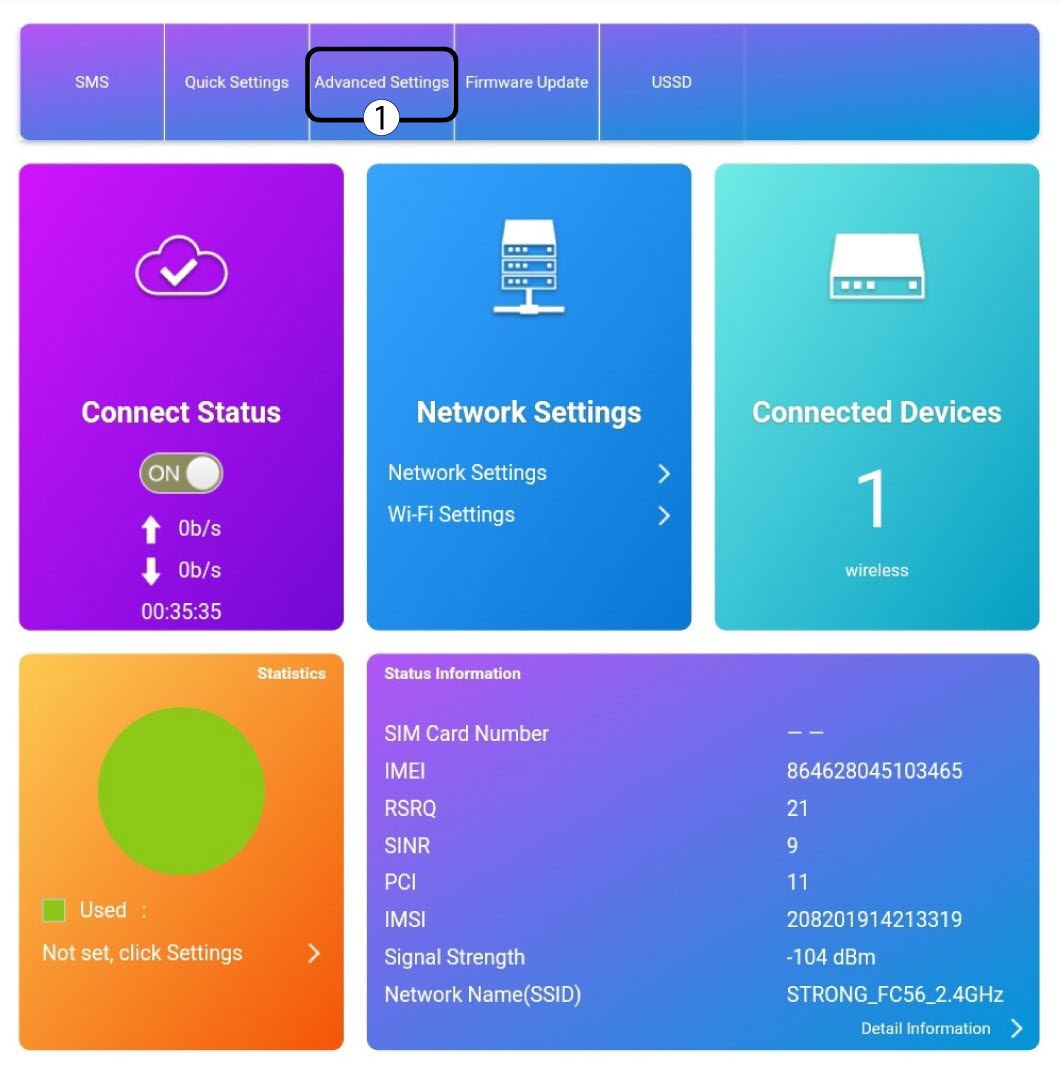
5Obnovenietovárenských nastavení
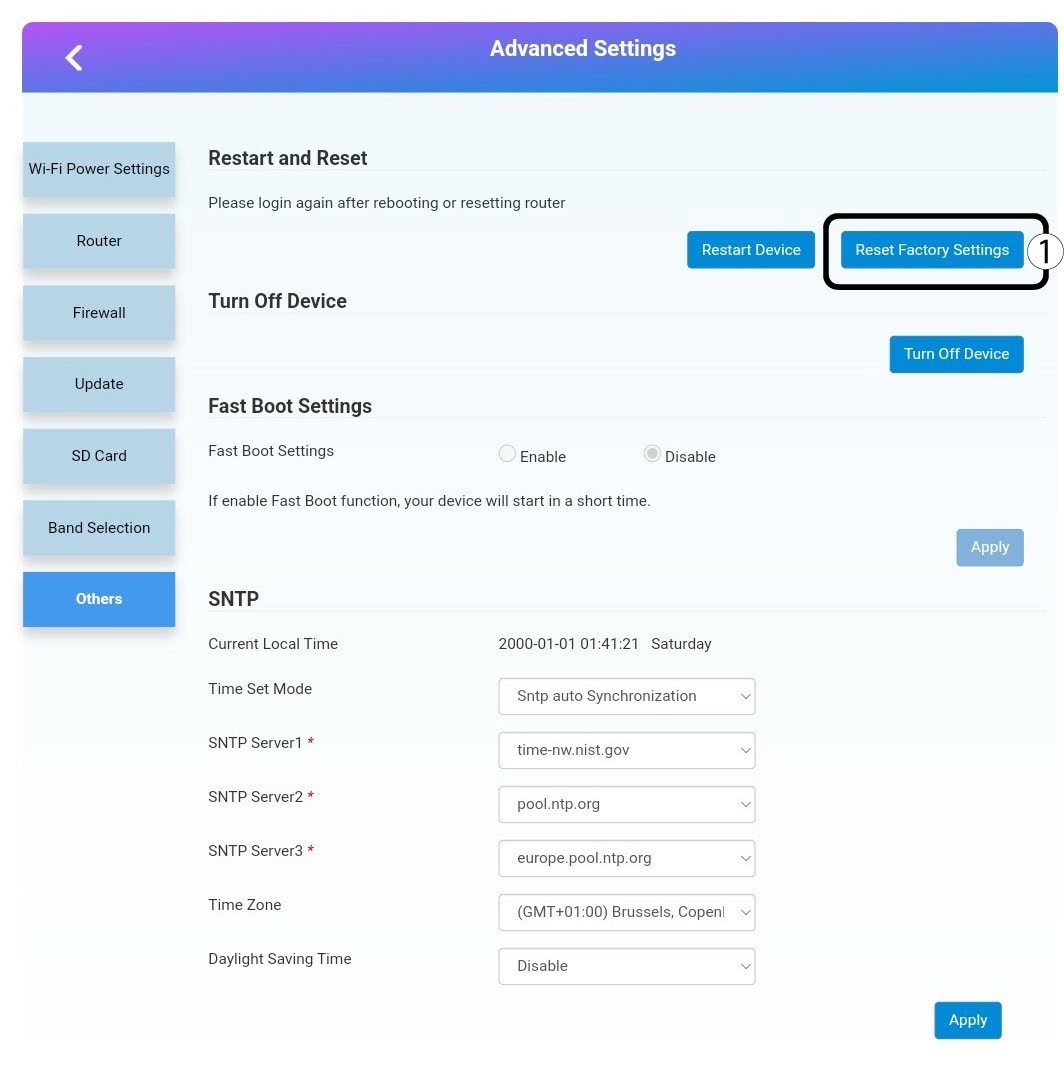
Kliknite na polož ku „Ostatné“. V časti „Reštartovanie a obnovenie “ kliknite na položku „Obnoviť továrenské nastavenia“.
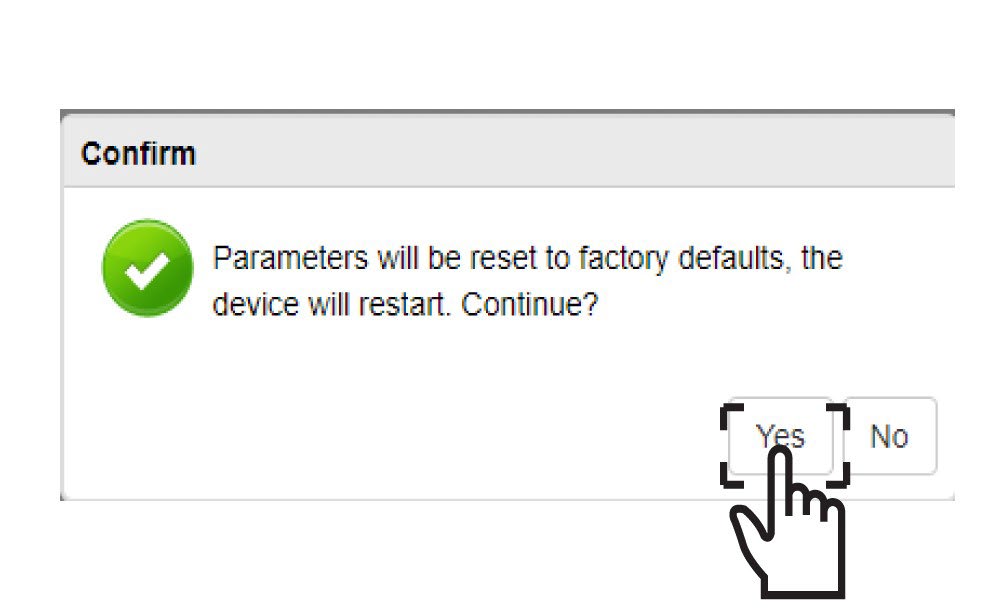
6Potvrdenie
V zobrazenom okne kliknite na tlačidloÁNO .