
Wi-Fi 4G+ AIRSPOT 510
Nenašli sa žiadne položky.
Nenašli sa žiadne položky.
Všetky otázky
Wi-Fi 4G+ AIRSPOT 510
Nenašli sa žiadne položky.
Nenašli sa žiadne položky.
Ako môžem spravovať nastavenia APN v mojom zariadení?
Niekedy sa po nakonfigurovaní zariadenia a zadaní PIN kódu môžu vyskytnúť problémy s mobilnou dátovou sieťou. V takom prípade postupujte podľa nižšie uvedených pokynov a skontrolujte si informácie o APN.
1. Otvortewebové používateľské rozhranie
Ak sa chcete pripojiť k webovému používateľskému rozhraniu, postupujte podľa nasledujúcich pokynov: Ako získam prístup k webovému používateľskému rozhraniu?
2. Otvoriťkonfiguráciu APN
Kliknite na položku „Nastavenia internetu “ a „Konfigurácia APN“. Potom kliknite na položku „Pridať APN“.
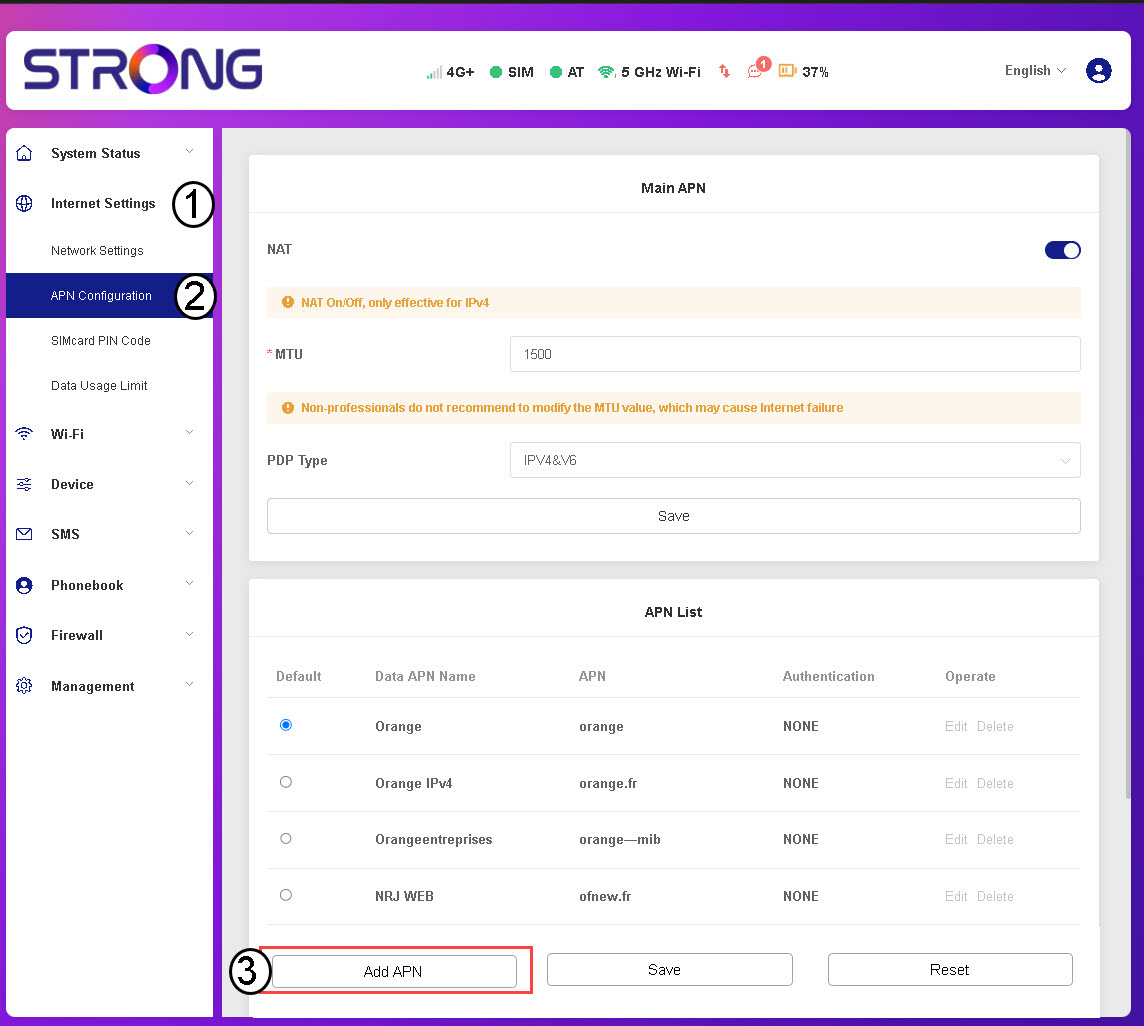
3Zadajtea uložte údaje o APN
Pred kliknutím na tlačidlo „Uložiť“ zadajte nasledujúce informácie :
- Názov APN pre dáta: Zadajte názov APN, ktorý vám poskytol váš operátor.
- APN: Zadajte APN, ktorý vám poskytol váš operátor.
- Overovanie: Zoznamu vyberte typ overovania na základe informácií, ktoré vám poskytol váš poskytovateľ služieb.