
Wi-Fi 4G+ AIRSPOT 520 s dotykovým displejom
Nenašli sa žiadne položky.
Nenašli sa žiadne položky.
Všetky otázky
Wi-Fi 4G+ AIRSPOT 520 s dotykovým displejom
Nenašli sa žiadne položky.
Nenašli sa žiadne položky.
Ako môžem obnoviť továrenské nastavenia routera? (Tlačidlo Reset)
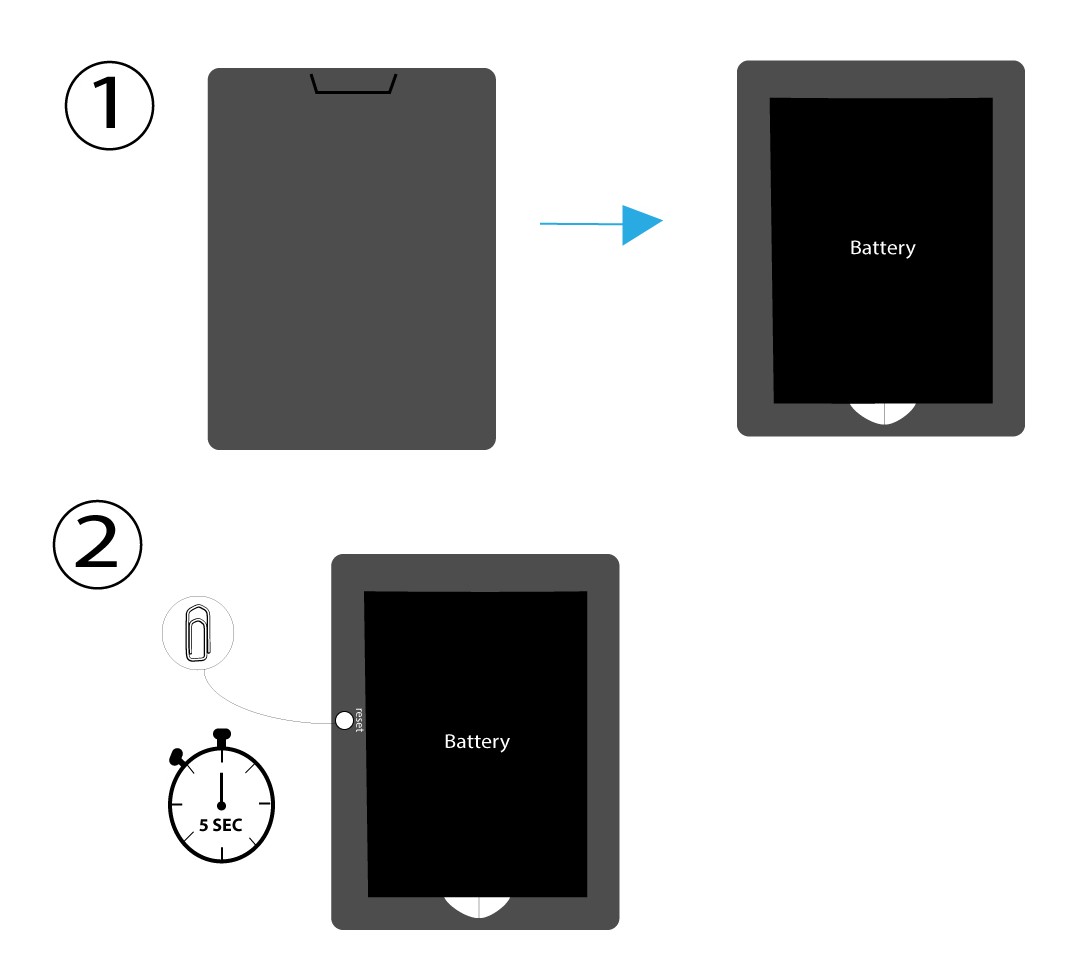
PRÍPAD 1: Tlačidlo resetovania
Na to odstráňte kryt na zadnej strane routera a pomocou kancelárskej spinky stlačte tlačidlo RESET na 5 sekúnd.
PRÍPAD 2: Obnovenie továrenských nastavení prostredníctvom webového používateľského rozhrania
1Obnovenie továrenských nastavenív webovom rozhraní
Pri pripájaní sa k webovému používateľskému rozhraniu postupujte podľa krokov uvedených tu: Ako sa prihlásiť do webového používateľského rozhrania?
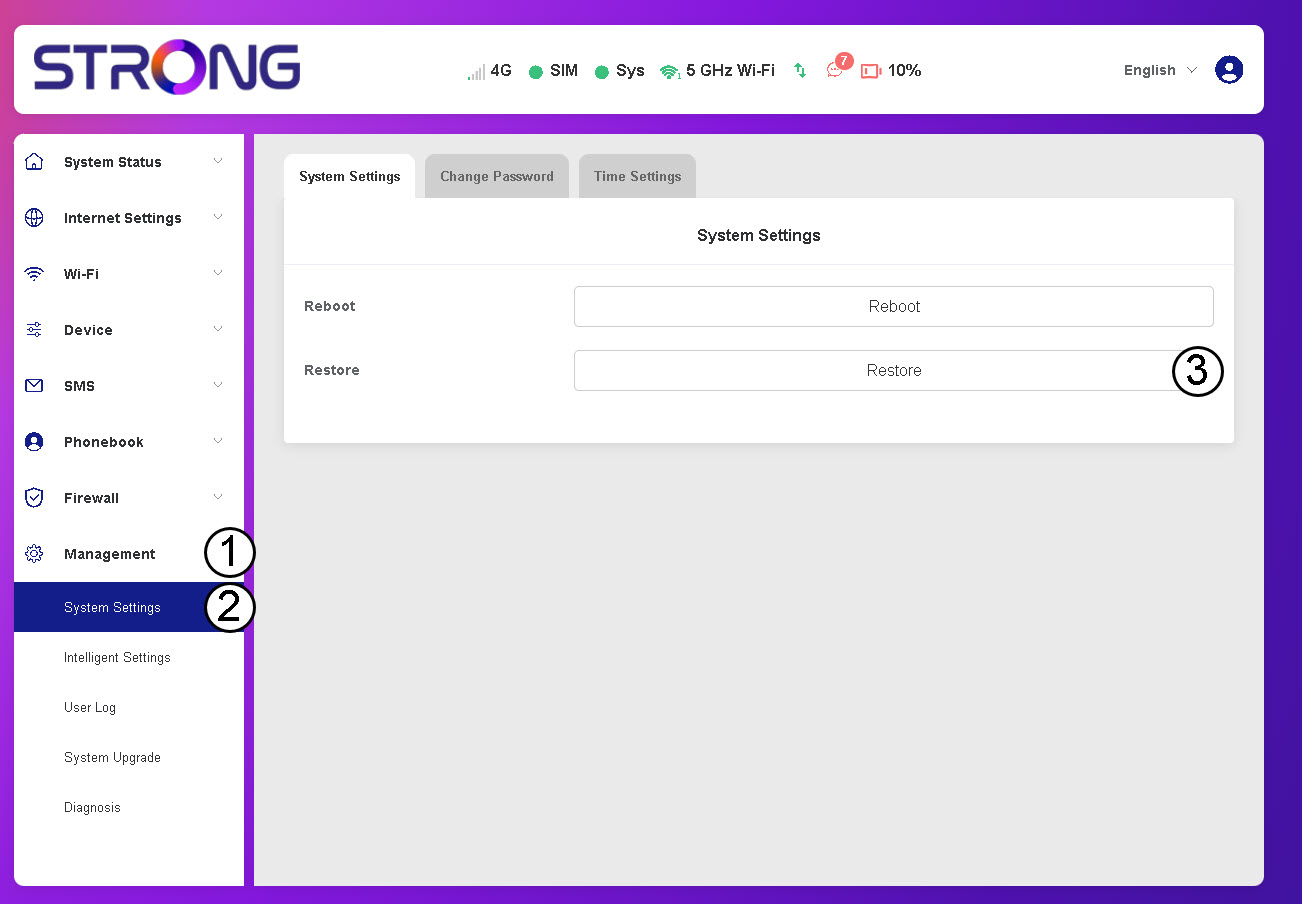
2Prejditena možnosť „Obnoviť“
Kliknite na položky Správa, Nastavenia systému aObnoviť.
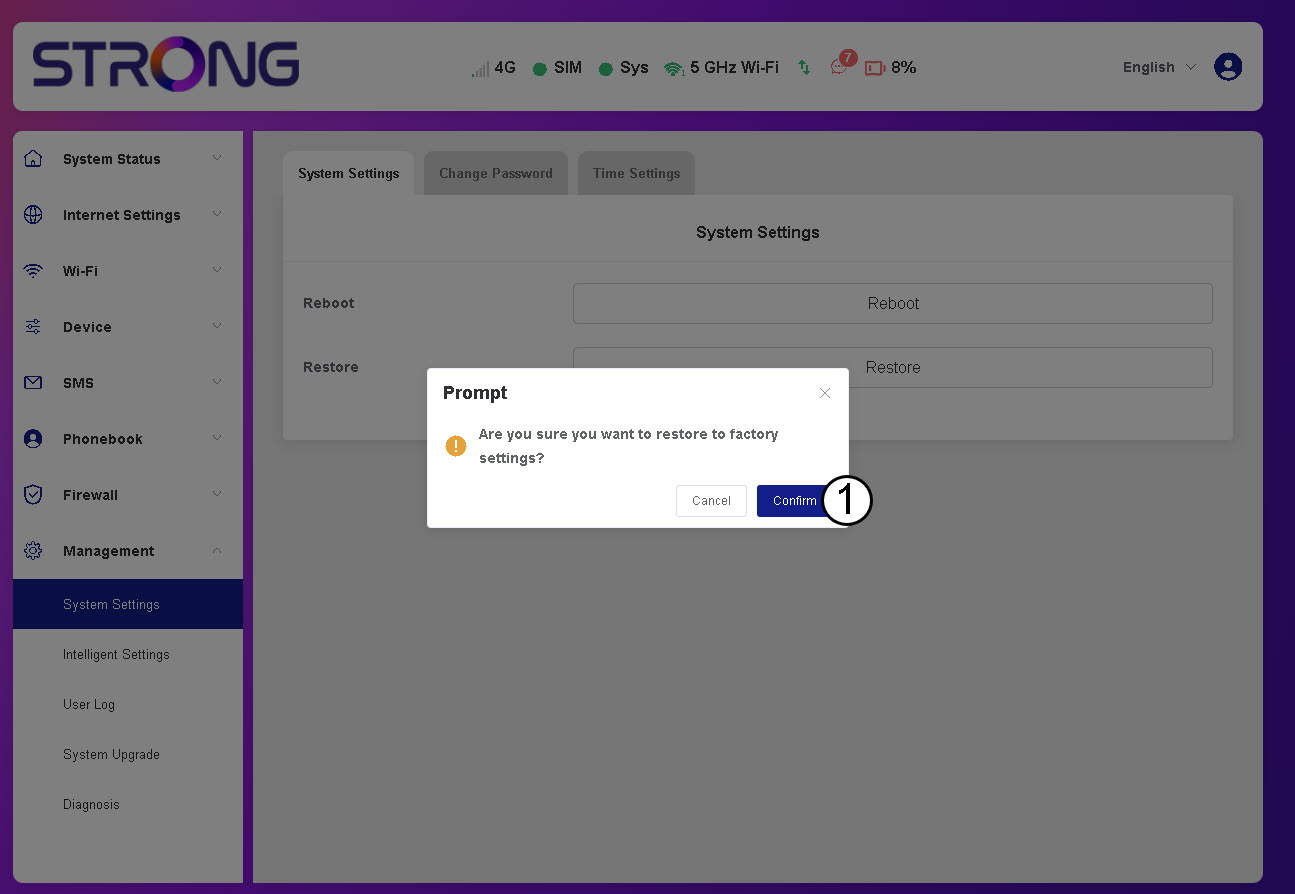
3Kliknitena „Potvrdiť“
4Počkajte, kým sa router reštartuje
Prosím, počkajte – router sa po dokončení procesu vypne a opäť zapne.
PRÍPAD 3: Tlačidlo na vynulovanie