
Dvojpásmový opakovač 1200
Nenašli sa žiadne položky.
Nenašli sa žiadne položky.
Všetky otázky
Dvojpásmový opakovač 1200
Nenašli sa žiadne položky.
Nenašli sa žiadne položky.
Ako môžem aktualizovať firmvér svojho opakovača?
1Skontrolujte, či je k dispozícii aktualizácia firmvéru
Pred aktualizáciou je potrebné navštíviť sekciu „Stiahnutie“ na našej webovej stránke a skontrolovať, či je k dispozícii nová verzia softvéru.
2Prejditena stránku „Stiahnutia“
Kliknite na položku POMOC > Súbory na stiahnutie.

3. Vybertesi produkt
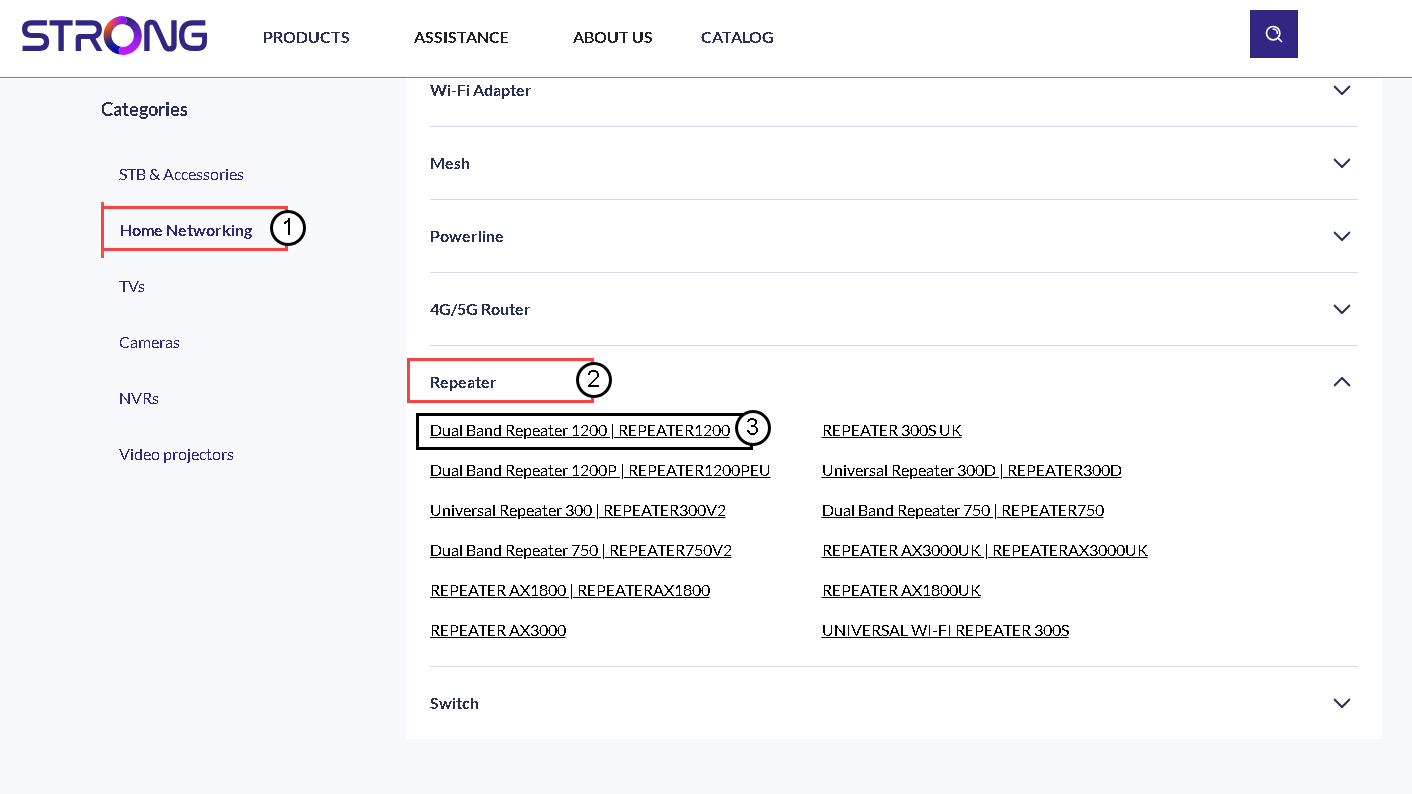
Akonáhle prejdete na stránku „Súbory na stiahnutie“, kliknite na položku „Domáce siete a opakovače“ a potom na označenie produktu.
4Stiahnitesi firmvér
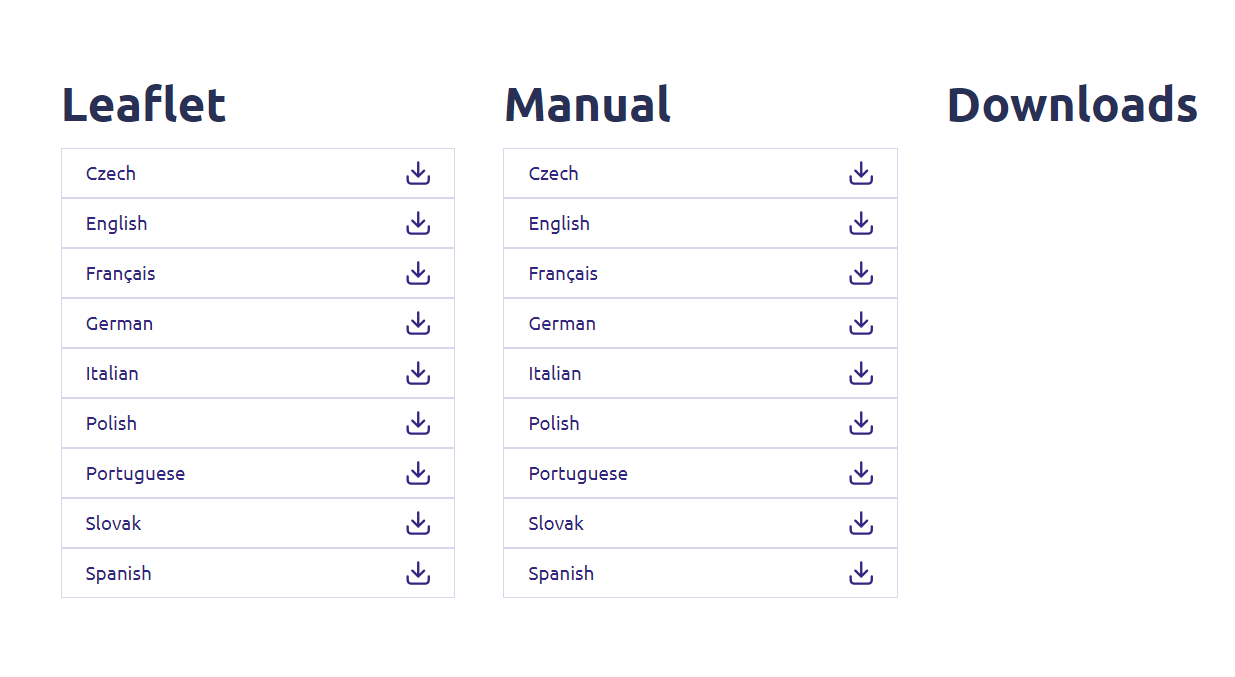
Na nižšie uvedenej stránke nájdete novú verziu softvéru v sekcii „firmware“. Ak je súbor k dispozícii, stiahnite si ho, prosím.
5. Pripojeniek opakovaču
Akonáhle to urobíte, pripojte sa k sieti Wi-Fi tohto opakovača.

6. Otvoreniewebového používateľského rozhrania
Prejdite na URL webového používateľského rozhrania.

7. Otvortemenu nastavení
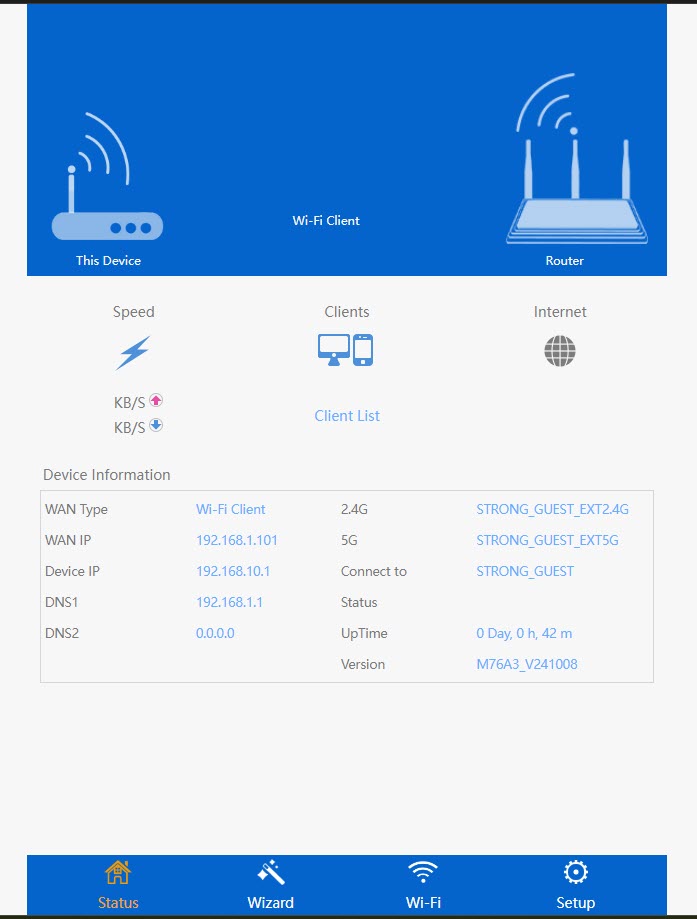
Kliknite na položku „Nastavenie“.
8Spustiteaktualizáciu firmvéru
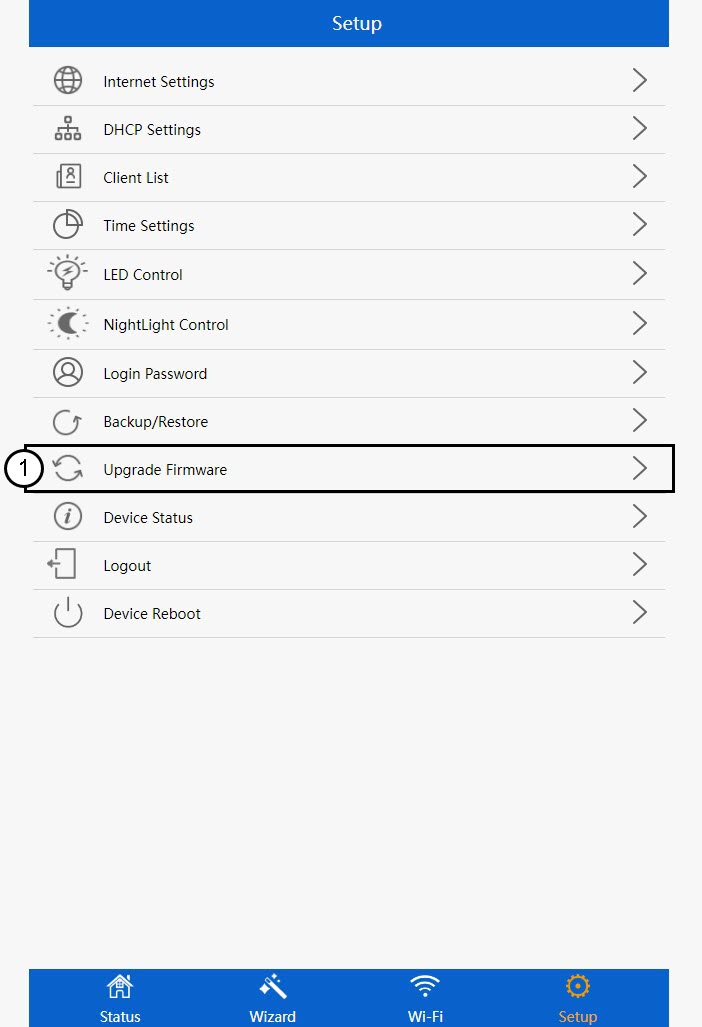
Kliknite na položku „Aktualizovať firmvér“.
9Použiťaktualizáciu
Vyberte súbor a kliknite na „Použiť“. Následne sa aktualizácia spustí automaticky.
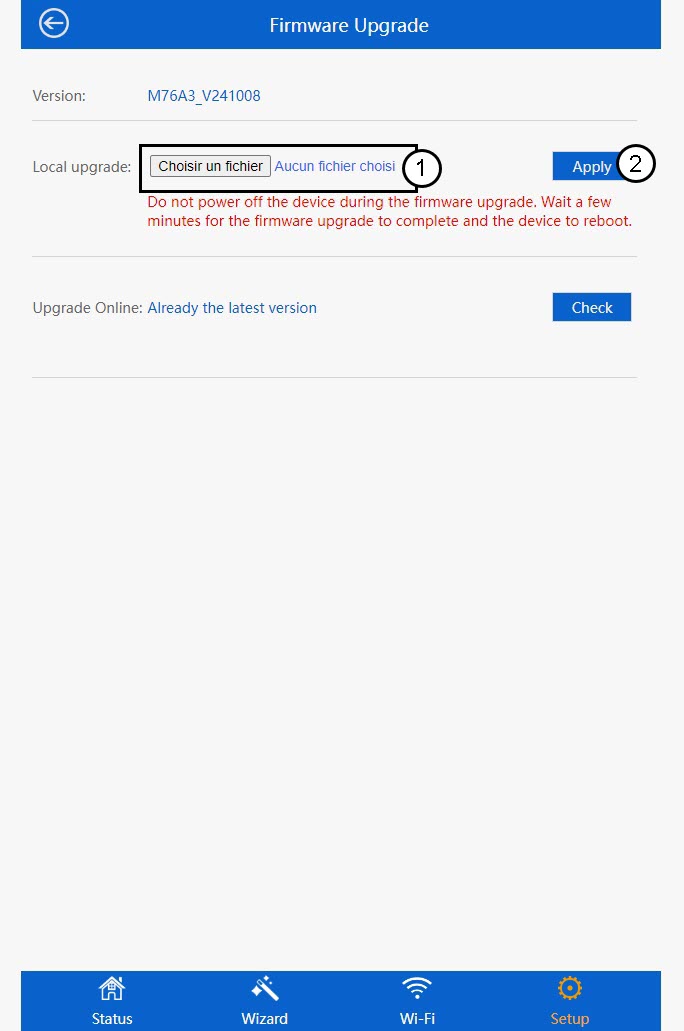
 Upozornenie: Počkajte, kým sa aktualizácia dokončí a zariadenie sa reštartuje. Po aktualizácii sa musíte znovu pripojiť k sieti Wi-Fi.