
ATRIA Wi-Fi 5 Mesh 2100 (add-on)
Všetky otázky
ATRIA Wi-Fi 5 Mesh 2100 (add-on)
Ako by som mal usporiadať svoju sieť „ Mesh “, aby som optimalizoval svoju Wi-Fi sieť?
Aby ste optimalizovali pokrytie, mali by ste nainštalovať zariadenie „ mesh “ na mieste, kde máte problémy s pokrytím, a tak zabezpečiť čo najširšie pokrytie vo vašej domácnosti.
Uistite sa, prosím, aby sa zariadenia mesh nenachádzali v miestnosti, v ktorej sa nachádza nosná stena, pretože čím je stena hrubšia, tým väčšie môžu byť problémy s prenikaním signálu Wi-Fi cez ňu.
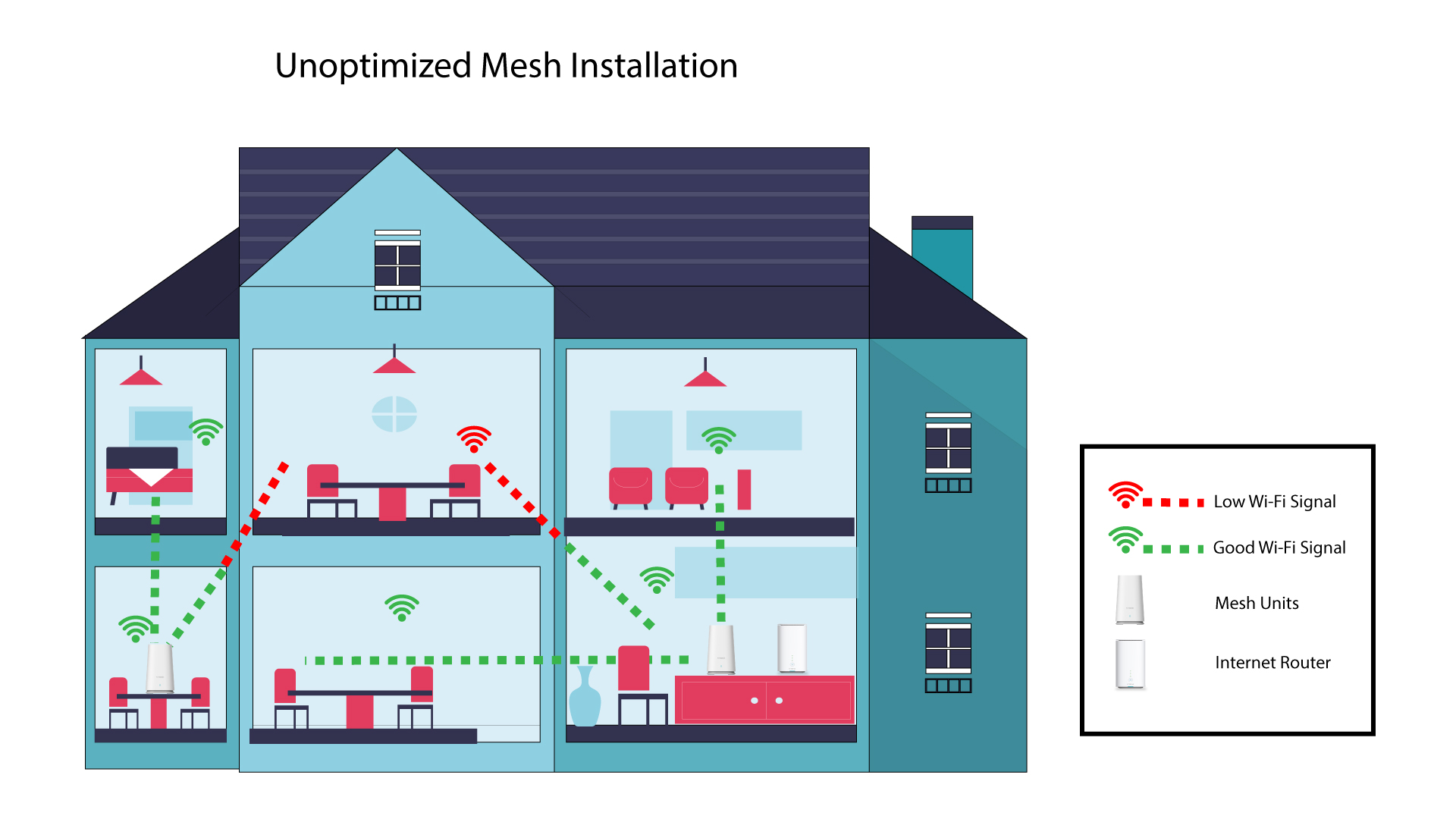
1Neoptimalizovanáinštalácia programu „ Mesh “
Nasledujúci diagram znázorňuje pokrytie Wi-Fi v interiéri domu, kde sú uzly mesh umiestnené v časti domu, ktorá nie je vhodná na zabezpečenie dostatočného pokrytia.
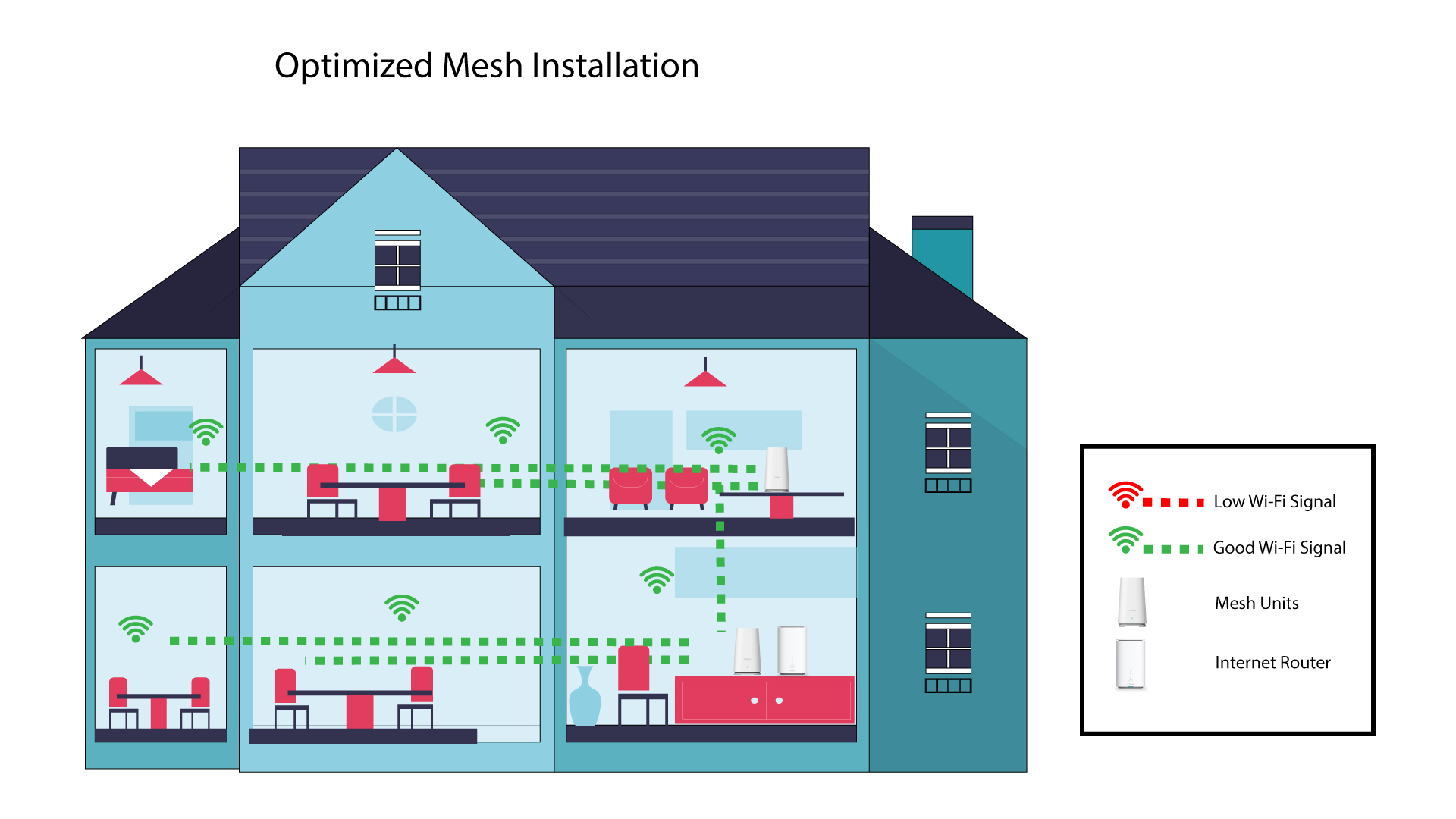
2Optimalizovanáinštalácia Mesh
Nasledujúci nákres znázorňuje pokrytie Wi-Fi v interiéri domu, kde sú uzly mesh umiestnené v pravej časti domu tak, aby zabezpečovali dostatočné pokrytie.
1Atria– aplikácia „ Mesh “
Stiahnite si aplikáciu pre smartfóny „ATRIA MESH “ z App Store alebo z Google Play Store.

2. Pripojeniek Wi-Fi
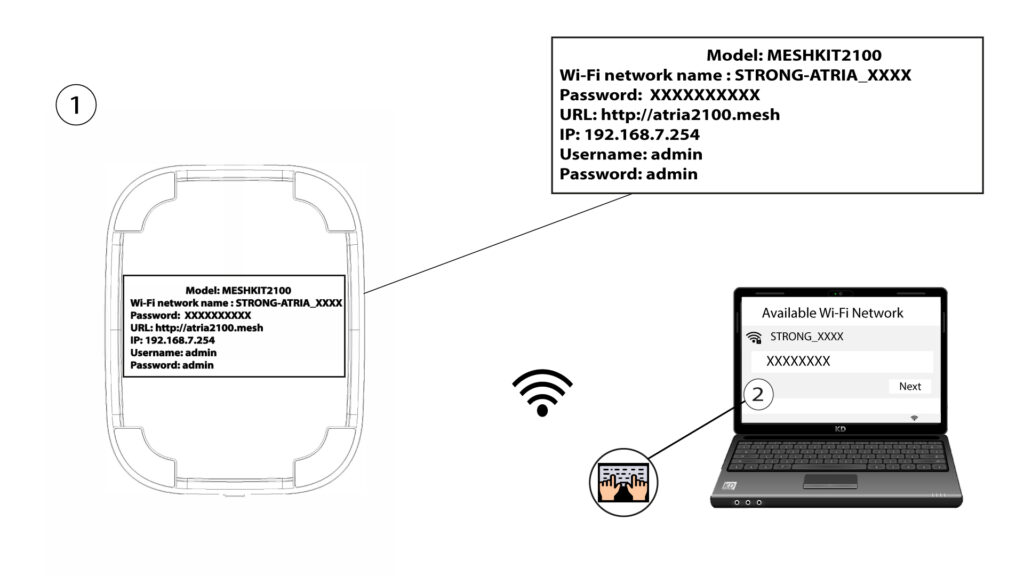
Pripojte sa k sieti Wi-Fi vášho zariadenia mesh .
3. Kvalifikácia
Potom sa musíte so svojím smartfónom pripojiť k Wi-Fi sieti zariadenia Mesh a následne sa prihlásiť do aplikácie pomocou prihlasovacích údajov, ktoré by mali byť„admin“ a„admin“, ak ste ich nezmenili.

4Mojasieť
Kliknite na položku „Moja sieť“.

5Názov Mesh
Zobrazí sa názov jednotiek typu „ mesh “, ktoré ste nakonfigurovali vo vašej sieti.
Kliknutím na názov jednotky „ mesh “ sa dostanete k informáciám o nej.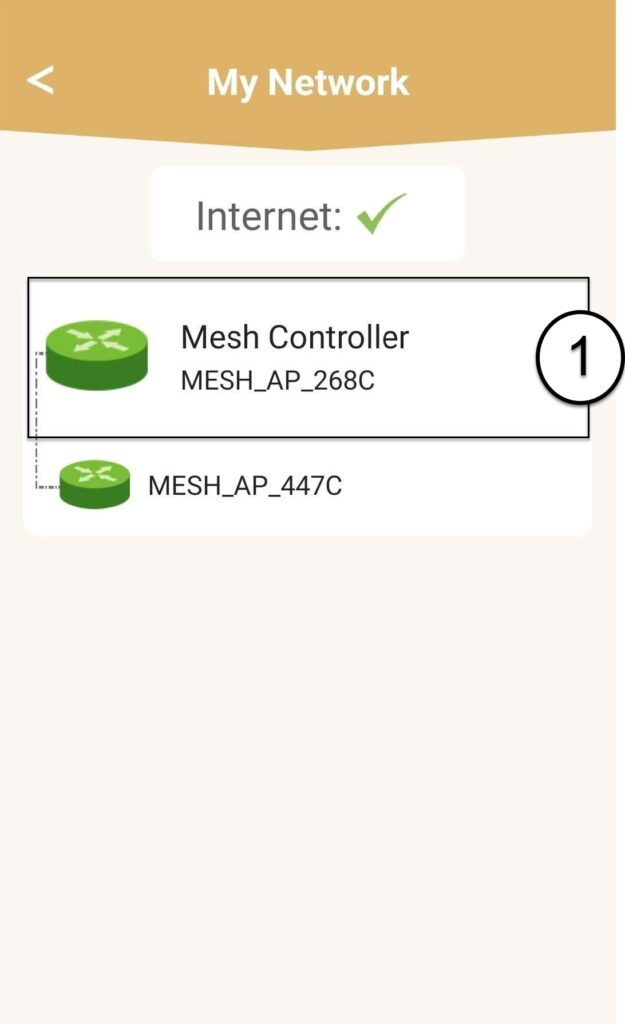
6Názov
Kliknite na pole s názvom.
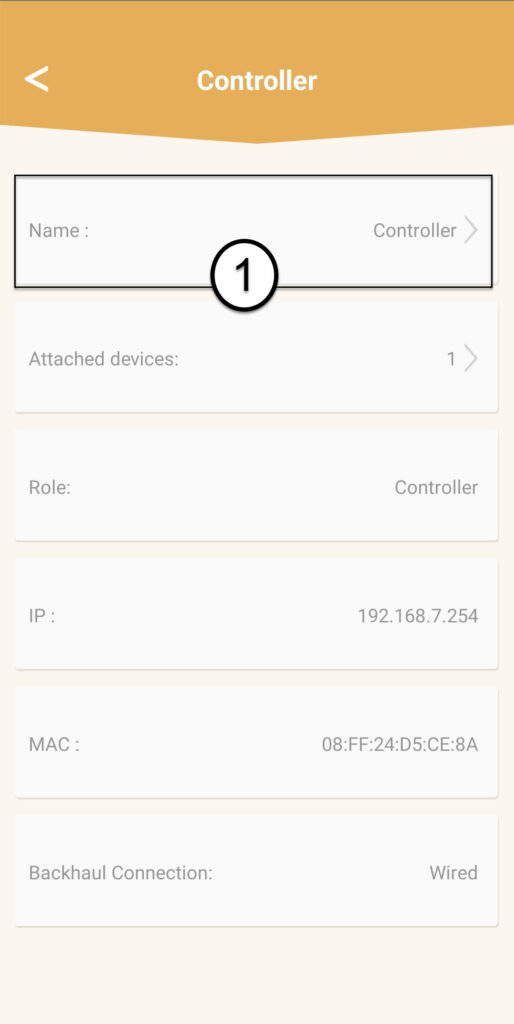
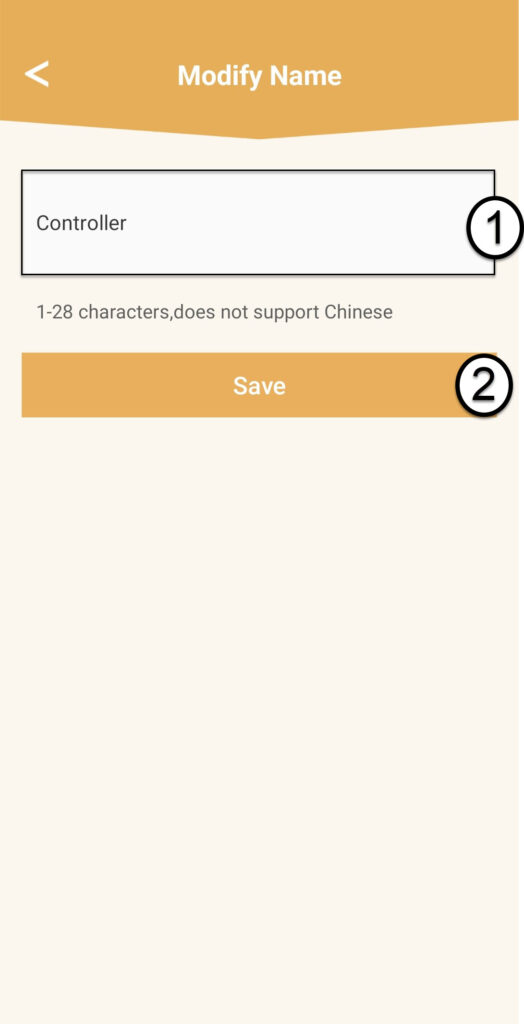
7Zmeniťnázov ovládača
Zadajte nový názov a kliknite na Uložiť:
- Názov radiča „ mesh “ by mal mať nasledujúci formát: MeshAX3000-Main-Názovmiestnosti
- Názvy agentov „ mesh “ by mali mať tento formát: MeshAX3000-Názv miestnosti

Upozornenie: Ak je zariadenie mesh zobrazené v šedej farbe, znamená to, že nezabezpečuje dostatočné pokrytie a mali by ste upraviť jeho umiestnenie, aby ste optimalizovali sieť mesh .