LEAP S3 | 4K Google TV s technológiou Dolby Vision
Všetky otázky
LEAP S3 | 4K Google TV s technológiou Dolby Vision
Pripojil som klávesnicu AZERTY cez USB, ale systém ju rozpoznáva ako klávesnicu QWERTY. Prečo?
Pripojil som klávesnicu AZERTY cez USB, ale systém ju rozpoznáva ako klávesnicu QWERTY. Prečo?

Upozornenie: Majte na pamäti, že podporované rozloženia klávesníc pre externé klávesnice určuje spoločnosť Google. Preto sa môže stať, že vaše rozloženie klávesnice nebude podporované. V takom prípade vám odporúčame obrátiť sa na výrobcu vašej klávesnice a zistiť, či existuje nejaká aplikácia, ktorá by zabezpečila kompatibilitu vašej klávesnice.
1Zapnitezariadenie
Zapnite televízor a zariadenie LEAP S3.
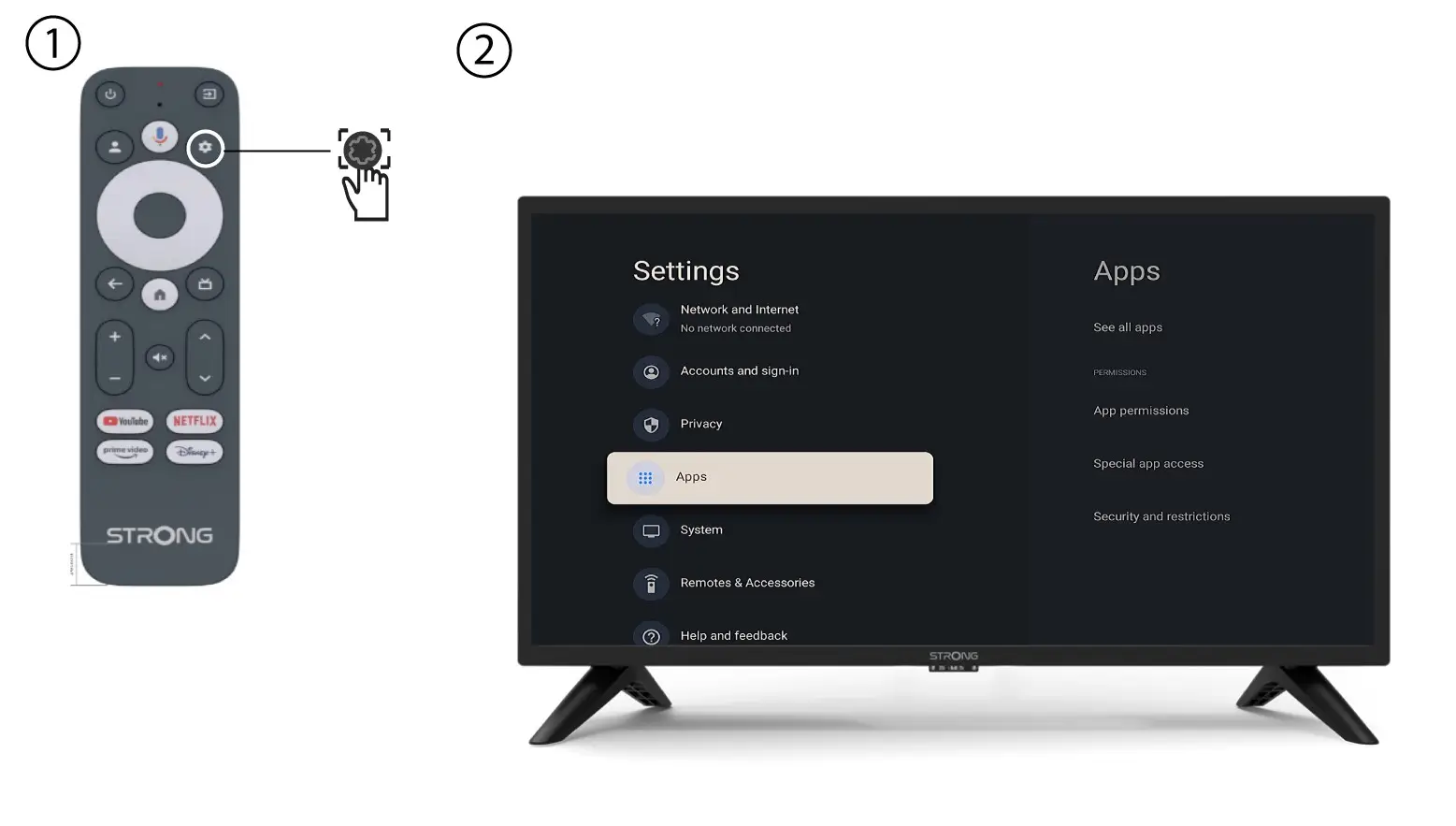
2. Ponuka nastavení
Stlačte tlačidlo Nastavenia na diaľkovom ovládači (ikona ozubeného kolesa). Na obrazovke televízora sa zobrazí ponuka Nastavenia.
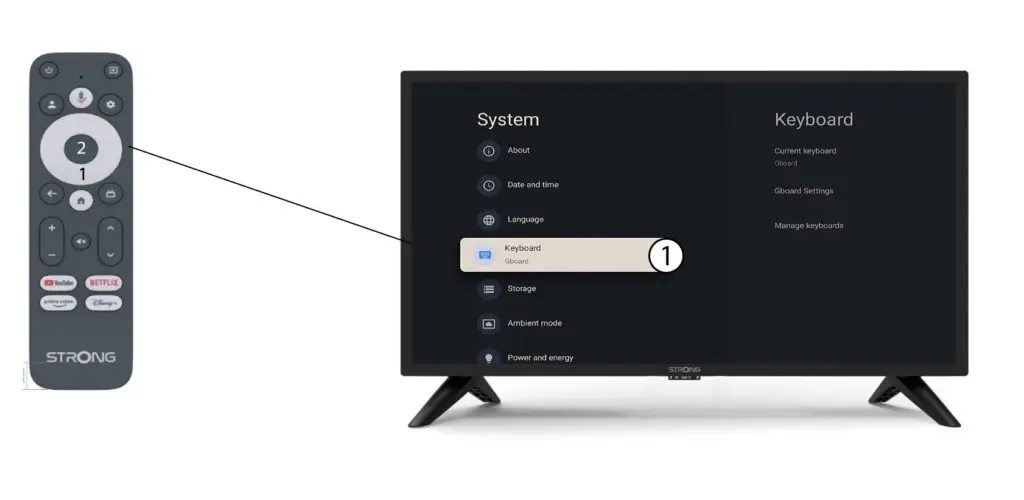
3. Nastavenia klávesnice
V ponuke Nastavenia vyberte položku Klávesnicaa stlačte tlačidlo OK na diaľkovom ovládači.
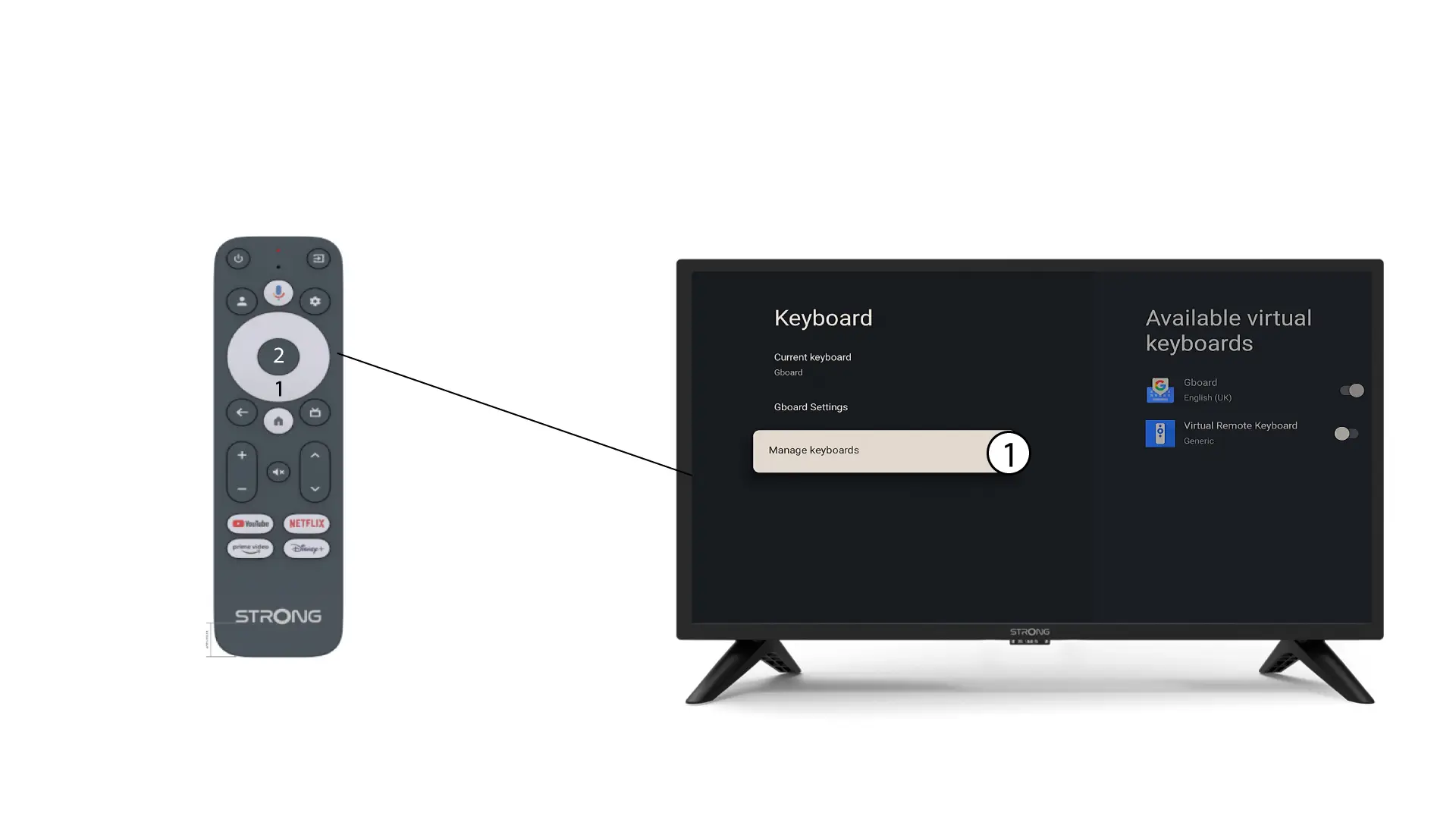
4Manage– klávesnica
Kliknite na položku „Spravovať klávesnicu“. Následne kliknite na prepínač, aby ste ju deaktivovali.
Nastavenia 5Gboard
Kliknite na „Nastavenia Gboard “ a stlačte tlačidlo „OK“.
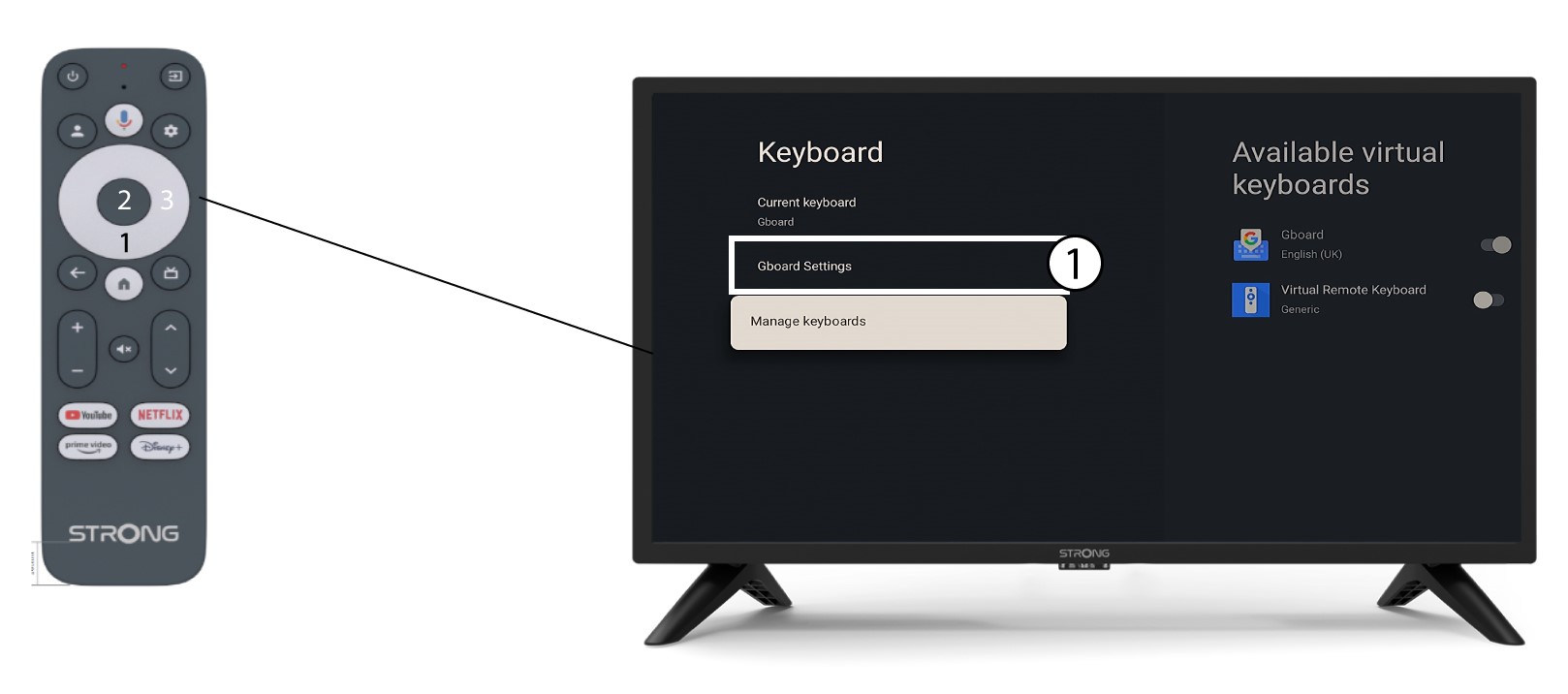
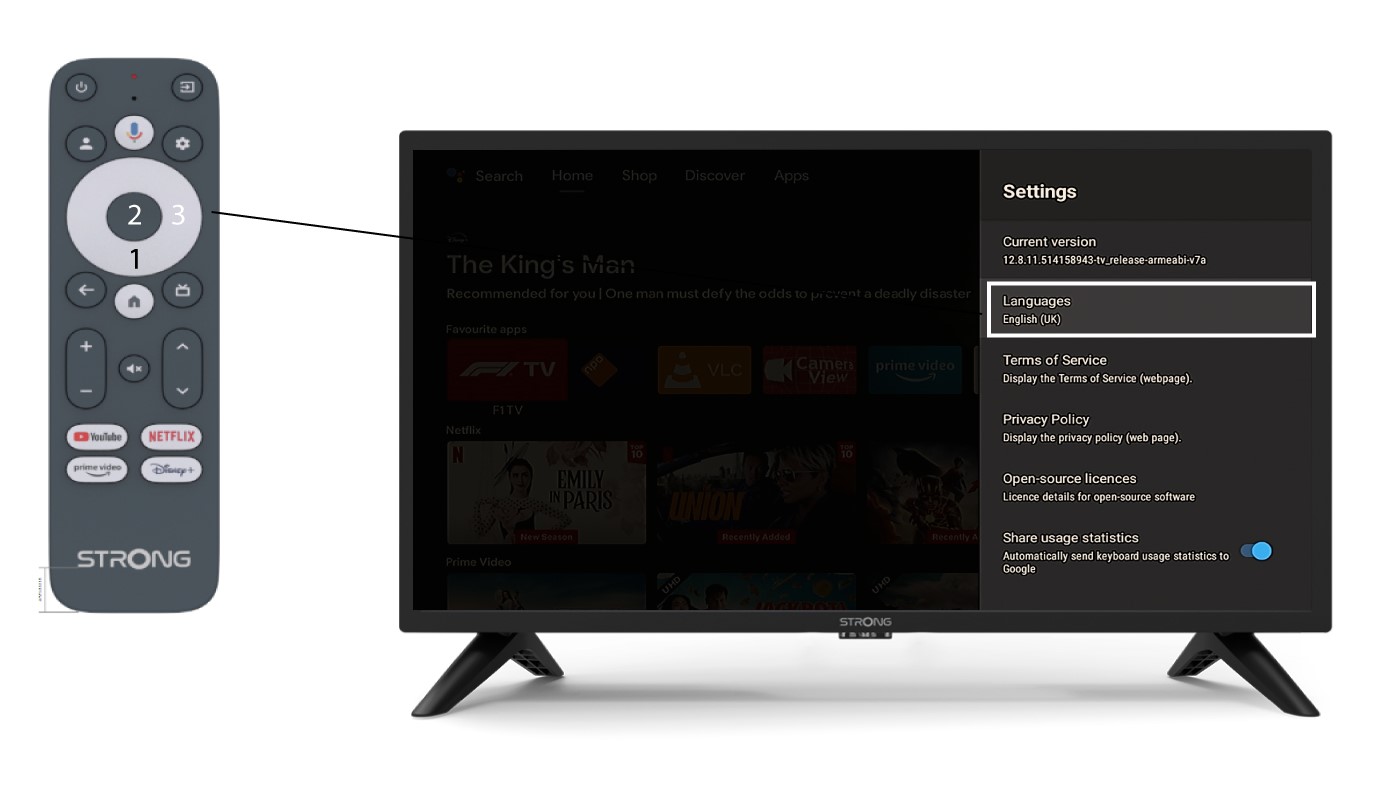
6Nastavenia jazyka
Kliknite na položku „Jazyky“ a stlačte tlačidlo OK na diaľkovom ovládači. Následne vyberte jazyk.