LEAP S3 | 4K Google TV s technológiou Dolby Vision
Všetky otázky
LEAP S3 | 4K Google TV s technológiou Dolby Vision
Prečo nie je možné regulovať hlasitosť ani po deaktivácii možnosti regulácie hlasitosti?
Ak stále nemôžete ovládať hlasitosť pomocou diaľkového ovládača LEAP S3, postupujte podľa nižšie uvedených pokynov a v nastaveniach diaľkového ovládača „vymažte“ televízor.
1Nastavenia
Stlačte tlačidlo „Nastavenie“ a potom tlačidlo „OK“

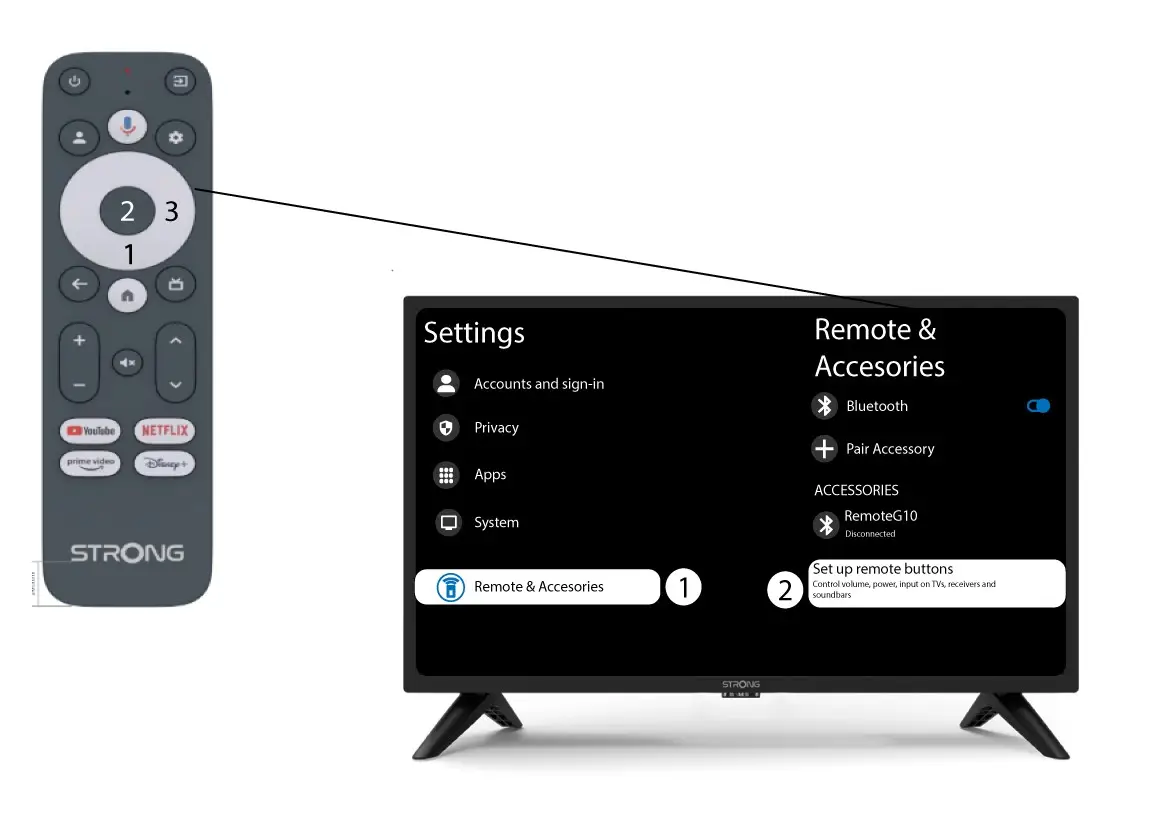
2 Nastavenia diaľkového ovládačaa príslušenstva
Niekoľkokrát stlačte tlačidlo „Dole“, aby ste vybrali položku „Diaľkové ovládanie a príslušenstvo“, a stlačte tlačidlo „OK “. Potom niekoľkokrát stlačte tlačidlo „Dole“, aby ste vybrali položku „Nastaviť tlačidlá diaľkového ovládania“, a stlačte tlačidlo „OK “.
3Zabudnitena televízor pripojený k diaľkovému ovládaču
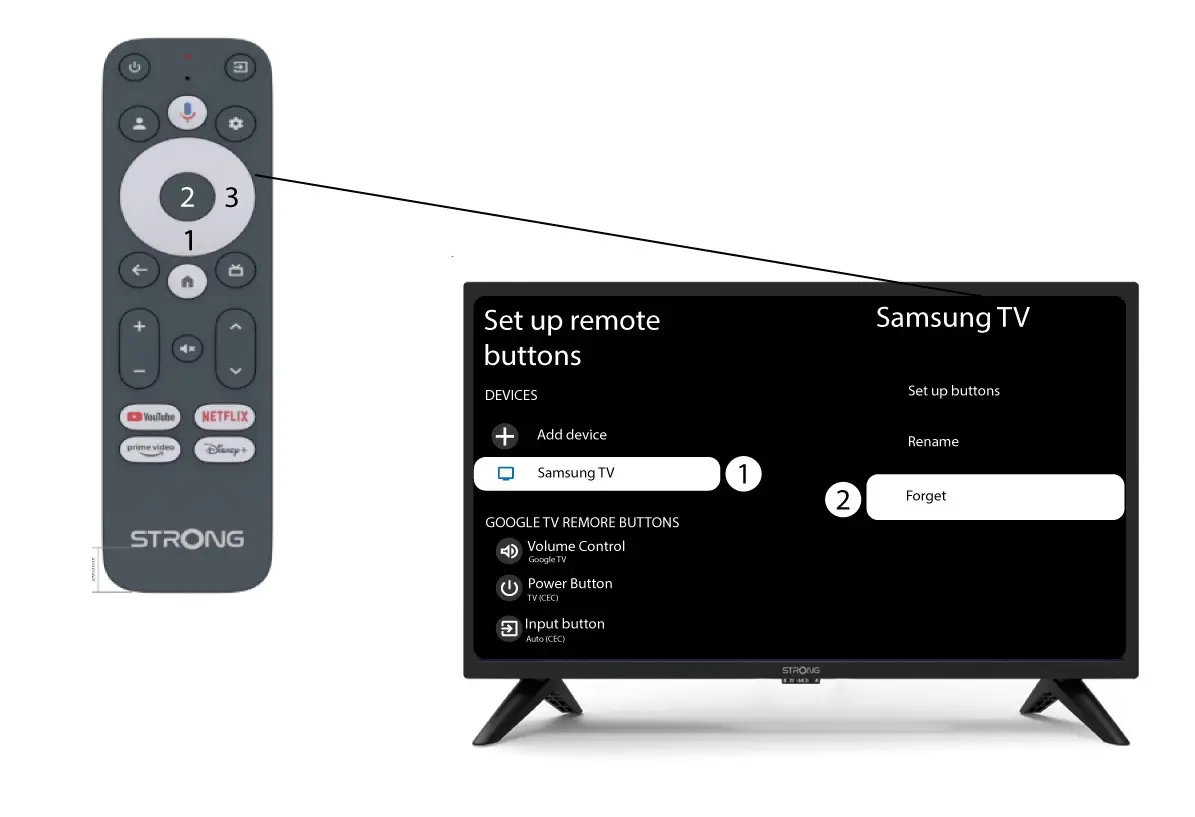
Ak je televízor už nastavený a zobrazený v zozname, musíte ho zo zoznamu odstrániť, aby ste ho mohli znovu nakonfigurovať.
Na to vyberte značku televízora a kliknite na „Zabudnúť“, potom stlačte tlačidlo OK na potvrdenie.
4Skontrolujtenastavenie hlasitosti
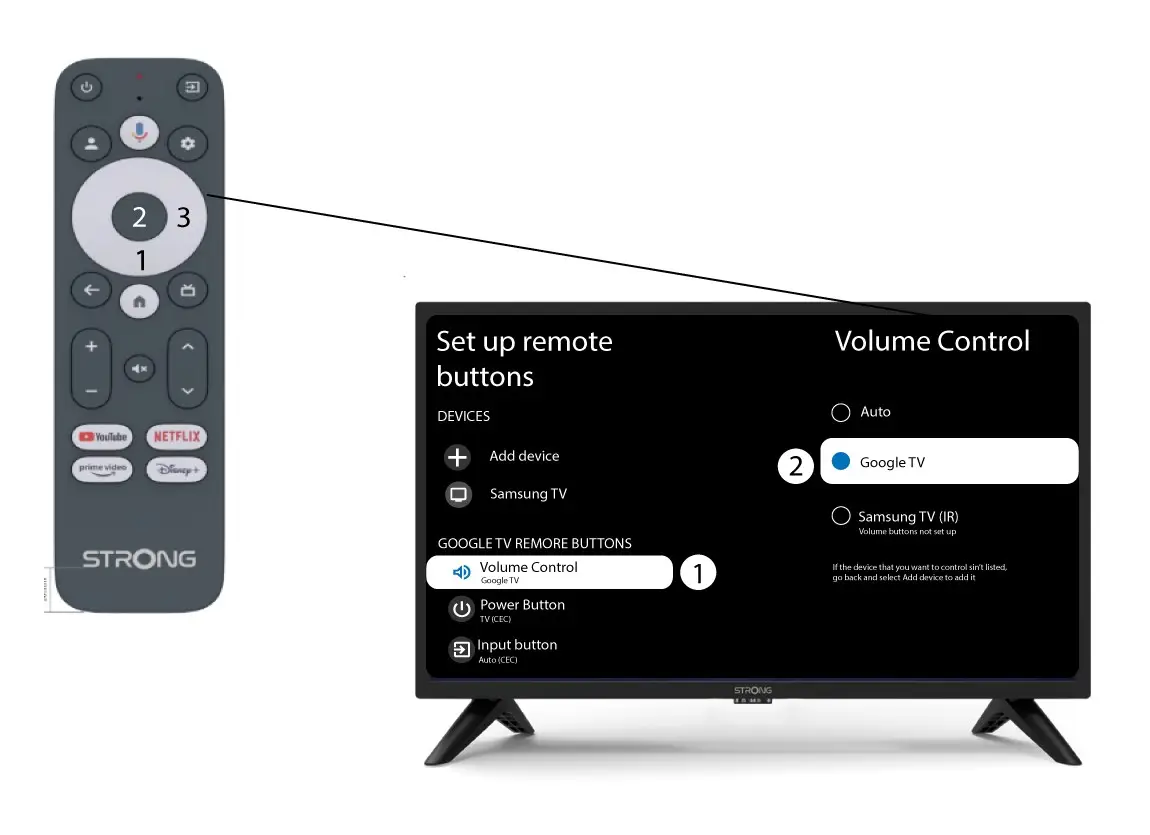
Na záver skontrolujte, či je ovládanie hlasitosti nastavené na Google TV. Ak tomu tak nie je, vyberte túto možnosť – ovládanie hlasitosti by potom malo správne fungovať na oboch diaľkových ovládačoch.