
Репеатер АКС1800
Сва питања
Репеатер АКС1800
Како да конфигуришем свој репетитор као приступну тачку?
1 Повежите се са веб интерфејсом
Пратите једну од доле наведених процедура да бисте се повезали са веб интерфејсом:
- Како да се повежем са веб интерфејсом репетитора? (RJ45 кабл)
- Како да се повежем са веб интерфејсом репетитора? (Wi-Fi)
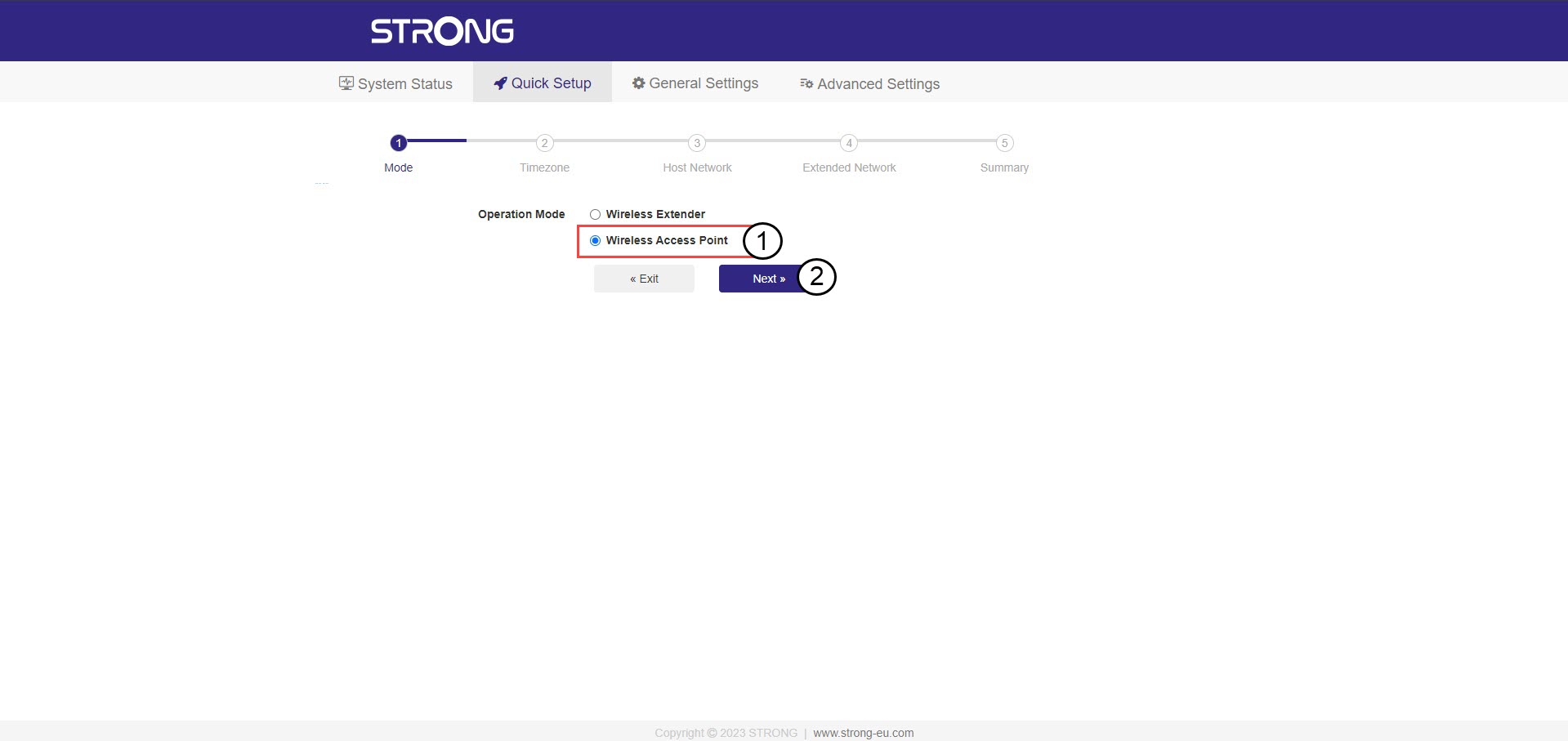
2 Изаберите режим за ваш репетитор
Отвориће се чаробњак за подешавање репетитора. Изаберите Бежична приступна тачка и кликните на Даље .
3 Изаберите временску зону
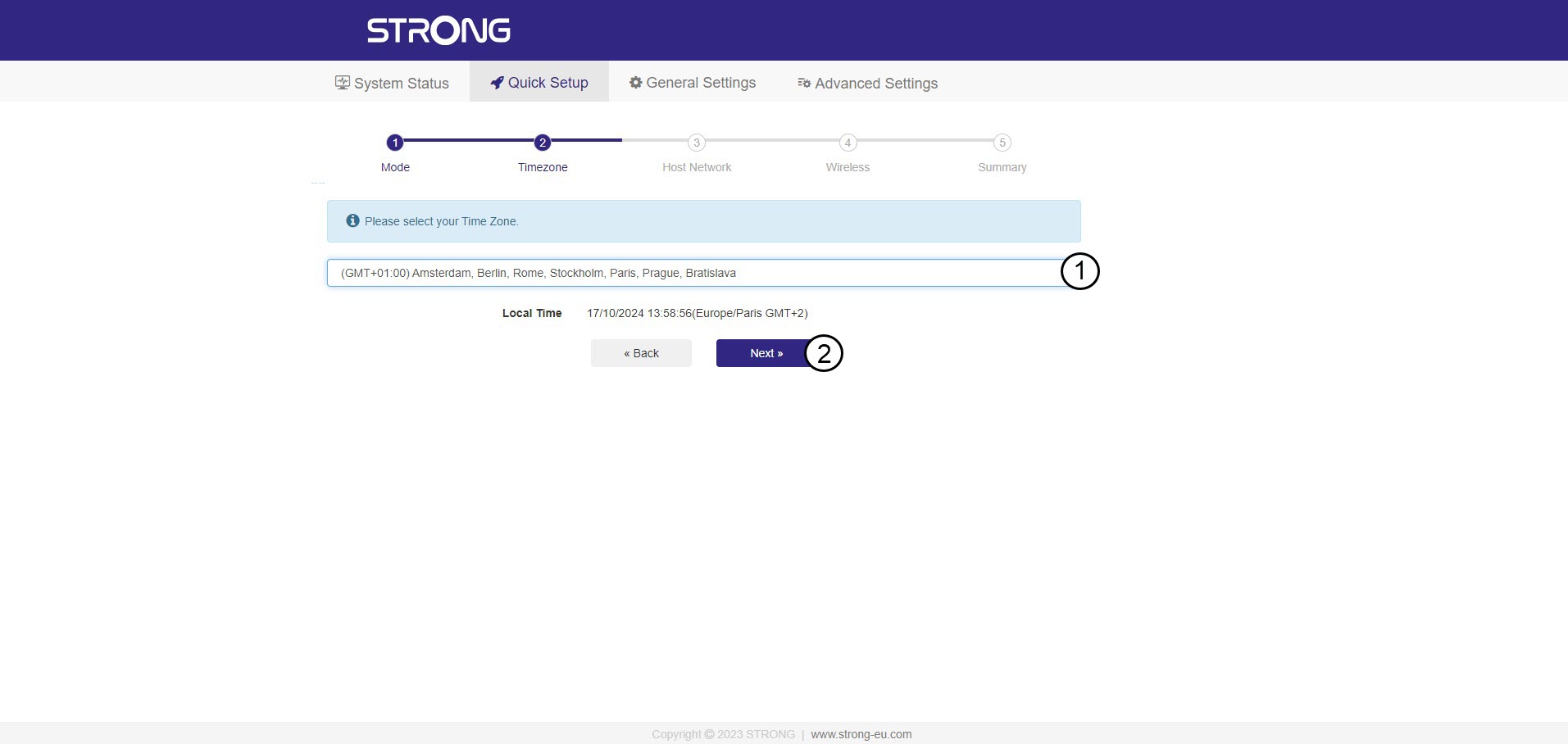
Изаберите временску зону са листе ако је она која је аутоматски детектована погрешна и кликните на Даље.
4 Скенирање доступне мреже
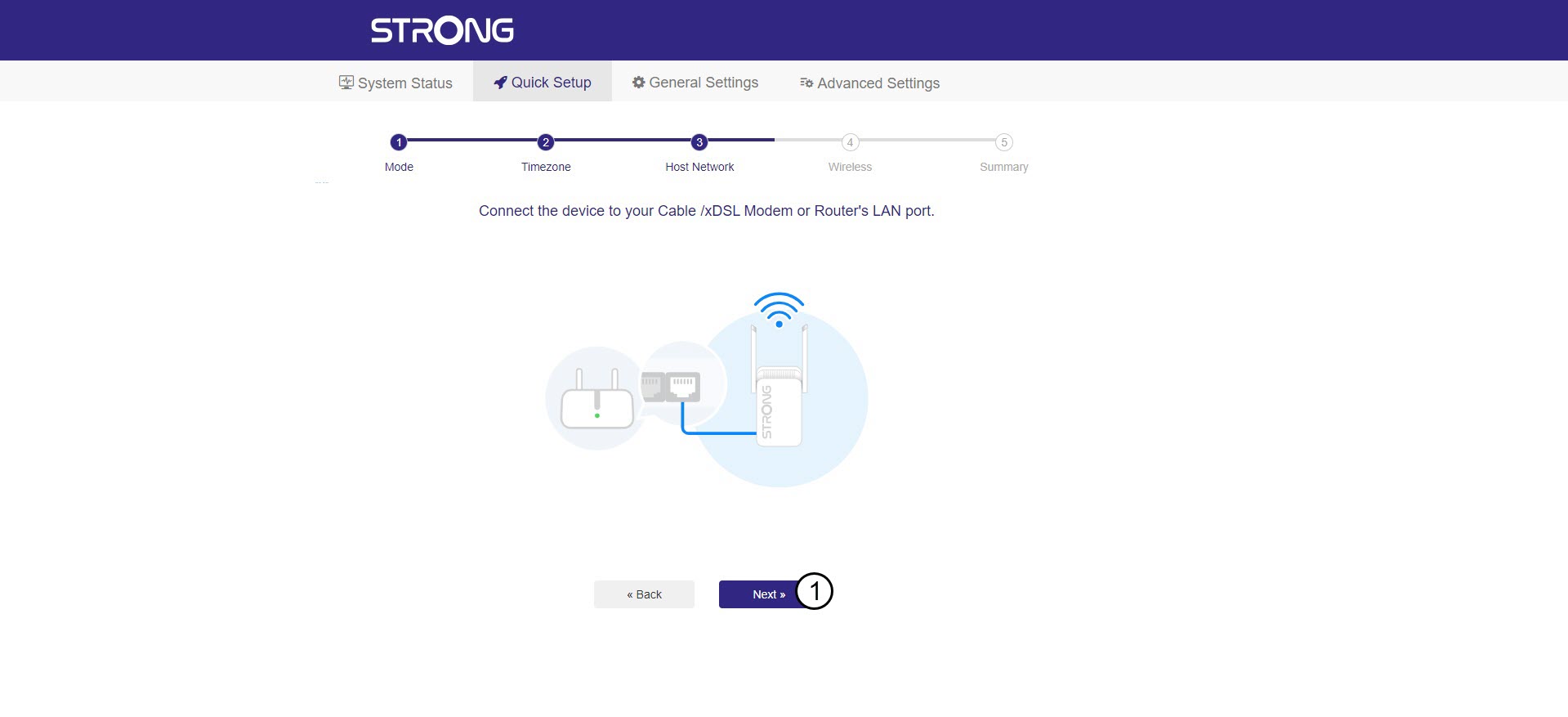
Повежите репетитор са модемом/рутером тако што ћете прикључити RJ45 кабл у WAN/LAN порт.
Затим, кликните на Даље .
5 Унесите лозинку за Wi-Fi мрежу домаћина
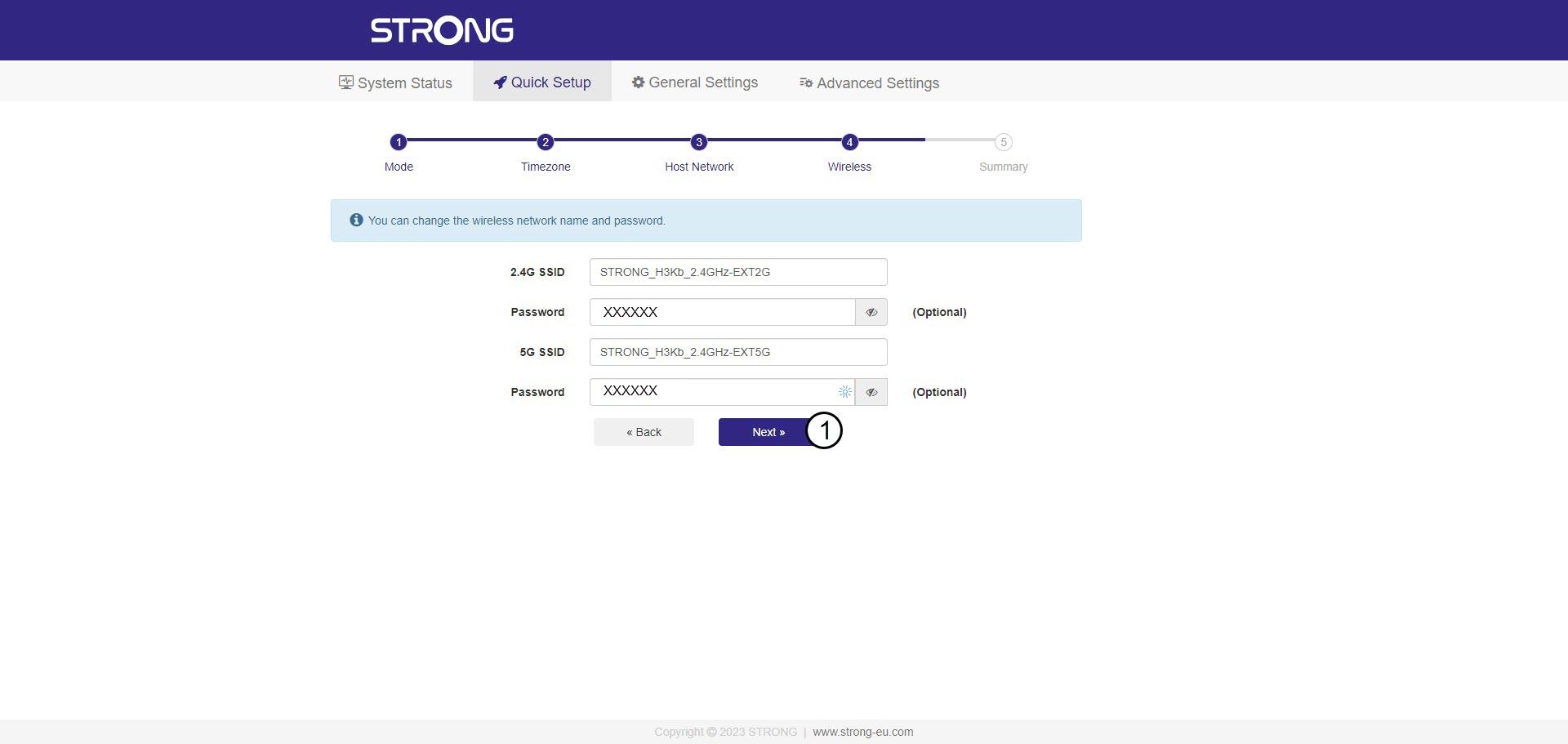
Проверите лозинку нових Wi-Fi мрежа и кликните на Даље .
Можете кликнути на икону ока да бисте приказали лозинку коју уносите.
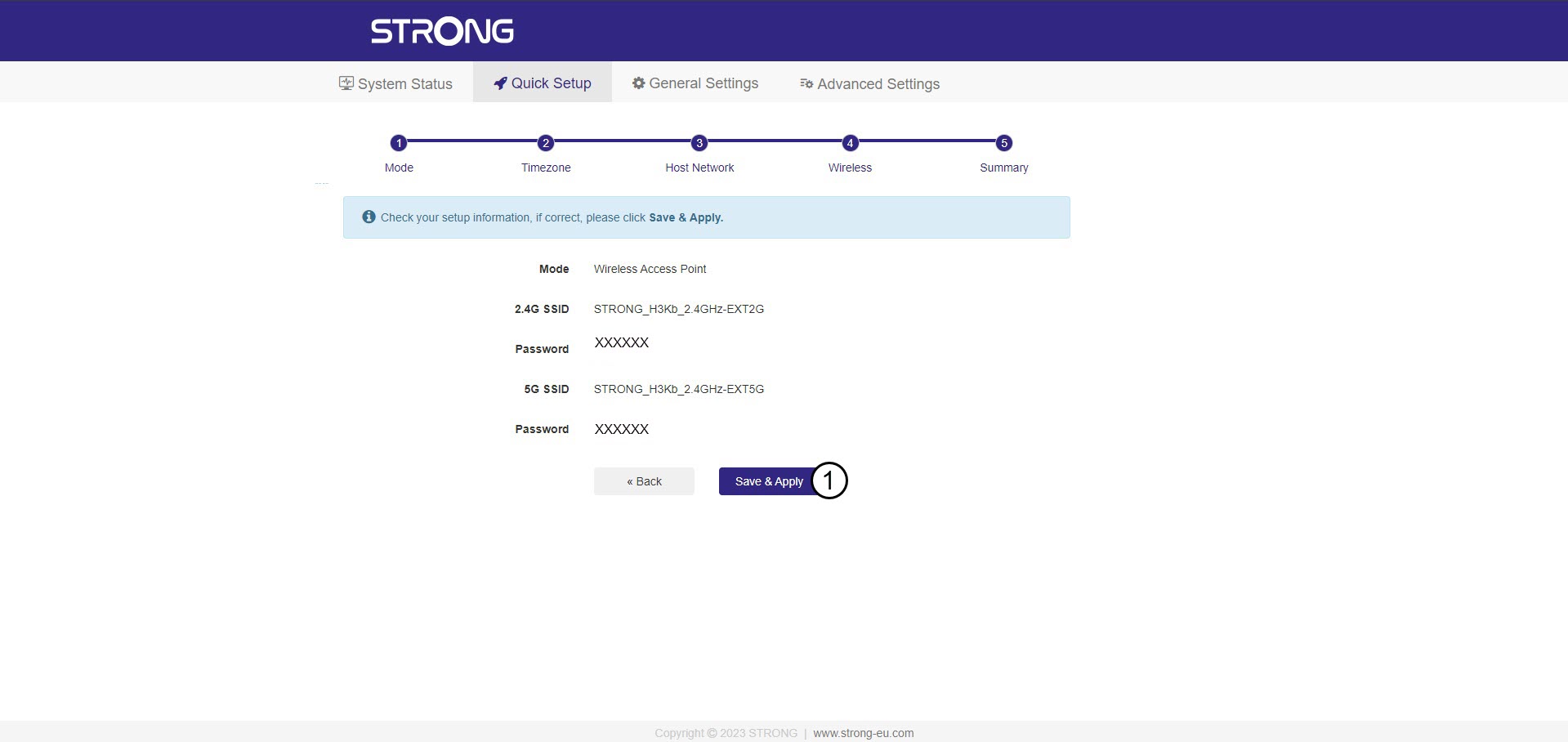
6 Потврдите конфигурацију
Приказаће се резиме информација о новим мрежама. Кликните на Сачувај и примени .
Запишите нове мрежне информације. Биће вам потребне за повезивање са корисничким интерфејсом.
7 Сачекајте током конфигурације
Молимо сачекајте док се репетитор конфигурише.


Упозорење: Након конфигурације, мораћете да се повежете са новокреираним мрежама.