
Репеатер АКС1800
Сва питања
Репеатер АКС1800
Како да ажурирам фирмвер мог репетитора?
1 Посетите одељак за преузимање на https://www.strong-eu.com/
Пре ажурирања, морате посетити одељак за преузимање на нашој веб страници да бисте видели да ли је доступна нова верзија софтвера.
2 Преузми
Да бисте приступили преузимањима, кликните на Помоћ и Преузми у горњој траци и њеном подменију.

3 Изаберите референцу производа
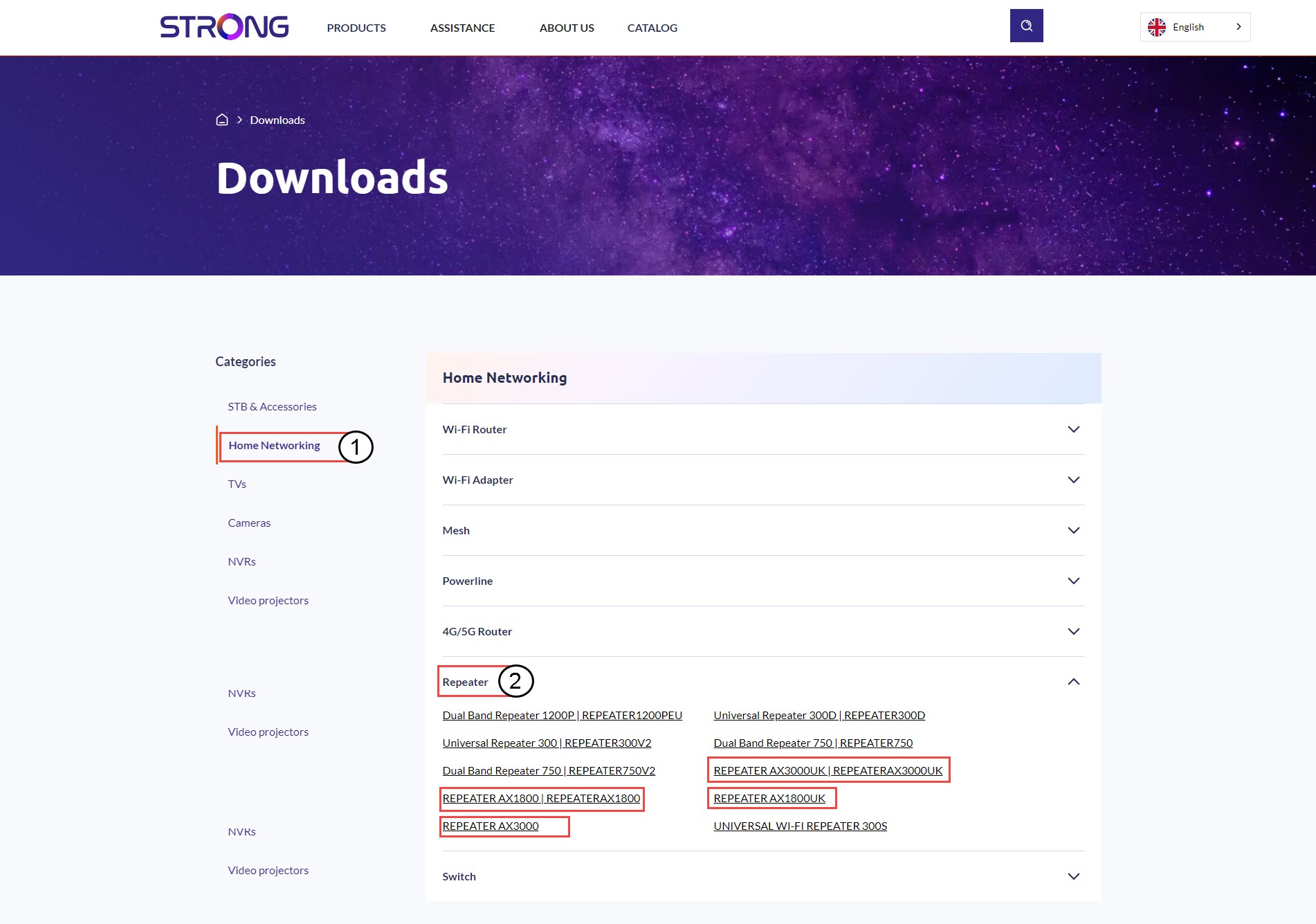
Када прегледате страницу Преузимања, кликните на Кућне мреже и репетитор и кликните на референцу производа.
4 Одељак фирмвера
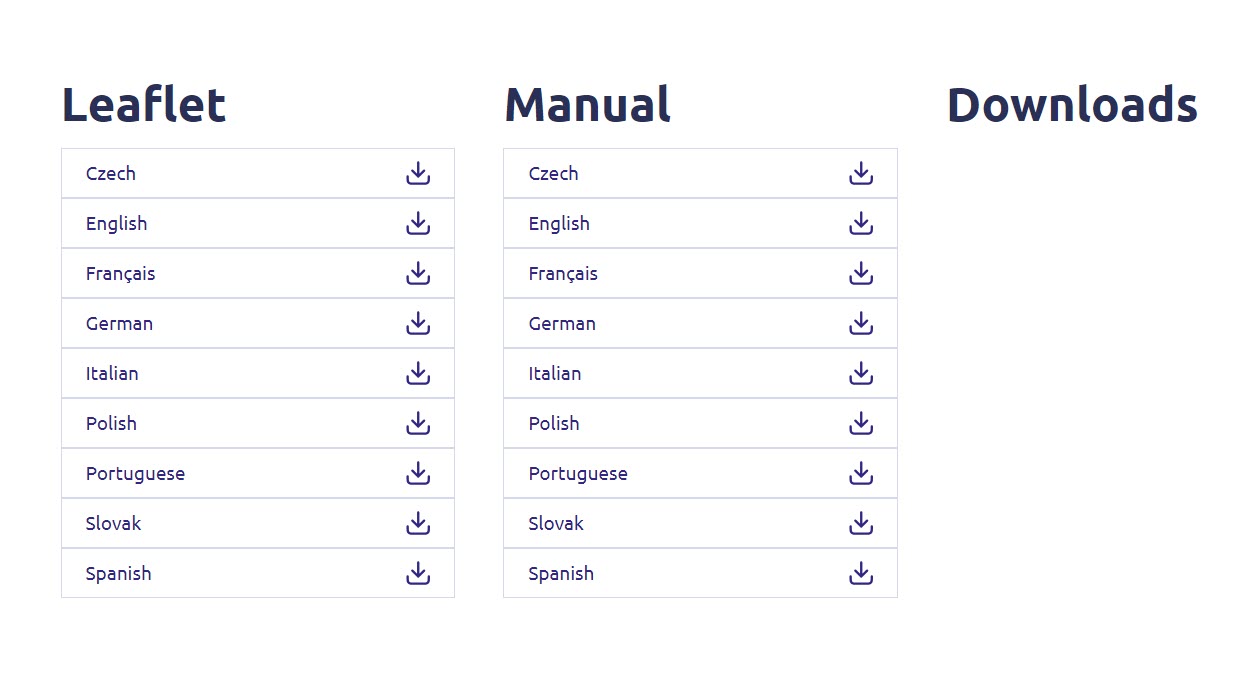
На страници испод, нову верзију софтвера ћете пронаћи у одељку фирмвера.
Ако на страници за преузимање не видите одељак за фирмвер, то значи да нема доступне нове верзије софтвера.
5 Повежите се са веб интерфејсом
Пратите ову процедуру да бисте се повезали са веб интерфејсом.
6 Фирмвер
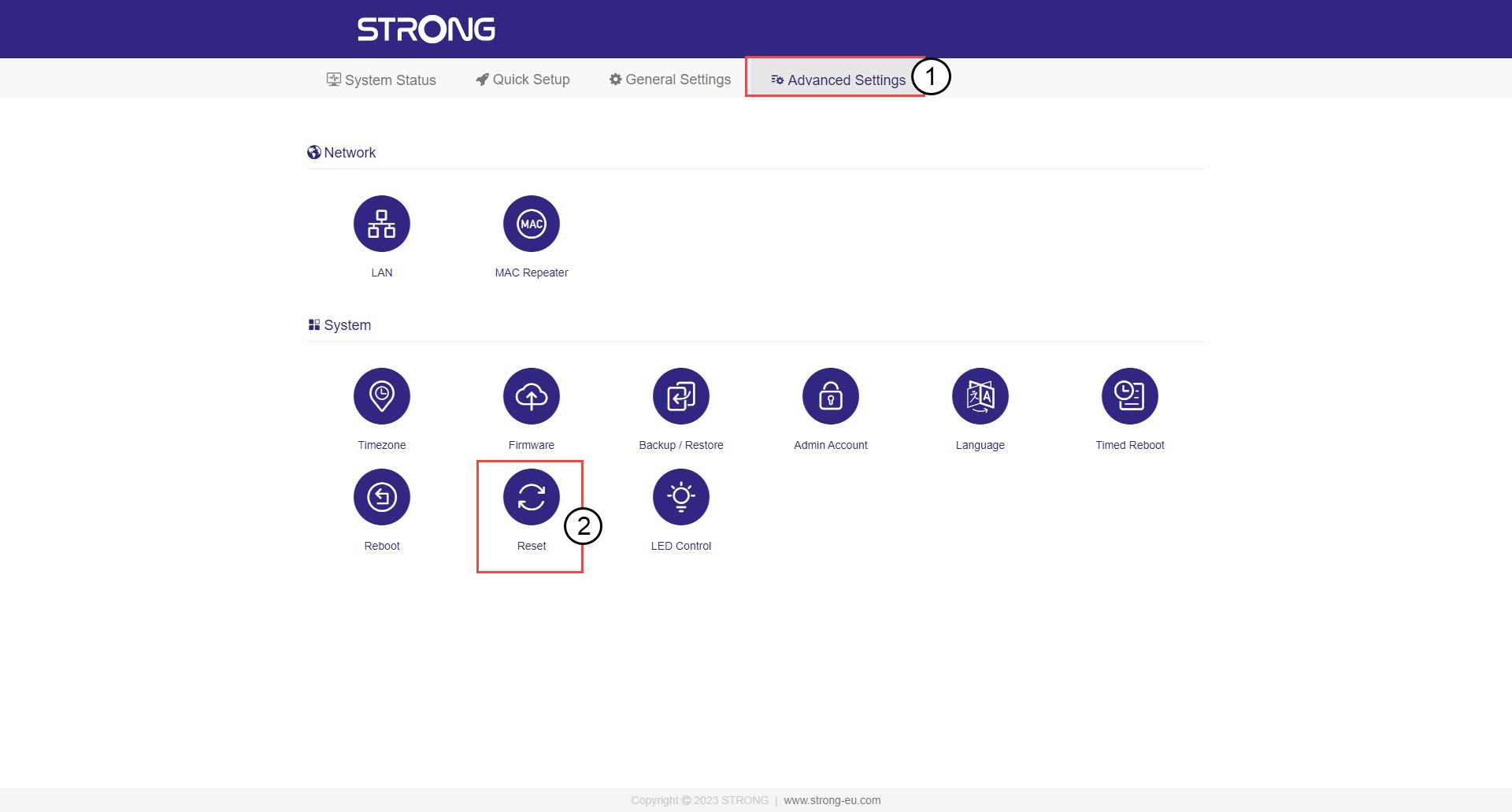
Кликните на Напредна подешавања и фирмвер .
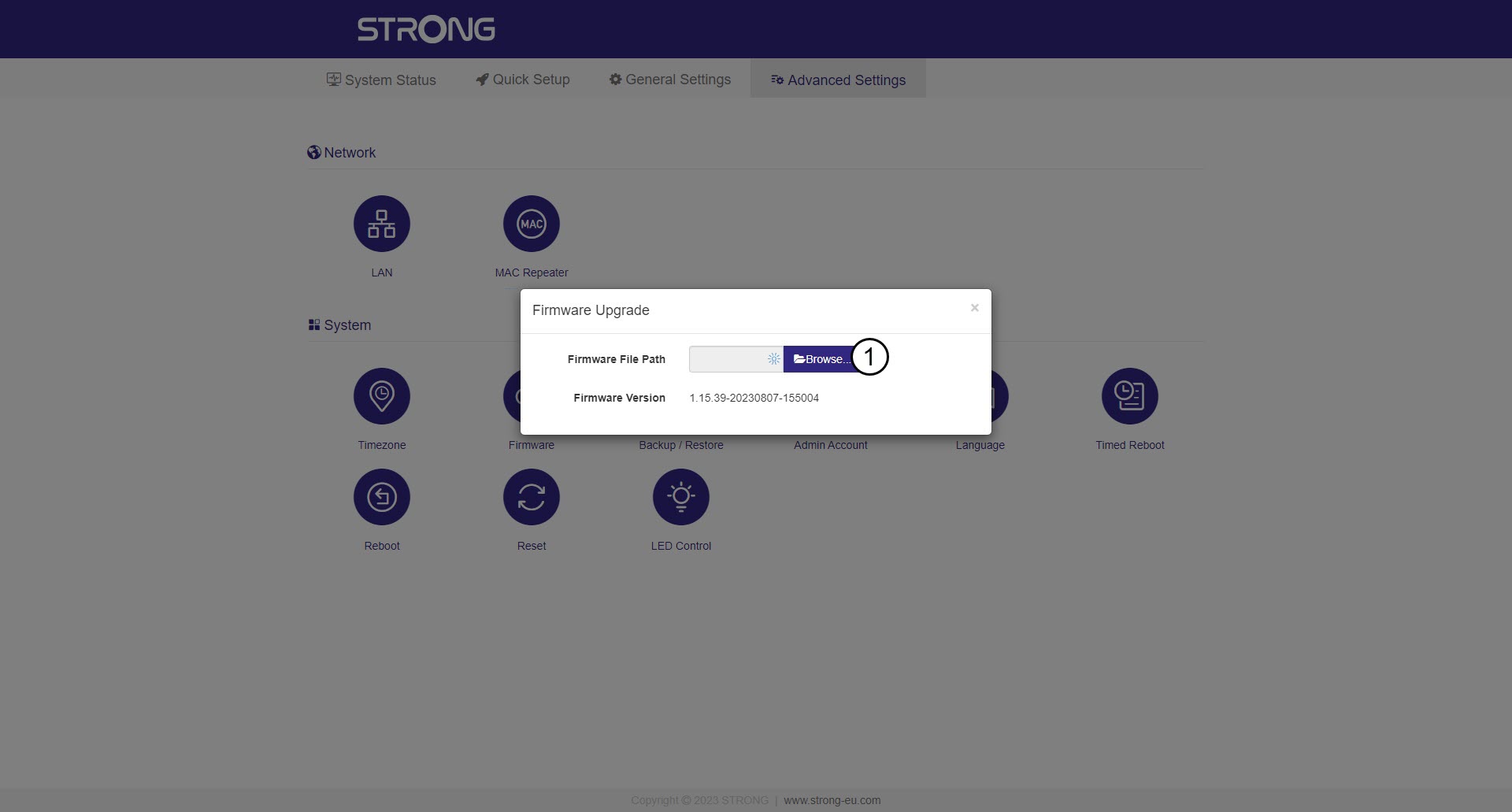
7 Изаберите датотеку фирмвера коју сте преузели
Изаберите датотеку и ажурирање ће почети аутоматски.

Упозорење: Молимо сачекајте да се ажурирање заврши и да се уређај поново покрене. Ви
Морате се поново повезати са Ви-Фи мрежом након ажурирања.