
Репеатер АКС1800
Нема пронађених ставки.
Нема пронађених ставки.
Сва питања
Репеатер АКС1800
Нема пронађених ставки.
Нема пронађених ставки.
Како да подесим статичку ИП адресу за мој репетитор?
1 Повежите се са веб интерфејсом
Пратите ову процедуру да бисте се повезали са веб интерфејсом.
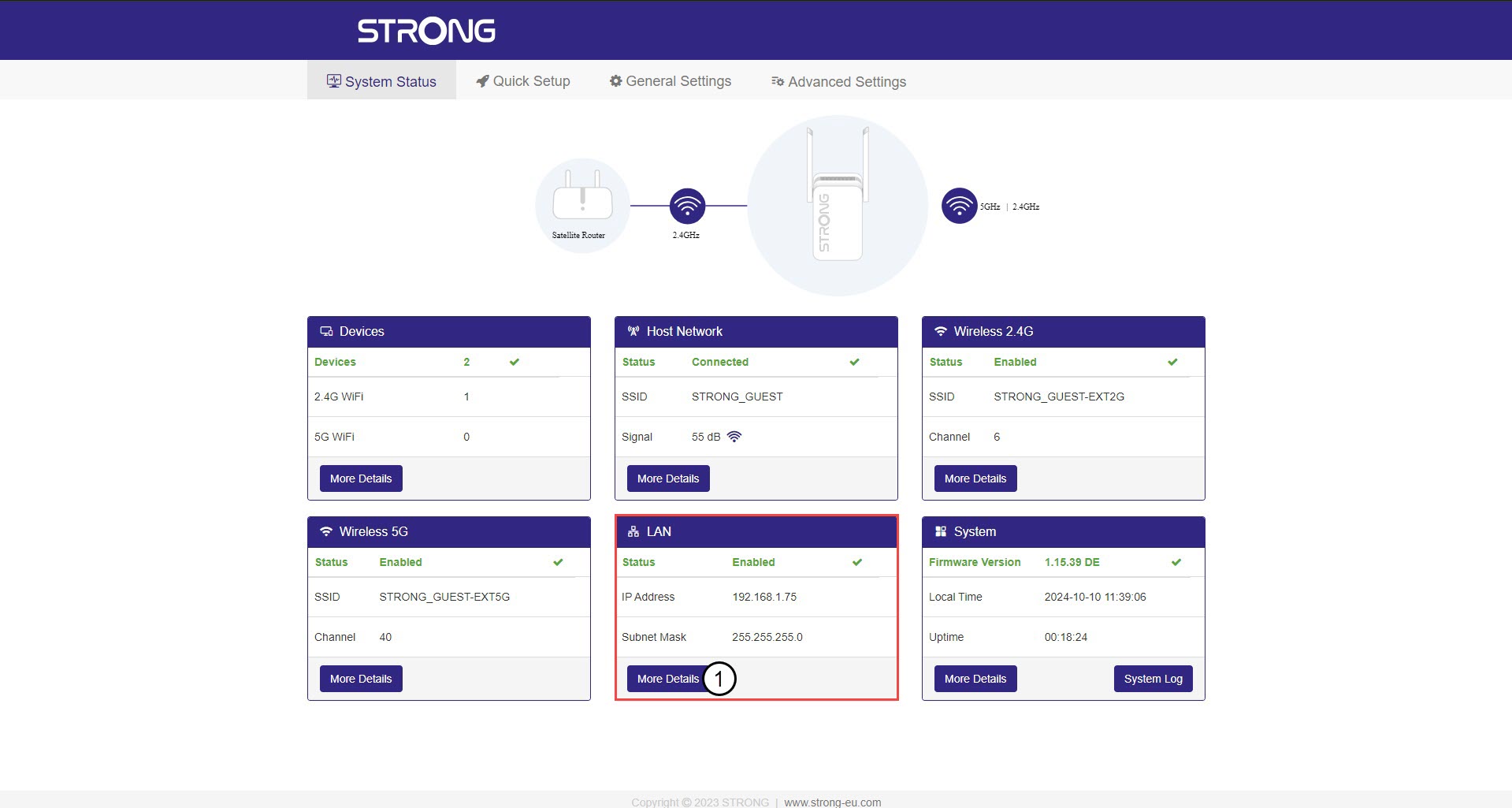
2 Статус система
На екрану Статус система кликните на дугме Више детаља у одељку ЛАН.
3 Статичка ИП адреса
Кликните на Подешавања и прекидач Статичка адреса . Затим унесите следеће информације пре него што кликнете на Сачувај и примени :
- ИП адреса : Унесите ИП адресу за репетитор.
- Маска подмреже: Изаберите маску подмреже са листе
- Подразумевани мрежни пролаз: Унесите ИП адресу вашег репетитора
- Преферирани DNS: Можете унети исту вредност као у претходно поље.
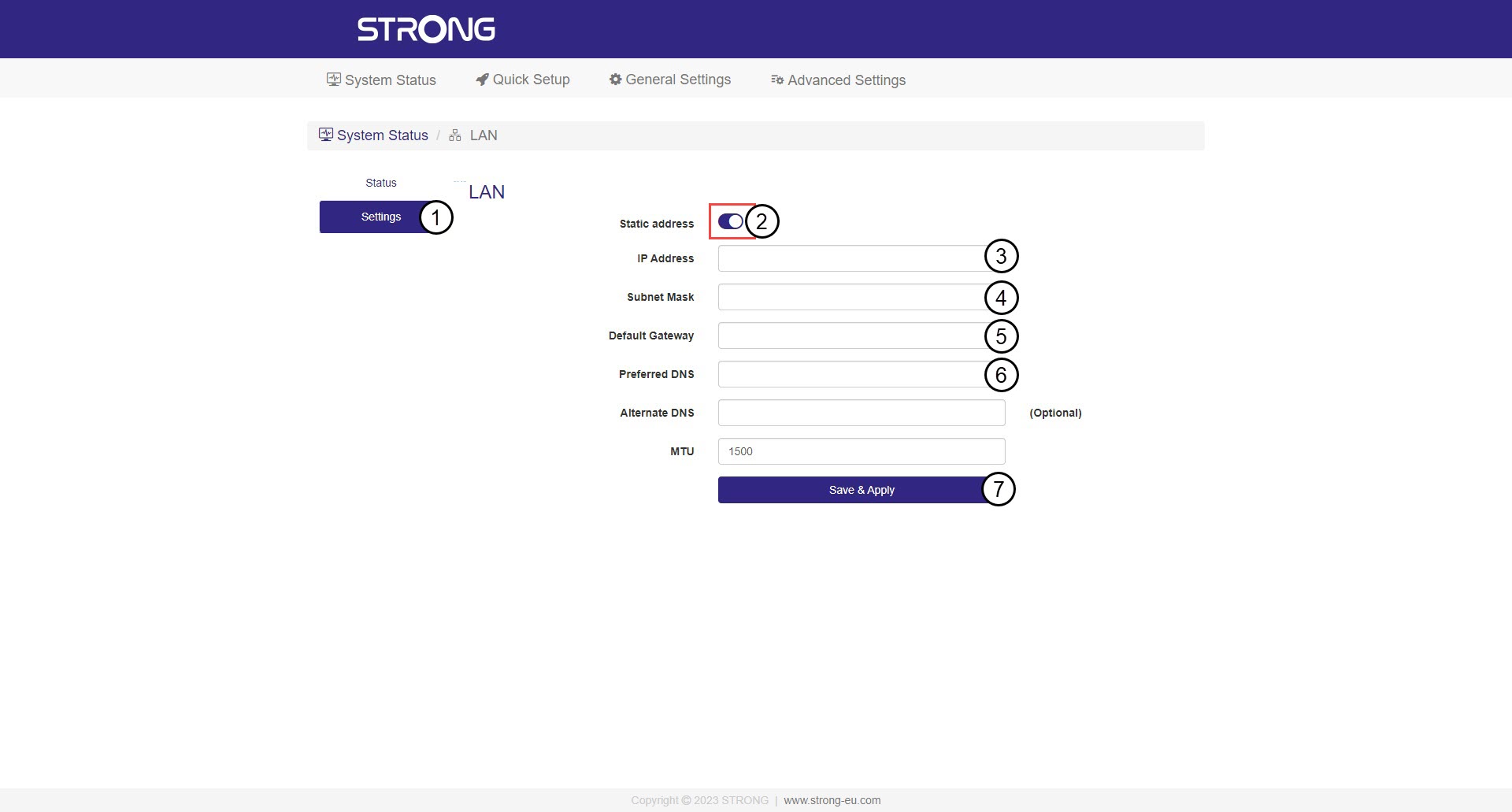

Упозорење: Запишите нову IP адресу ваше мреже. Од сада ћете је користити за повезивање са веб интерфејсом.