
АТРИА Ви-Фи 5 Mesh Систем 2100 UK ( add-on )
Сва питања
АТРИА Ви-Фи 5 Mesh Систем 2100 UK ( add-on )
Како да конфигуришем свој Wi-Fi mesh мрежа
Да бисте конфигурисали свој Mesh мрежу, погледајте Брза упутства која се налазе у кутији вашег производа.
1 СЛУЧАЈ 1: Коришћење WPS дугмета
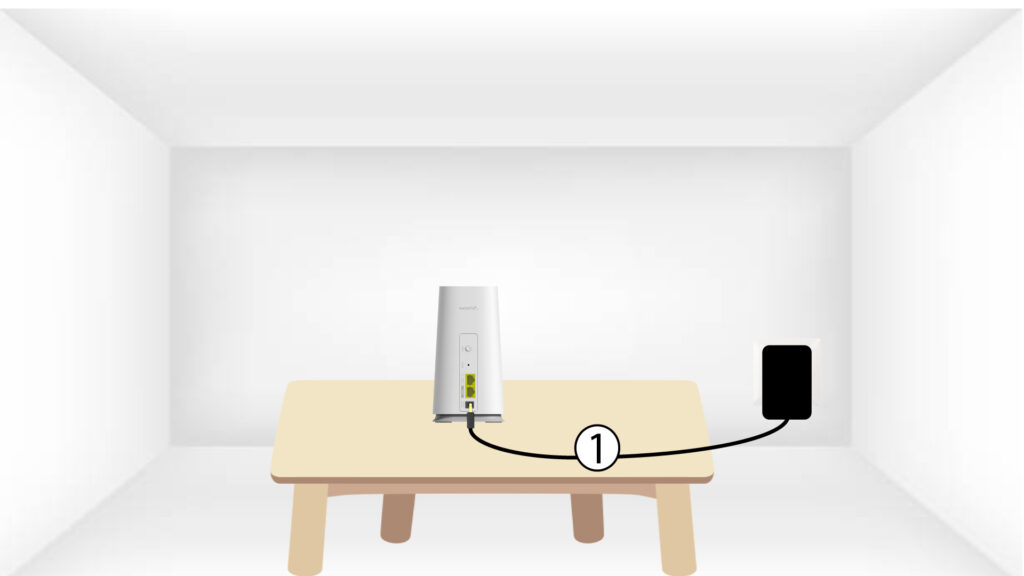
Морате да укључите mesh уређај да бисте га укључили (нема дугмета за напајање на уређају) и повежите га са модемом помоћу RJ45 кабла.
2 Сачекајте конфигурацију
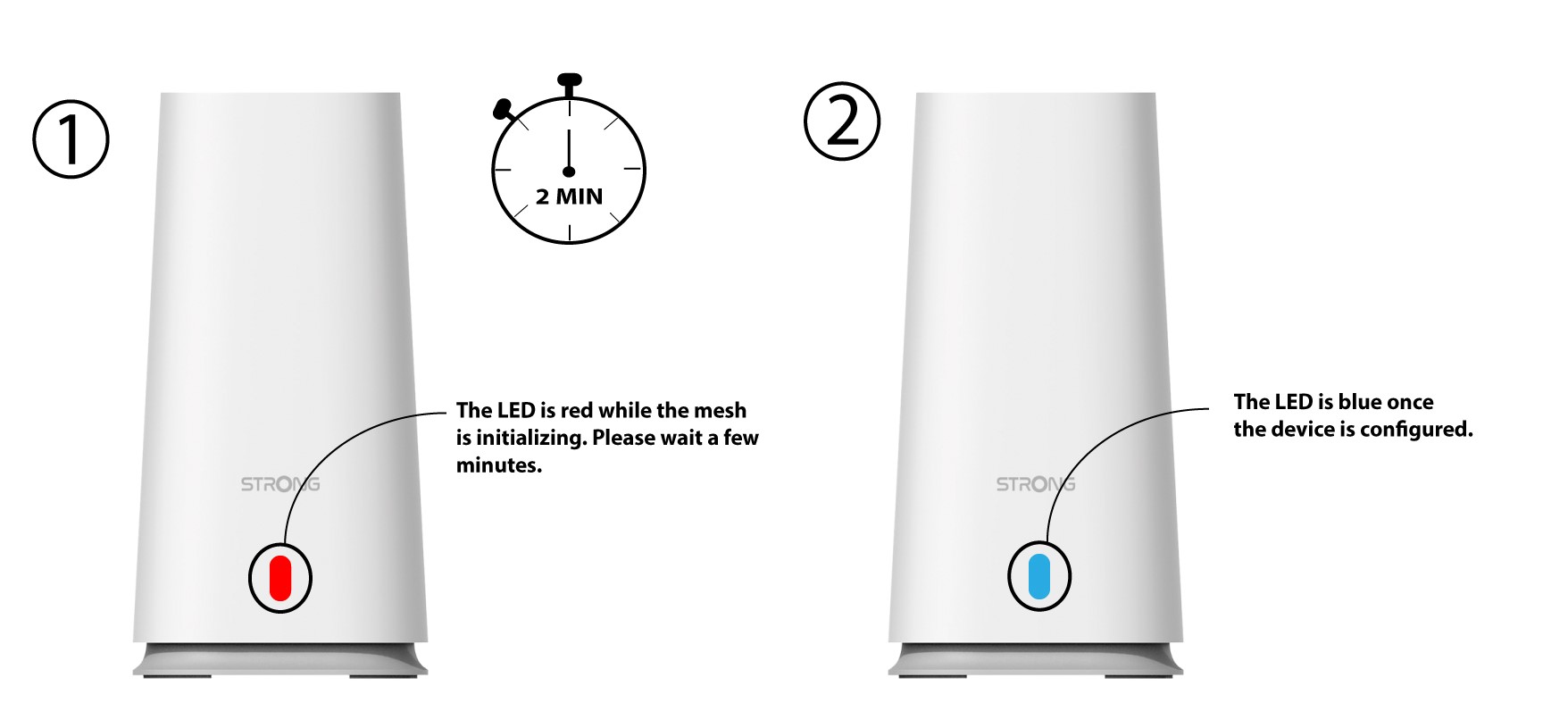
Затим, морате сачекати неколико минута да се уређај конфигурише.
3 секунде Mesh јединица
Морате да укључите други mesh јединица.
4LED
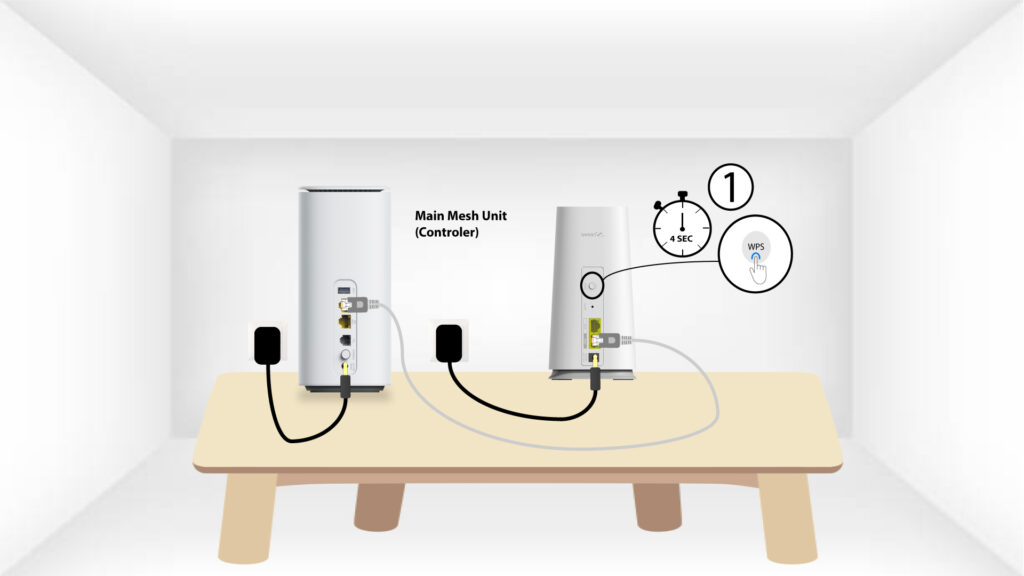
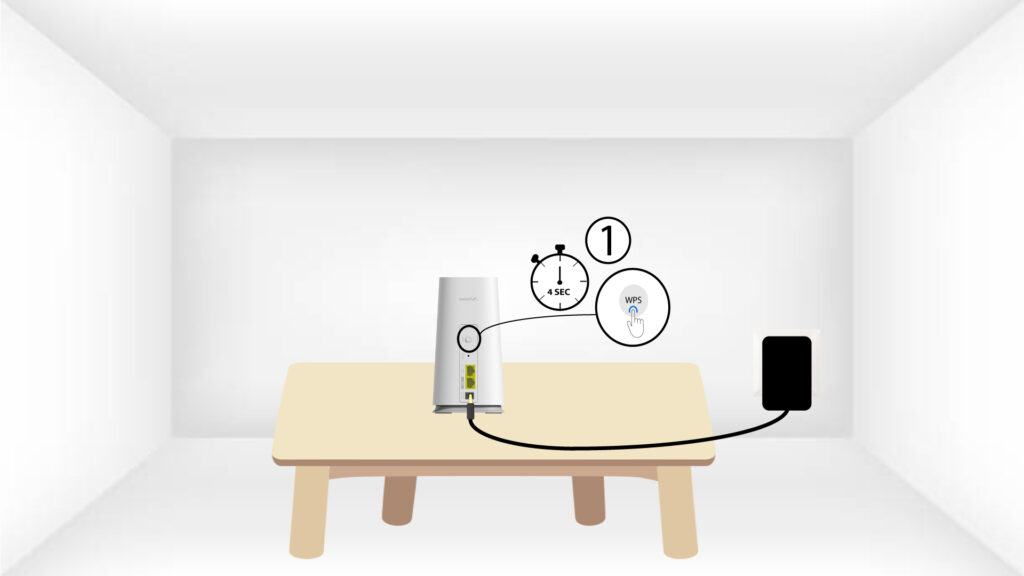
Притисните WPS дугме најмање 4 секунде на Mesh јединица која је повезана са вашим модемом/рутером.
ЛЕД диода ће трептати плаво након активирања WPS-а.
5 WPS секунди Mesh
Притисните WPS дугме најмање 4 секунде на другој Mesh јединици .
Упаривање са 6 ЛЕД диода
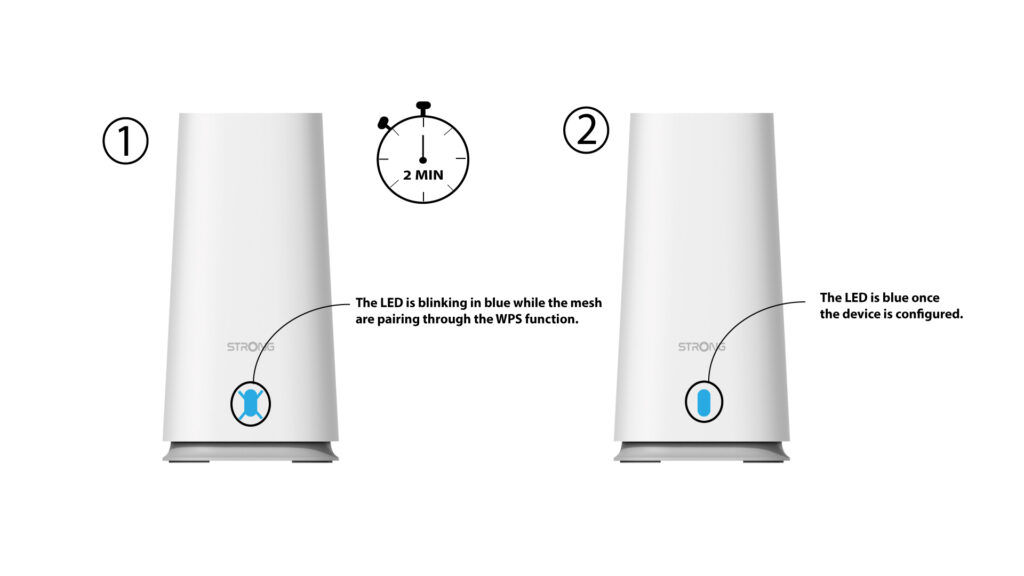
Када се уређаји упарују, ЛЕД диода трепери плаво . Молимо сачекајте неколико минута да се процес упаривања заврши.
Када се уређаји упаре, ЛЕД диоде на оба уређаја светле плаво .
1 СЛУЧАЈ 2: Коришћење етернет кабла
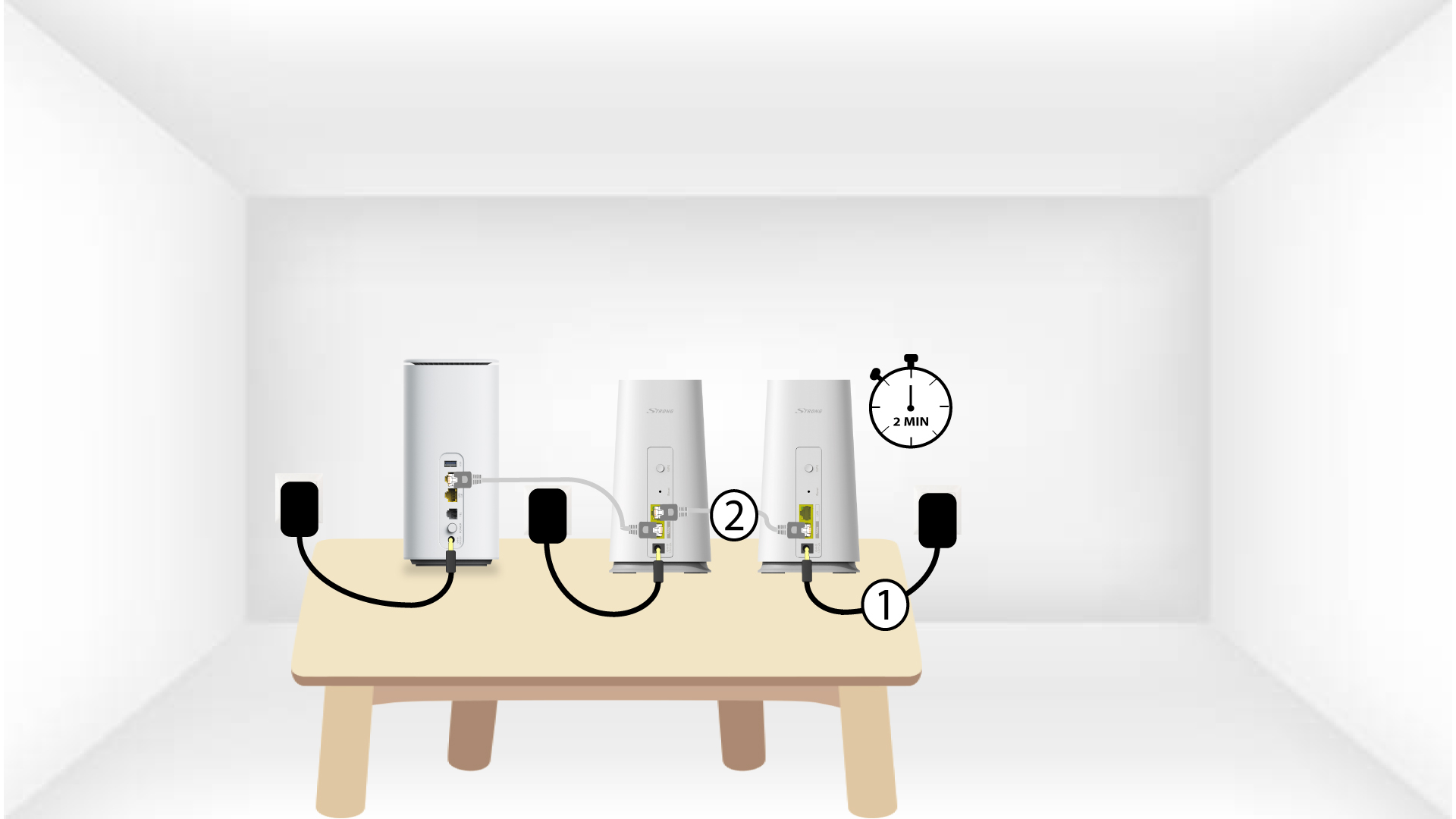
Морате да укључите mesh уређај да бисте га укључили (нема дугмета за напајање на уређају) и повежите га са модемом помоћу RJ45 кабла.
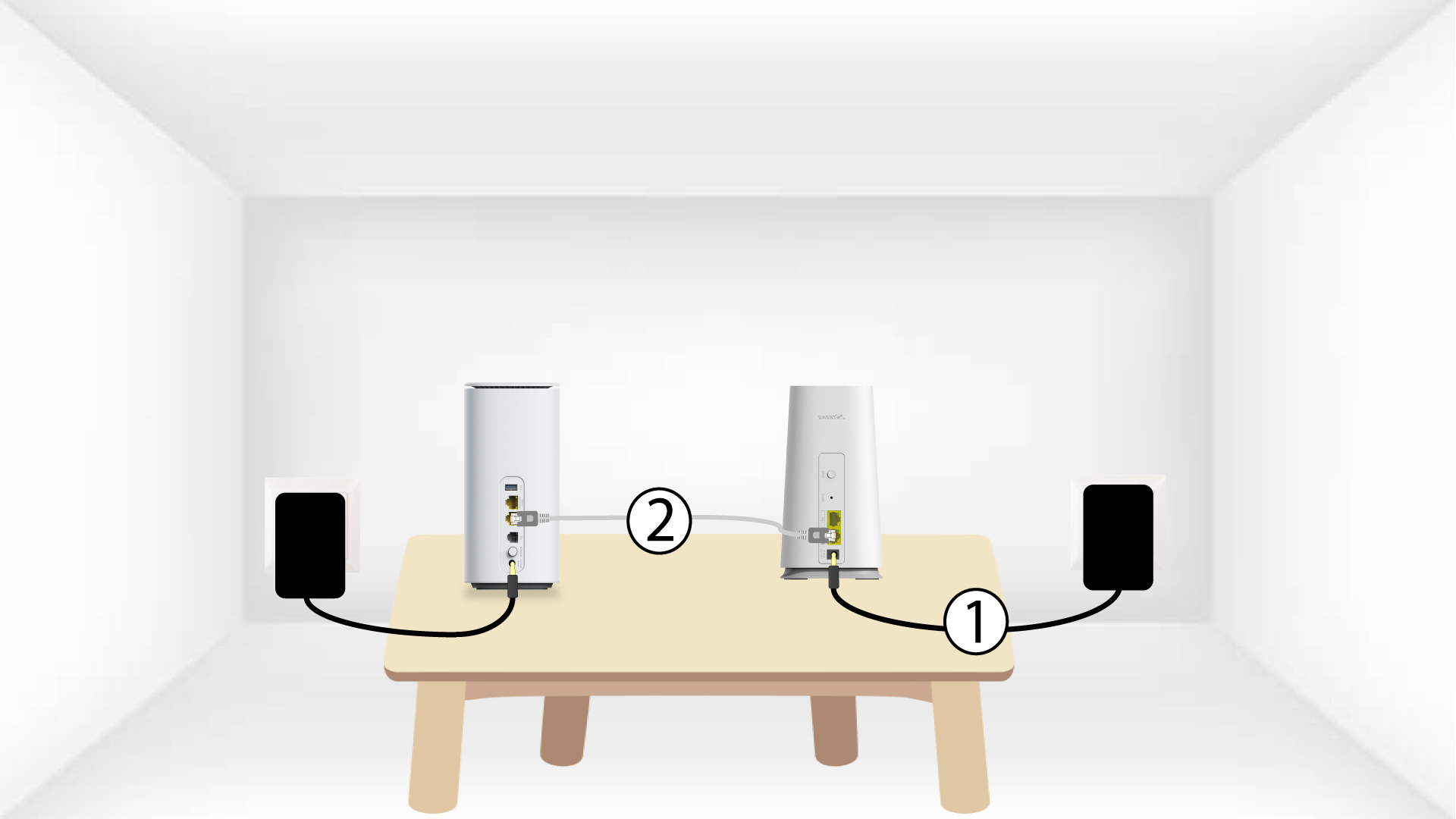
2 Укључите други Mesh до главног Mesh
Морате укључити други mesh уређај да бисте га укључили, а затим га повежите са главним mesh уређај (LAN порт) помоћу RJ45 кабла.
3 секунде Mesh јединица
Сачекајте неколико минута за обоје mesh јединице за детекцију интернет конфигурације . Када ЛЕД диоде на оба уређаја светле плаво , они су конфигурисани .