
4G+ AIRSPOT 510 Мобилни Wi-Fi
Нема пронађених ставки.
Нема пронађених ставки.
Сва питања
4G+ AIRSPOT 510 Мобилни Wi-Fi
Нема пронађених ставки.
Нема пронађених ставки.
Како да ресетујем рутер на фабричка подешавања? (Веб кориснички интерфејс)
Можете ресетовати рутер на фабричка подешавања.
1 Приступите веб интерфејсу
Молимо вас да пратите кораке наведене овде да бисте се повезали са веб корисничким интерфејсом: Како да приступим веб корисничком интерфејсу?
2 Идите до Подешавања система
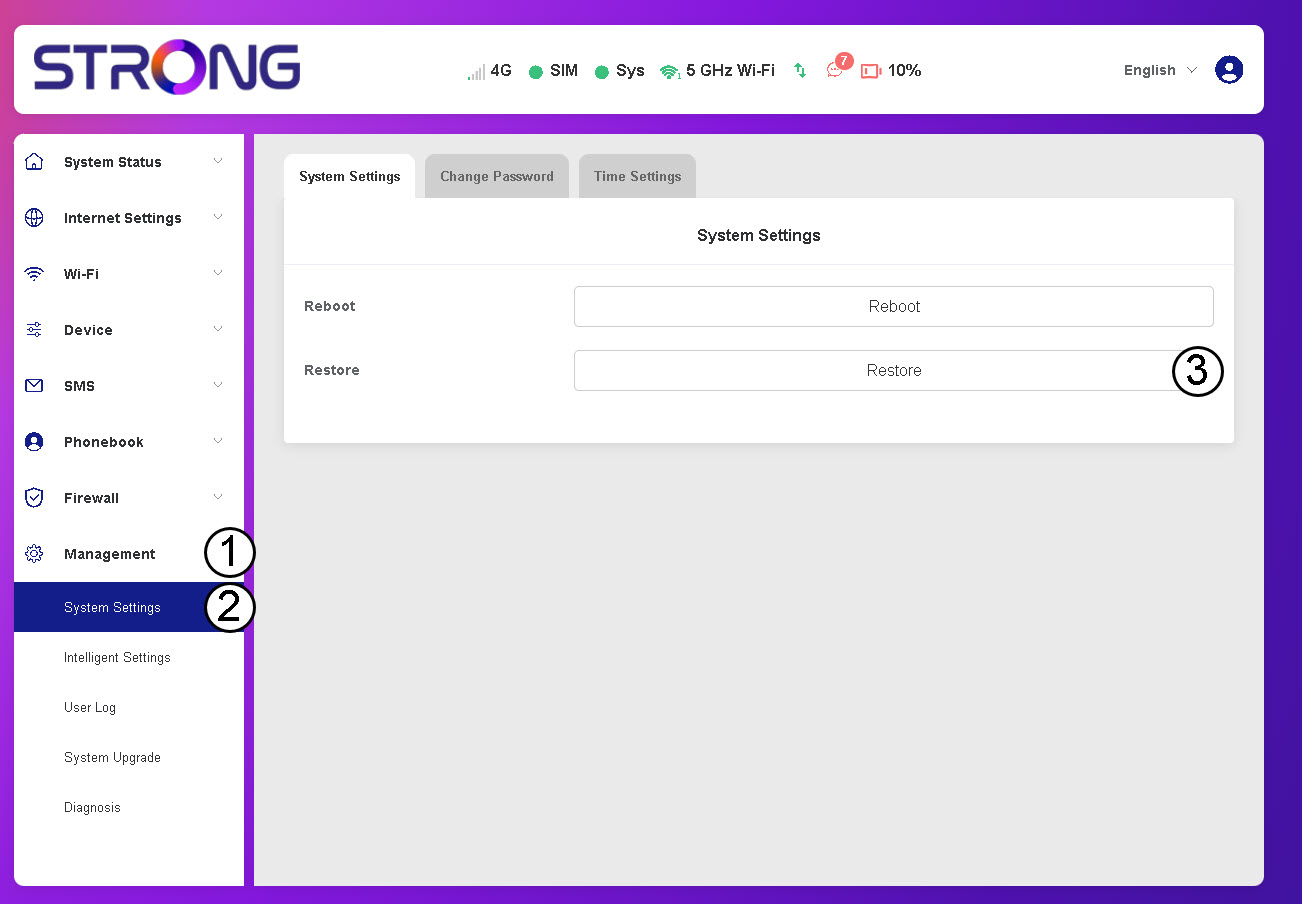
Кликните на Управљање, Системска подешавања и Враћање.
3 Потврдите ресетовање
Кликните на Потврди.
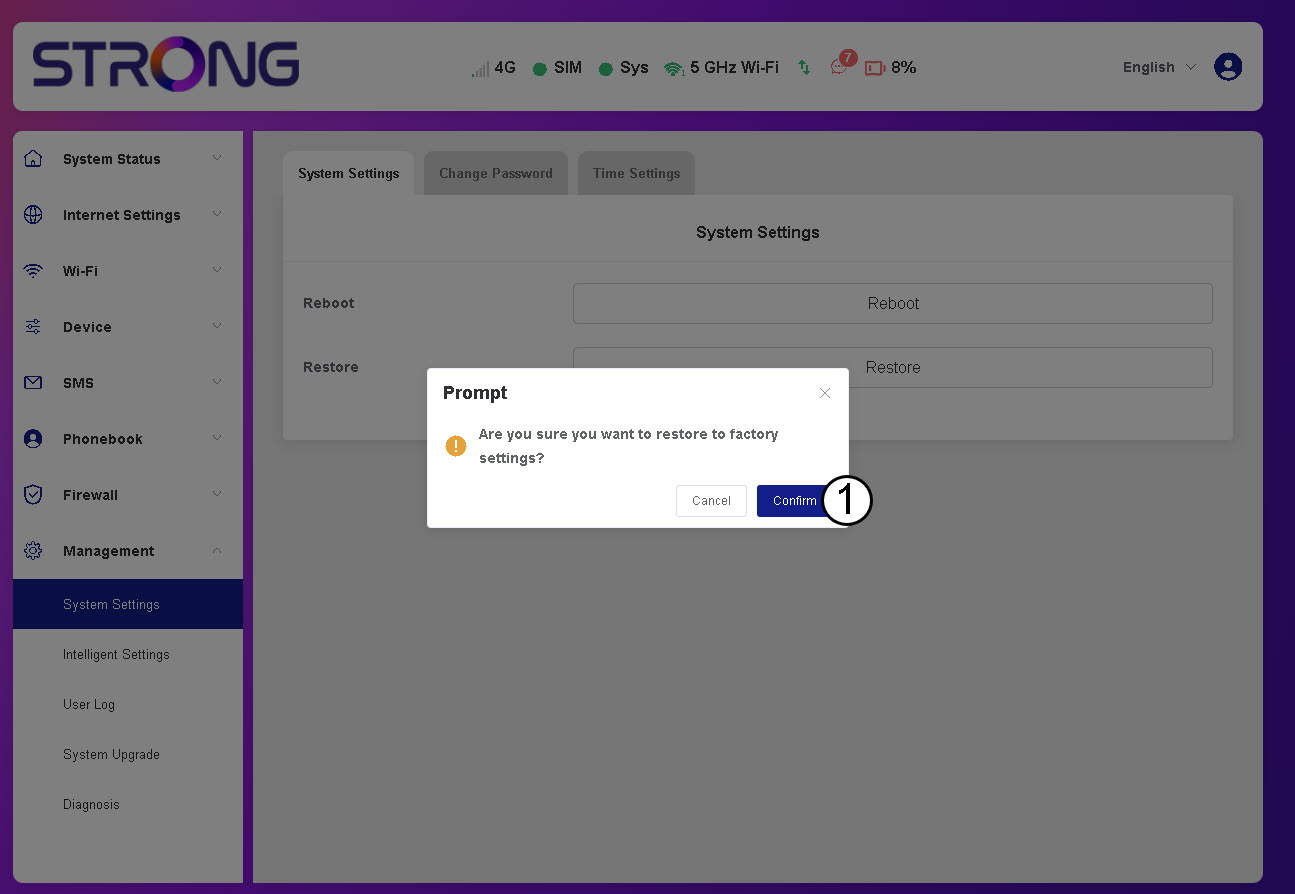
Молимо сачекајте, рутер ће се искључити и поново укључити када се процес заврши.