
4G AIRHOME 300 Mini-router med avtagbara 4G-antenner
Alla frågor
4G AIRHOME 300 Mini-router med avtagbara 4G-antenner
Hur ändrar jag SSID och lösenord? (Snabba inställningar)
Hur ändrar jag SSID och lösenord?
I webbgränssnittet finns det två sätt att ändra routerns SSID och lösenord:
• Genom att använda snabbinställningarna
• Eller genom att använda Wi-Fi-inställningarna.
1. Snabbinställningar
I webbgränssnittet kan du med hjälp av snabbinställningarna ändra uppgifterna för ditt nätverk: nätverksnamn och lösenord.
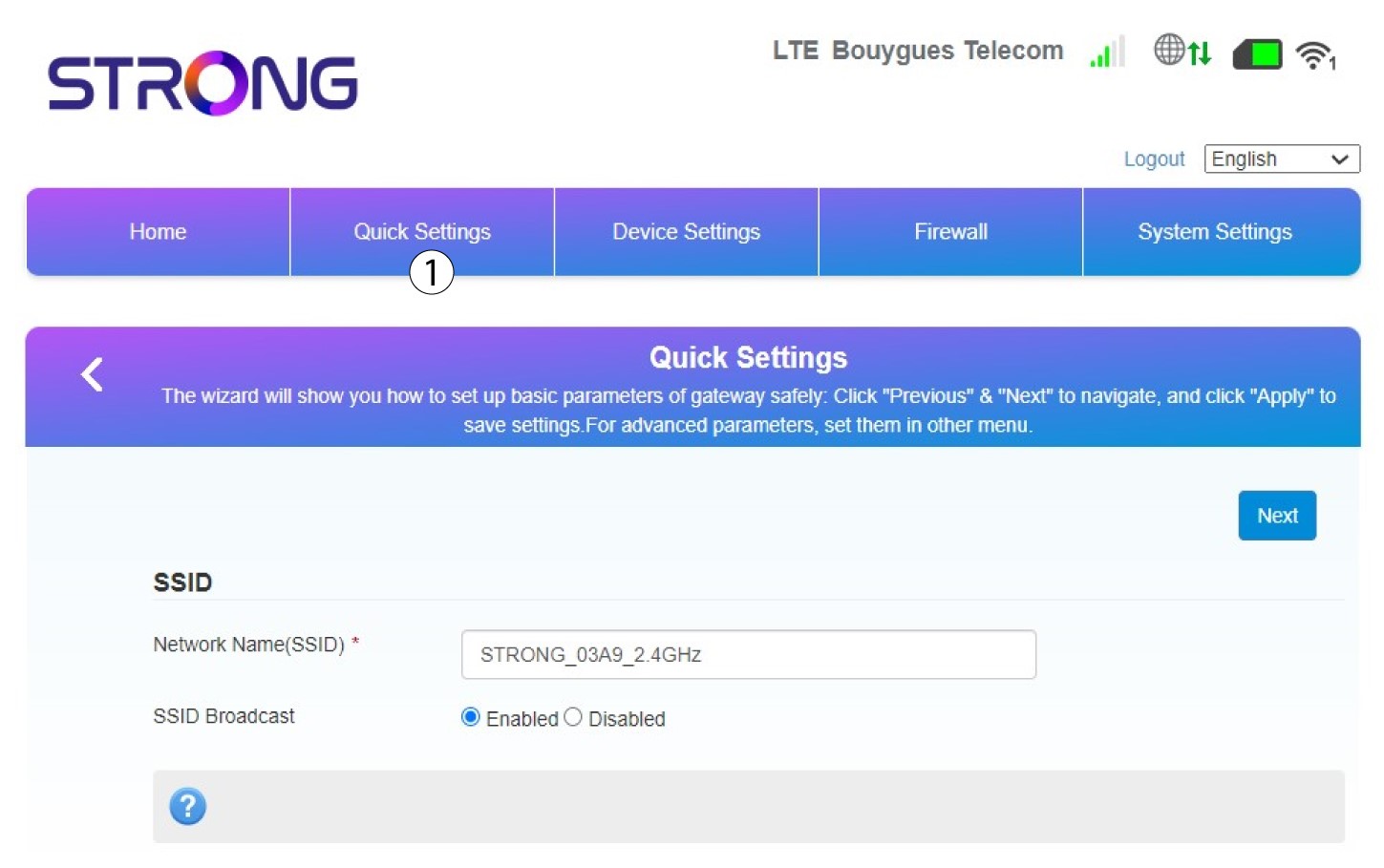
För att göra det klickar du på ”Snabbställningar” i den övre fältet.
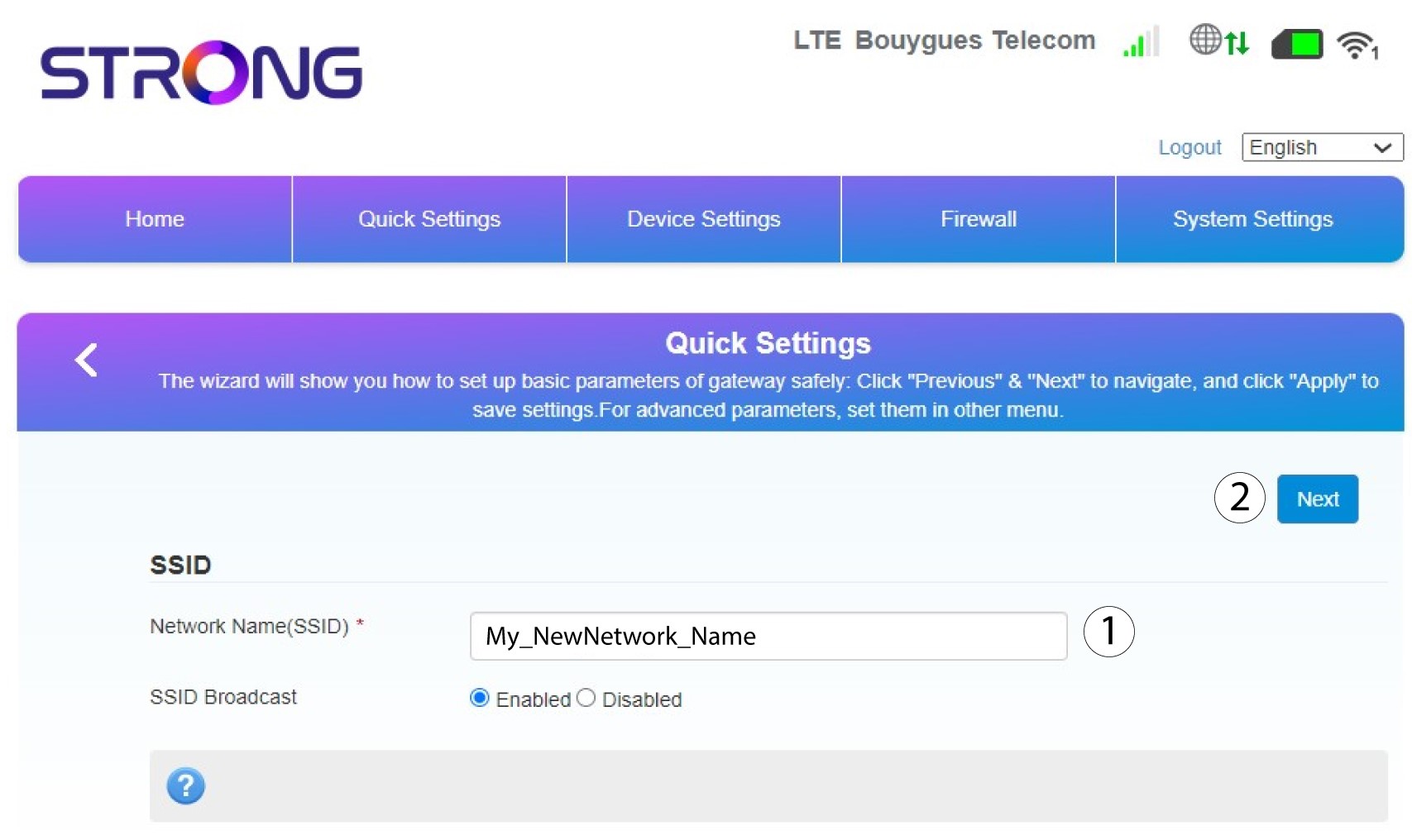
2Angedet nya nätverksnamnet
Ange sedan ditt nya nätverksnamn och klicka på Nästa.
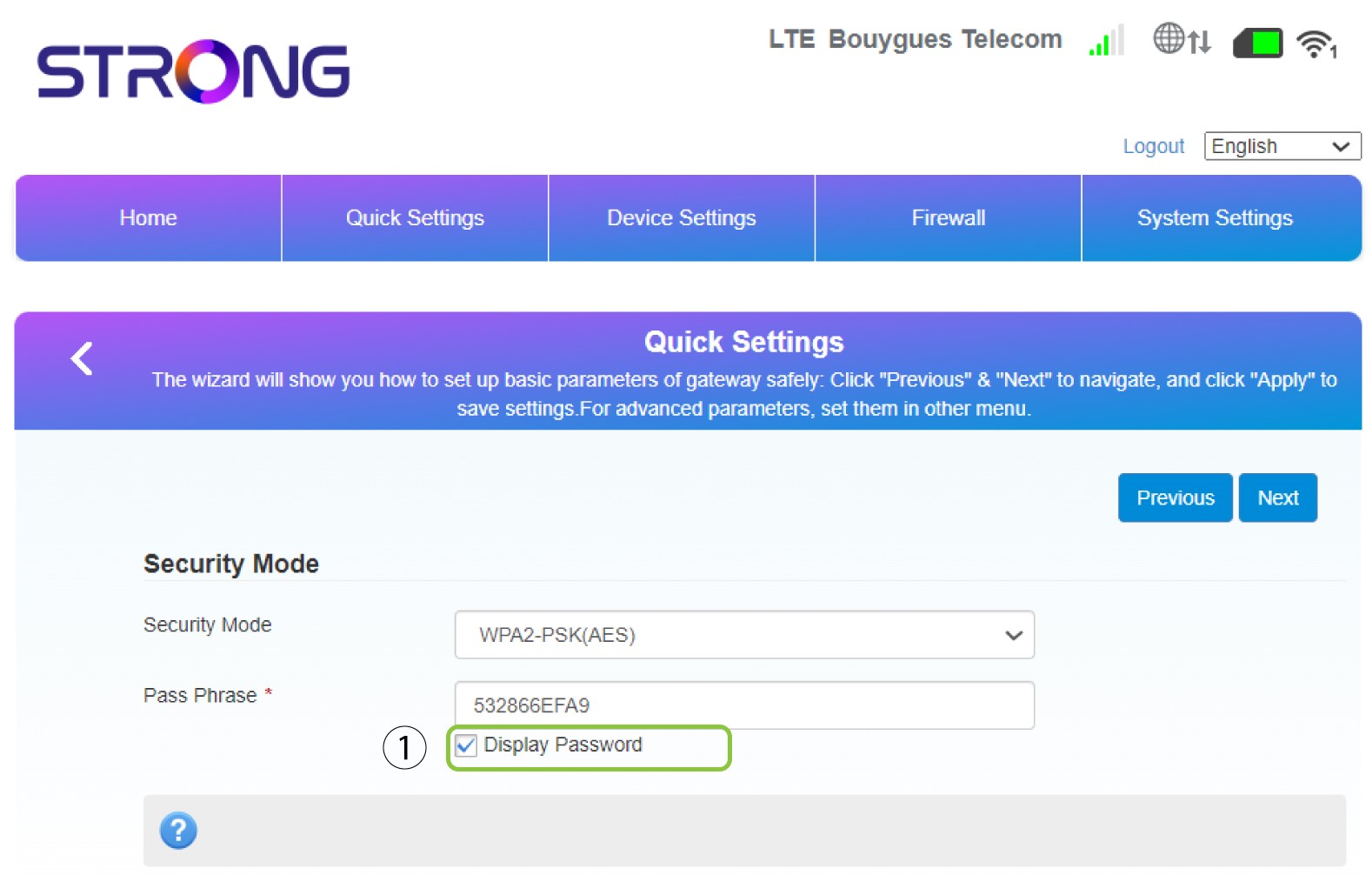
3Visaditt lösenord
Klicka på ”Visa lösenord”.
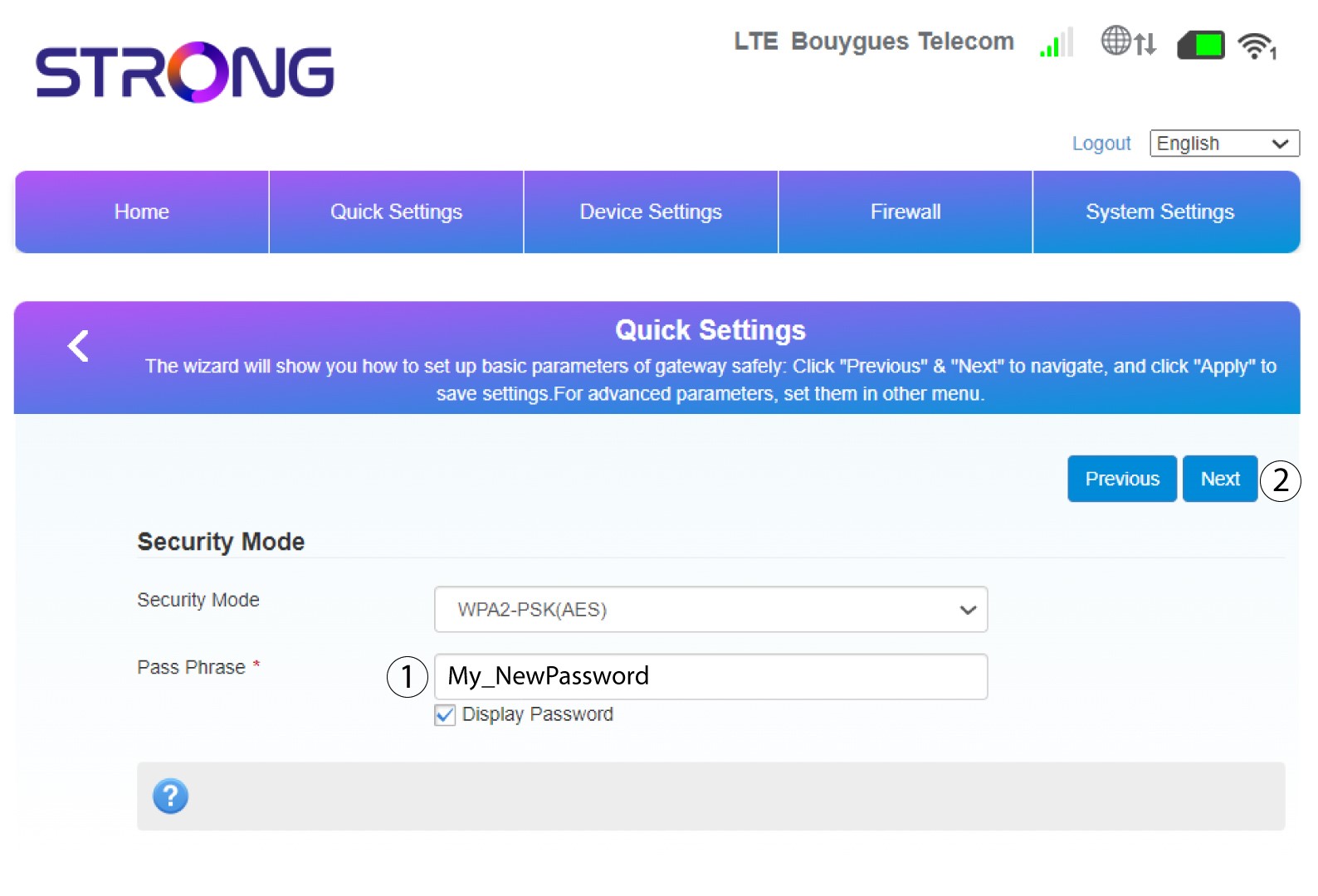
4Angeett nytt lösenord
Ändra ditt lösenord. Klicka sedan på Nästa.
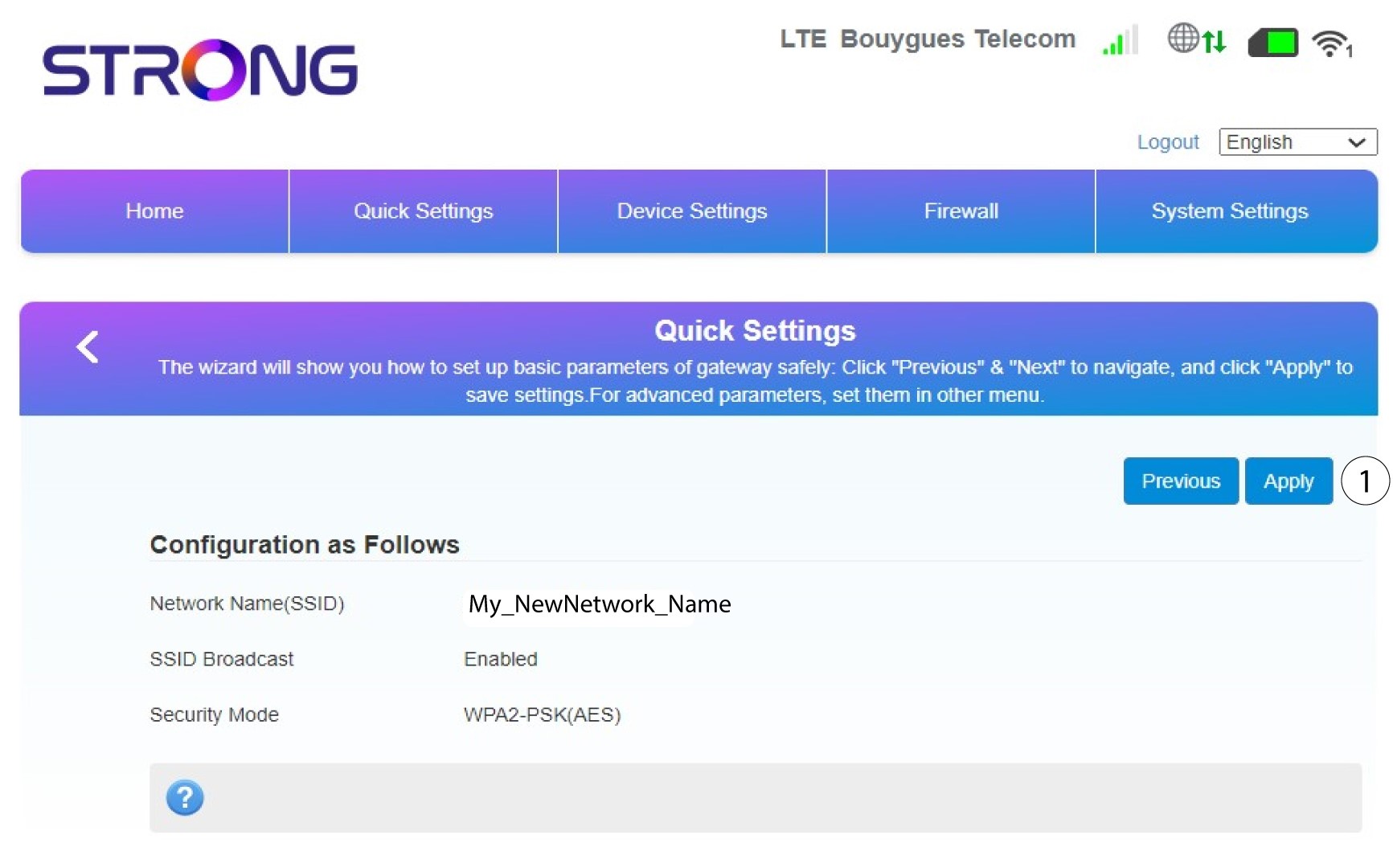
5. Granskadina ändringar
Klicka på ”Apply” för att spara ändringarna.
6. Skrivner det nya nätverksnamnet och lösenordet
Skriv gärna ner det nya SSID-namnet och lösenordet som du har skapat på ett papper.


När du har ändrat routerns nätverksnamn och lösenord kommer QR-koden inte längre att fungera, eftersom routerns anslutningsuppgifter då kommer att vara annorlunda.