
4G AIRHOME 300 Mini-router med avtagbara 4G-antenner
Alla frågor
4G AIRHOME 300 Mini-router med avtagbara 4G-antenner
Hur ändrar jag SSID och lösenord? (Wi-Fi-inställningar)

När du har ändrat routerns nätverksnamn och lösenord kommer QR-koden inte längre att fungera, eftersom routerns anslutningsuppgifter då kommer att vara annorlunda.
Skriv gärna ner de nya nätverksuppgifterna på ett papper.
1. Ansluttill routerns Wi-Fi-nätverk
För att ändra SSID och lösenord måste du ansluta till enhetens Wi-Fi-nätverk.

2. Gåtill webbgränssnittets IP-adress
Ange sedan följande IP-adress: 192.168.0.1 i din webbläsare.

3Inloggningssida
Klicka sedan på ”Logga in”.

4Angedina inloggningsuppgifter
Du måste ange användarnamn och lösenord.

5. Wi-Fi-inställningar
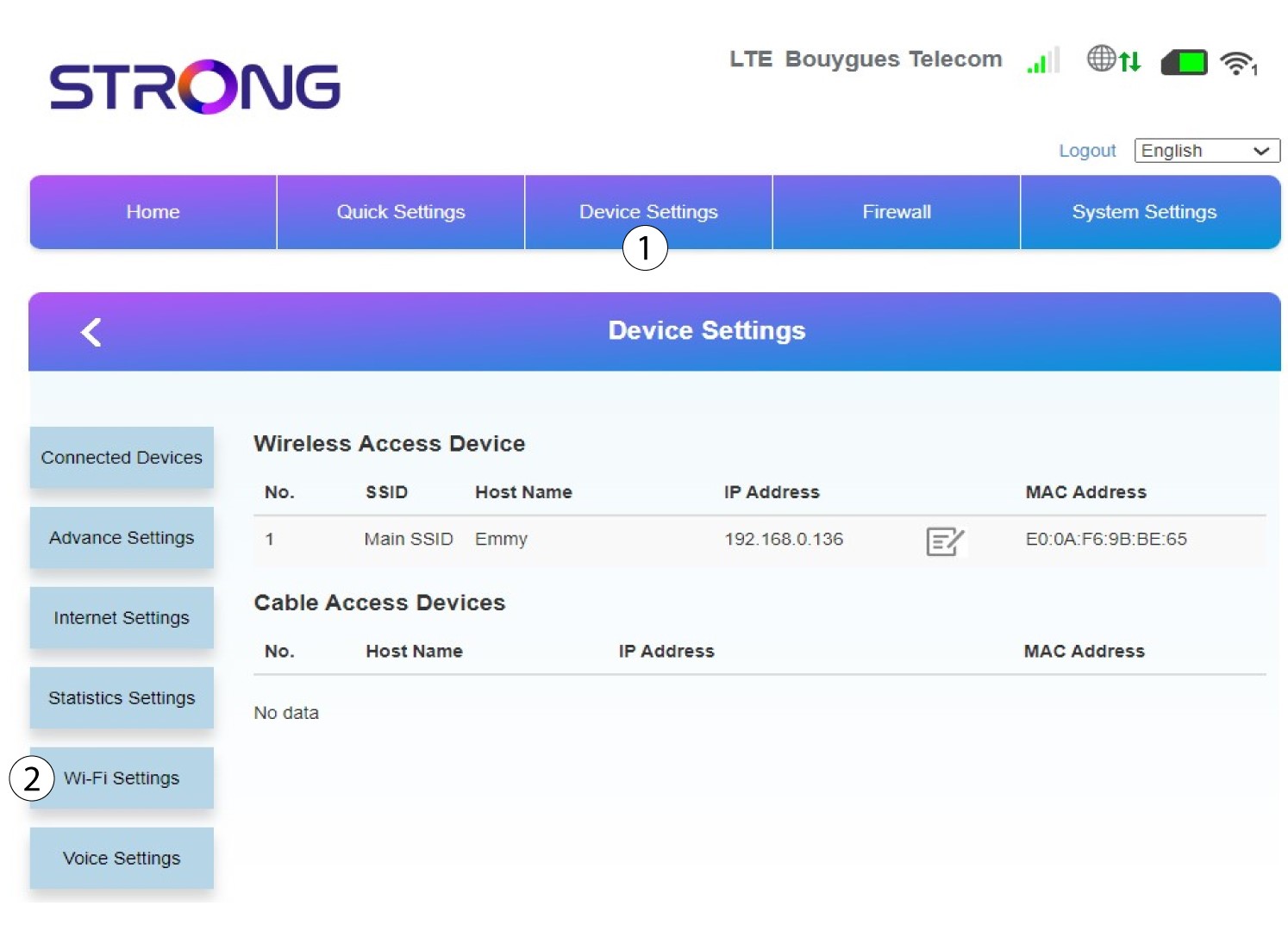
Klicka på Enhetsinställningar och välj Wi-Fi-inställningar.
6 HuvudsakligtSSID
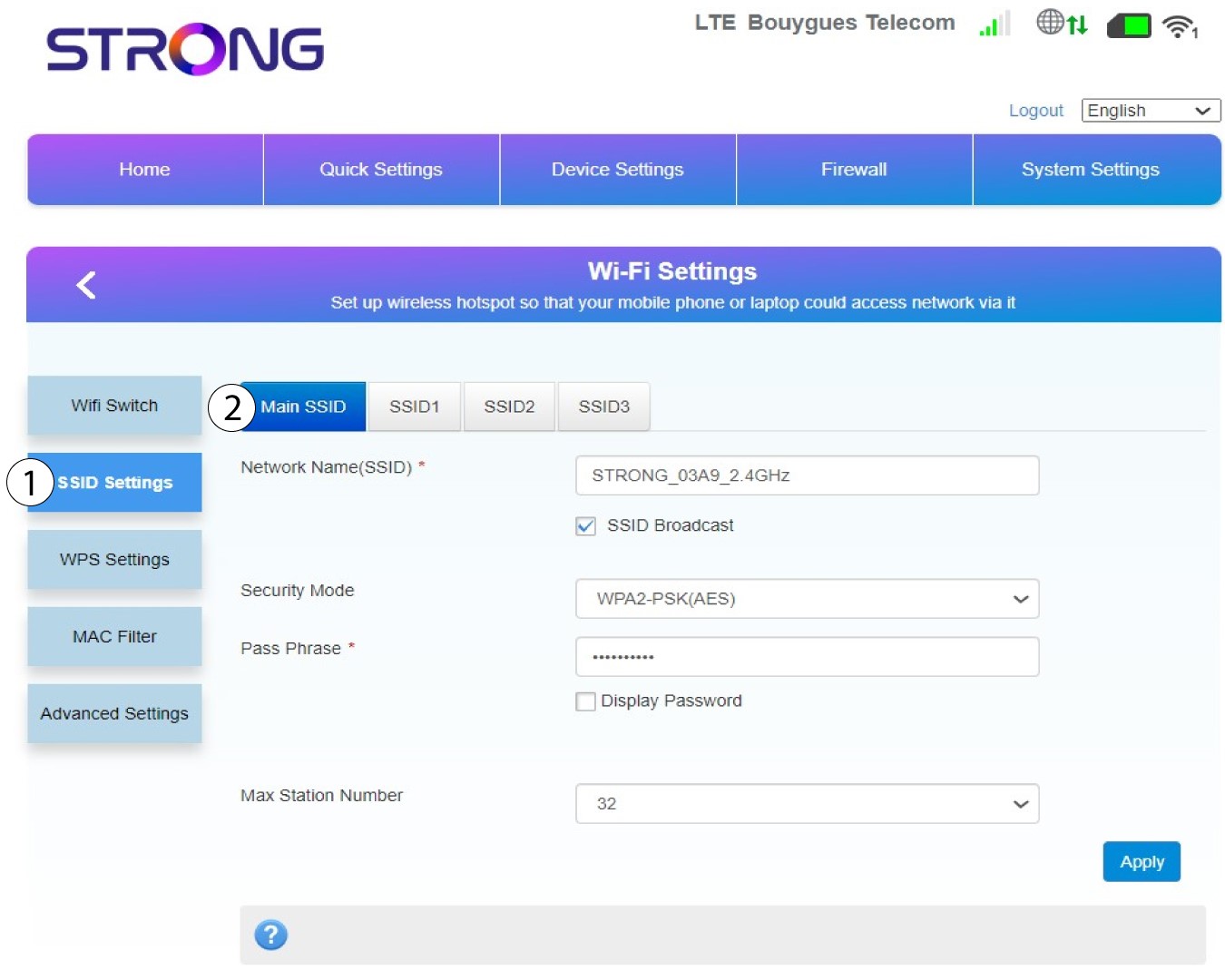
Välj sedan ”SSID-inställningar ” och välj ”Huvud-SSID”.
7Angeett nytt nätverksnamn och lösenord
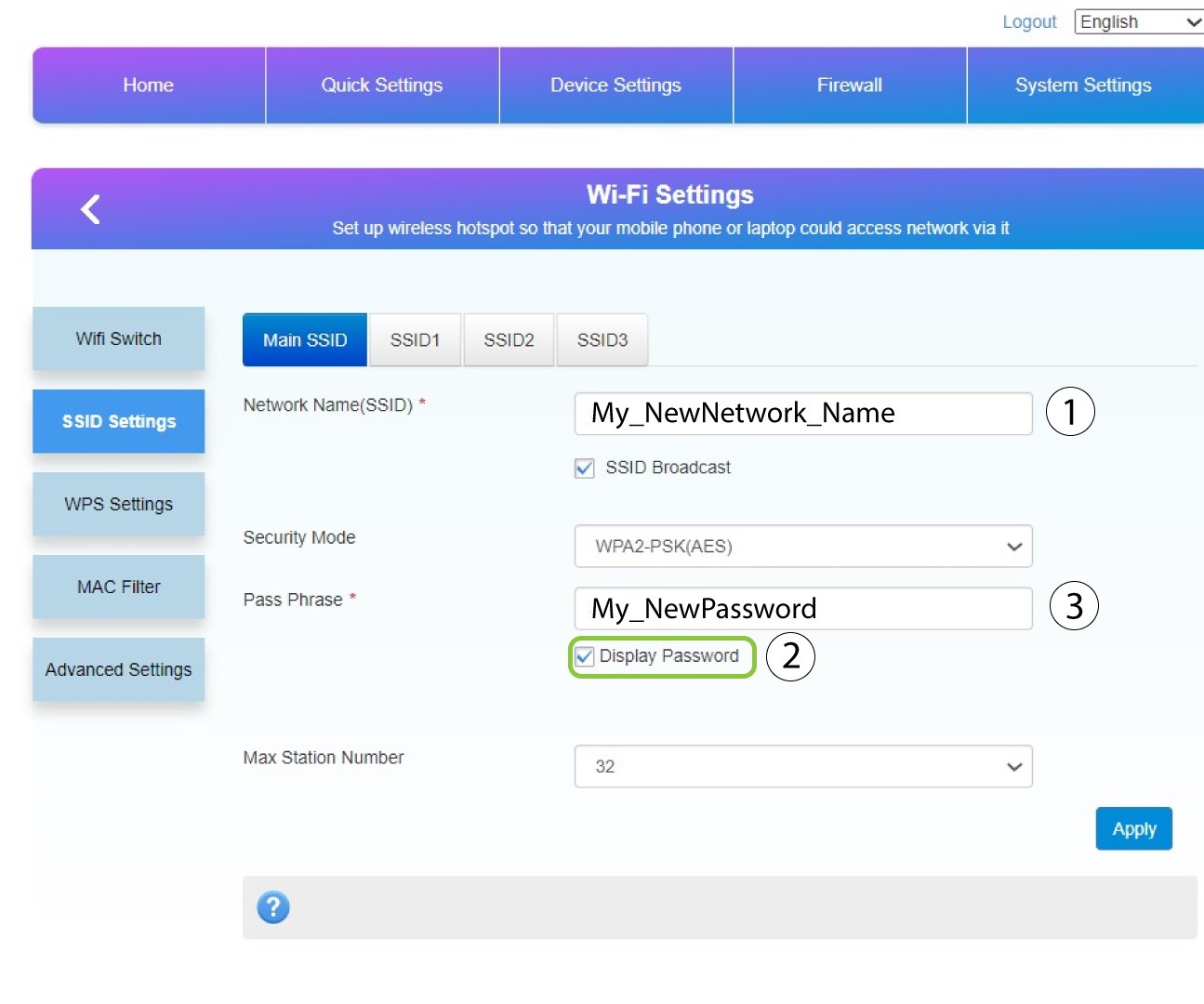
Ändra det namn som angetts i fältet Nätverksnamn (SSID) och markera rutan Visa lösenord. Ändra sedan det lösenord som angetts i fältet Lösenordsfras.
8Sparadina ändringar
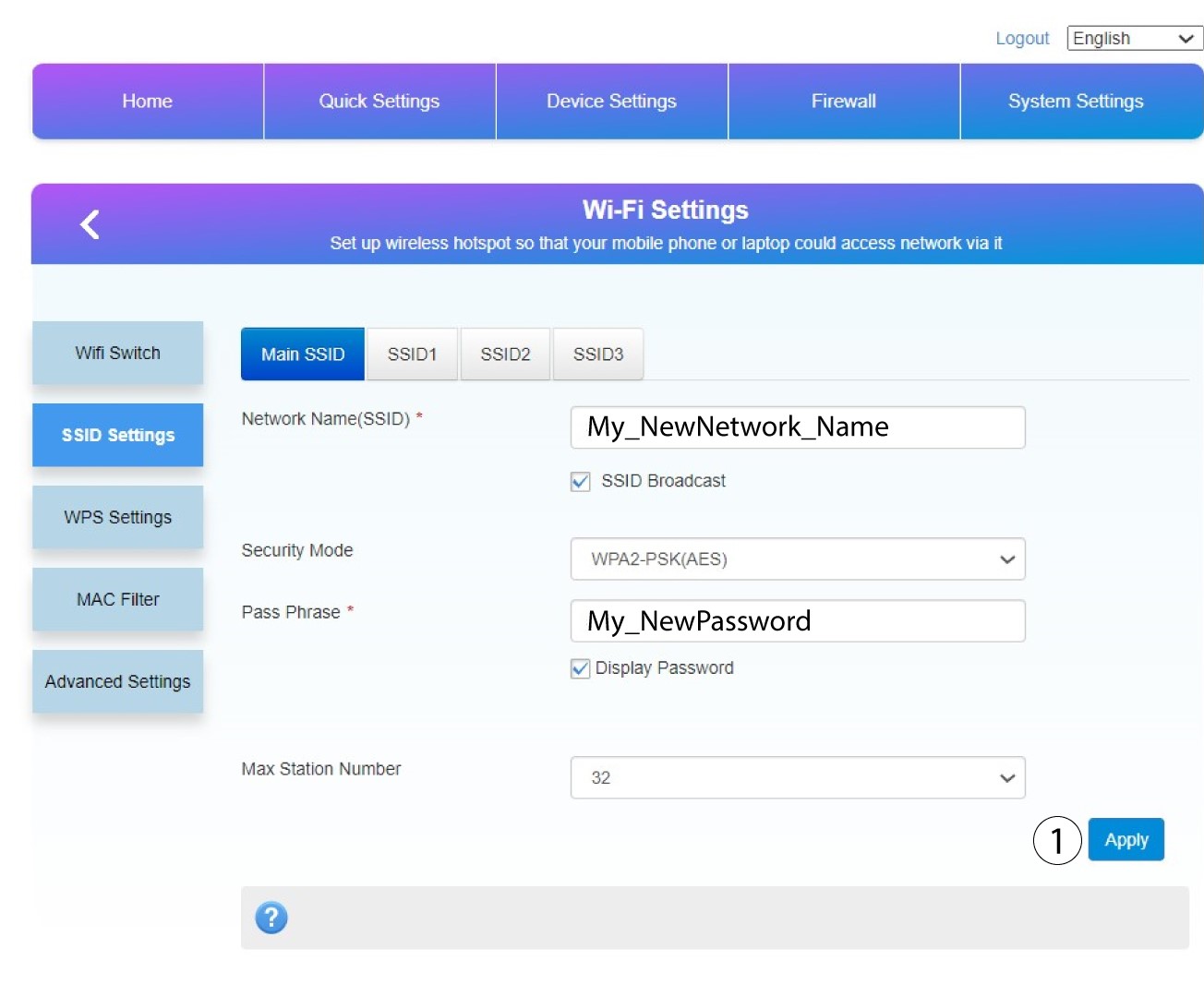
Klicka på ”Apply” för att spara ändringarna.
9. Skrivner dina nya uppgifter
Skriv ner ditt nya SSID och lösenord på ett papper och tejpa fast det på routern.
