4G AIRHOME 300 Mini-router med avtagbara 4G-antenner
Alla frågor
4G AIRHOME 300 Mini-router med avtagbara 4G-antenner
Hur kontrollerar och redigerar jag APN-inställningarna för min operatör?
Om enheten inte automatiskt känner igen ditt SIM-kort måste du logga in på webbgränssnittet för att kontrollera APN-inställningarna och ändra dem vid behov. Du hittar din operatörs APN-inställningar direkt på operatörens webbplats, eller så kan du be om dem från operatörens support.
1. Ansluttill routerns Wi-Fi-nätverk
Du måste ansluta till webbgränssnittet. För att göra det anger du routerns SSID och lösenord på din enhet:

2. Gåtill webbgränssnittets IP-adress
Ange sedan följande IP-adress i din webbläsare: 192.168.0.1

3Inloggningssida
När du har angett IP-adressen klickar du på ”Logga in”.

4Angedina inloggningsuppgifter
Du måste ange användarnamn och lösenord. Klicka sedan på ”Logga in”.

5. Internetinställningar
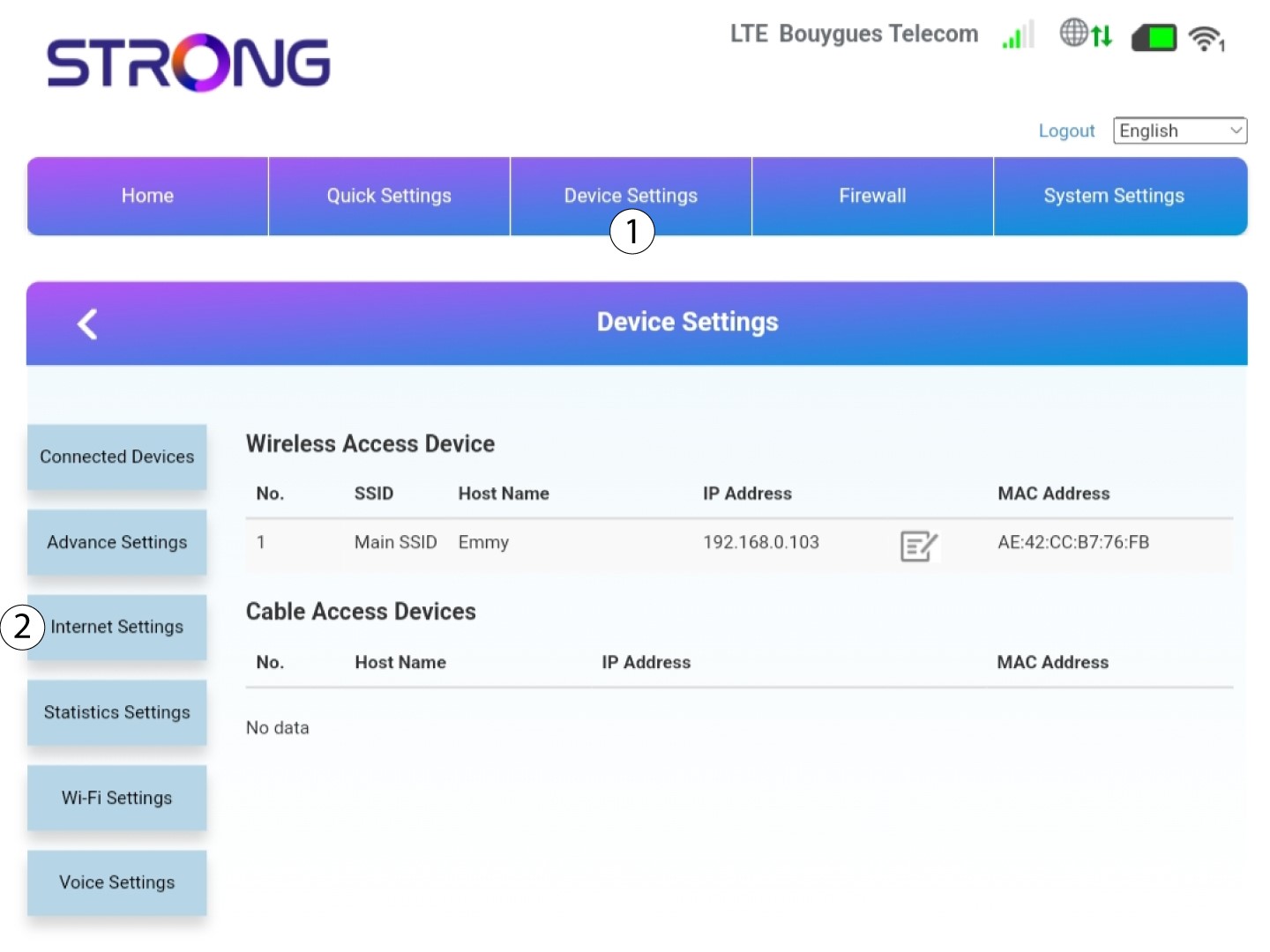
Klicka på Enhetsinställningar och sedan på Internetinställningar.
6Kontrolleradin operatörs APN-inställningar
Leta efter APN-inställningarna på din operatörs webbplats. Du måste anteckna följande uppgifter:
- Namn
- APN
- Användarnamn
- Lösenord
- Autentiseringstyp
7APN-inställningar
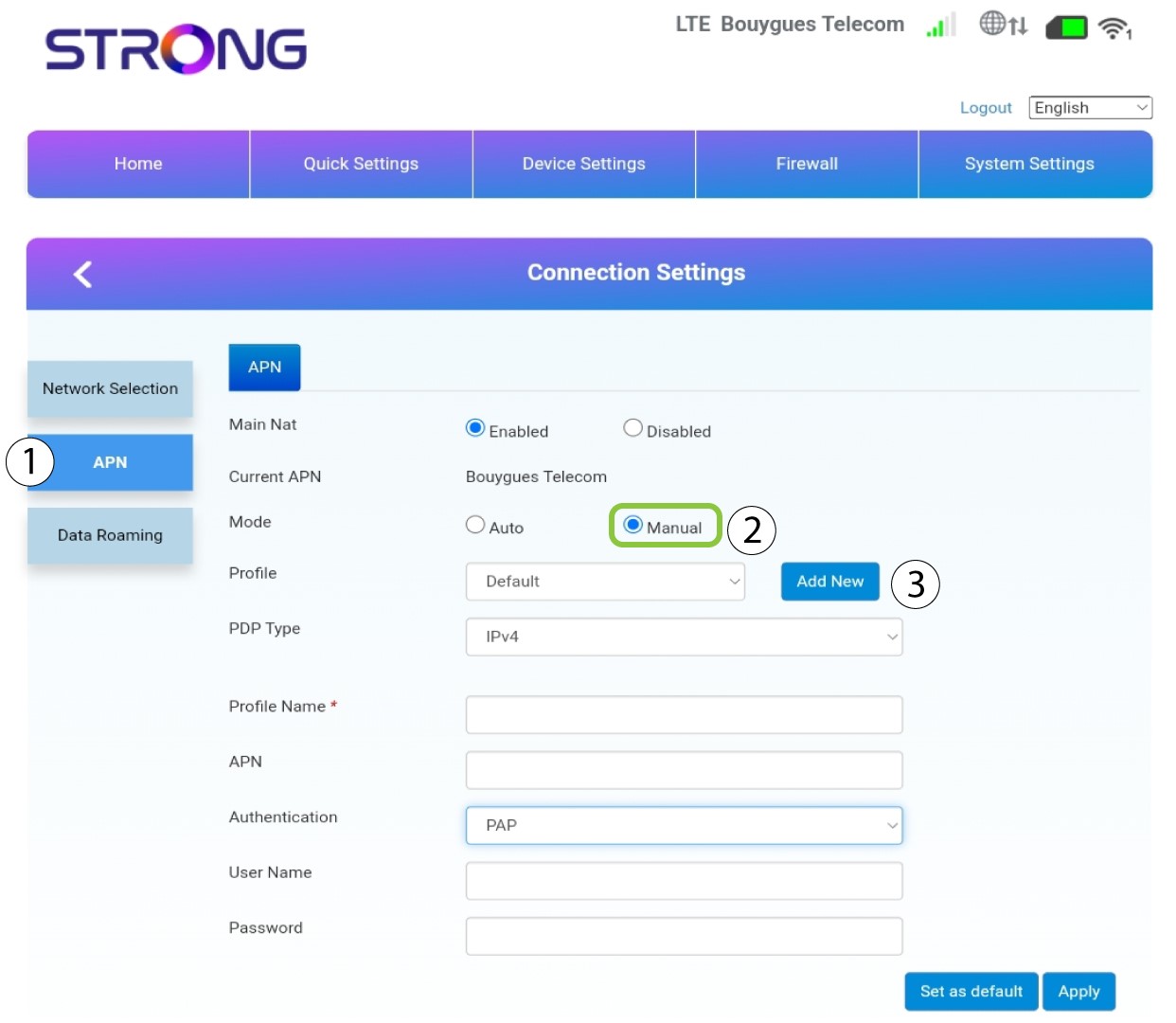
Redigera APN-inställningarna om uppgifterna är felaktiga. Klicka först på APN. Klicka sedan på Manual och sedan på Lägg till ny.
8VäljPDP-typ
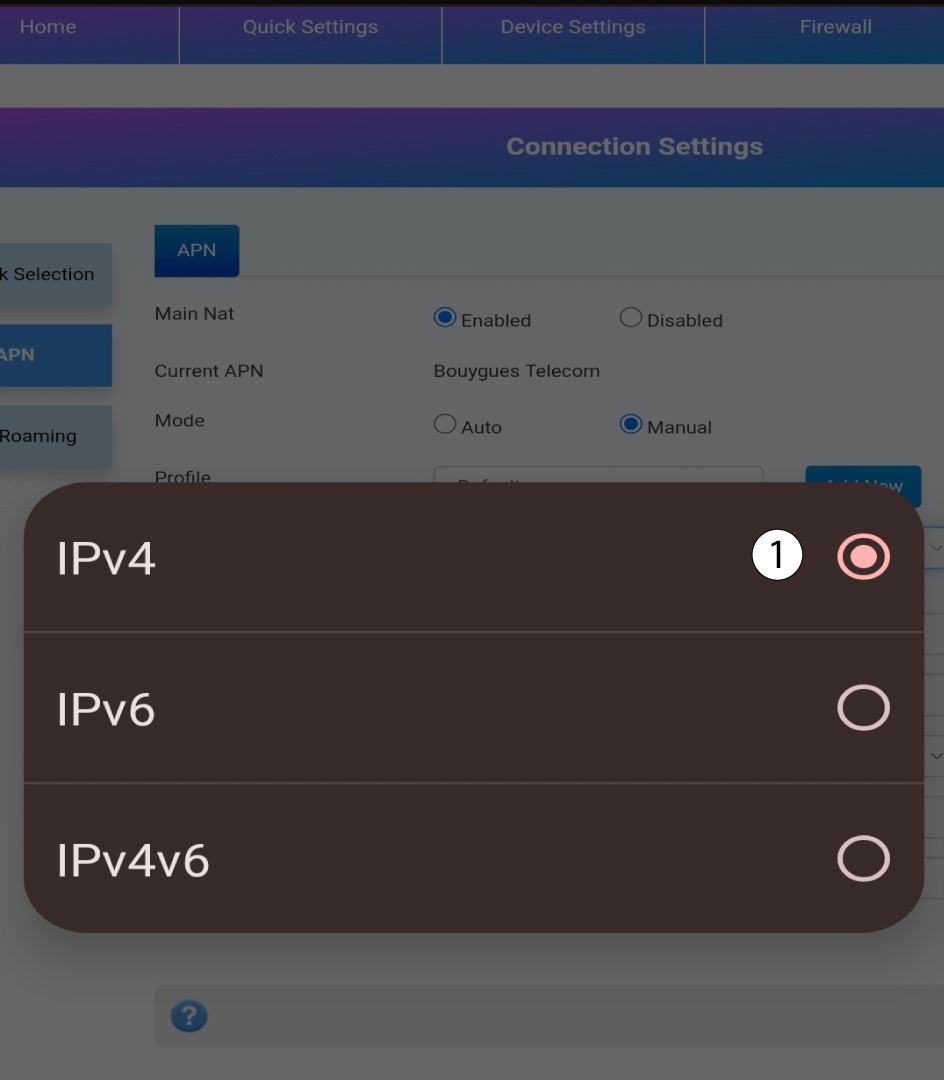
I fältet ”PDP-typ” väljer du rätt APN-typ: IPv4, IPv6 eller IPv4v6. I vårt fall är PDP-typenIPv4.
9Angeuppgifter om din tjänsteleverantör
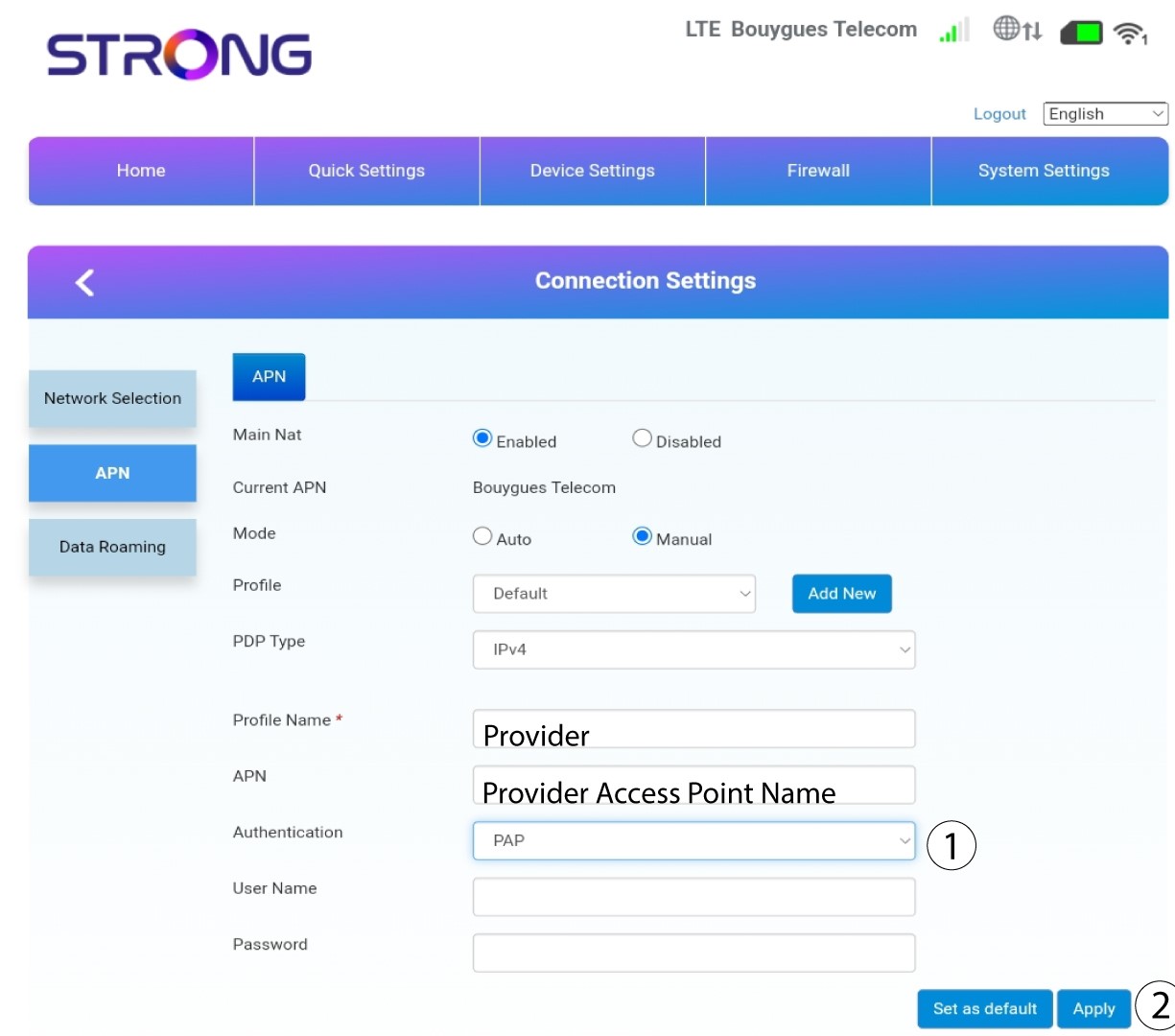
Ange namnet på din tjänsteleverantör i fältet ”Profilnamn” (högst 14 tecken, inklusive mellanslag). Ange sedan APN-adressen i fältet ”APN ”.
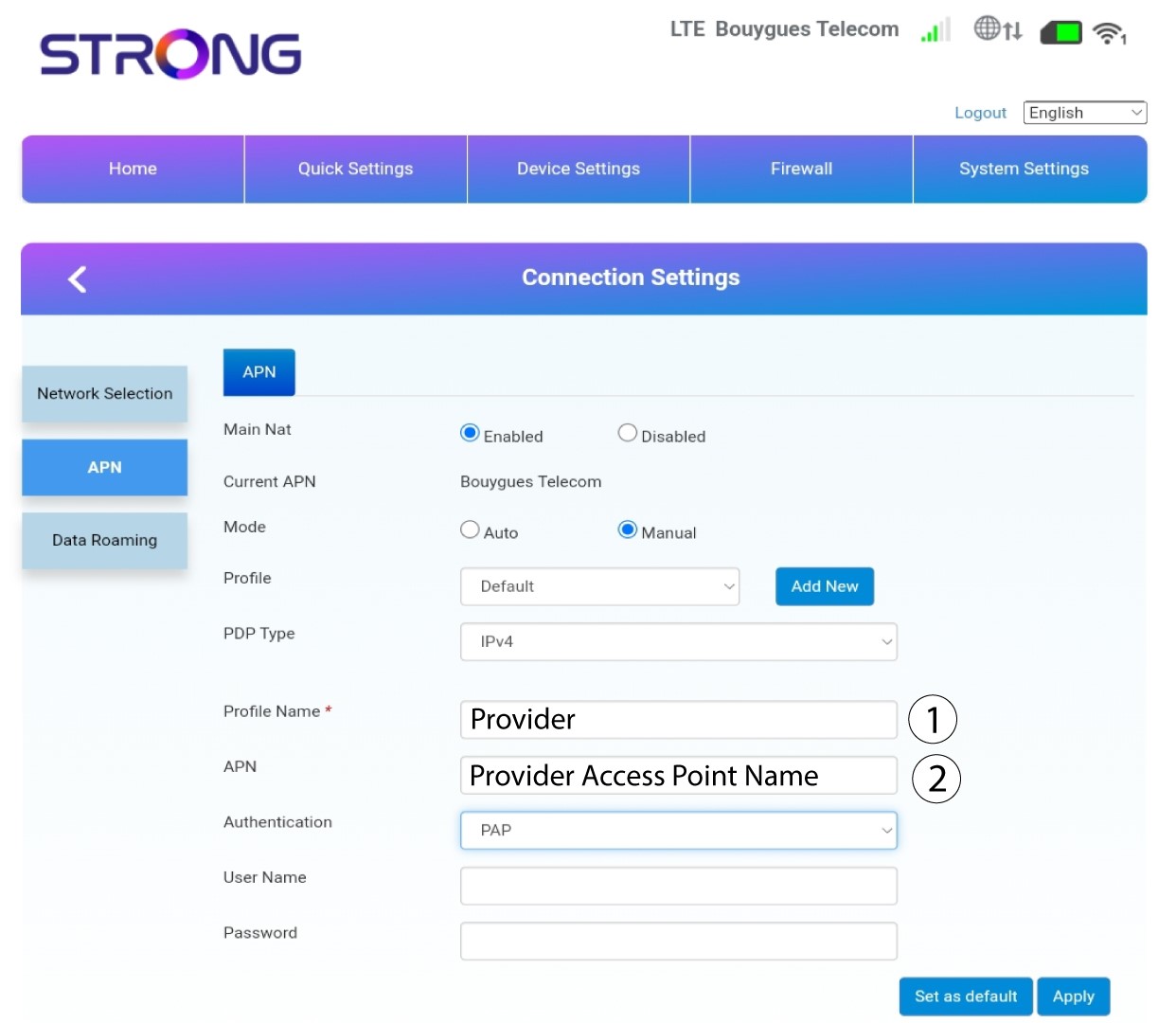
10Angeautentiseringstyp
Välj den autentiseringstyp som din leverantör har angett för din APN bland följande alternativ och klicka på ”Apply”:
• NONE,
• CHAP
• PAP