4G AIRHOME 300 Mini-router med avtagbara 4G-antenner
Inga föremål hittades.
Inga föremål hittades.
Alla frågor
4G AIRHOME 300 Mini-router med avtagbara 4G-antenner
Inga föremål hittades.
Inga föremål hittades.
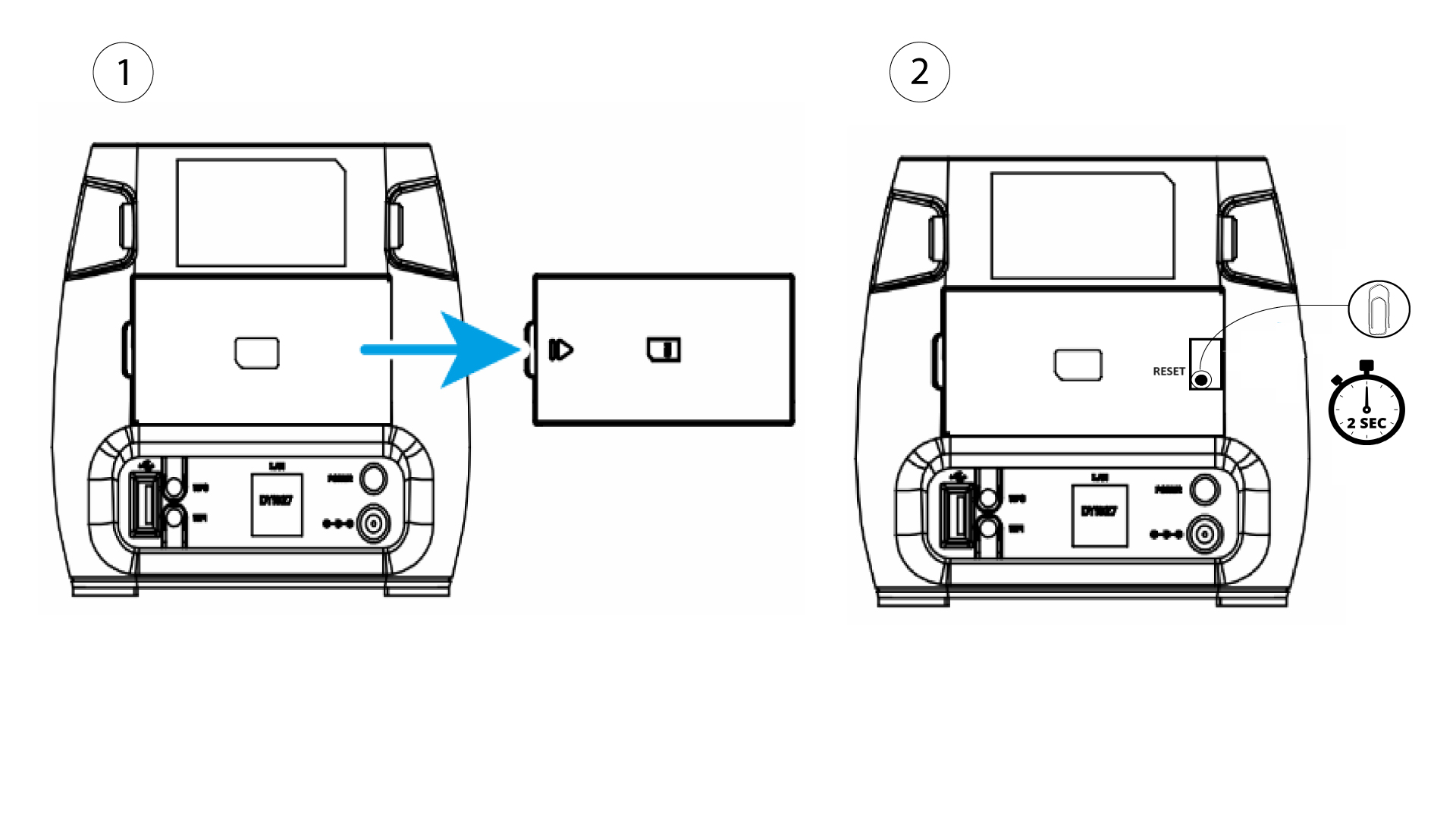
Hur återställer jag routern till fabriksinställningarna? (Återställningsknapp)
Ibland kan det hända att din enhet inte fungerar som den ska och att du inte har tillgång till internet. I så fall rekommenderar vi att du återställer enheten till fabriksinställningarna och därefter uppdaterar firmware igen om det behövs.
Det finns två sätt att göra detta på: du kan återställa enheten genom att trycka på återställningsknappen eller via webbgränssnittet.
För att göra detta tar du bort locket på routerns baksida och trycker på RESET-knappen i 2 sekunder med ett gem.