
4G+ AIRSPOT 520 Wi-Fi med pekskärm
Inga föremål hittades.
Inga föremål hittades.
Alla frågor
4G+ AIRSPOT 520 Wi-Fi med pekskärm
Inga föremål hittades.
Inga föremål hittades.
Hur anger jag min PIN-kod? (Mi-Fi-skärmen)
När du sätter i SIM-kortet för första gången kommer enheten att be dig ange PIN-koden.
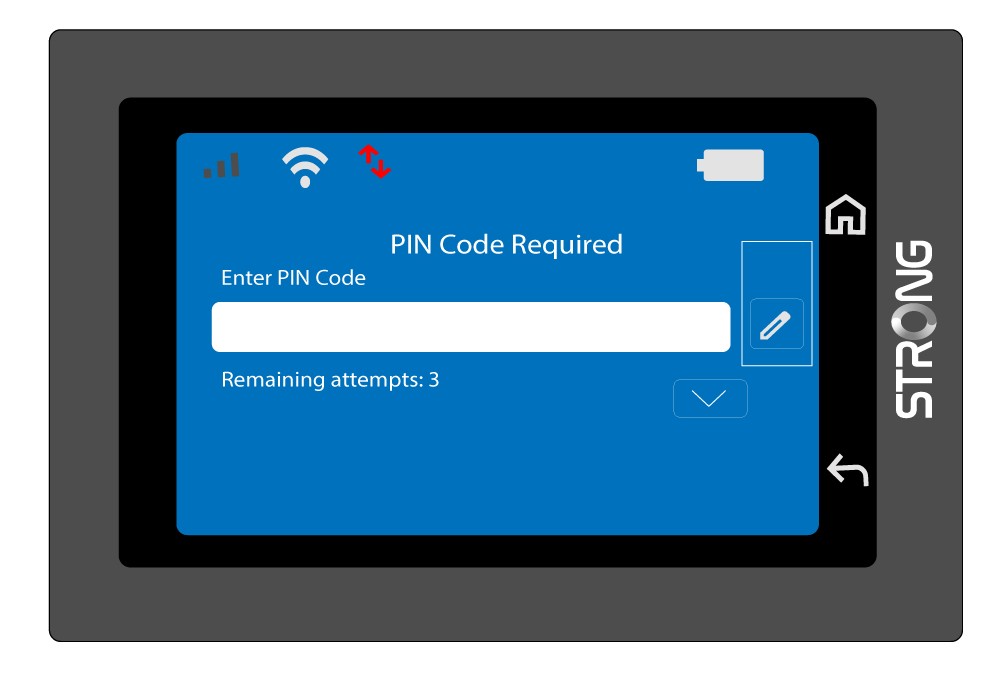
1Öppnaknappsatsen
Klicka på pennikonen för att öppna det numeriska tangentbordet.
2AngePIN-koden
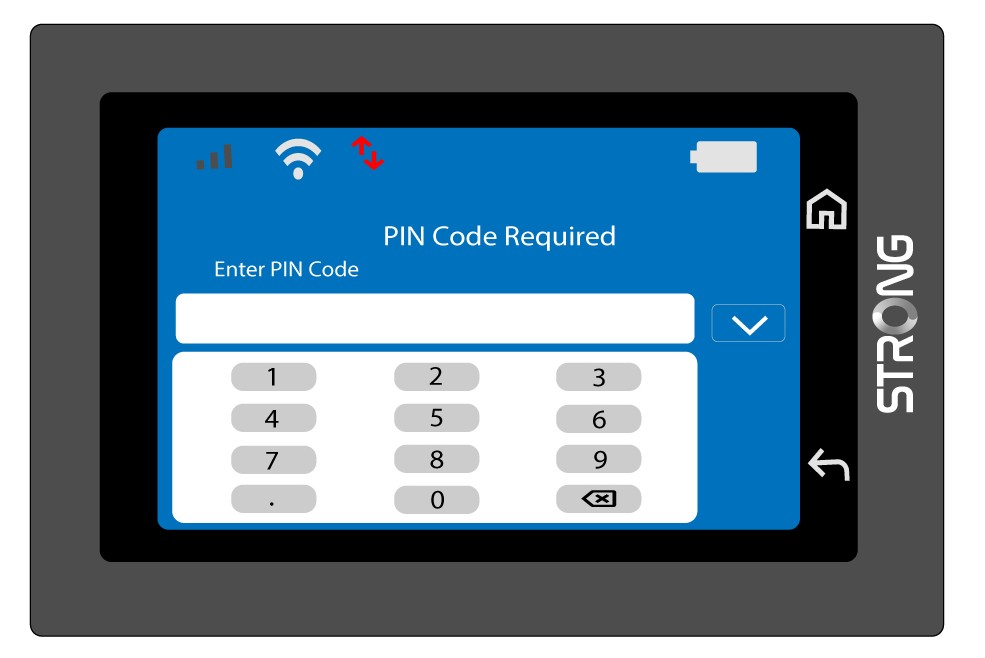
Ange din PIN-kod med siffertangentbordet och tryck sedan på (v)-ikonen för att bekräfta.
3Bekräftakoden
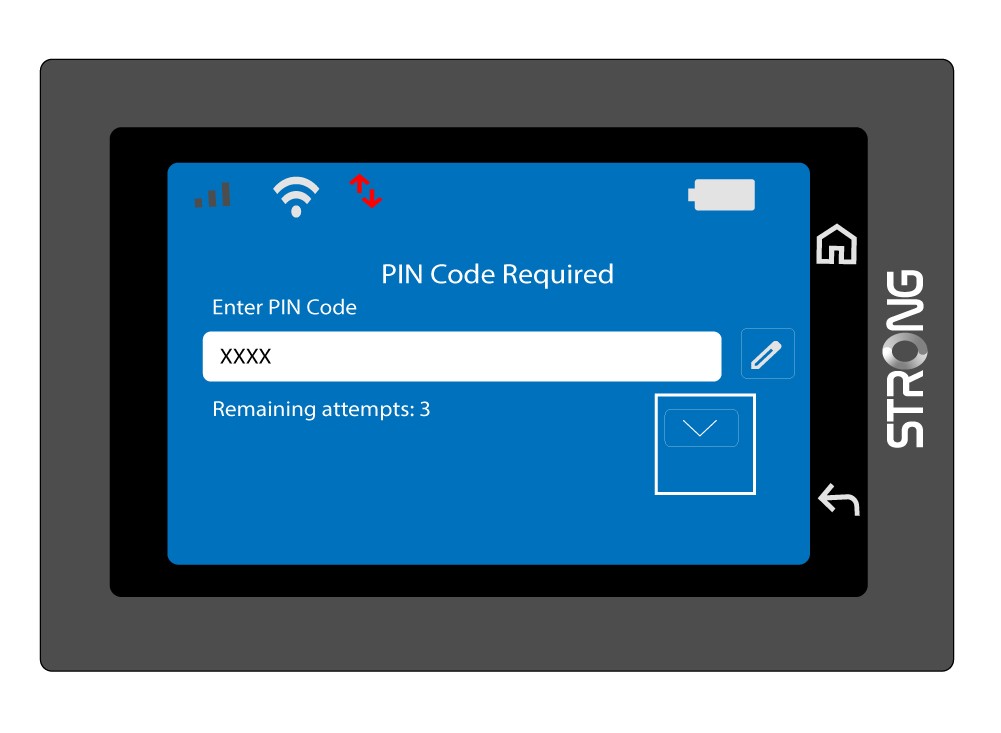
Bekräfta PIN-koden på huvudskärmen.
4. Väntapå bekräftelse
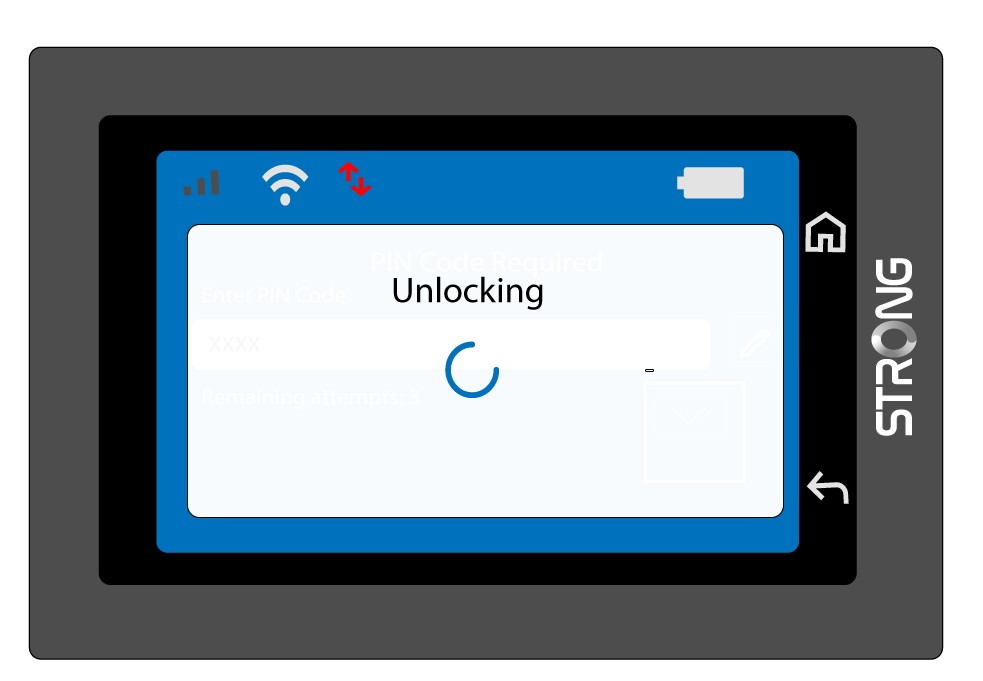
Vänta tills meddelandet om upplåsning försvinner från skärmen.
5. Klaratt användas
Du bör nu se följande skärmbild.
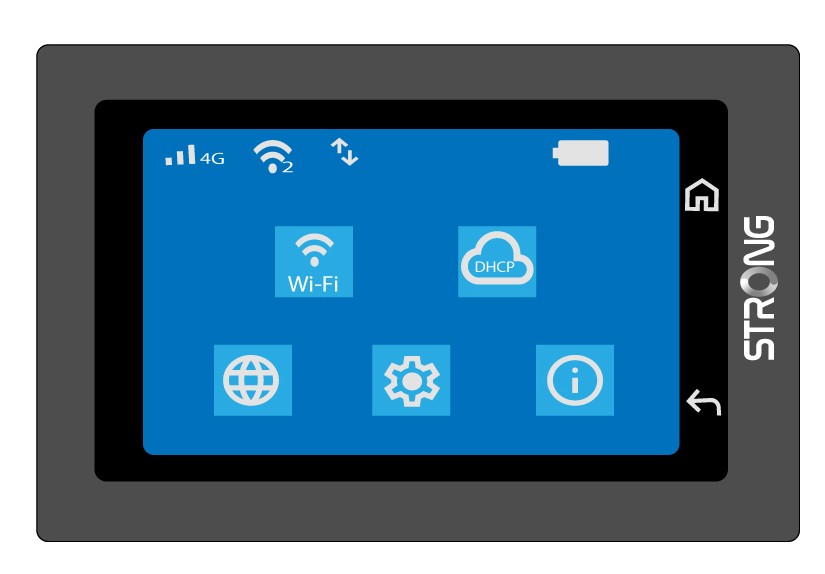
Efter den första lyckade inmatningen kommer Mi-Fi-enheten att spara din PIN-kod.