
4G+ AIRSPOT 520 Wi-Fi med pekskärm
Inga föremål hittades.
Inga föremål hittades.
Alla frågor
4G+ AIRSPOT 520 Wi-Fi med pekskärm
Inga föremål hittades.
Inga föremål hittades.
Hur återställer jag routern till fabriksinställningarna? (Återställningsknapp)
FALL 1: Återställningsknapp
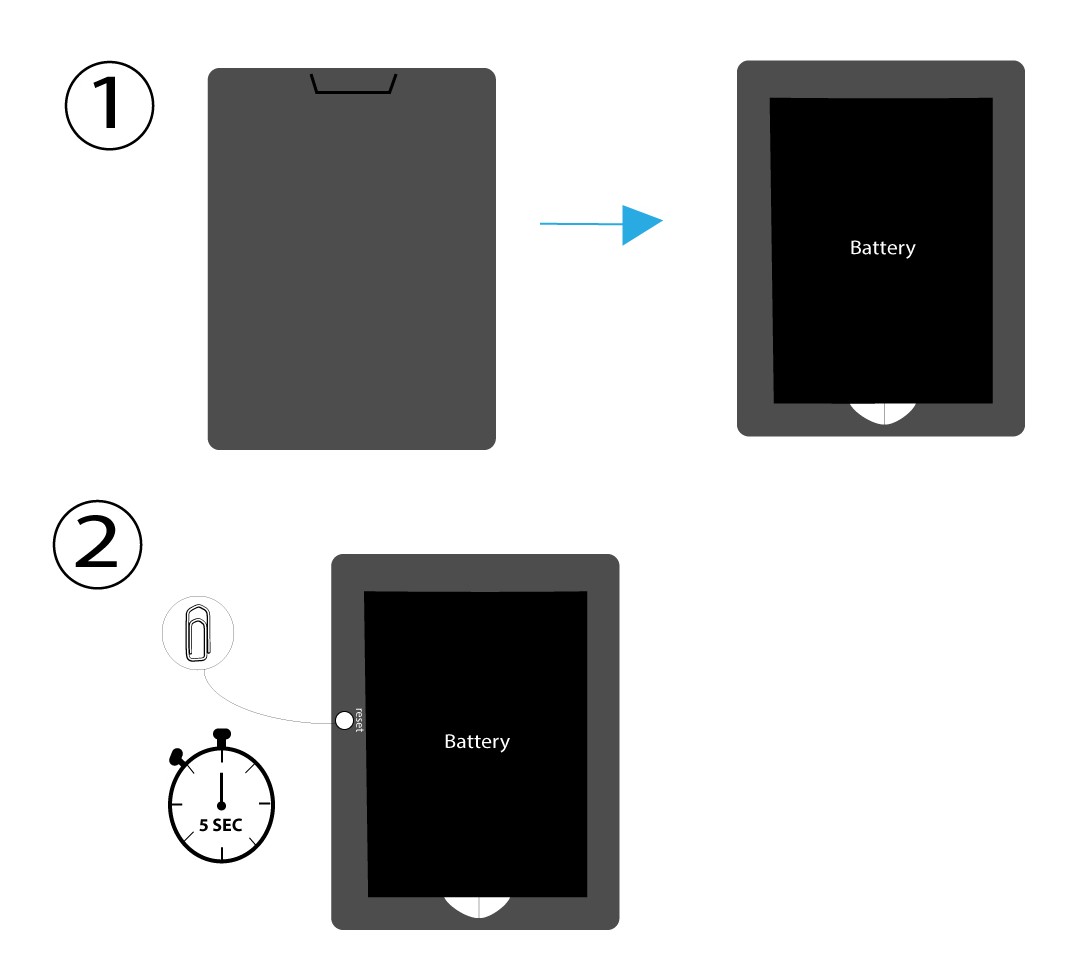
För att göra detta ska du ta bort luckan på routerns baksida och trycka på RESET-knappen i 5 sekunder med ett gem.
FALL 2: Återställning till fabriksinställningar i webbgränssnittet
1 Återställning till fabriksinställningari webbgränssnittet
Följ stegen nedan för att ansluta till webbgränssnittet: Hur kommer jag åt webbgränssnittet?
2. Gåtill återställningsalternativet
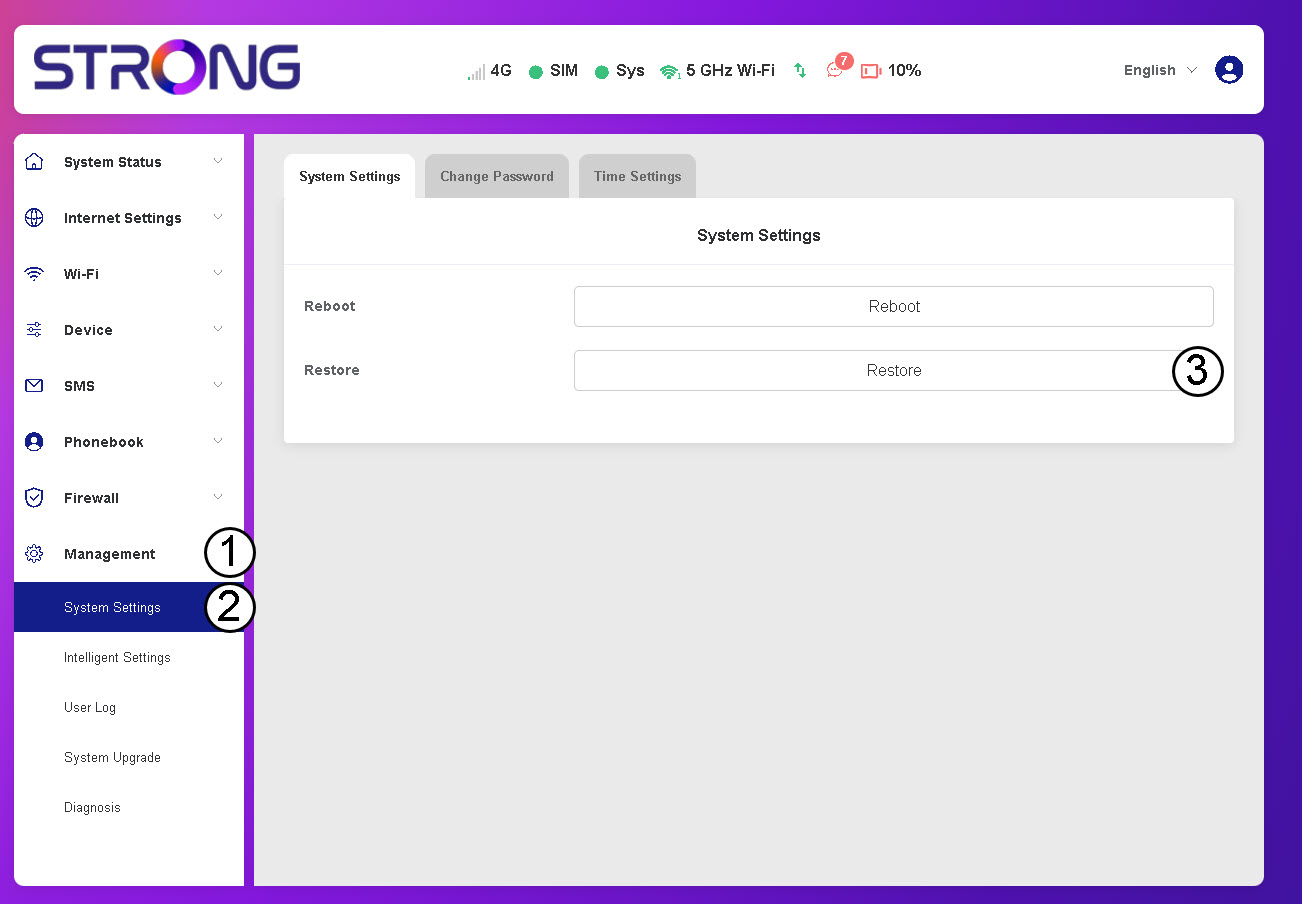
Klicka på ”Hantering”, ”Systeminställningar ” och”Återställ”.
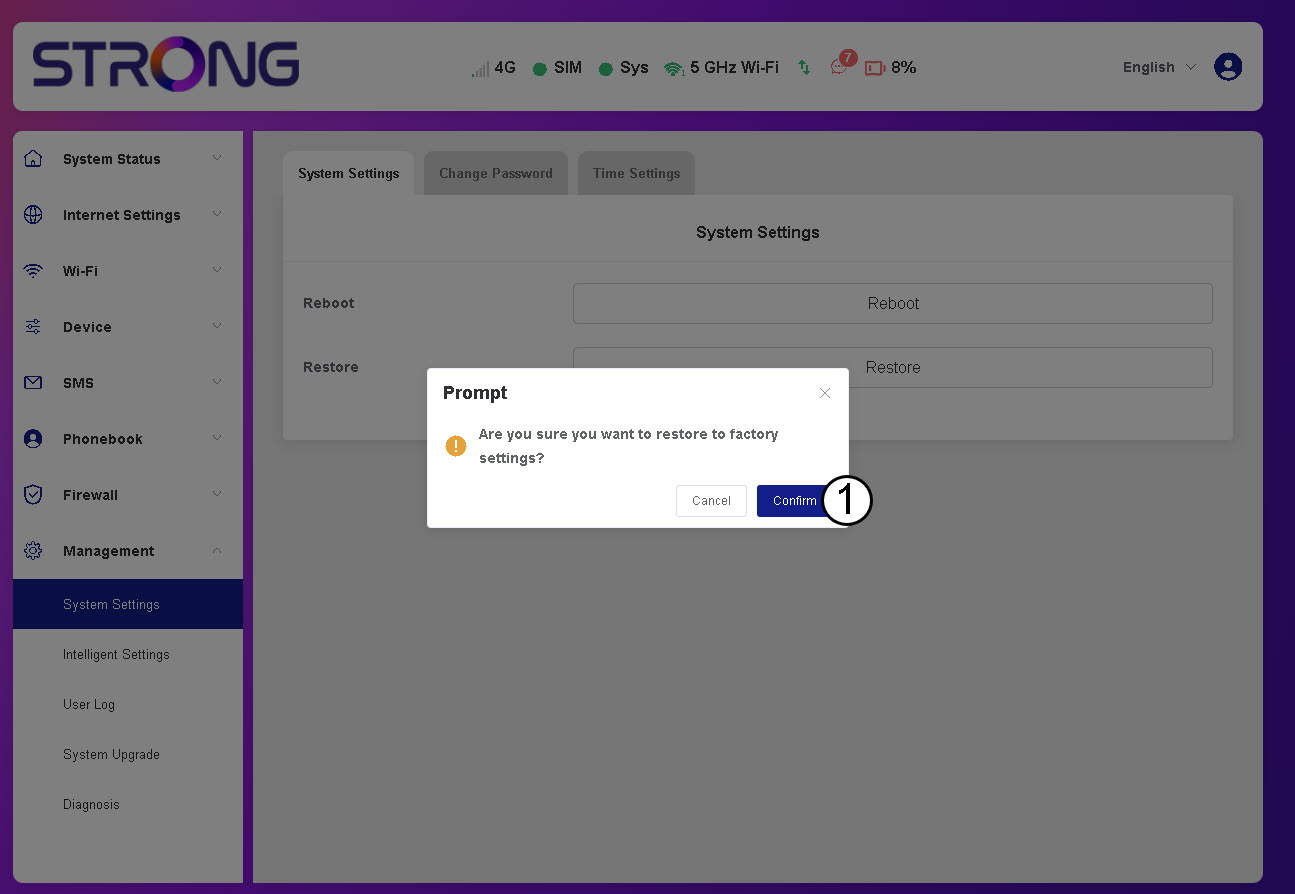
3. Klicka påBekräfta
4. Väntatills routern har startat om
Vänta ett ögonblick – routern stängs av och startas om när processen är klar.
FALL 3: Återställningsknapp