4G AIRHOME 310 med avtagbara 4G-antenner
Alla frågor
4G AIRHOME 310 med avtagbara 4G-antenner
Hur återställer jag routern till fabriksinställningarna?
Ibland kan det hända att din enhet inte fungerar som den ska och att du inte har tillgång till internet. I så fall rekommenderar vi att du återställer enheten till fabriksinställningarna och därefter uppdaterar firmware igen om det behövs.
Det finns två sätt att göra detta på: du kan återställa enheten genom att trycka på återställningsknappen eller via webbgränssnittet.
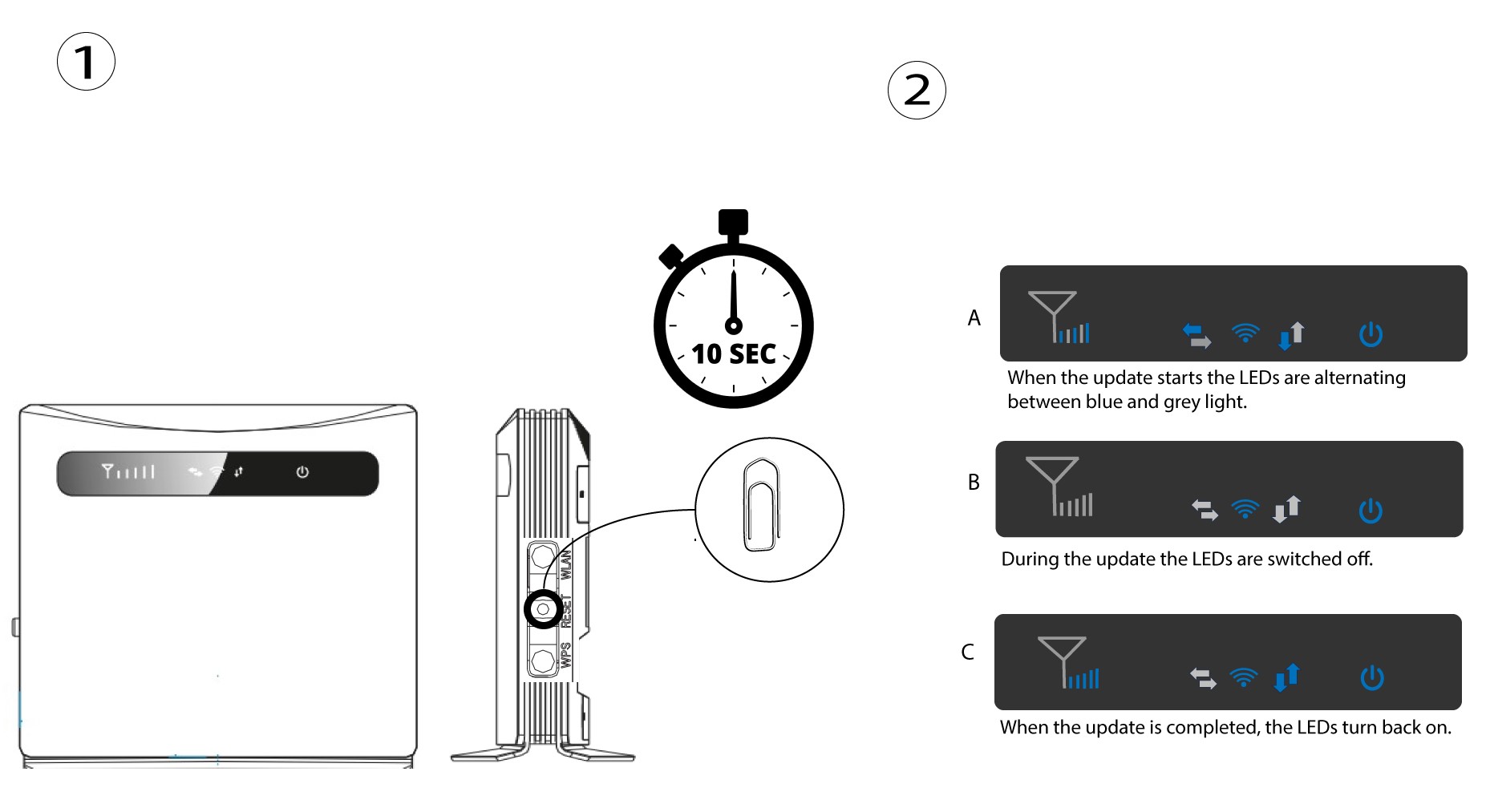
FALL 1: Återställningsknapp.
För att göra detta, för in ett gem i hålet för att trycka på återställningsknappen. Håll återställningsknappen intryckt i 10 sekunder. Lysdioderna kommer att switch slockna och tändas igen.
1Fall2: Återställning i webbgränssnittet
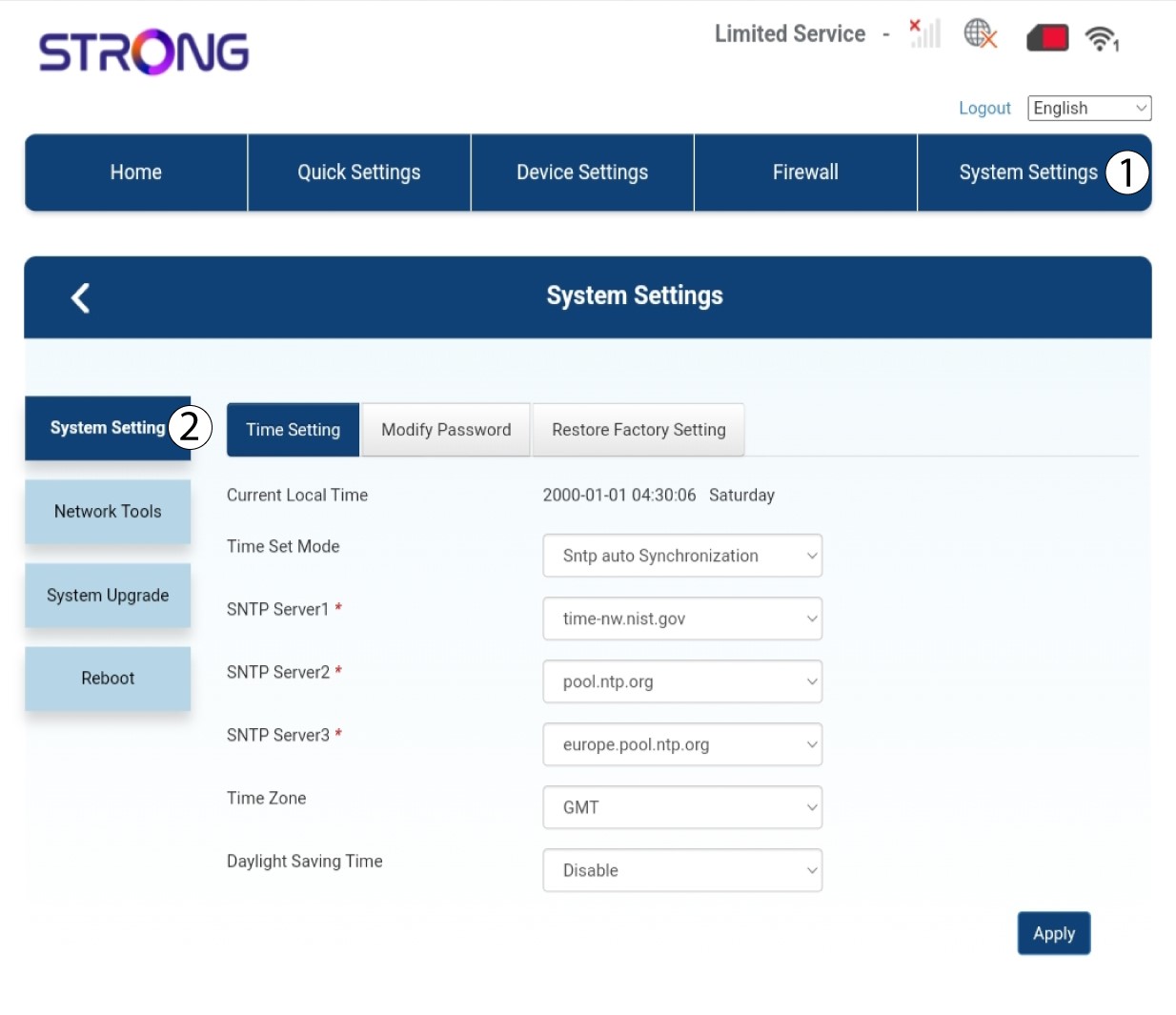
Du måste ansluta till enhetens Wi-Fi och följa stegen som beskrivs i följande anvisning:

2Systeminställningar
Klicka sedan på Systeminställningar och välj Systeminställning.
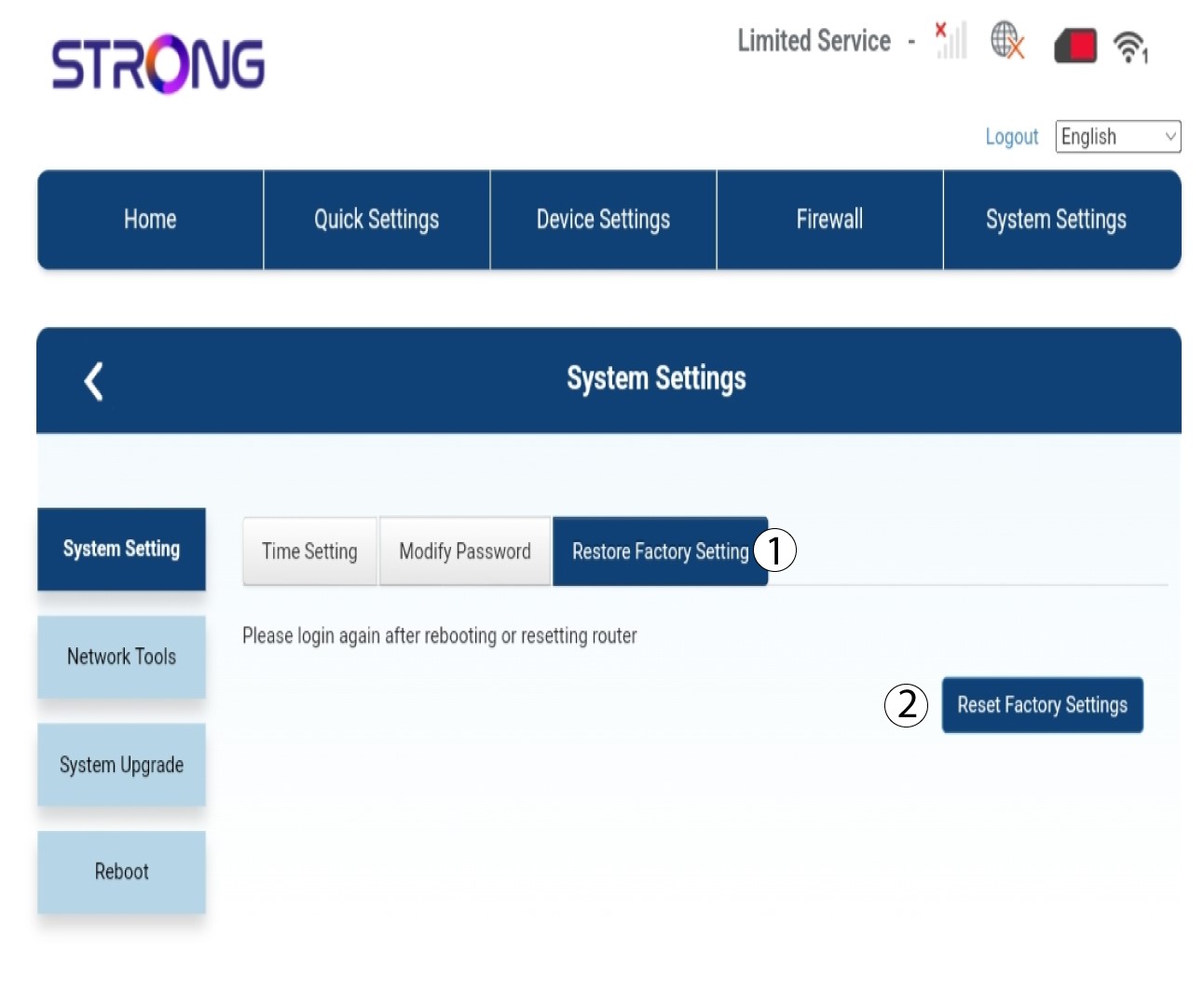
3Återställtill fabriksinställningar
Klicka på ”Återställ fabriksinställningar” och sedan på ”Återställ fabriksinställningar”
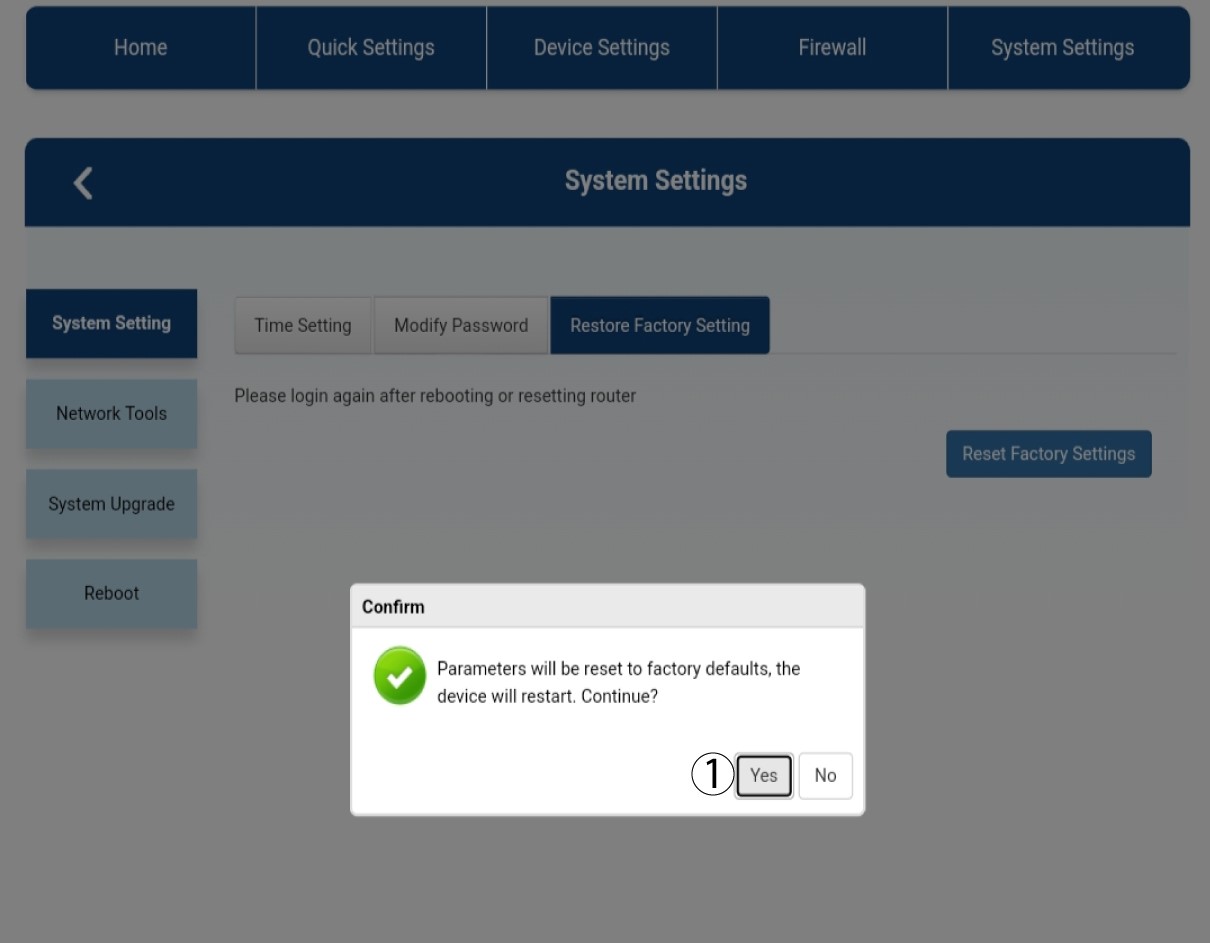
4Popup-meddelande
Klicka på ”Ja” i popup-meddelandet som visas.
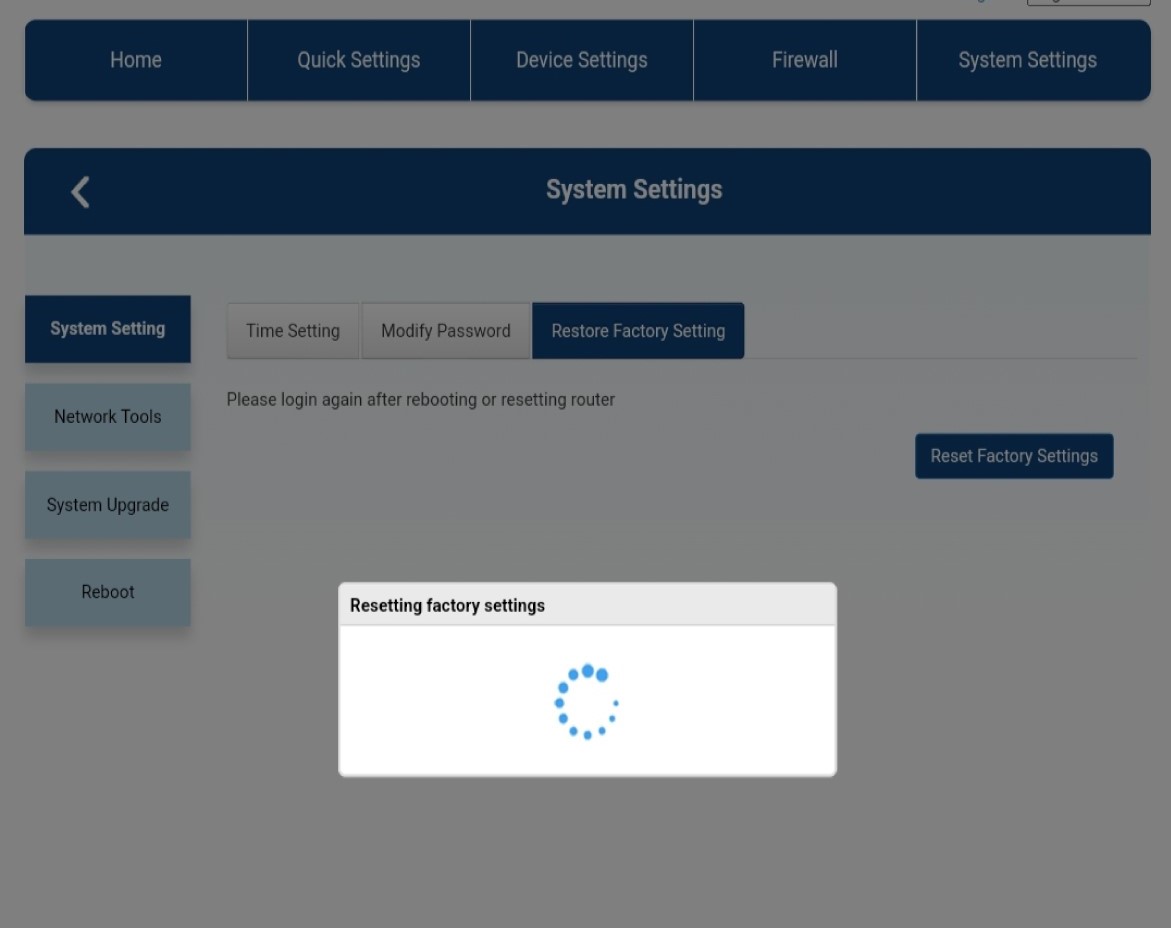
5. Väntatills processen är klar
Ett nytt popup-fönster visas medan enheten återställs till fabriksinställningarna.