5G AIRHOME 1050 | Wi-Fi 6
Alla frågor
5G AIRHOME 1050 | Wi-Fi 6
Hur återställer jag routern till fabriksinställningarna?
Ibland kan det hända att din enhet inte fungerar som den ska och att du inte har tillgång till internet. I så fall rekommenderar vi att du återställer enheten till fabriksinställningarna och uppdaterar den därefter om det behövs.
Det finns två sätt att göra detta på: du kan återställa enheten genom att trycka på återställningsknappen eller genom att göra det via webbgränssnittet.
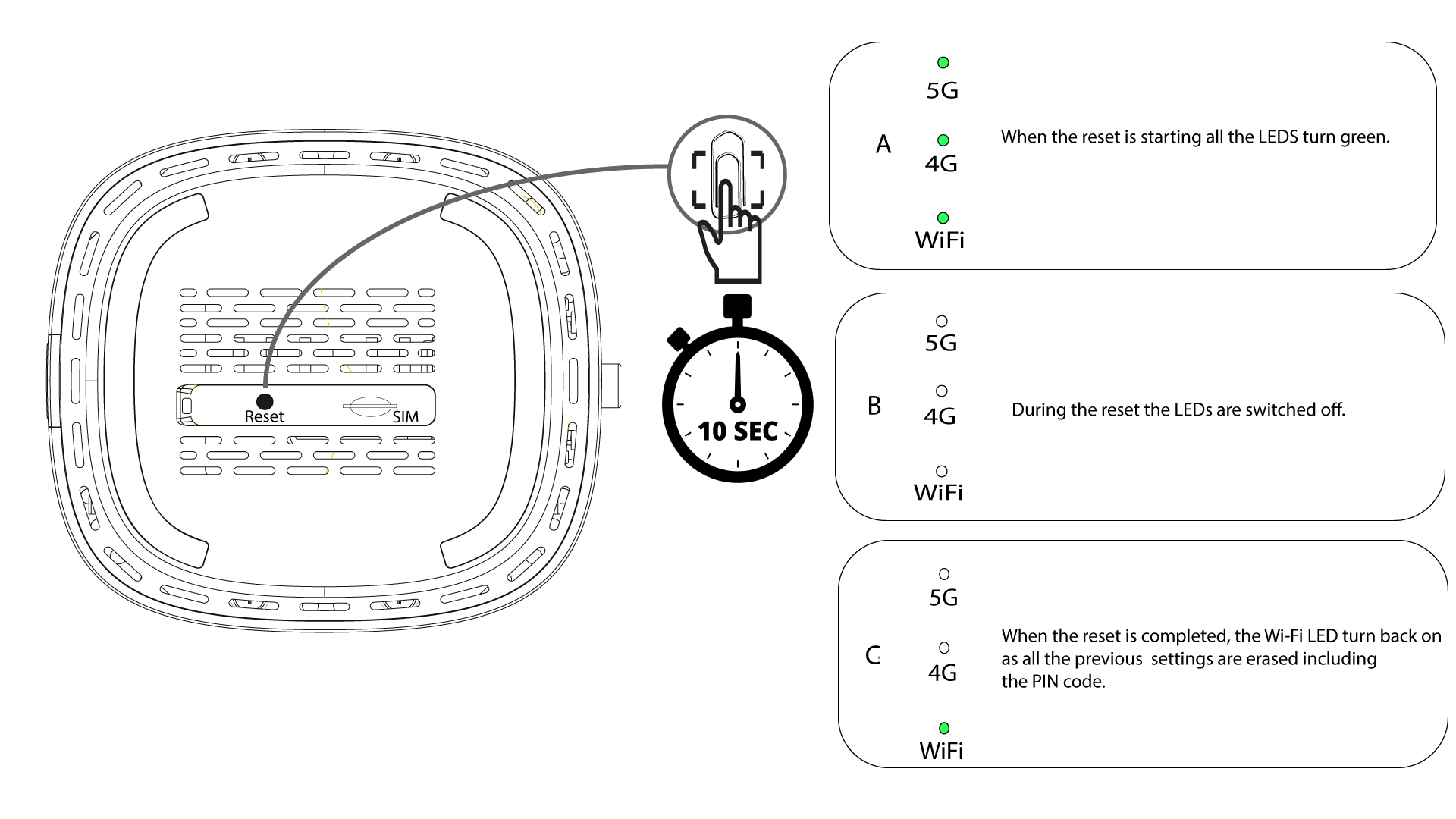
1FALL1: Återställningsknapp.
För att göra detta, för in ett gem i hålet för att trycka på återställningsknappen. Håll återställningsknappen intryckt i 10 sekunder. Lysdioderna kommer att switch slockna och tändas igen.
1FALL2: Återställning via webbgränssnittet
Du måste ansluta till enhetens Wi-Fi-nätverk.

2. Gåtill webbgränssnittets IP-adress
Ange sedan följande IP-adress: 192.168.0.1 i din webbläsare.

3Inloggningssida
Du måste ange användarnamn (user) och lösenord (user) innan du klickar på Logga in.

4Enhetshantering
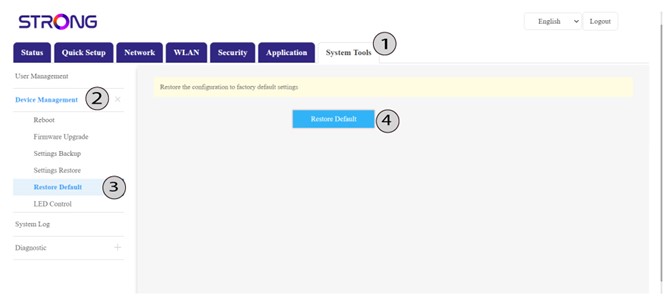
Klicka sedan på Systemverktyg och Enhetshantering. Klicka sedan på Återställ standardinställningar och sedan på Återställ standardinställningar igen.
5 Bekräftaåterställningen
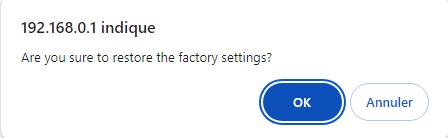
Klicka på OK i popup-meddelandet som visas.