Inga föremål hittades.
LEAP
Inga föremål hittades.
Alla frågor
Inga föremål hittades.
LEAP
Inga föremål hittades.
Hur tar man bort en applikation?
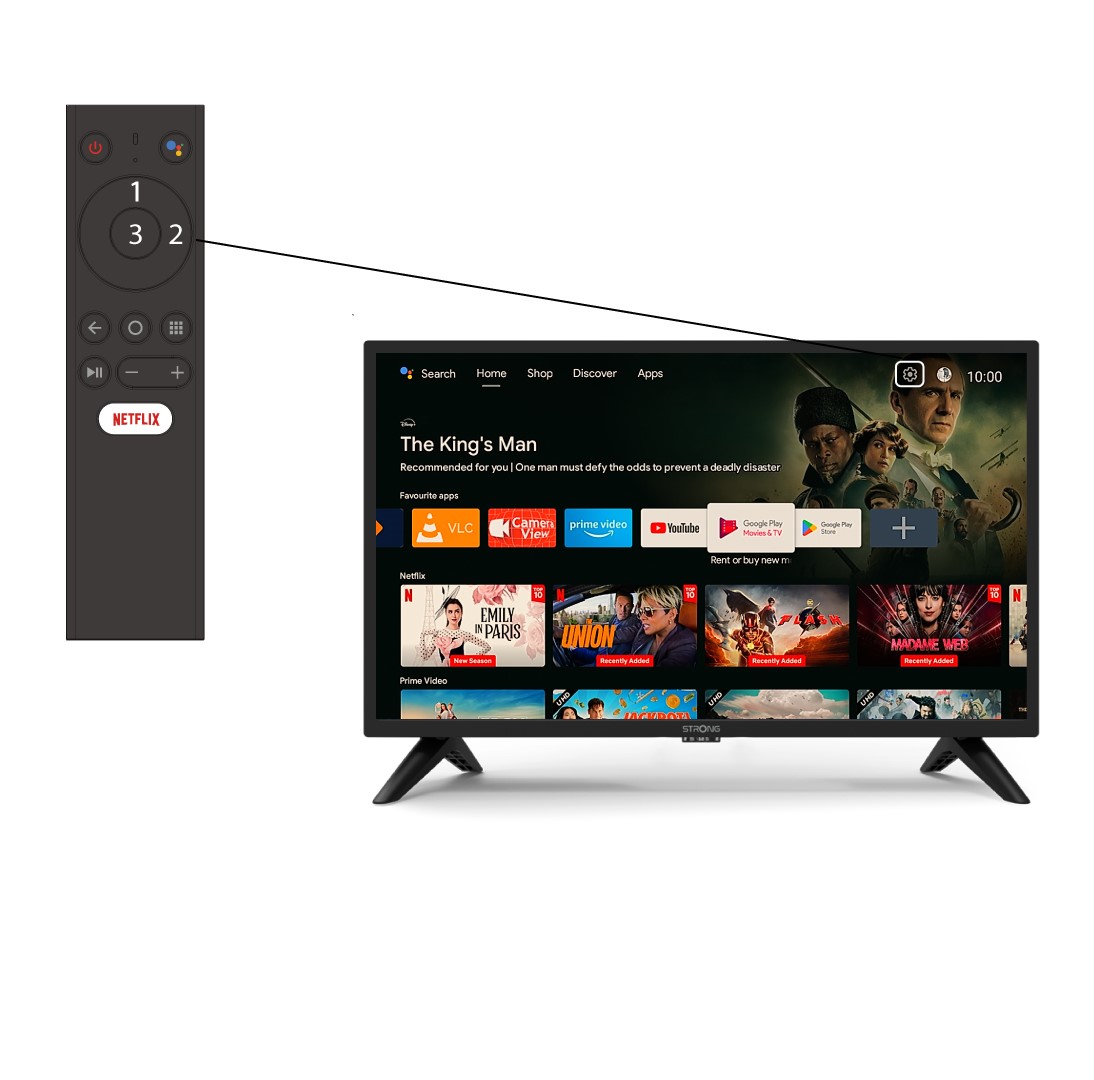
1Inställningar
Välj inställningsmenyn (kugghjulsikonen) genom att trycka på den övre och den högra knappen på fjärrkontrollen och tryck sedan på OK.
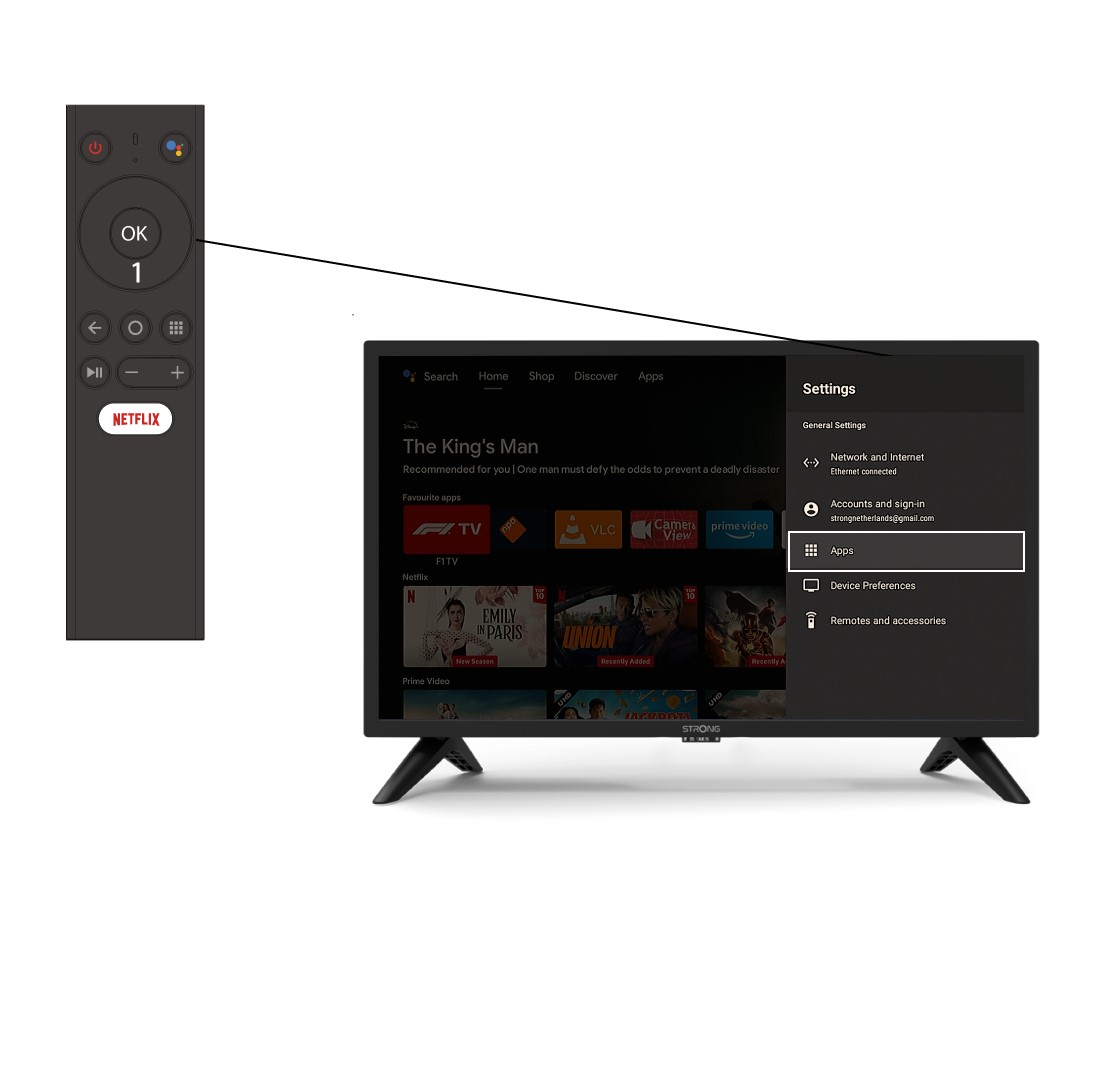
2APP
Klicka på ”Appar” och tryck på OK för att öppna listan över appar som är installerade på din enhet.
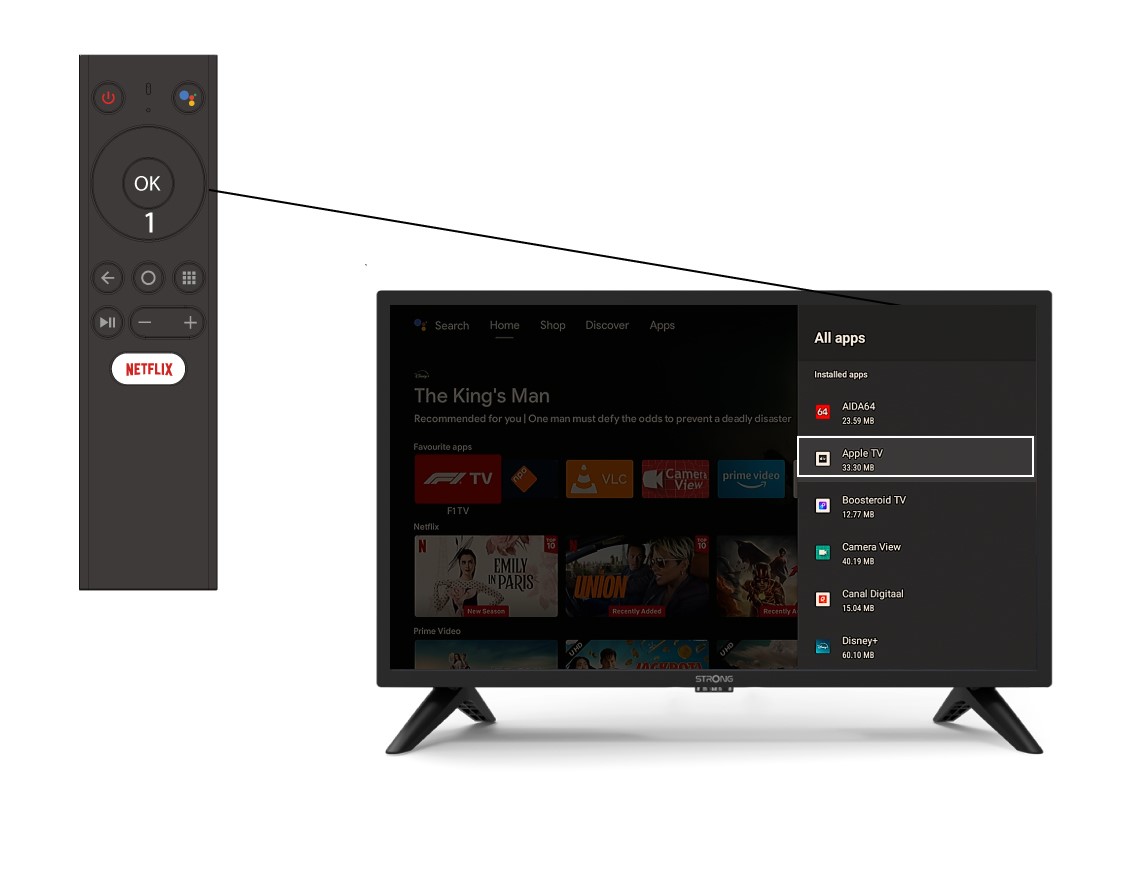
Lista över 3 appar
Välj appen i listan och tryck på OK.
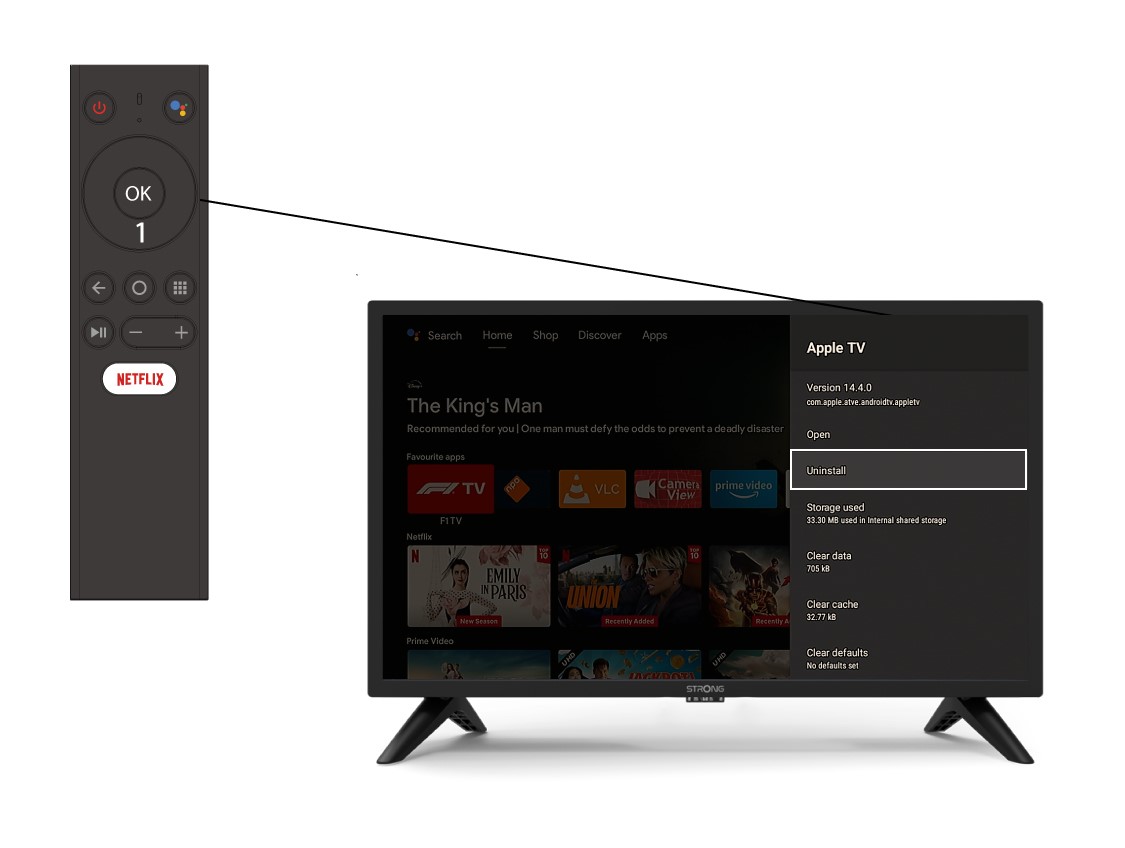
4Avinstallera
Välj Avinstallera i listan och tryck på OK.