ATRIA Wi-Fi 6 Mesh 3000 (2-pack)
Alla frågor
ATRIA Wi-Fi 6 Mesh 3000 (2-pack)
Jag har glömt Wi-Fi-lösenordet till mitt nätverk ” Mesh ”. Hur kan jag ta reda på det?
Hur skapar eller ändrar jag Wi-Fi-lösenordet för mitt Mesh -nätverk?
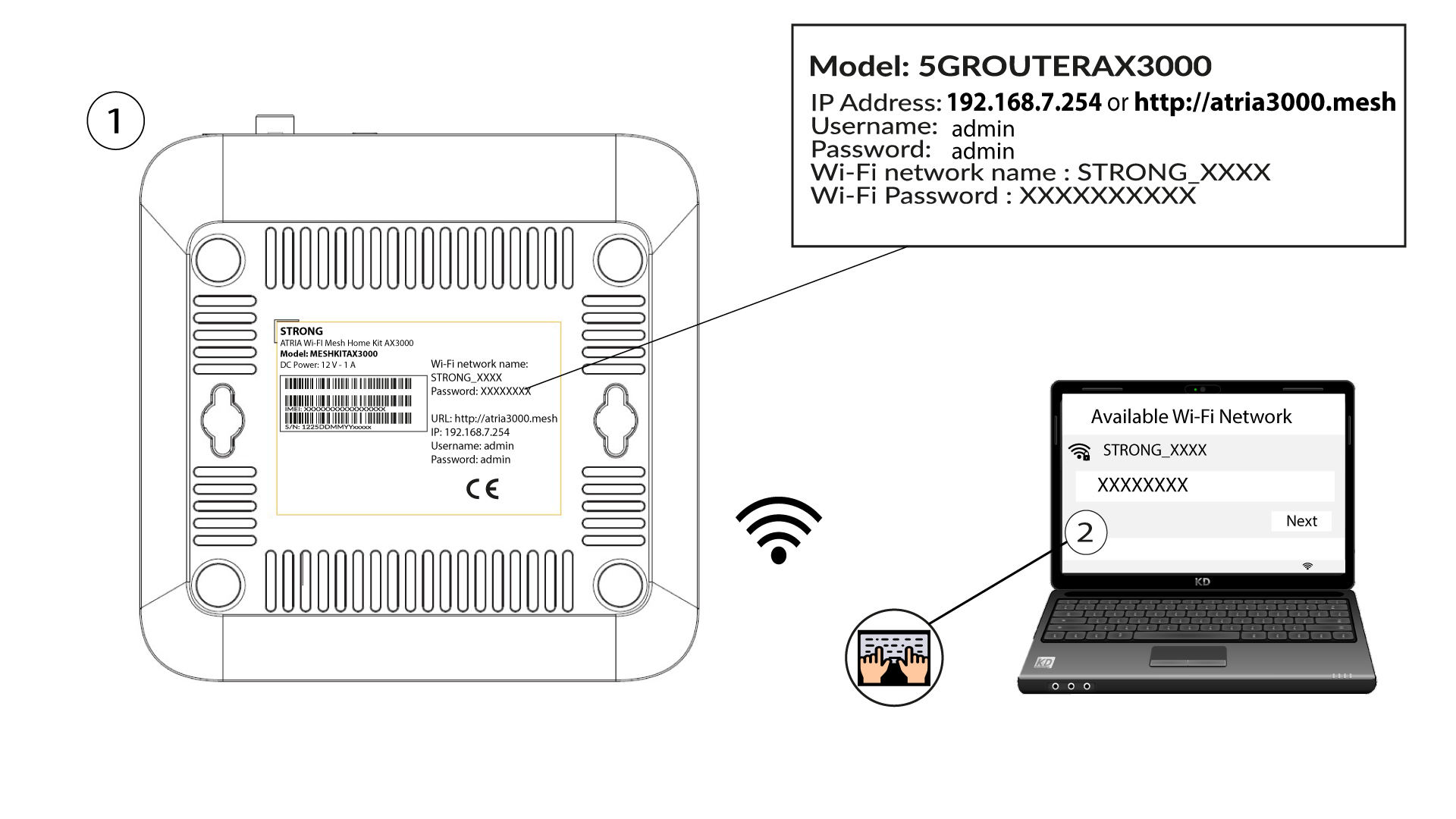
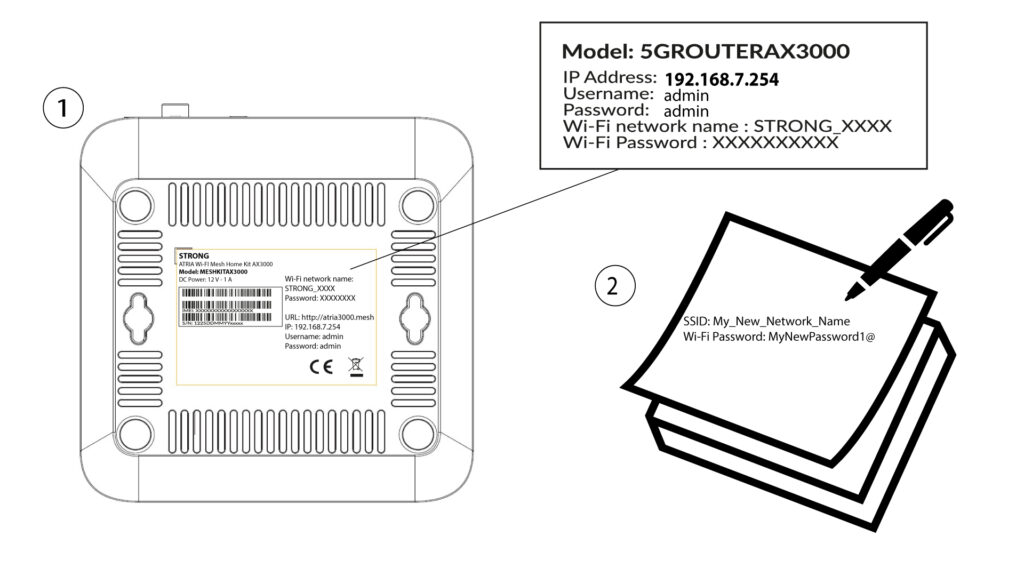
1Standardplats för lösenordet
Standardlösenordet för Wi-Fi finns på undersidan av enheten, men om du redan har ändrat det kan du behöva återställa Mesh AX 3000 till fabriksinställningarna.
För att göra detta, se följande avsnitt: Hur återställer jag mina Mesh -enheter till fabriksinställningarna?
När detta är klart kan du ändra Wi-Fi-nätverkets standardlösenord till ditt eget lösenord
1. Ansluttill enhetens Wi-Fi-nätverk
För att göra detta anger du routerns SSID (Wi-Fi-nätverksnamn) och Wi-Fi-lösenord på din enhet:
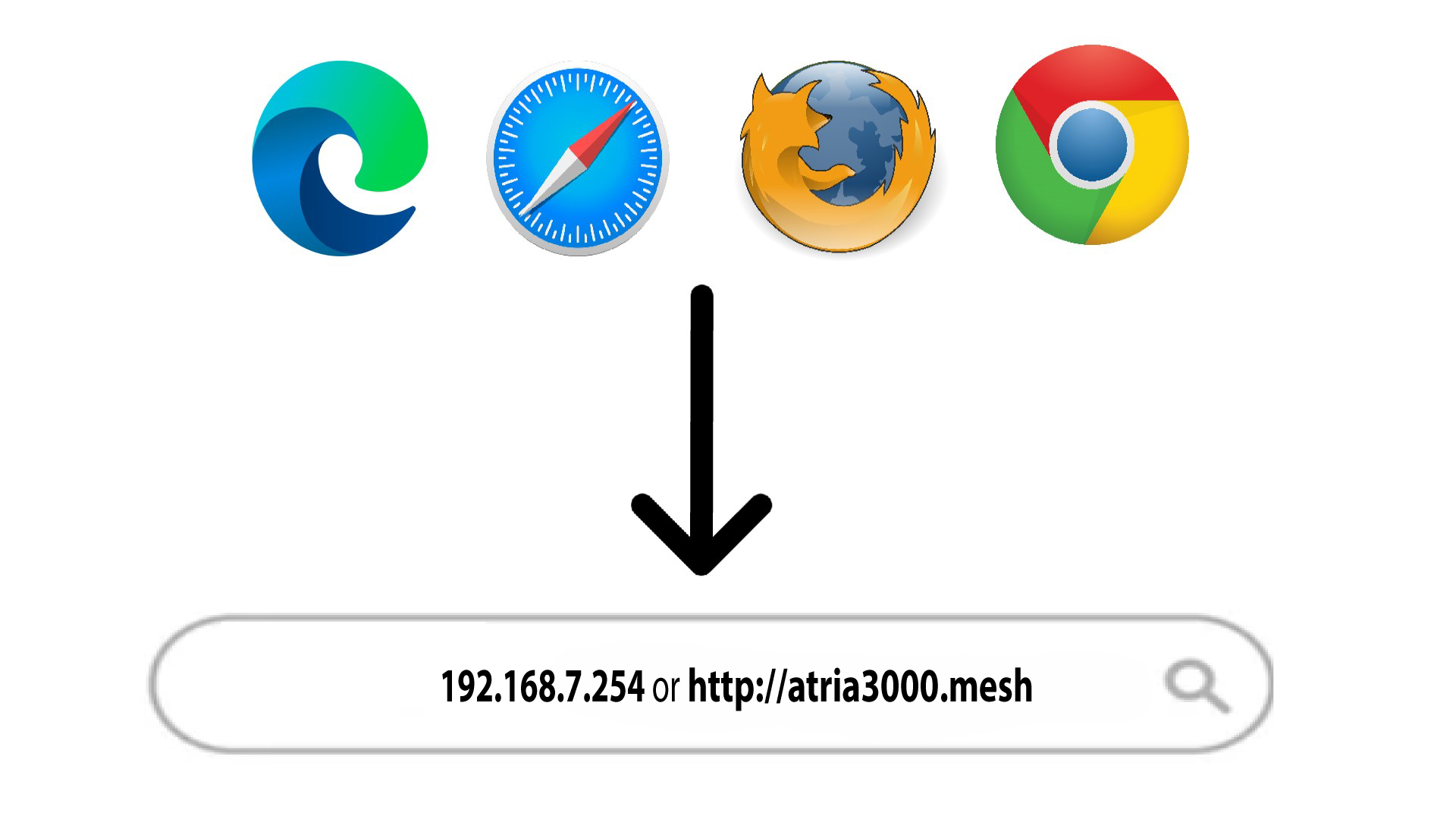
2. Gåtill webbgränssnittets IP-adress
Ange sedan följande IP-adress i din webbläsare: 192.168.7.254 eller skriv in följande adress: http://atria3000.mesh
3Angedina inloggningsuppgifter
Du måste ange användarnamn (admin) och lösenord (admin) (observera att du efter den första inloggningen kommer att skapa ditt eget administratörslösenord, vilket innebär att det lösenord som står på produktetiketten inte längre fungerar). Klicka sedan på Logga in.

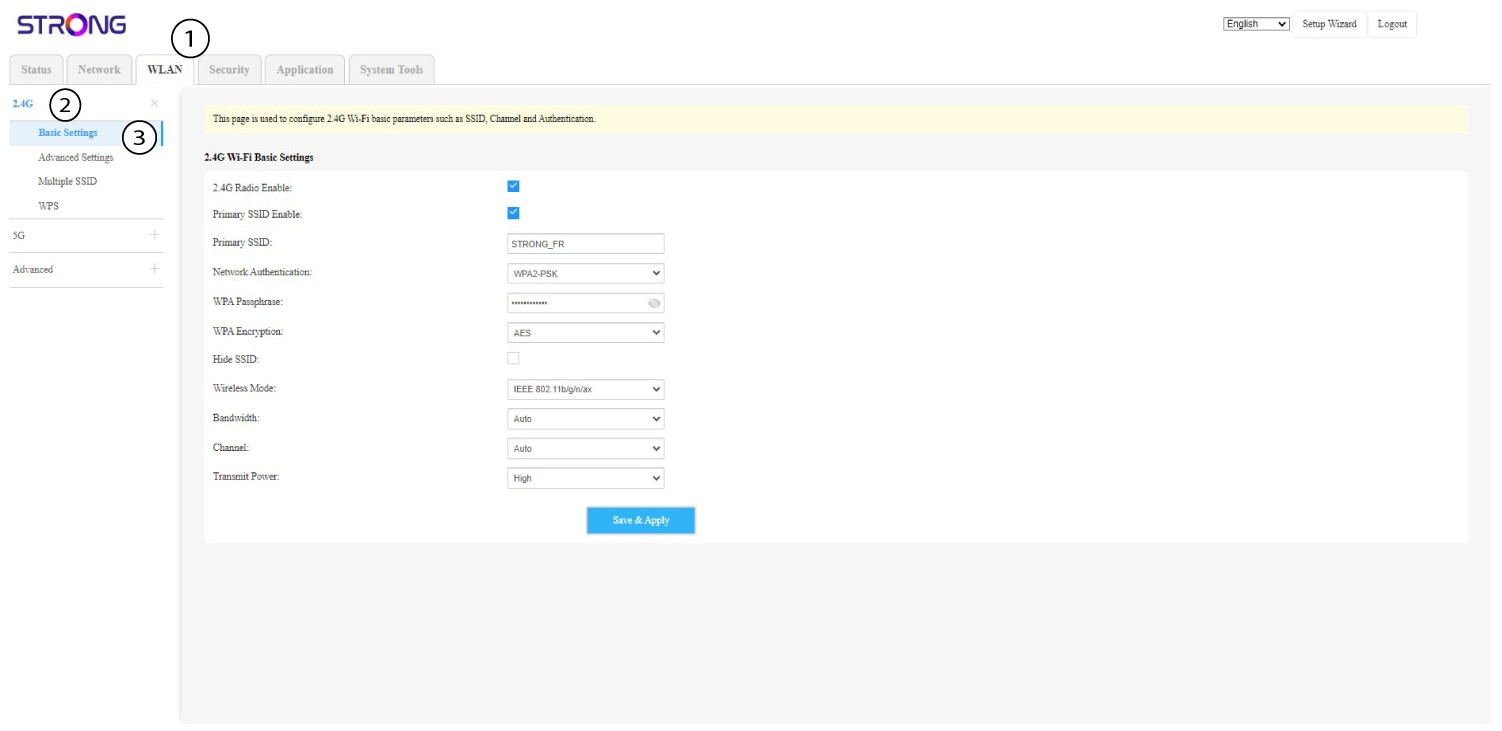
4WLAN2,4 GHz och 5 GHz
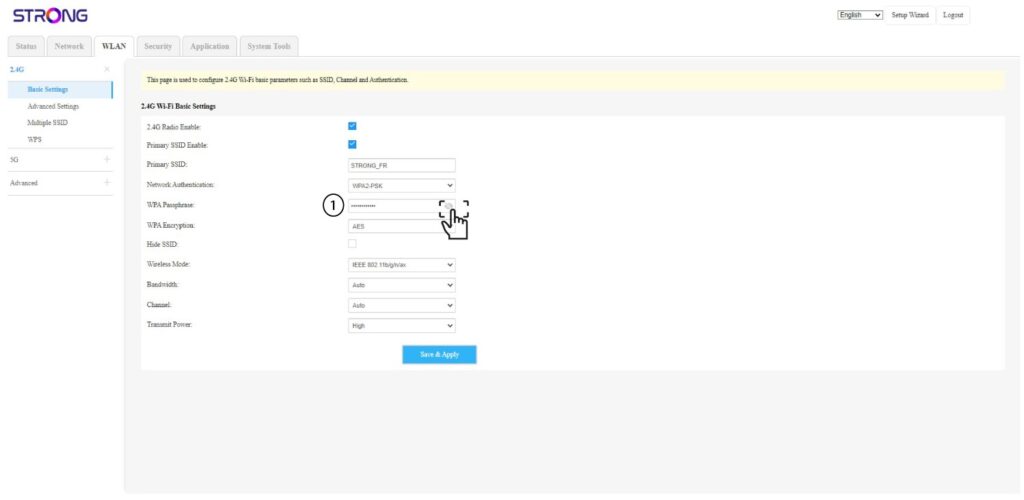
Klicka sedan på WLAN i den övre menyraden och välj 2,4 GHz eller 5 GHz beroende på vilken nätverkstyp du är ansluten till. Gå sedan till Grundinställningar.
5Ändralösenord
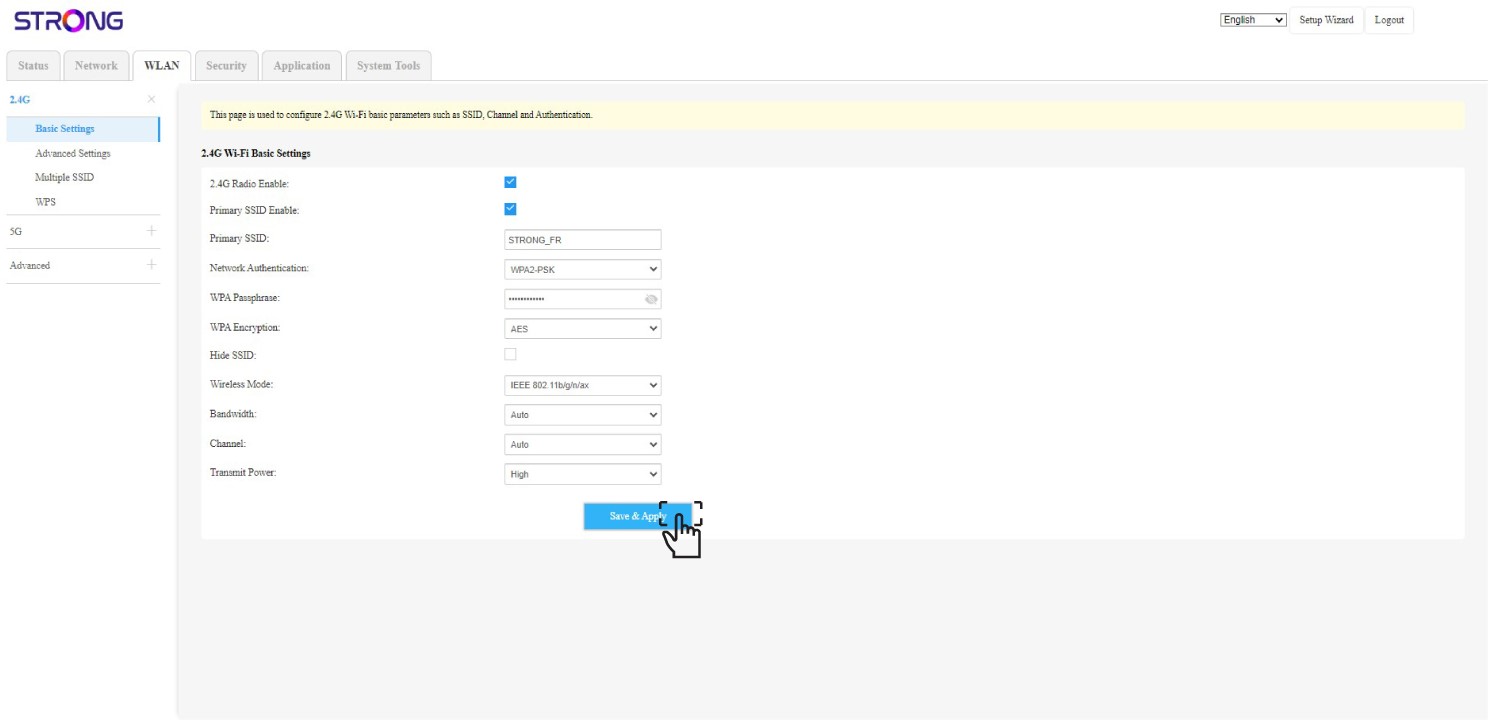
Nu kan du ändra lösenordet i avsnittet ”WPA-lösenord”. Du kan kontrollera om du har skrivit in rätt lösenord med hjälp av den lilla ögonikonen.
6. Skrivner det
Skriv ner det nya lösenordet på ett papper och tejpa fast det på din enhet.
7Sparaändringarna
Klicka på Spara och tillämpa.