
4G AIRHOME 200 Mini — маршрутизатор знімними 4G-антенами
Нічого не знайдено.
Нічого не знайдено.
Усі питання
4G AIRHOME 200 Mini — маршрутизатор знімними 4G-антенами
Нічого не знайдено.
Нічого не знайдено.
Як змінити SSID (ім’я мережі Wi-Fi) та пароль Wi-Fi? (Налаштування Wi-Fi)
1. Підключітьсядо мережі Wi-Fi вашого маршрутизатор
Щоб змінити SSID (ім’я мережі Wi-Fi) та пароль Wi-Fi, необхідно підключитися до мережі Wi-Fi на вашому пристрої.

2. ВведітьIP-адресу веб-інтерфейсу користувача
Потім введіть у браузері таку IP-адресу: 192.168.188.1.

3. Введітьоблікові дані для туру
Ви повинні ввести пароль.

4. Налаштування Wi-Fi
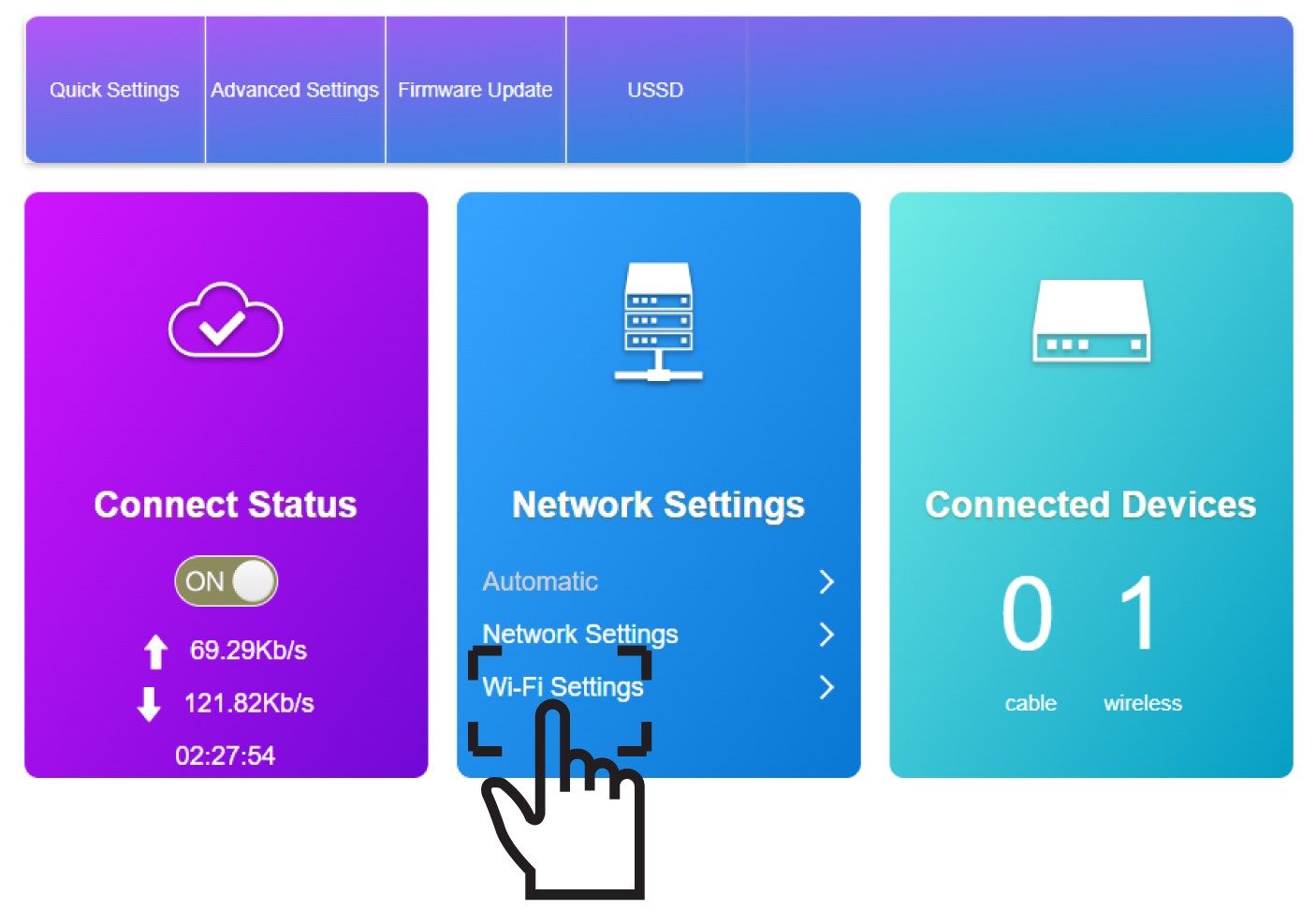
У розділі «Налаштування мережі» натисніть «Налаштування Wi-Fi ».
5. Введітьдані про нову мережу
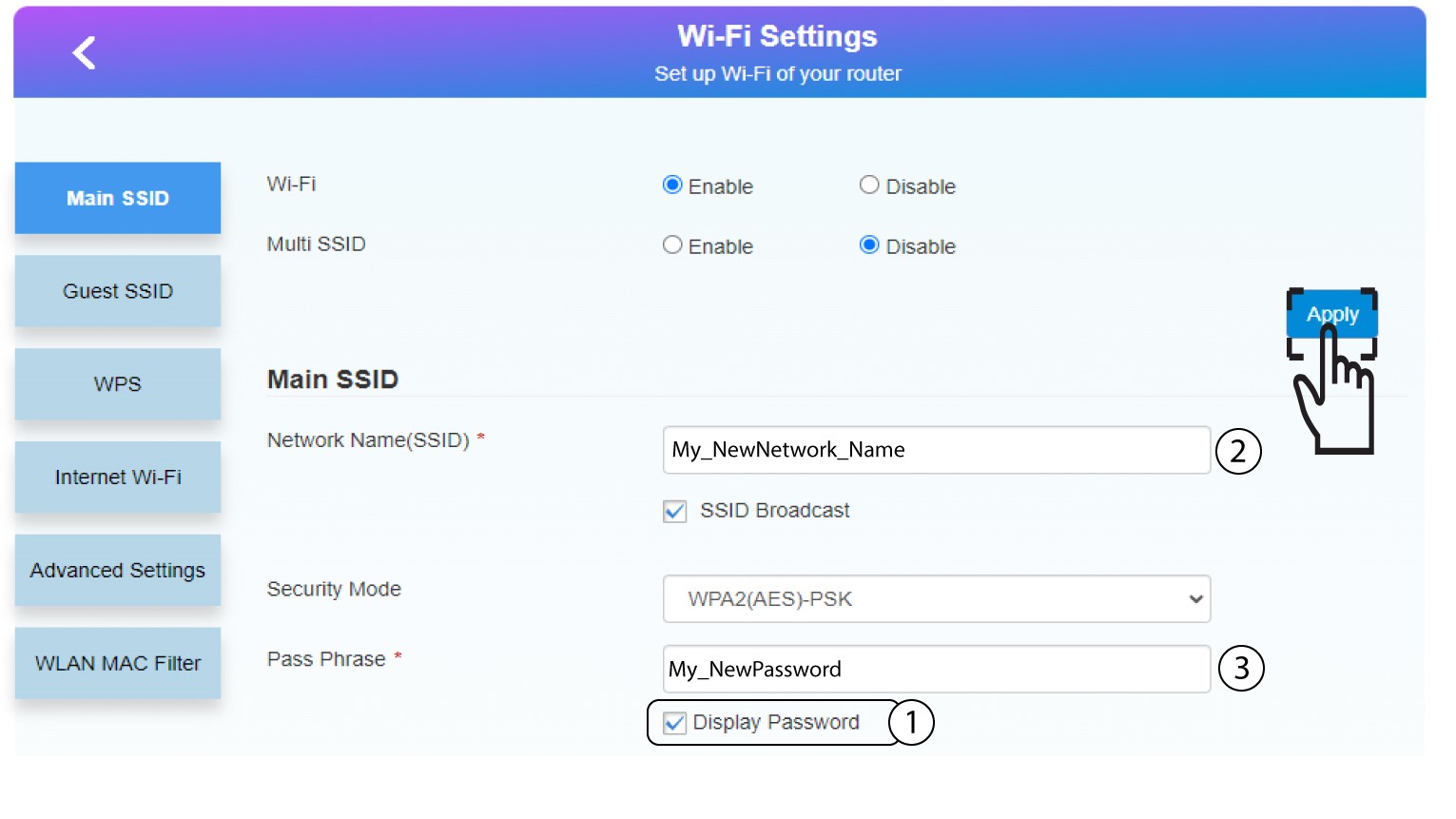
Натисніть «Показати пароль» і введіть наведену нижче інформацію, а потім натисніть «Застосувати»:
a. Введіть нову назву мережі.
b. Введіть новий пароль Wi-Fi.
6. Збережітьнові дані про мережу
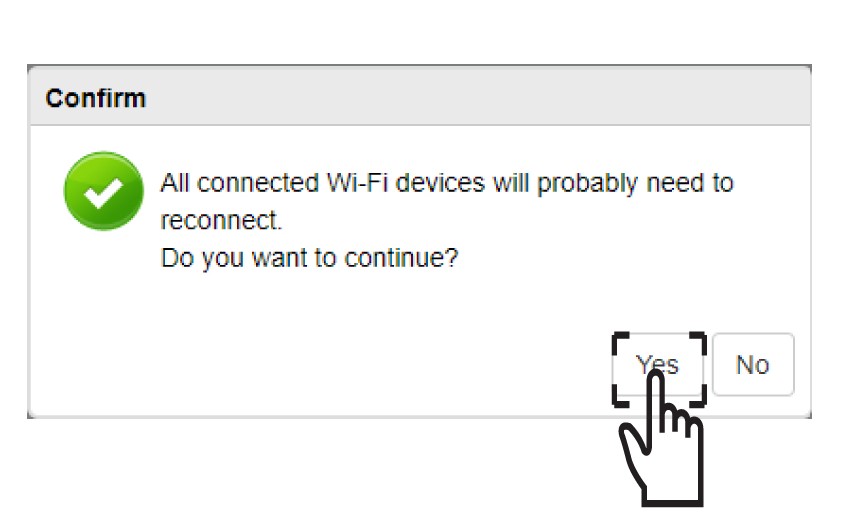
У спливаючому повідомленні натисніть «Так», щоб застосувати зміни.
7. Запишітьнові дані про мережу
Запишіть нові дані про мережу на аркуші паперу.
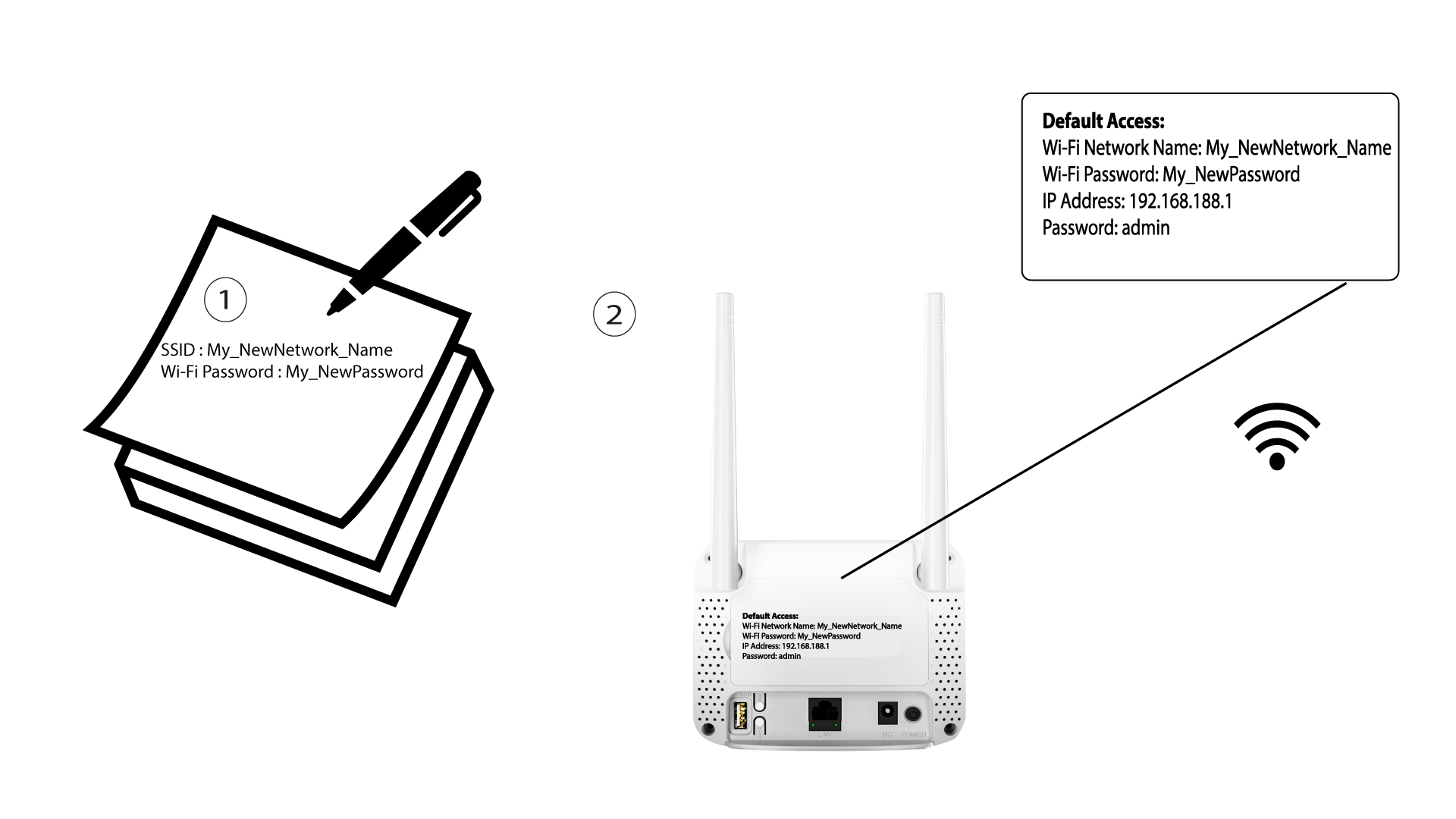

Після зміни даних мережі Wi-Fi всі пристрої, що були підключені до мережі, будуть автоматично відключені.