4G AIRHOME 200 Mini — маршрутизатор знімними 4G-антенами
Усі питання
4G AIRHOME 200 Mini — маршрутизатор знімними 4G-антенами
Що означають різні статуси SIM-карт у веб-інтерфейсі користувача?

Перш ніж підключитися до веб-інтерфейсу, переконайтеся, що SIM-картка вставлена правильно, а PIN-код вимкнено або введено.
• Якщо SIM-картка заблокована за допомогою PIN-коду, необхідно підключитися до веб-інтерфейсу, щоб ввести його та розблокувати SIM-картку.
• Якщо SIM-картка не розпізнається, переконайтеся, що золотиста сторона не видна, коли SIM-картка вставлена в слот.
• Якщо SIM-картка встановлена неправильно, встановіть її правильно в слот і переконайтеся, що SIM-картка все ще знаходиться в адаптері.
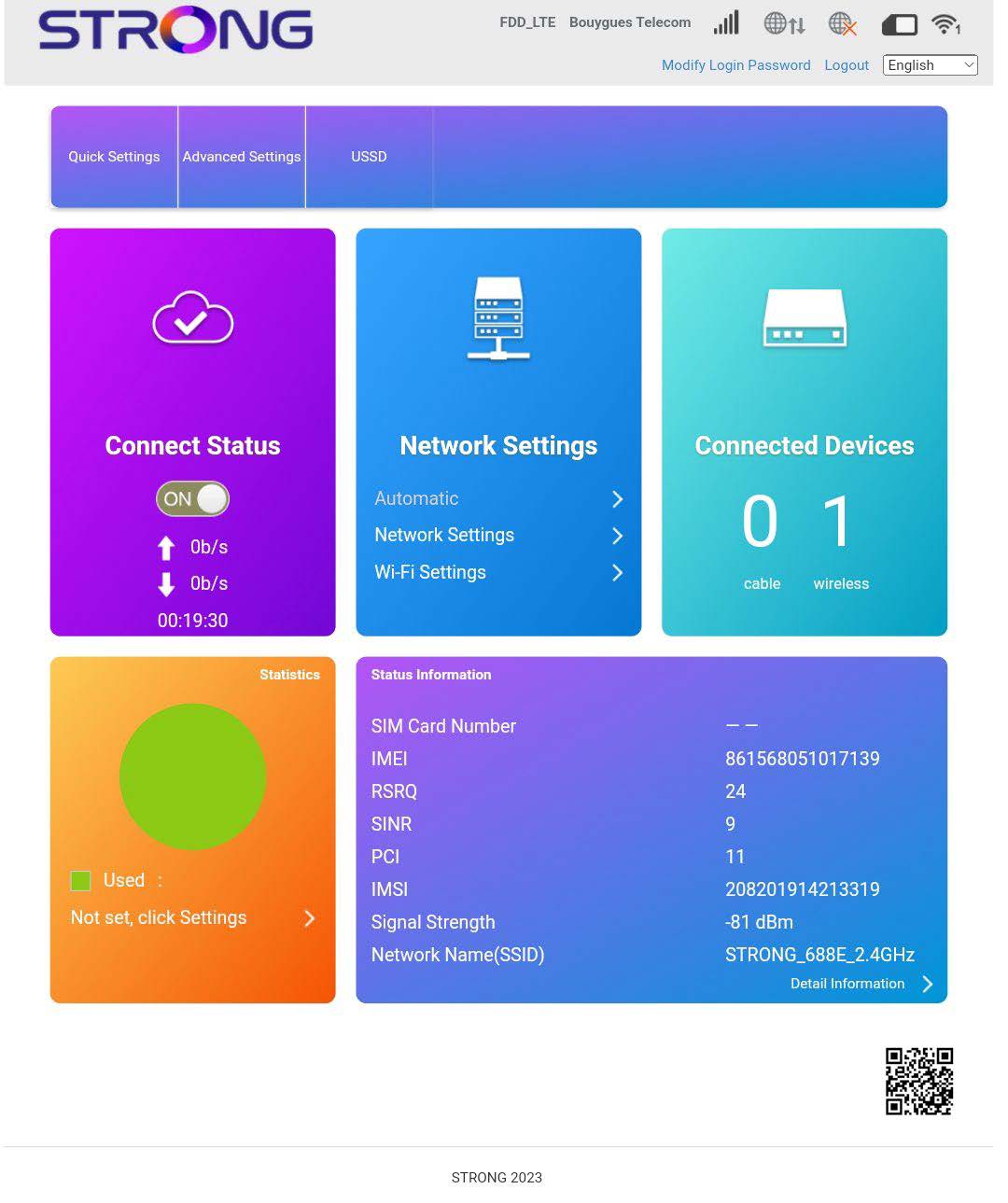
Перейшовши до веб-інтерфейсу, ви побачите, що поруч із рядком стану SIM-карти можуть відображатися різні статуси:
• SIM-картка відсутня або SIM-картка недійсна: SIM-картка вставлена й розпізнана, але не працює через PIN-код.  SIM-картка вставлена в пристрій неправильно або в слот не вставлена жодна SIM-картка.

Нормальний стан: SIM-картка правильно вставлена в пристрій і розблокована. Ви бачите головну сторінку веб-інтерфейсу.