4G AIRHOME 200 Mini — маршрутизатор знімними 4G-антенами
Усі питання
4G AIRHOME 200 Mini — маршрутизатор знімними 4G-антенами
Як оновити прошивку пристрою?
Після підключення до веб-інтерфейсу користувача необхідно перевірити версію прошивки, яка використовується вашим пристроєм, скориставшись опцією оновлення через Інтернет у веб-інтерфейсі. У результаті буде встановлено найновішу версію прошивки. Якщо версія прошивки вашого пристрою « маршрутизатор » не є найновішою, будь ласка, скористайтеся наведеною нижче інструкцією для оновлення прошивки.
1. Підключітьсядо мережі Wi-Fi вашого маршрутизатор
Щоб оновити прошивку пристрою, необхідно підключитися до мережі Wi-Fi вашого « маршрутизатор ».

2. ВведітьIP-адресу веб-інтерфейсу користувача
Потім введіть у браузері таку IP-адресу: 192.168.188.1.

3Введітьсвої облікові дані
Ви повинні ввести пароль.

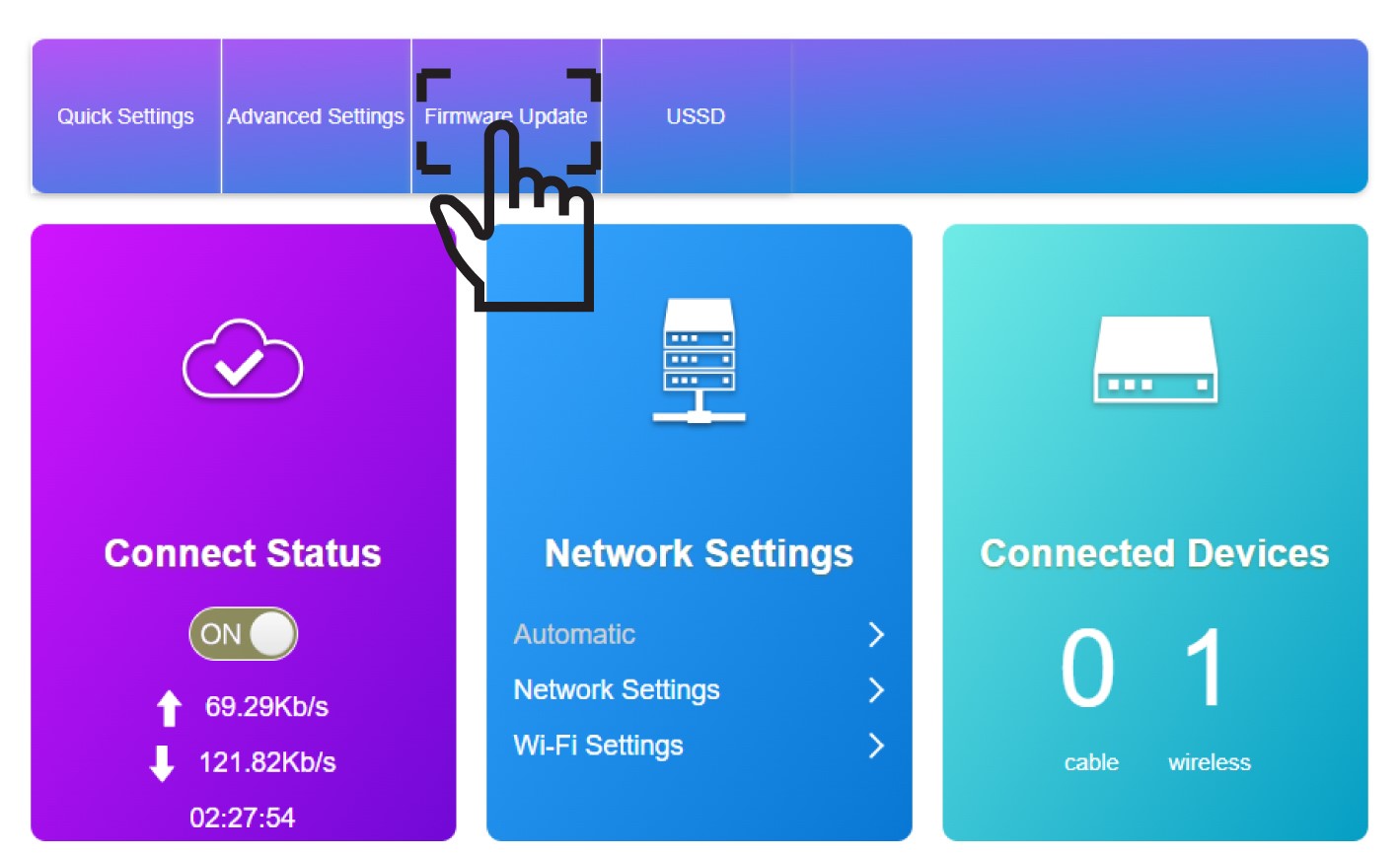
4. Оновлення прошивки
Натисніть «Оновлення прошивки».
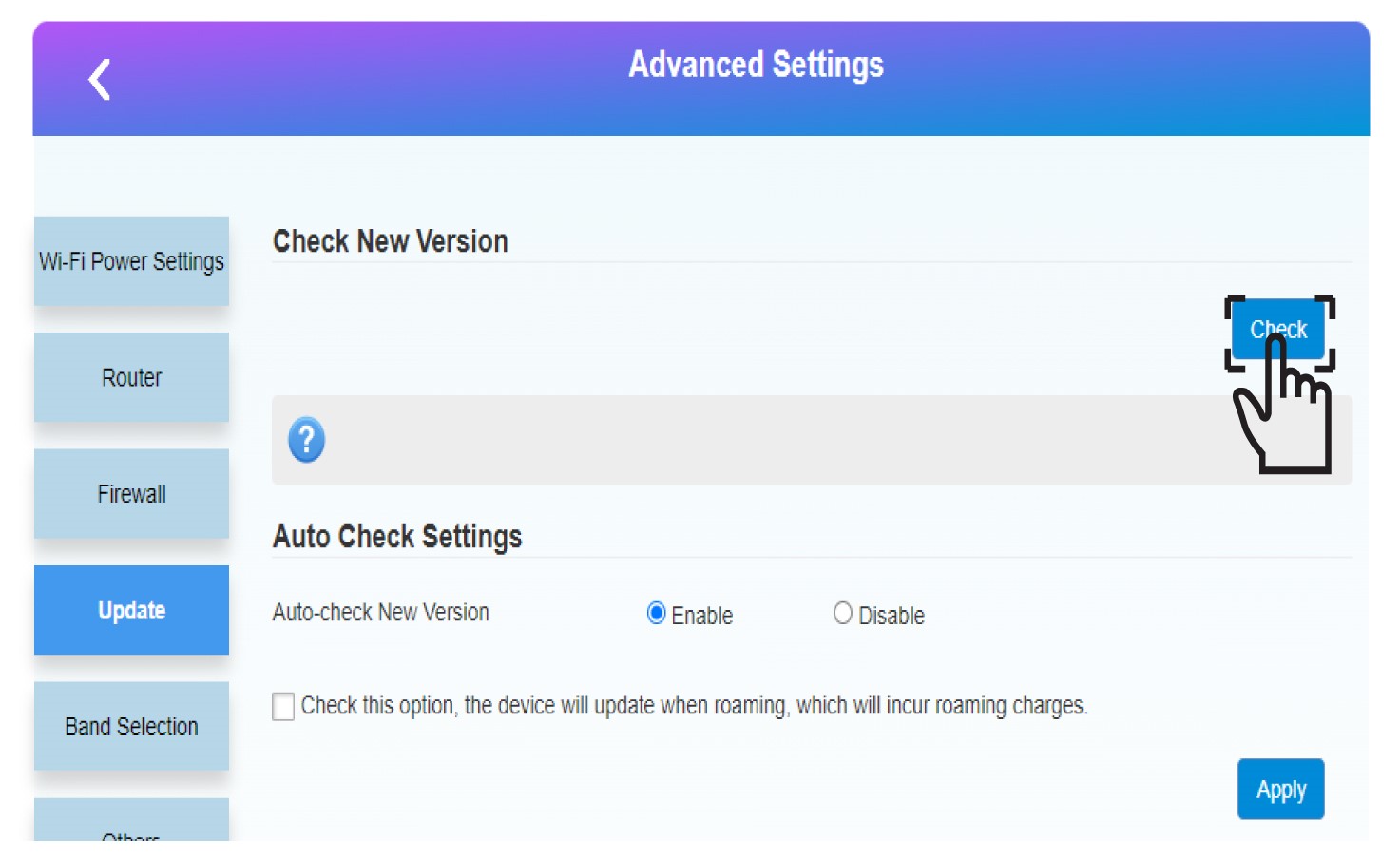
5. Запуститионовлення
Натисніть «Перевірити» у розділі «Перевірити наявність нової версії». Остання версія програмного забезпечення завантажиться автоматично, після чого вам доведеться знову підключитися до мережі Wi-Fi, щоб ввести PIN-код.