
4G AIRHOME 310 зі знімними 4G-антенами
Усі питання
4G AIRHOME 310 зі знімними 4G-антенами
Як вимкнути Wi-Fi?
Якщо ви бажаєте використовувати пристрій « маршрутизатор », підключивши його безпосередньо до свого пристрою за допомогою кабелю Ethernet, можна вимкнути Wi-Fi.
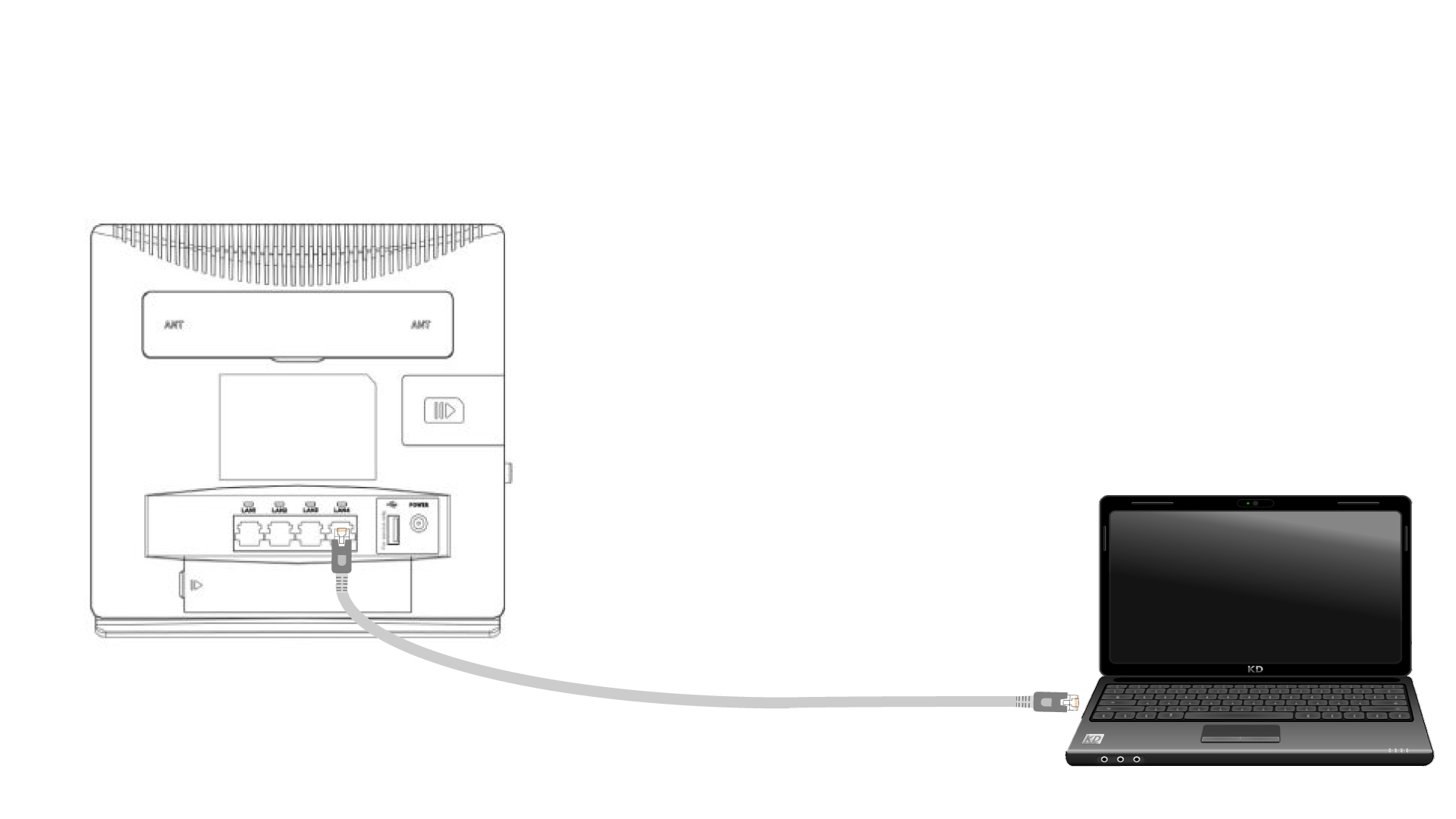
1. Підключітьпристрій « маршрутизатор » за допомогою кабелю Ethernet
Підключіть кабель RJ45 до пристрою « маршрутизатор », щоб отримати доступ до веб-інтерфейсу користувача. Дотримуйтесь наведеної нижче інструкції для підключення до веб-інтерфейсу користувача (після кроку 2):
2. Налаштування Wi-Fi
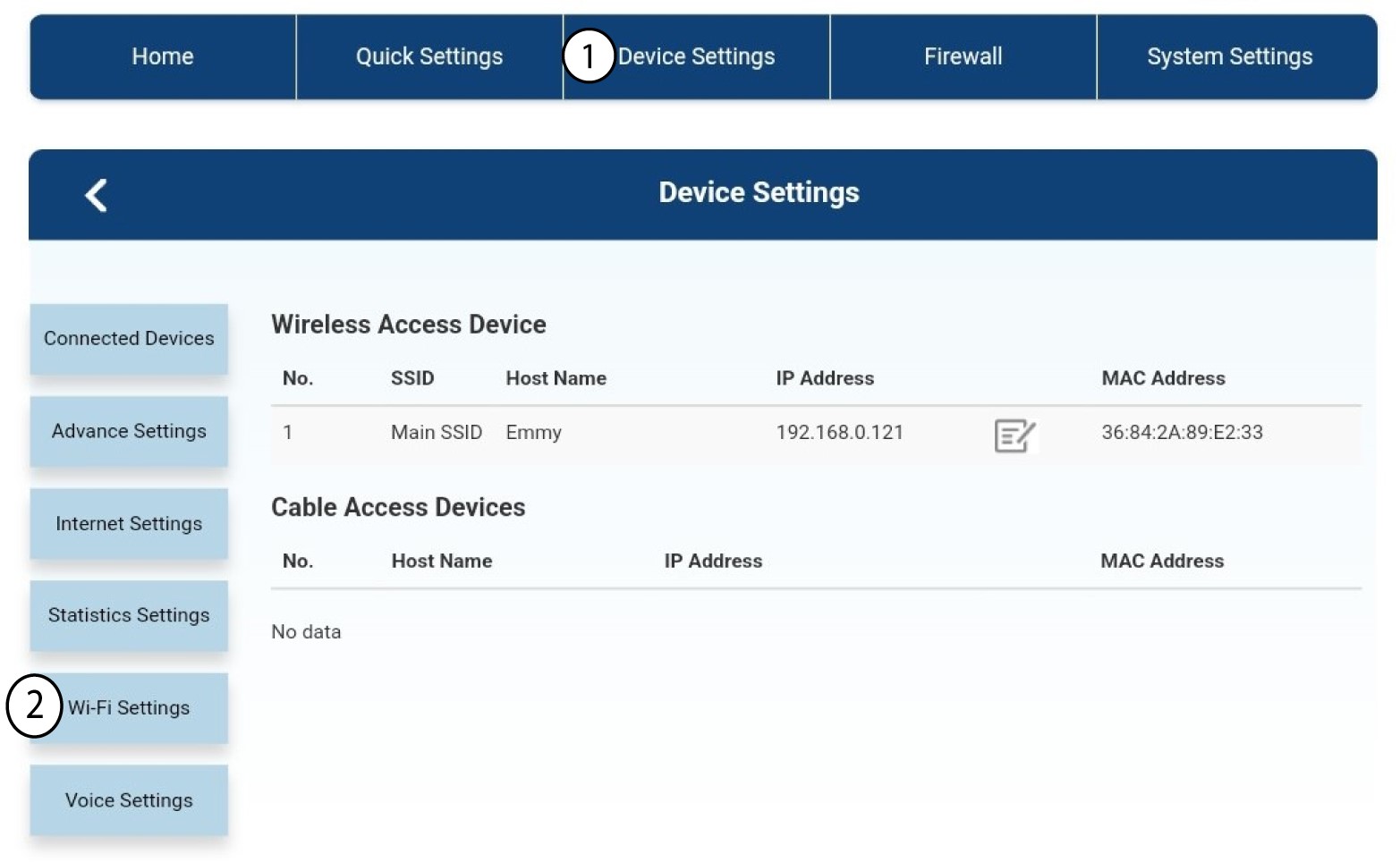
Потім натисніть «Налаштування пристрою » і виберіть «Налаштування Wi-Fi».
3. ВимкнутиWi-Fi
У налаштуваннях Wi-Fi виберіть «Wi-Fi» ( Switch). Потім встановіть прапорець «Вимкнено » та натисніть кнопку «Застосувати ».
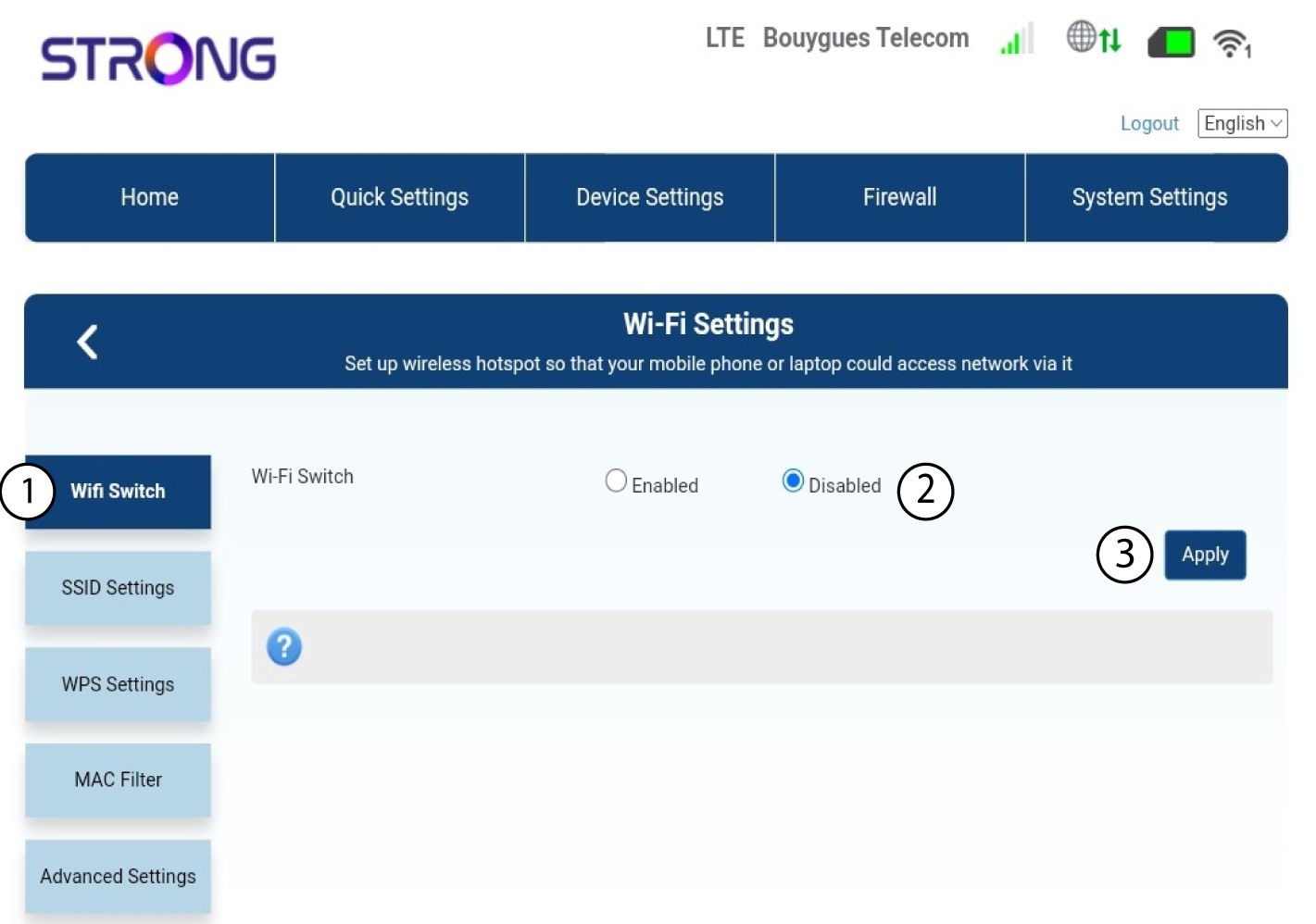

Мережа Wi-Fi маршрутизатора « маршрутизатор » вимкнена. Усі пристрої, які раніше були підключені до мережі, будуть автоматично від’єднані. Щоб знову увімкнути Wi-Fi, потрібно зайти в веб-інтерфейс або відновити заводські налаштування маршрутизатора « маршрутизатор ».