Нічого не знайдено.
LEAP 41 | 4K Google TV HDR10+
Нічого не знайдено.
Усі питання
Нічого не знайдено.
LEAP 41 | 4K Google TV HDR10+
Нічого не знайдено.
Як видалити додаток?
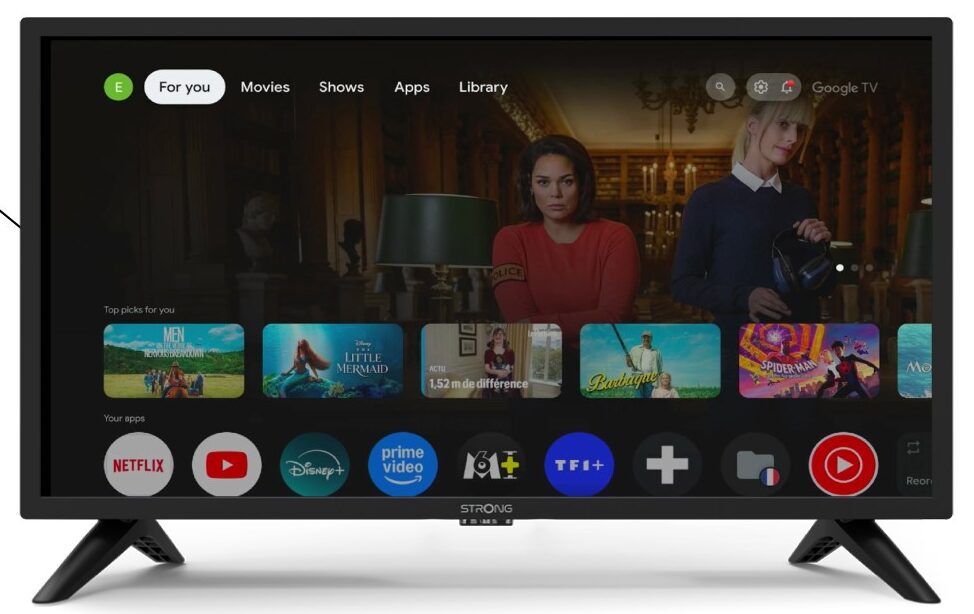
1. Налаштування
Натисніть кнопку «Налаштування» на пульті дистанційного керування (значок у вигляді шестерні). На екрані телевізора « TV » з’явиться меню «Налаштування».
2Apps
У налаштуваннях виберіть пункт «Додатки».

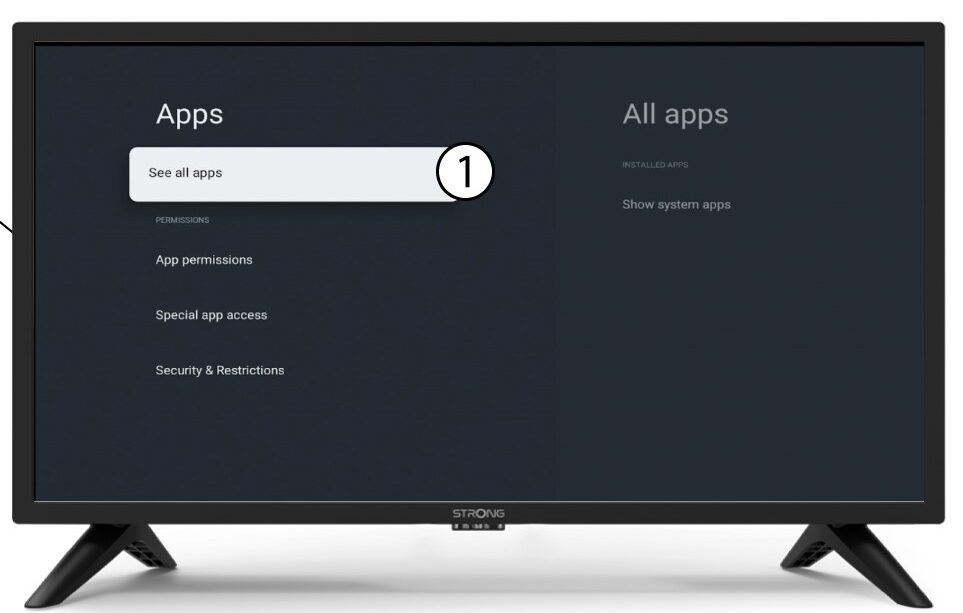
3Усідодатки
Виберіть «Переглянути всі програми».
4Виберітьдодаток, який потрібно видалити
Виберіть додаток зі списку.
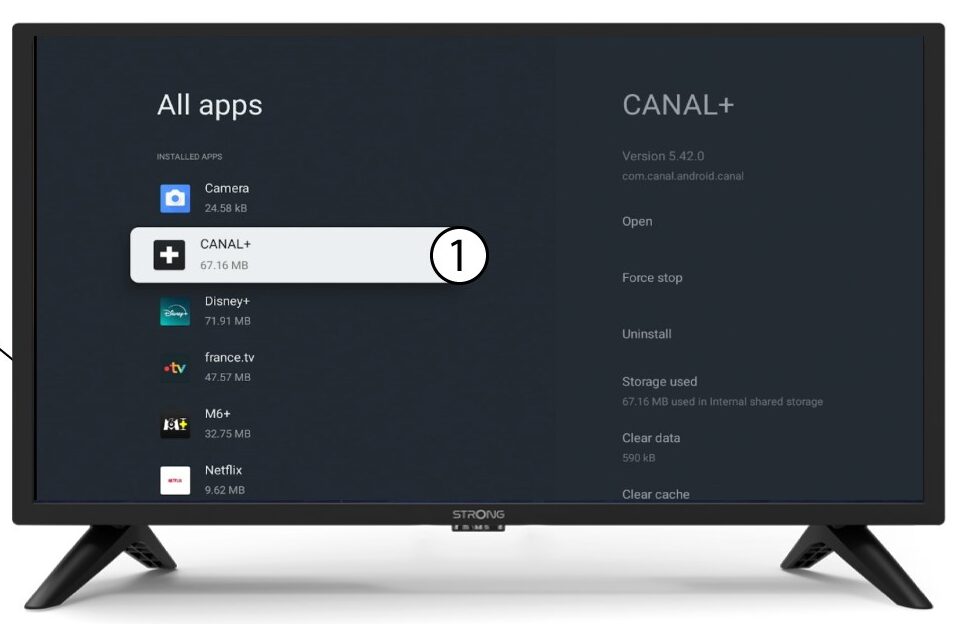
5Видалити
Виберіть «Видалити».
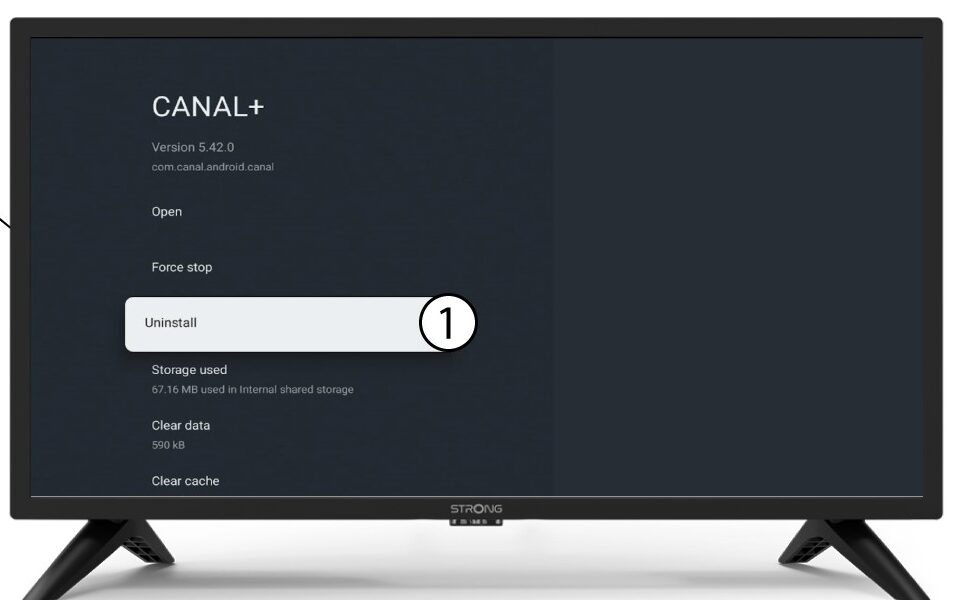
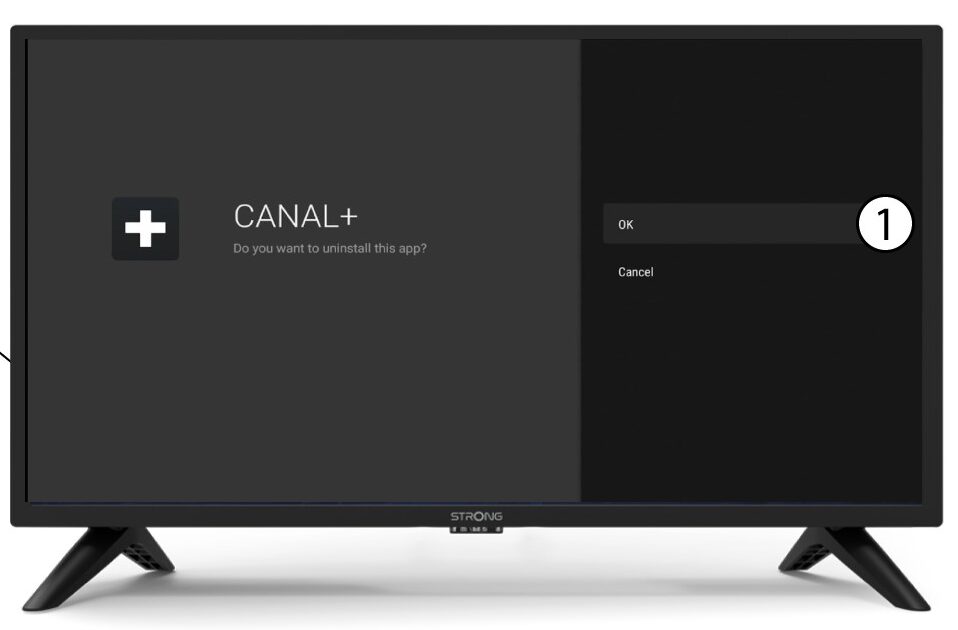
6Підтвердитивидалення
Натисніть «ОК».