
Не са намерени никакви елементи.
Не са намерени никакви елементи.
2K+ SMART HOME КАМЕРА
Всички въпроси
Не са намерени никакви елементи.
Не са намерени никакви елементи.
2K+ SMART HOME КАМЕРА
Как да форматирам SD-картата си?
След като поставите SD-картата в фотоапарата, трябва да я форматирате, преди да я използвате. Изпълнете стъпките по-долу:
1. Отворете„Настройки“
На началната страница кликнете върху иконата „Настройки “.

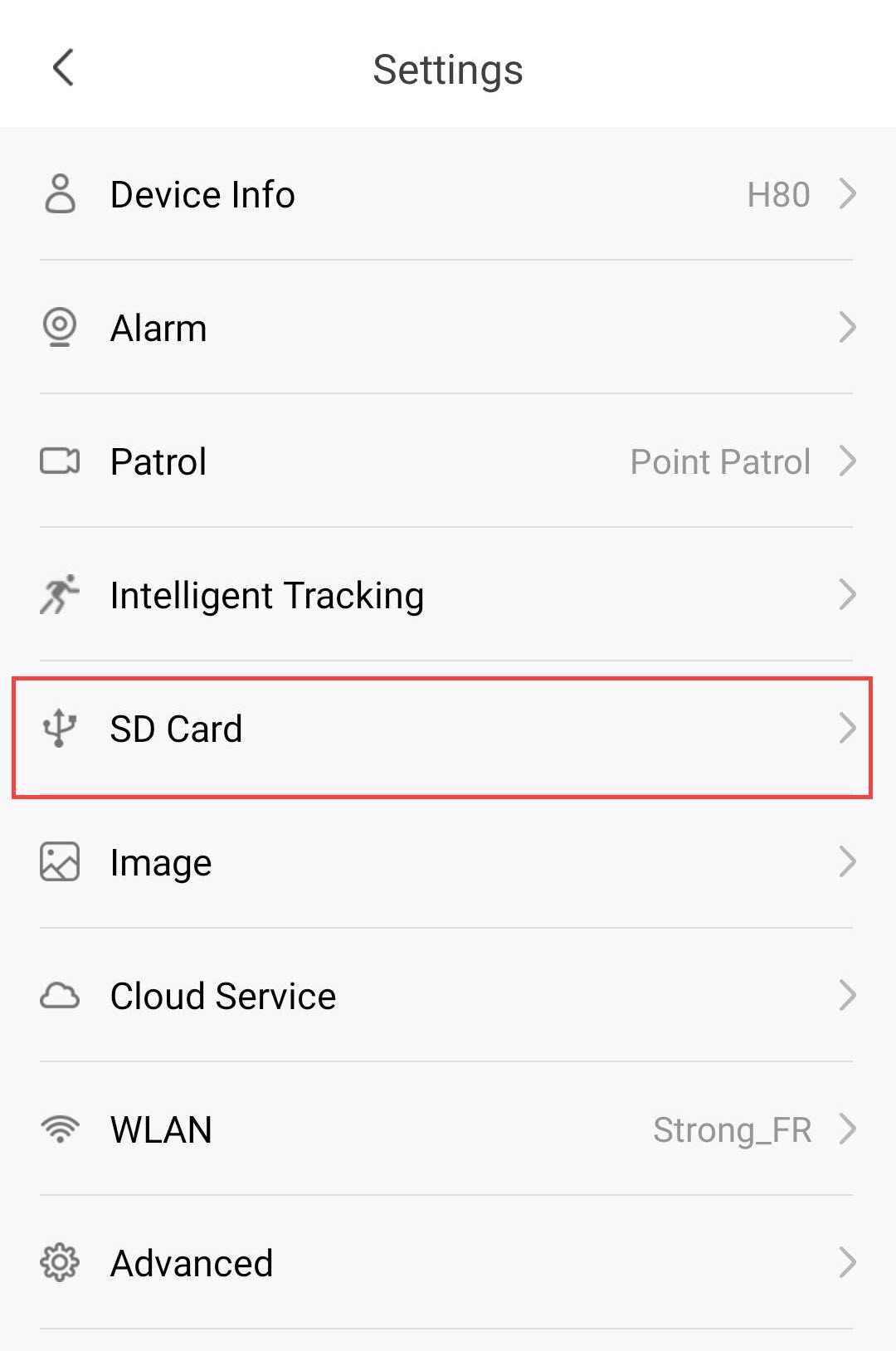
2. Преминетекъм менюто „SD карта“
Кликнете върху „SD карта“ в списъка с настройки.
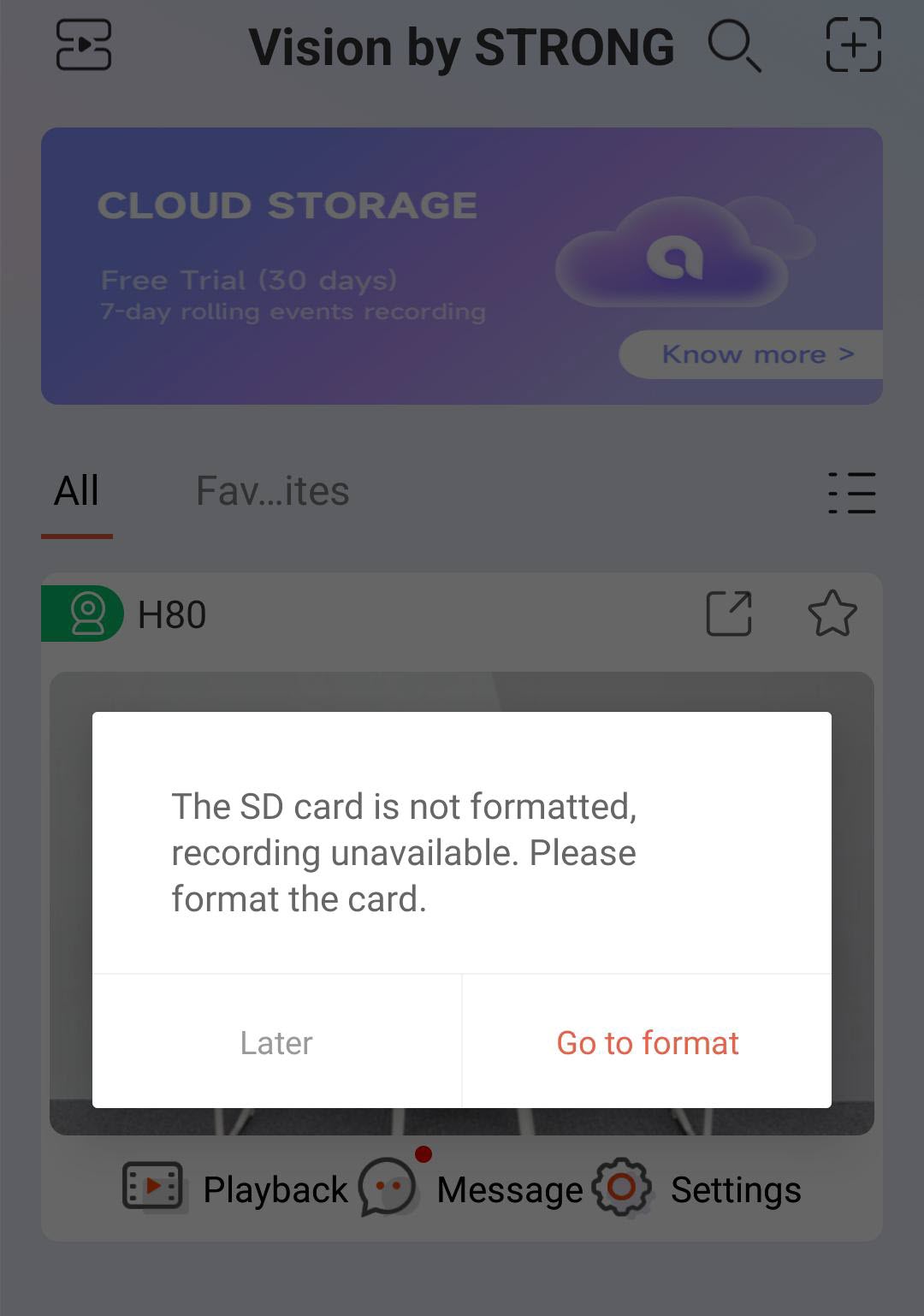
3Започнетепроцеса на форматиране
Кликнете върху бутона „Премини към формат “.
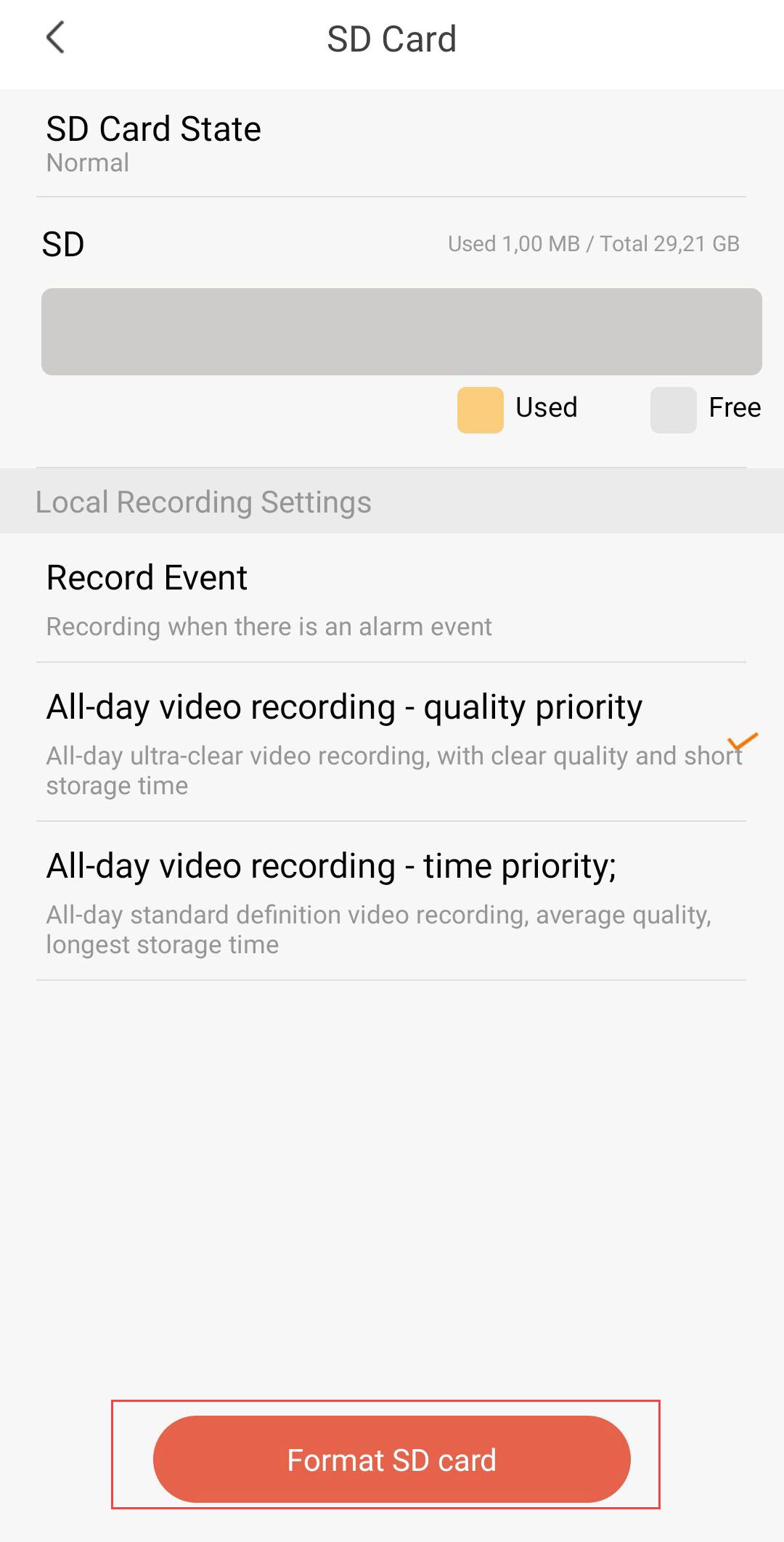
4. Започнетепроцеса на форматиране
След това кликнете върху „Форматиране на SD карта“.
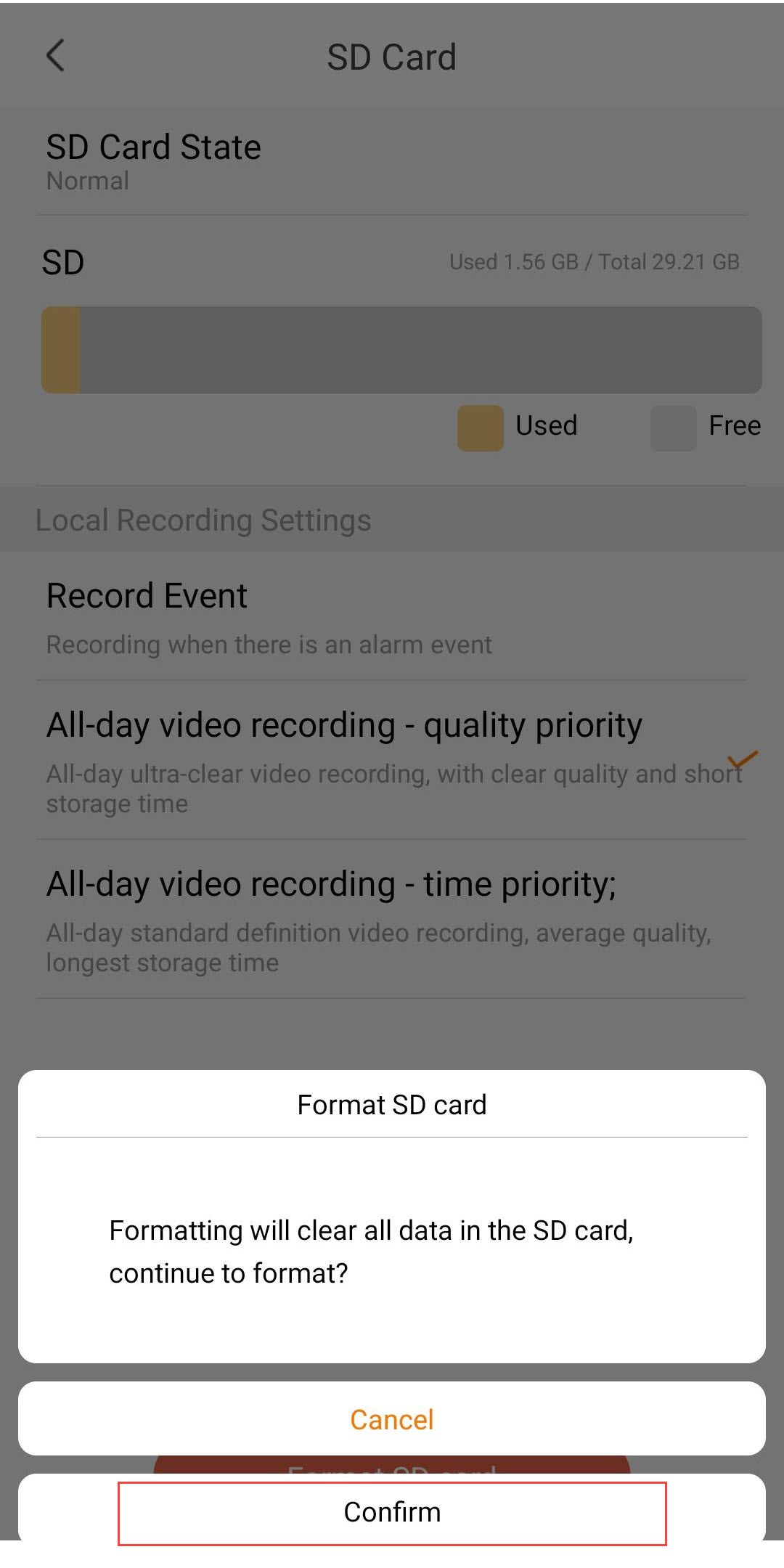
5Продължетепроцеса
Кликнете върху „Потвърди“.
6Изберетеопция за запис
След форматирането изберете една от следните опции за запис:
- Запис при събитие: Записва само когато се задейства алармено събитие (например, засичане на движение). Тази опция ви позволява да спестите място за съхранение.
- Целодневно видеозаписване – приоритет на качеството: Непрекъснато записване с изключително ясно качество. Осигурява най-доброто качество на изображението, но паметта се запълва бързо поради по-големия размер на файловете.
- Целодневен видеозапис – Приоритет на времето: Непрекъснат запис в стандартна разделителна способност. Осигурява най-дълго време за съхранение при средно качество на видеото.

Предупреждение: След като капацитетът на SD-картата бъде изчерпан, по-старите записи ще бъдат презаписани.