
5G AIRHOME 1050 | Wi-Fi 6
Všechny otázky
5G AIRHOME 1050 | Wi-Fi 6
Jak se dostanu do webového uživatelského rozhraní?
Chcete-li se přihlásit do webového uživatelského rozhraní, musíte být připojeni k Wi-Fi svého zařízení poté, co do slotu vložíte SIM kartu.
1. Připojte sek Wi-Fi síti routeru
Chcete-li to provést, zadejte do svého zařízení SSID (název sítě Wi-Fi) a heslo k Wi-Fi routeru:

2. Přejdětena IP adresu webového uživatelského rozhraní
Poté zadejte do prohlížeče následující IP adresu: 192.168.0.1

3Najdětesi své přihlašovací údaje
Přihlašovací údaje najdete na štítku umístěném na zadní straně zařízení.
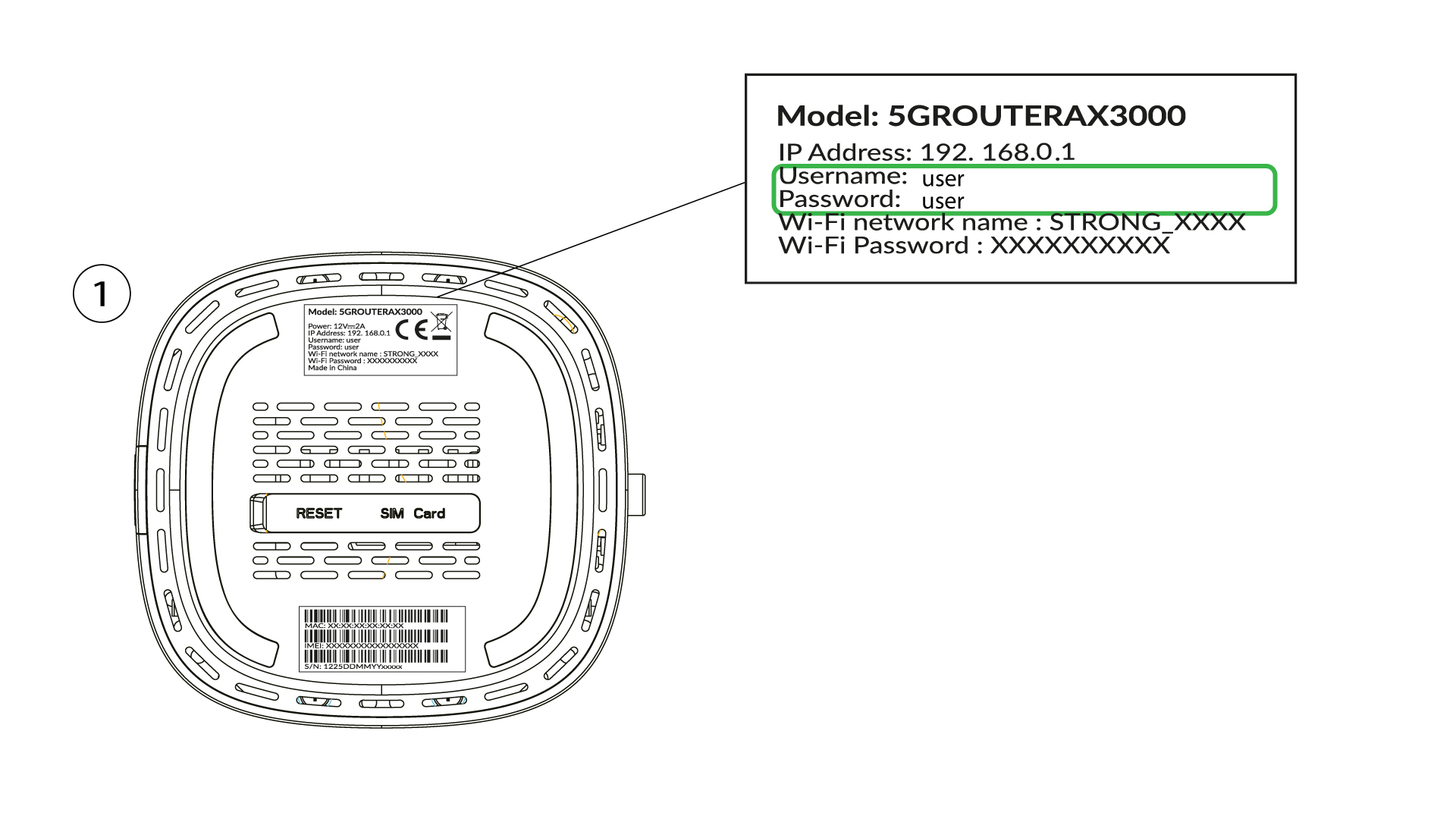
4Zadejtesvé přihlašovací údaje
Musíte zadat uživat elské jméno a heslo a kliknout na tlačítko „Přihlásit se“ ( přihlašovací údaje najdete v předchozím kroku).

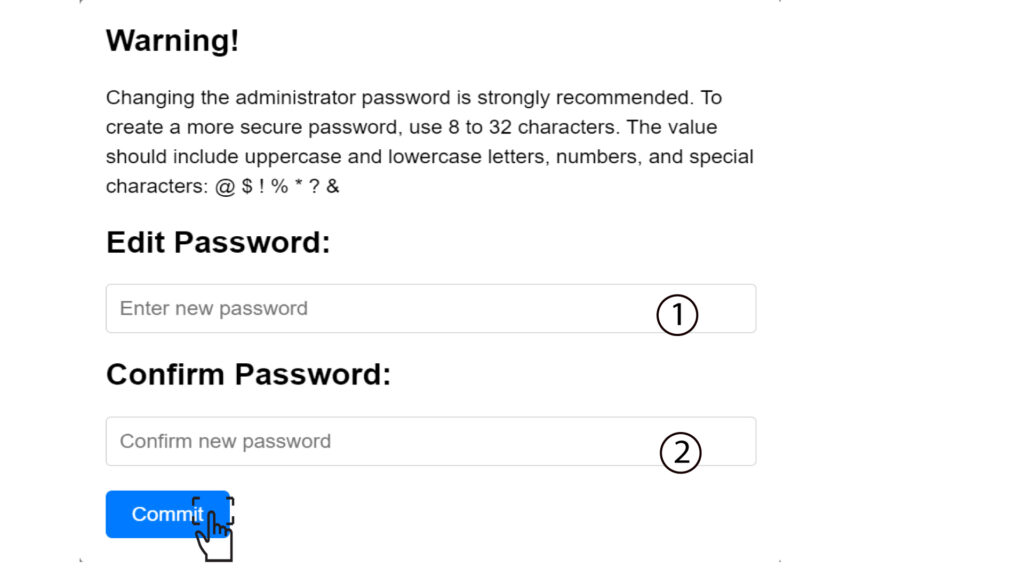
5. Změnitheslo správce
V okně, které se zobrazí, musíte po prvním přihlášení vytvořit nové heslo správce. Za tímto účelem zadejte následující údaje a poté klikněte na tlačítko „Potvrdit“:
- Upravit heslo: zadejte heslo o délce 8 až 32 znaků, které obsahuje velká a malá písmena, číslice a alespoň jeden speciální znak (@, $, !, %, *, ?, &)
- Potvrďte heslo: zadejte stejné heslo.
6. Zadejtenové přihlašovací údaje
Zapište si prosím nové heslo správce a uživatelské jméno na kousek papíru:
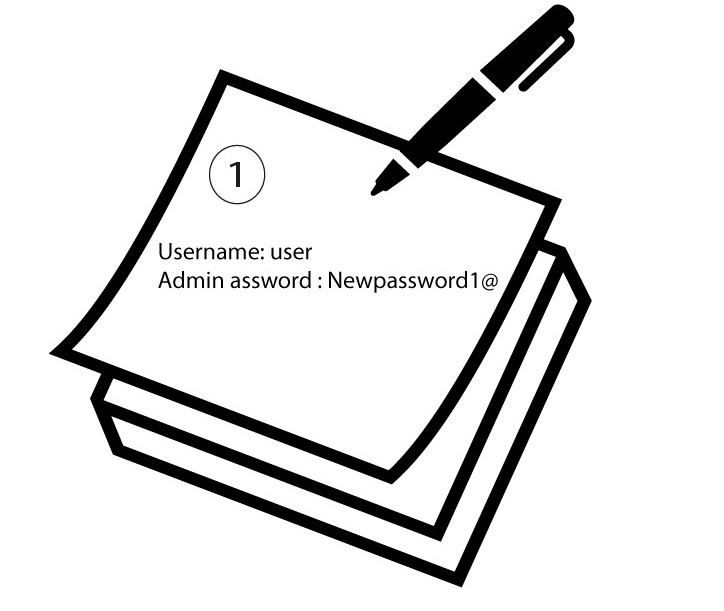

Upozornění: Pokud je výchozí heslo správce nastaveno na „user“, musíte jej po prvním připojení změnit, abyste zajistili bezpečnost přístupu k routeru a zabránili neoprávněnému vniknutí. Po nastavení nového hesla si jej prosím poznamenejte.