
Mobilní Wi-Fi 4G+ AIRSPOT 510
Nebyly nalezeny žádné položky.
Nebyly nalezeny žádné položky.
Všechny otázky
Mobilní Wi-Fi 4G+ AIRSPOT 510
Nebyly nalezeny žádné položky.
Nebyly nalezeny žádné položky.
Jak mohu změnit heslo správce?
1. Otevřetewebové uživatelské rozhraní
Informace o přístupu k webovému uživatelskému rozhraní najdete v článku Jak se dostanu do webového uživatelského rozhraní?
2Přejdětedo nastavení hesla
V sekci Správa klikněte na položky Nastavení systému a Změnit heslo.
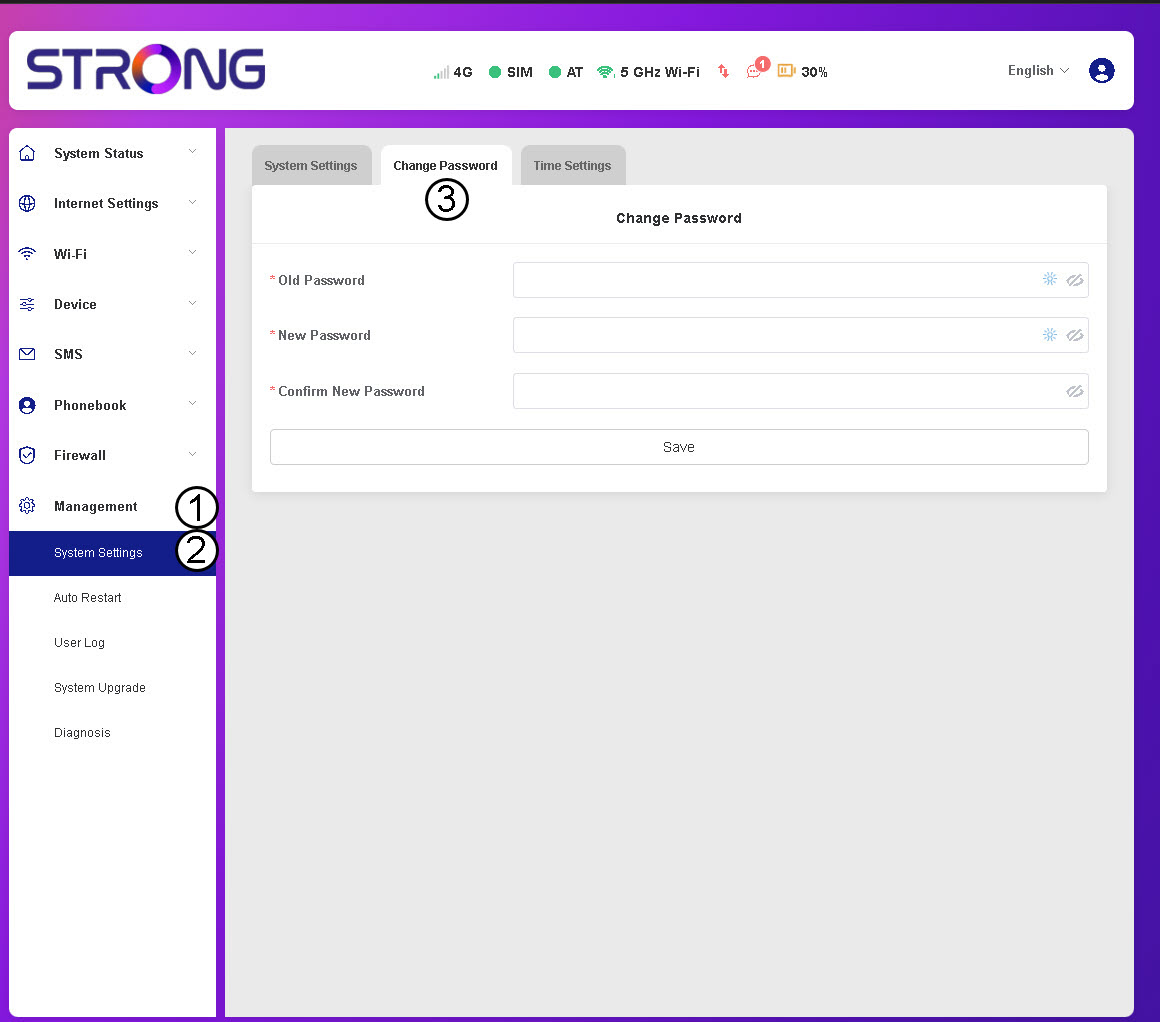
3. Zadejteúdaje o hesle
Poté zadejte následující údaje a klikněte na tlačítko „Uložit“:
- Staré heslo: Zadejte své aktuální heslo.
- Nové heslo: Zadejte heslo, které obsahuje alespoň 8 znaků a kombinuje velká a malá písmena, číslice a speciální znaky. Jsou povoleny pouze následující speciální znaky: @$%*&.
- Potvrďte nové heslo: Zadejte stejné heslo jako v předchozím poli.


UPOZORNĚNÍ: Pokud jste zapomněli své aktuální heslo, budete muset zařízení obnovit do továrního nastavení.