
Mobilní Wi-Fi 4G+ AIRSPOT 510
Nebyly nalezeny žádné položky.
Nebyly nalezeny žádné položky.
Všechny otázky
Mobilní Wi-Fi 4G+ AIRSPOT 510
Nebyly nalezeny žádné položky.
Nebyly nalezeny žádné položky.
Jak mohu deaktivovat svůj PIN kód?
Jakmile vložíte SIM kartu a zadáte PIN kód na LCD displeji zařízení Mi-Fi, PIN kód se automaticky deaktivuje.
Zda je PIN kód deaktivován, můžete zkontrolovat podle následujících pokynů:
1. Otevřetewebové rozhraní
Připojte se k webovému uživatelskému rozhraní.
2Přejdětedo nastavení PIN kódu SIM karty
Klikněte na „Nastavení internetu“ a poté vyberte „PIN kód SIM karty“.
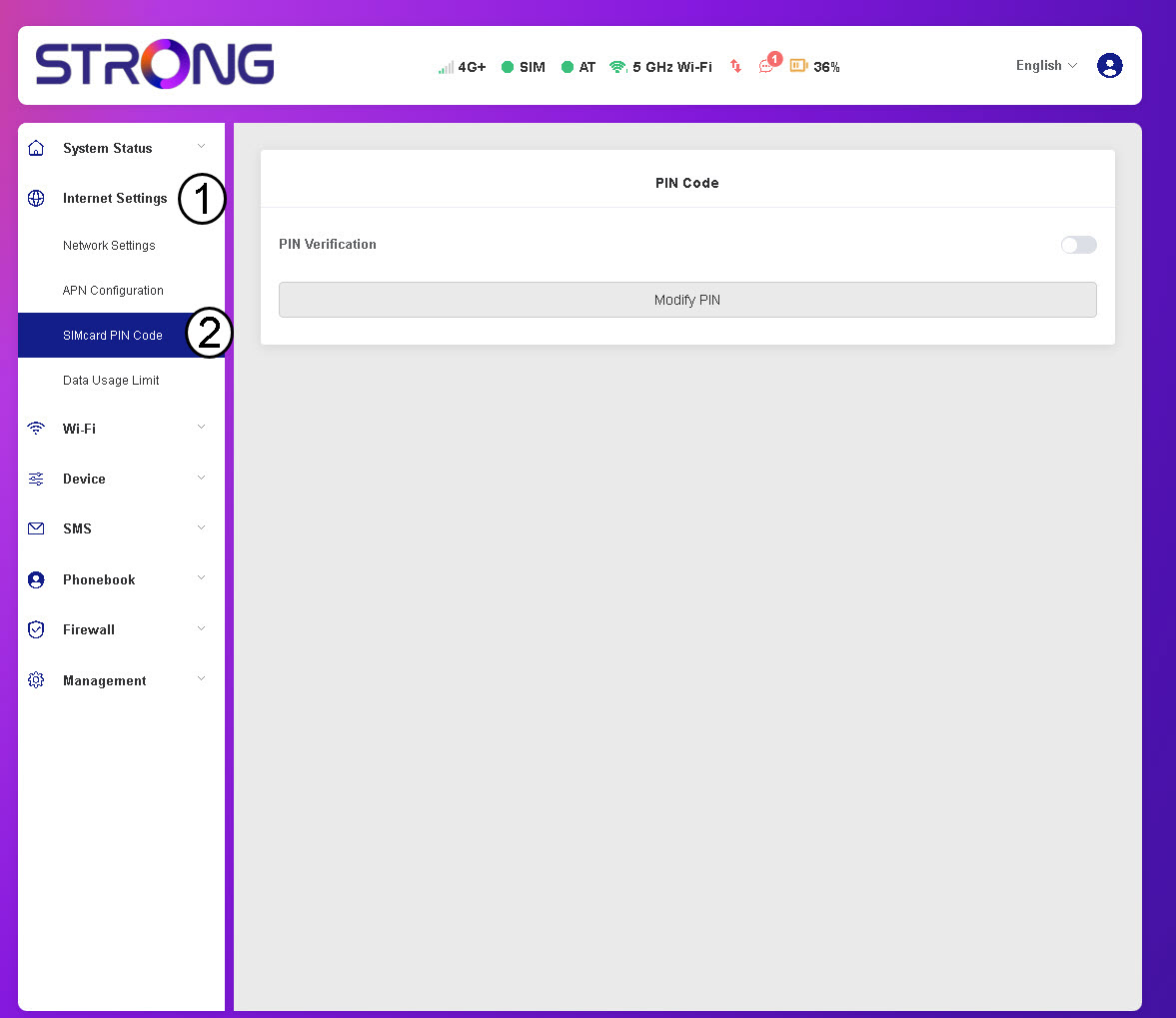
3. Zkontrolujtestav PIN kódu
Zkontrolujte, zda je přepínač pro ověření PINu šedý, což znamená, že je PIN deaktivován.
