Mini router 4G AIRHOME 200 s odnímatelnými 4G anténami
Nebyly nalezeny žádné položky.
Nebyly nalezeny žádné položky.
Všechny otázky
Mini router 4G AIRHOME 200 s odnímatelnými 4G anténami
Nebyly nalezeny žádné položky.
Nebyly nalezeny žádné položky.
Jak mohu změnit IP adresu své lokální sítě (LAN)?
1. Připojte sek webovému uživatelskému rozhraní
Chcete-li se přihlásit do webového uživatelského rozhraní, postupujte podle následujících pokynů:
2. Odpojte seod internetu
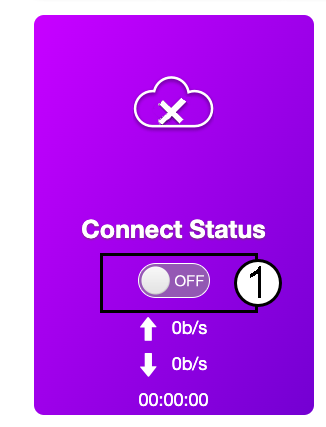
Na úvodní stránce klikněte na přepínač stavu připojení a deaktivujte připojení k internetu.
Změna IP adresy v síti LAN není možná, pokud je aktivní připojení k internetu.
3. Pokročilánastavení
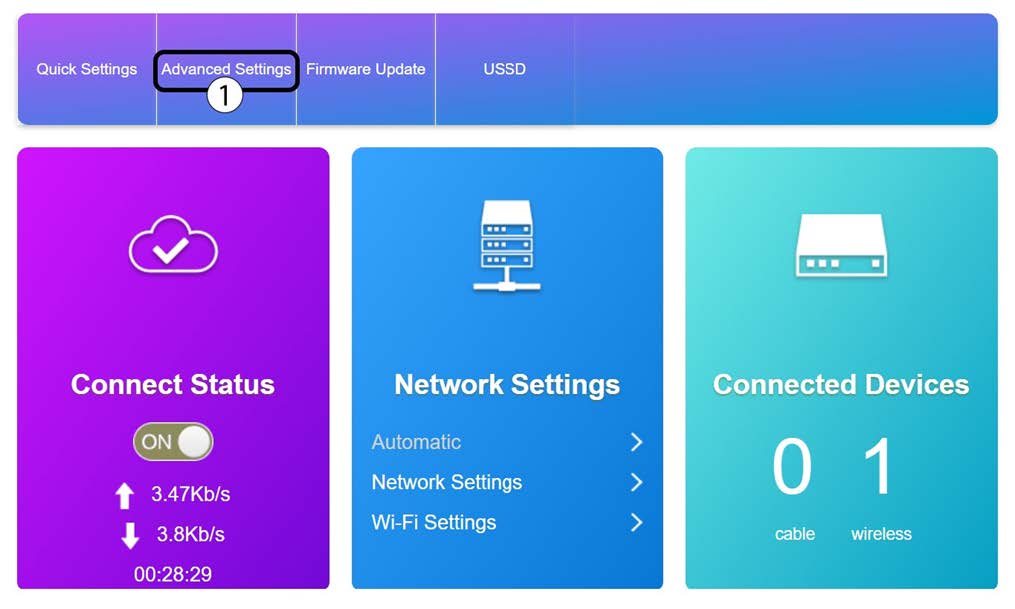
Klikněte na „Pokročilá nastavení“
4. Nastavení směrovače
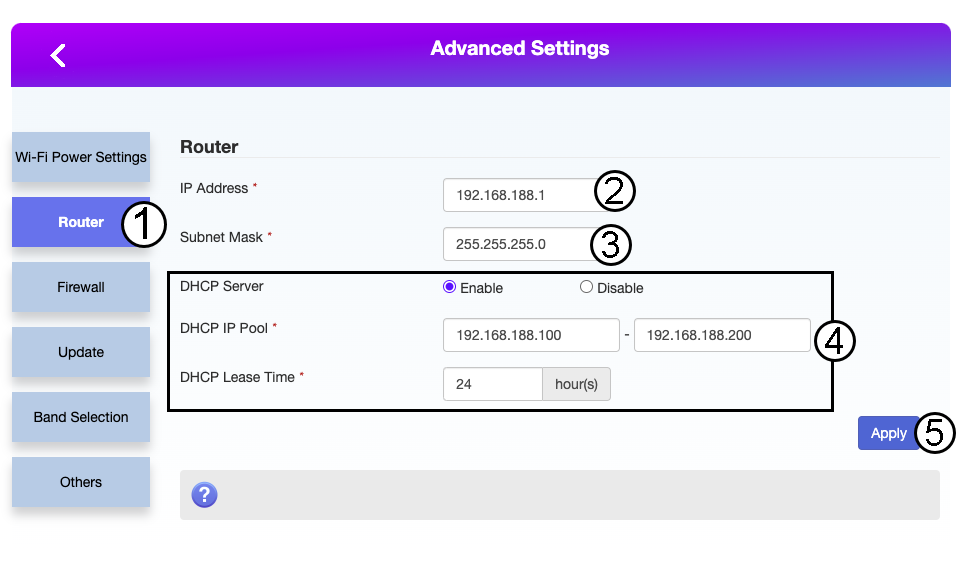
Klikněte na položku „Router“. Poté zadejte následující údaje a klikněte na tlačítko „Apply“:
- IP adresa: Zadejte novou IP adresu vašeho routeru.
- Maska podsítě: Zadejte IP adresu masky podsítě
- Server DHCP: Zapnout server DHCP
- Skupina IP adres DHCP: Zadejte počáteční a koncovou IP adresu pro váš server DHCP.
- Doba platnosti DHCP: Zadejte maximální dobu platnosti v hodinách.