
Mini router 4G AIRHOME 200 s odnímatelnými 4G anténami
Nebyly nalezeny žádné položky.
Nebyly nalezeny žádné položky.
Všechny otázky
Mini router 4G AIRHOME 200 s odnímatelnými 4G anténami
Nebyly nalezeny žádné položky.
Nebyly nalezeny žádné položky.
Po vložení SIM karty do routeru nemám připojení k internetu, proč?
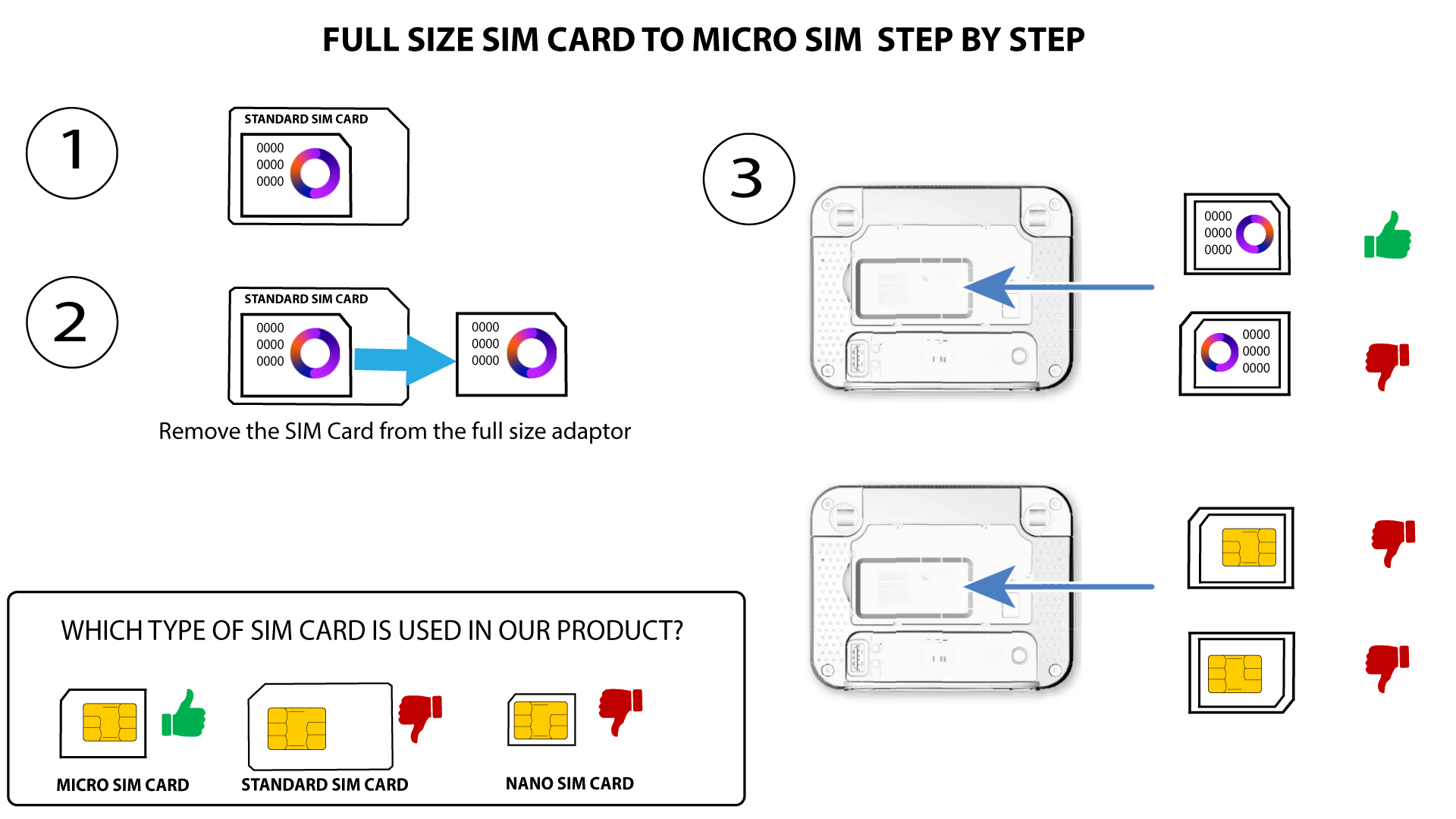
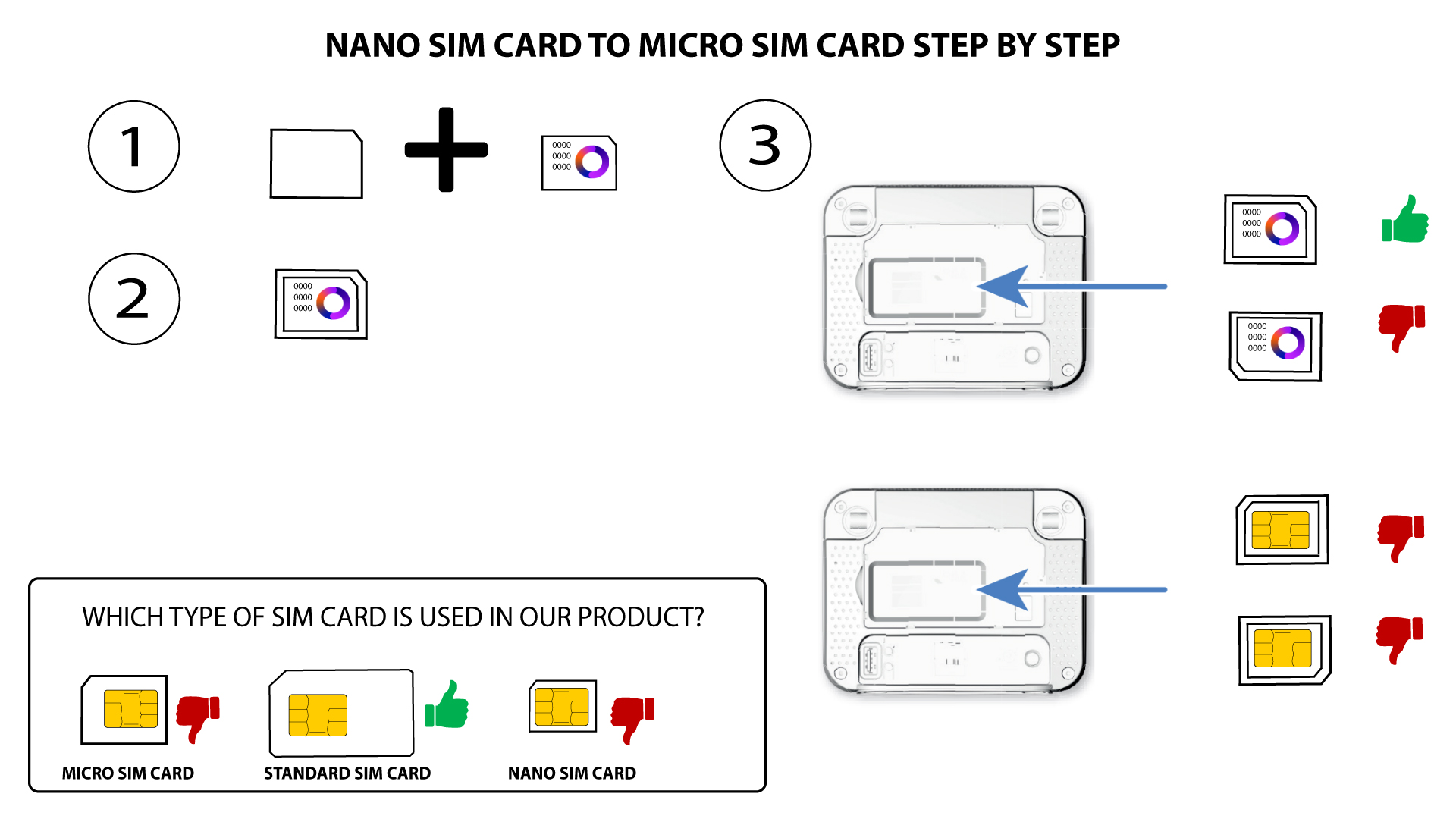
Existuje mnoho důvodů, které mohou vysvětlovat, proč po vložení SIM karty nefunguje připojení k internetu. Prvním z nich může být nesprávné vložení SIM karty. Zkontrolujte prosím její polohu podle schématu, které znázorňuje postup vložení.
Případ 1: Převod standardní SIM karty na micro SIM
PŘÍPAD 2: Převod z karty Nano SIM na kartu Micro SIM
- Dalším důvodem může být to, že je vaše SIM karta uzamčena kódem PIN. Chcete-li ji odemknout, musíte se přihlásit do webového uživatelského rozhraní a zadat kód PIN. Postupujte podle pokynů uvedených v následující části:Jak zadám kód PIN své SIM karty?
- Konečně je také možné, že zařízení vaši SIM kartu sice detekuje, ale automaticky ji nerozpozná. V takovém případě se musíte přihlásit do webového uživatelského rozhraní a zkontrolovat nastavení APN vašeho operátora. Tento postup je popsán v následující části: Jak zkontrolovat a upravit nastavení APN mého operátora?