
Mini router 4G AIRHOME 200 s odnímatelnými 4G anténami
Nebyly nalezeny žádné položky.
Nebyly nalezeny žádné položky.
Všechny otázky
Mini router 4G AIRHOME 200 s odnímatelnými 4G anténami
Nebyly nalezeny žádné položky.
Nebyly nalezeny žádné položky.
Jaký typ SIM karty mohu vložit do svého routeru?
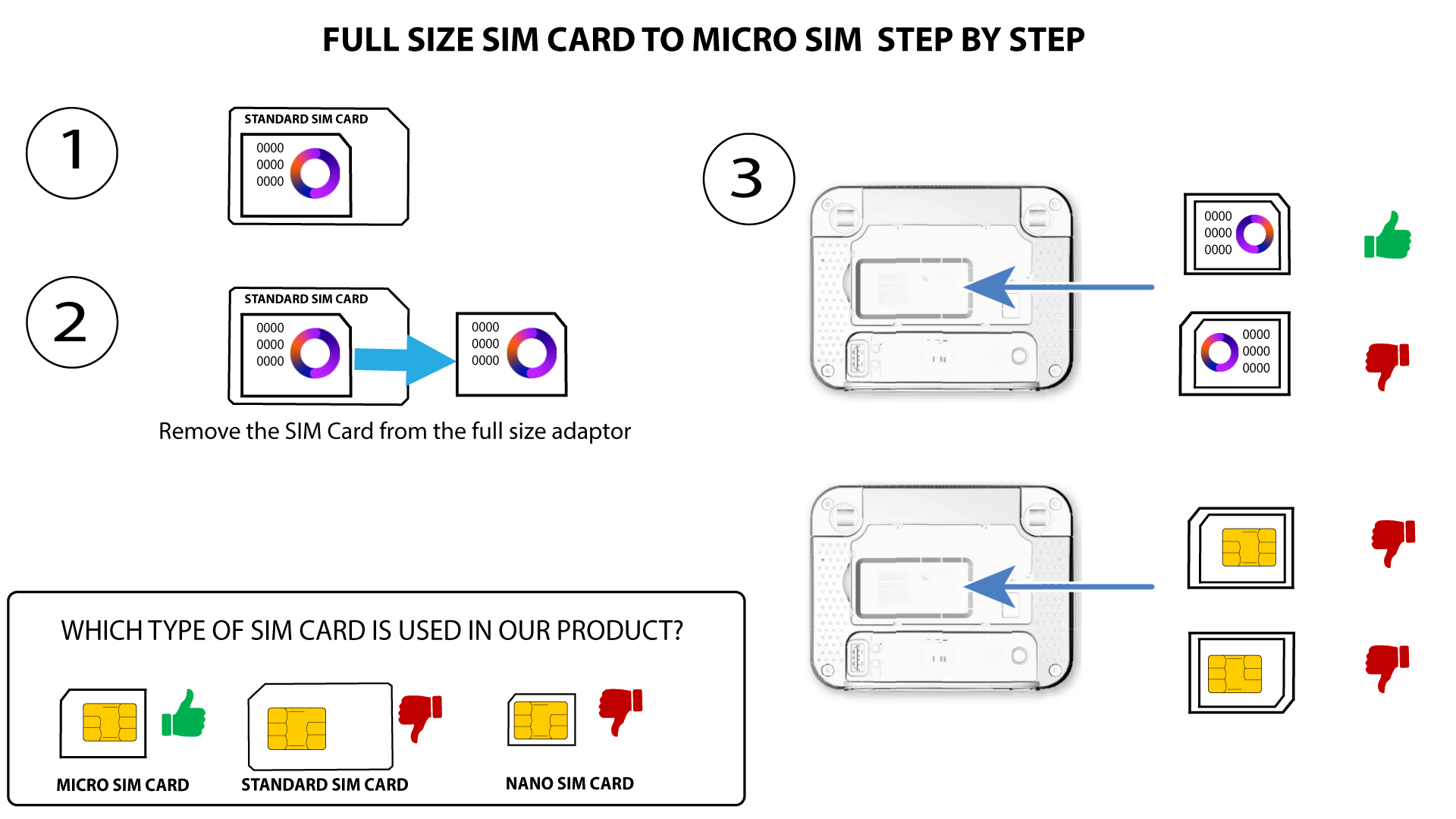
Do slotu pro SIM kartu v routeru 4G LTE Router 350M je nutné vložit kartu micro-SIM. O velikost SIM karty se nemusíte starat, protože v balení routeru jsou přiloženy adaptéry, které zajistí správnou velikost. SIM kartu musíte vložit před zapnutím zařízení.
Jakmile vložíte SIM kartu do adaptéru, přitlačte ji do adaptéru a držte ji tam, aby v něm zůstala. Vezměte zařízení do ruky a vložte SIM kartu do slotu ve stejné poloze, jak je znázorněno na schématu níže.
Případ 1: Převod standardní SIM karty na kartu Micro SIM
PŘÍPAD 2: Převod z karty Nano SIM na kartu Micro SIM
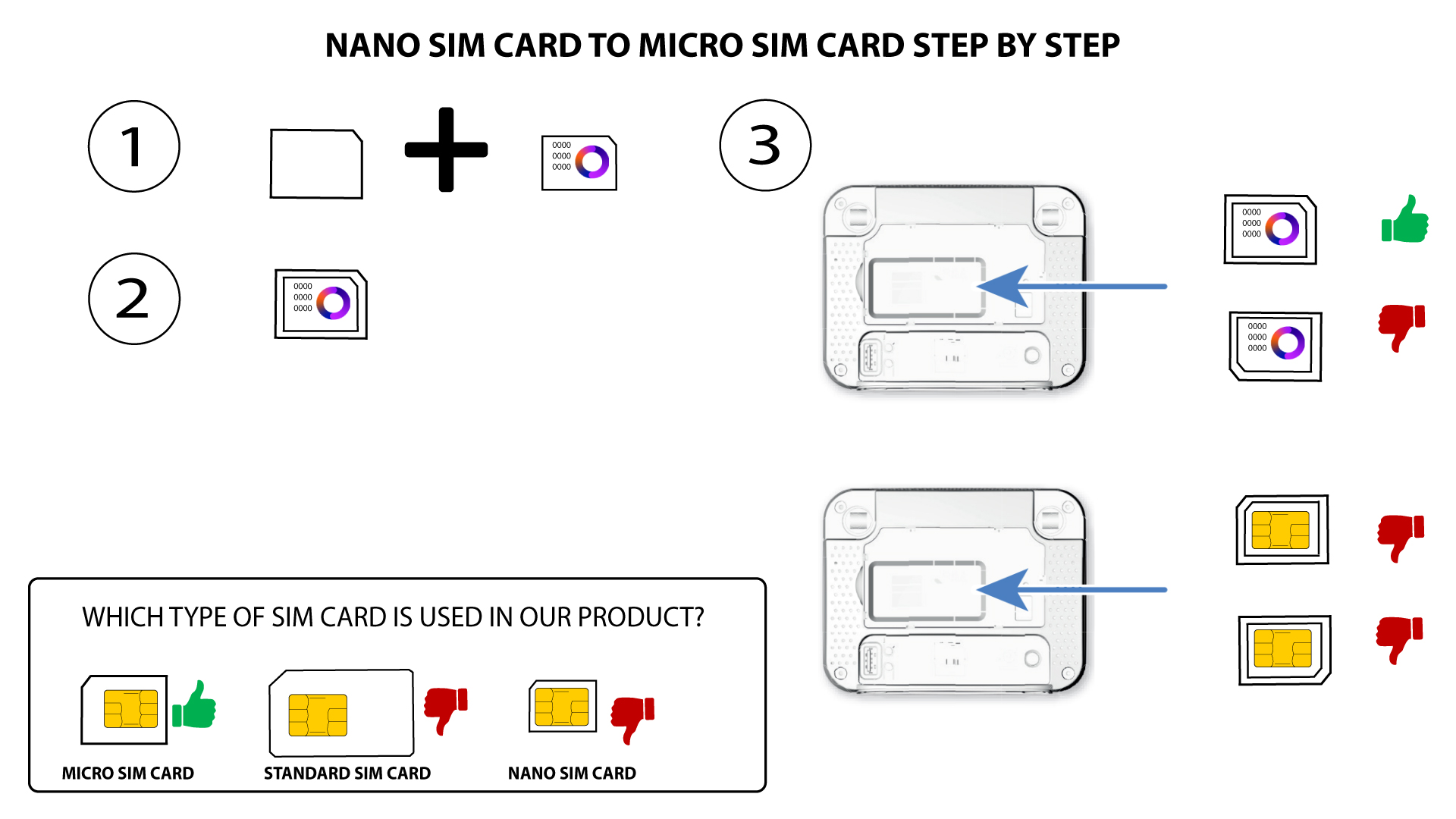

Před vložením do slotu se ujistěte, že je SIM karta správně umístěna v adaptéru.
• Pokud zařízení SIM kartu nerozpozná, zkontrolujte její polohu a zda jste adaptér vložili správně.