
4G+ AIRSPOT 510 Mobil Wi-Fi
Ingen varer fundet.
Ingen varer fundet.
Alle spørgsmål
4G+ AIRSPOT 510 Mobil Wi-Fi
Ingen varer fundet.
Ingen varer fundet.
Hvordan ændrer jeg administratoradgangskoden?
1Åbnwebgrænsefladen
For at få adgang til webgrænsefladen henvises der til afsnittet »Hvordan får jeg adgang til webgrænsefladen?«
2Gåtil Indstillinger for adgangskode
I afsnittet »Administration « skal du klikke på »Systemindstillinger « og »Skift adgangskode«.
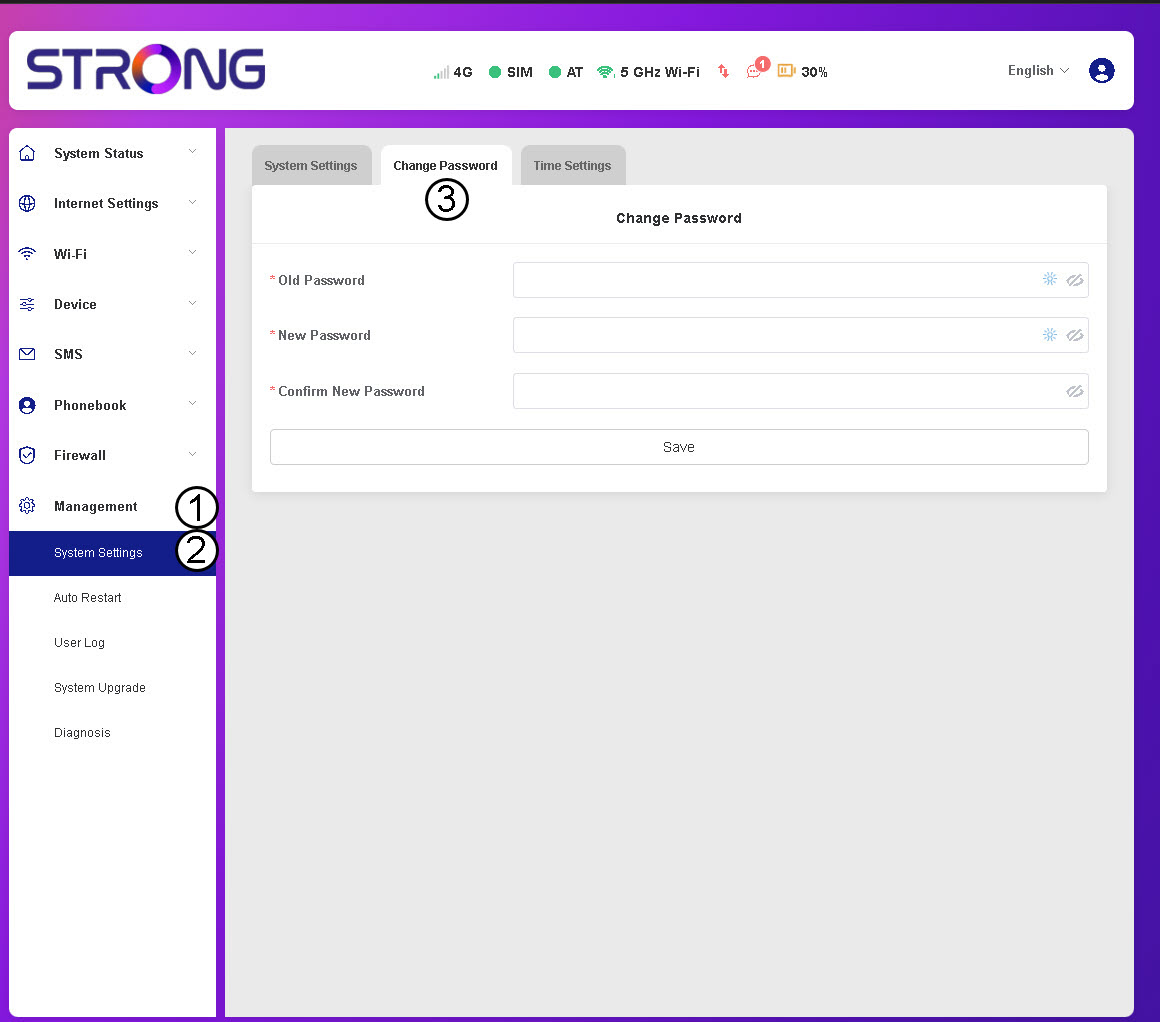
3Indtastadgangskodeoplysninger
Indtast derefter følgende oplysninger, inden du klikker på »Gem«:
- Gammel adgangskode: Indtast din nuværende adgangskode.
- Ny adgangskode: Indtast en adgangskode, der består af mindst 8 tegn og indeholder en kombination af store og små bogstaver, tal og specialtegn. Kun følgende specialtegn er tilladt: @$%*&.
- Bekræft ny adgangskode: Indtast den samme adgangskode som i det forrige felt.


ADVARSEL: Hvis du har glemt din nuværende adgangskode, skal du nulstille enheden til fabriksindstillingerne.