4G AIRHOME 310 με αποσπώμενες κεραίες 4G
Όλες οι ερωτήσεις
4G AIRHOME 310 με αποσπώμενες κεραίες 4G
Πώς μπορώ να αλλάξω το SSID (όνομα δικτύου Wi-Fi) και τον κωδικό πρόσβασης; (Περίπτωση 1: Γρήγορες ρυθμίσεις)
Στο περιβάλλον χρήστη του ιστού, έχετε δύο τρόπους για να αλλάξετε το SSID και τον κωδικό πρόσβασης του δρομολογητή σας:
• Χρησιμοποιώντας τις «Γρήγορες ρυθμίσεις»
• Ή χρησιμοποιώντας τις «Ρυθμίσεις Wi-Fi»
1Γρήγορεςρυθμίσεις
Στο περιβάλλον χρήστη του ιστού, οι «Γρήγορες ρυθμίσεις» σας επιτρέπουν να αλλάξετε τις πληροφορίες του δικτύου σας: το SSID και τον κωδικό πρόσβασής του.
Για να το κάνετε αυτό, κάντε κλικ στην επιλογή «Γρήγορες ρυθμίσεις» στην επάνω γραμμή.

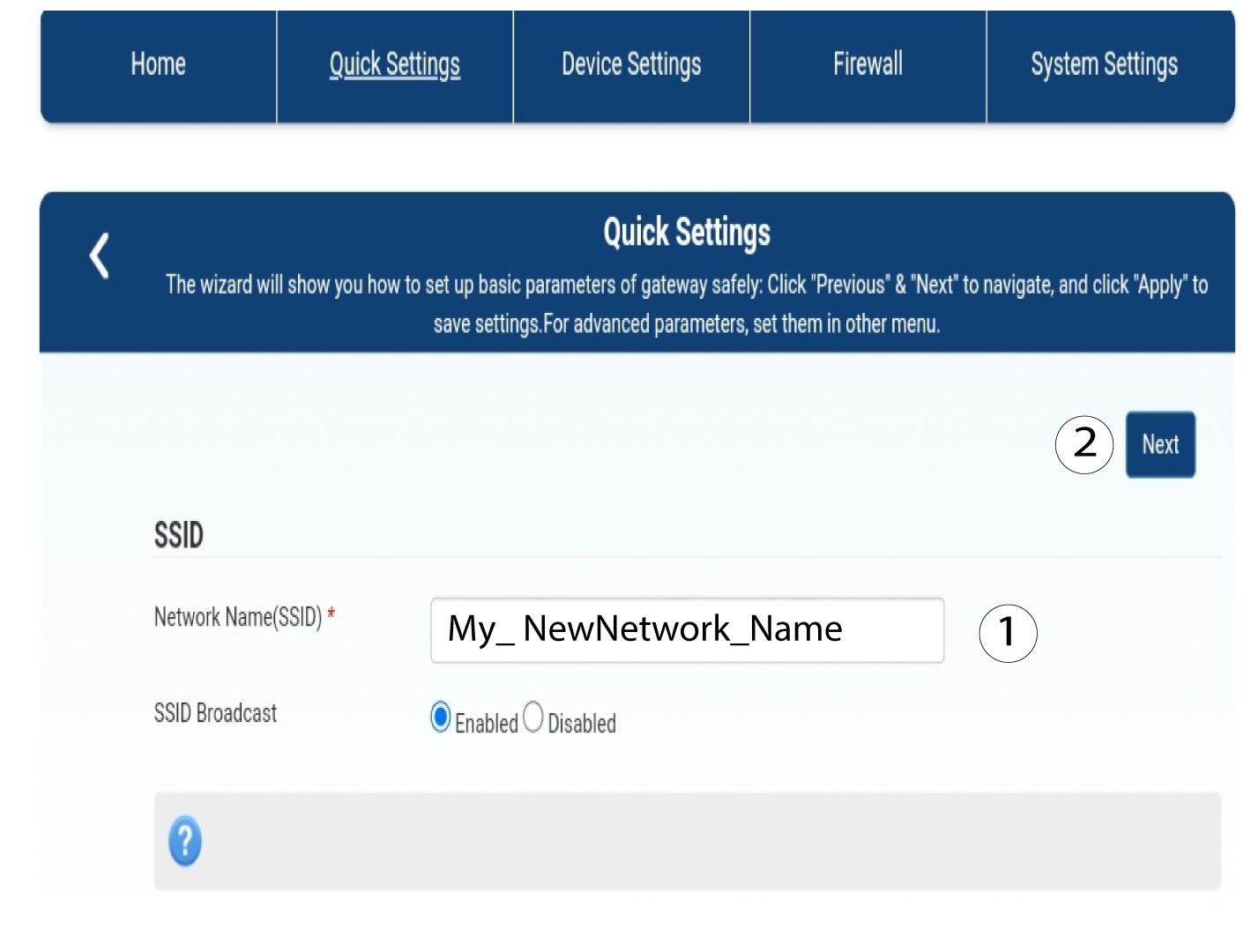
2Πληκτρολογήστετο νέο όνομα δικτύου
Στη συνέχεια, πληκτρολογήστε το νέο όνομα του δικτύου σας και κάντε κλικ στο «Επόμενο».
3. Εμφάνισητου κωδικού πρόσβασης Wi-Fi
Κάντε κλικ στην επιλογή «Εμφάνιση κωδικού πρόσβασης».
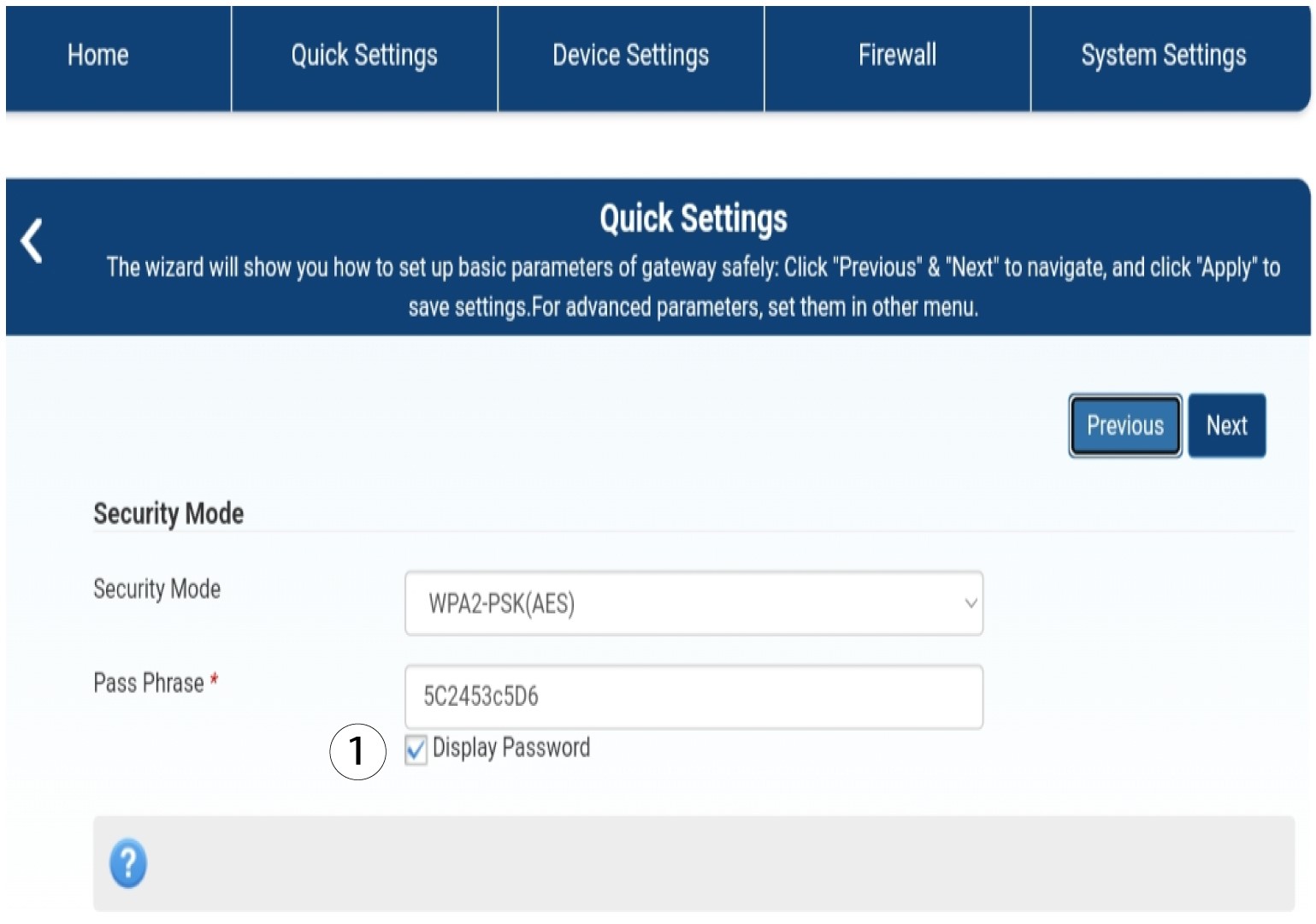
4Πληκτρολογήστετον νέο κωδικό πρόσβασης
Αλλάξτε τον κωδικό πρόσβασής σας. Στη συνέχεια, κάντε κλικ στο «Επόμενο».

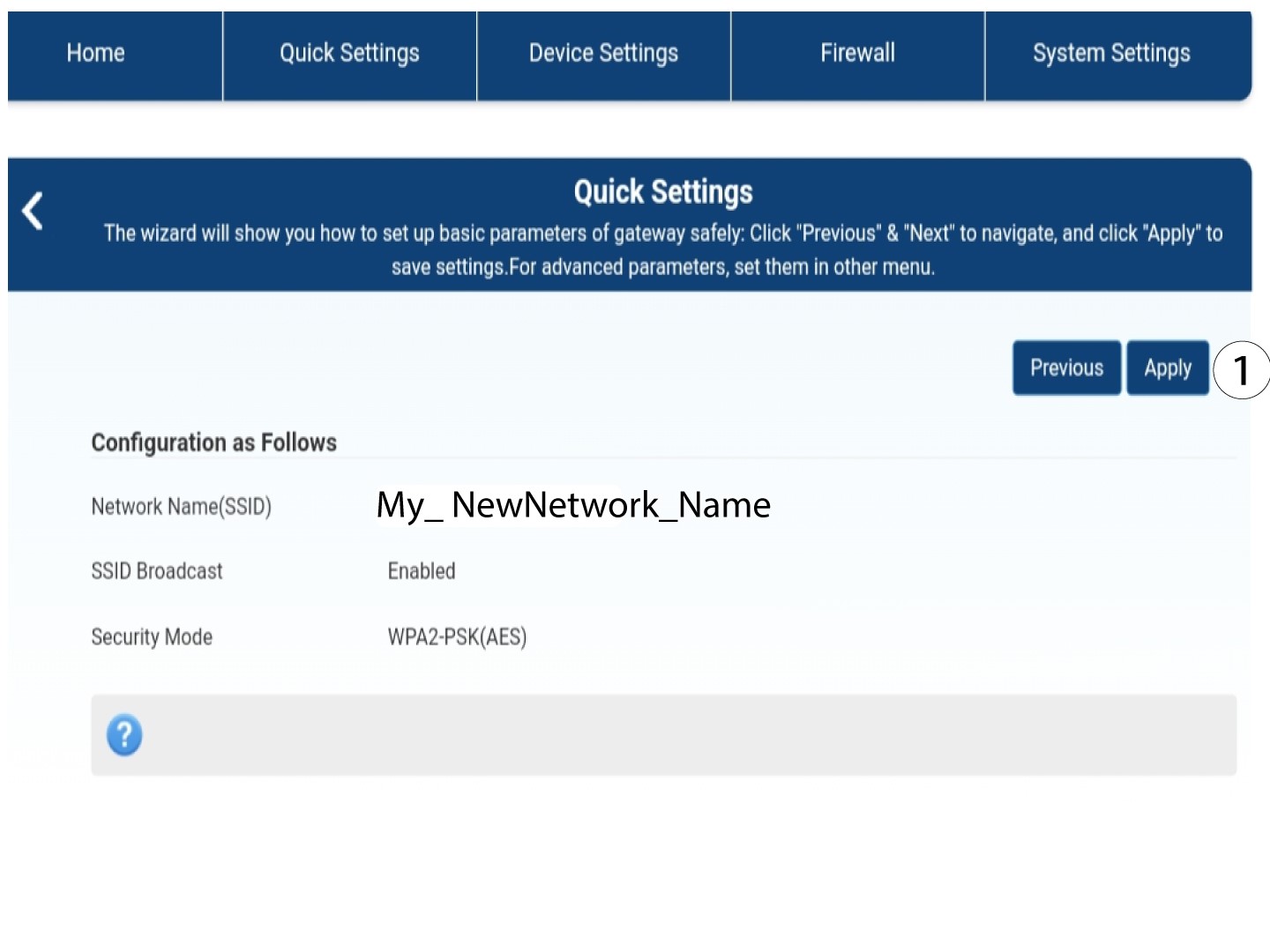
5. Αποθήκευσητων νέων πληροφοριών δικτύου
Για να αποθηκεύσετε τις αλλαγές, κάντε κλικ στο κουμπί «Εφαρμογή».
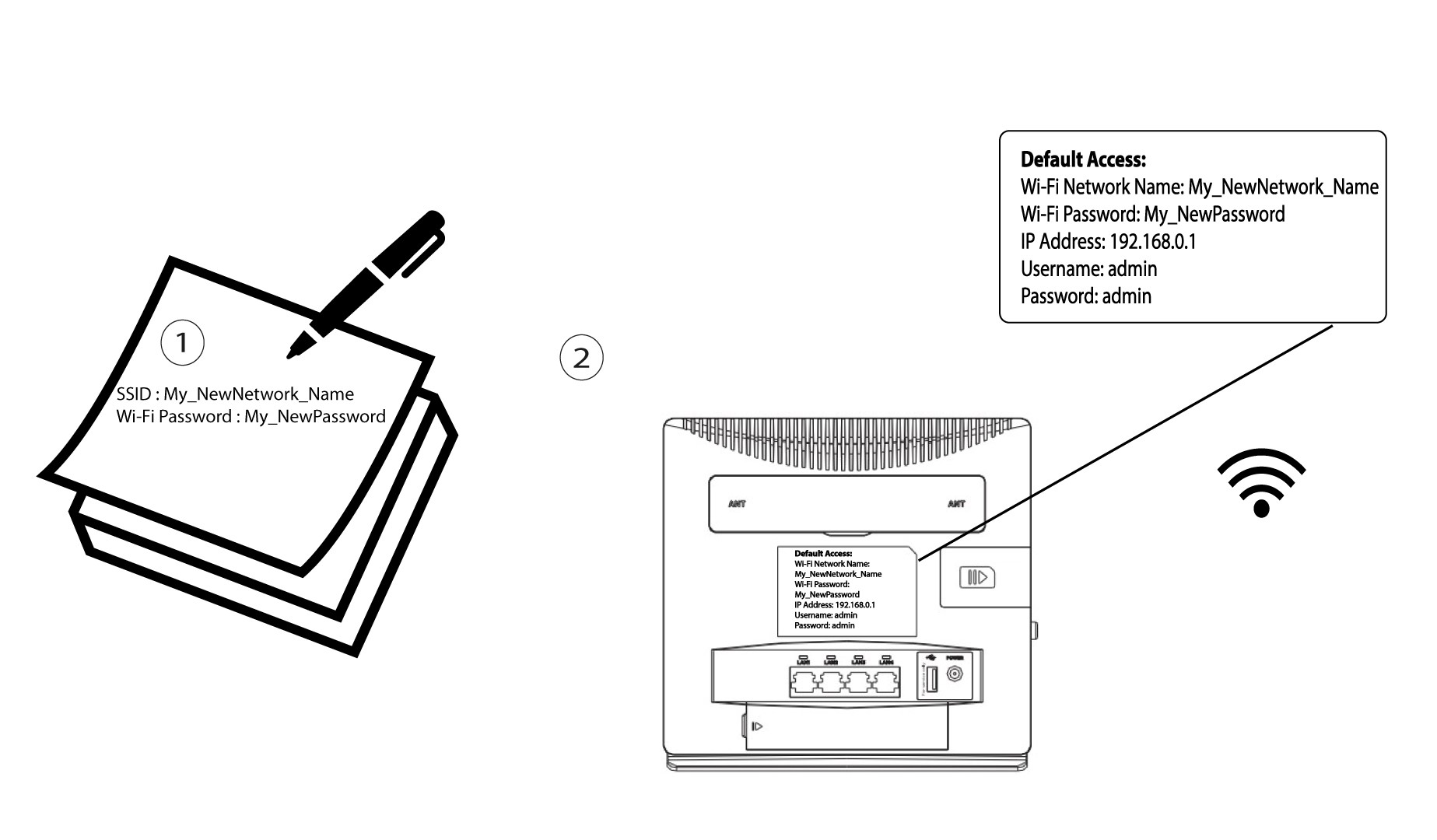
6. Καταγράψτετα νέα στοιχεία δικτύου
Γράψτε το νέο SSID και τον κωδικό πρόσβασής σας σε ένα χαρτί και κολλήστε το πάνω στο δρομολογητή.