4G AIRHOME 310 με αποσπώμενες κεραίες 4G
Όλες οι ερωτήσεις
4G AIRHOME 310 με αποσπώμενες κεραίες 4G
Πώς μπορώ να ελέγξω και να τροποποιήσω τις ρυθμίσεις APN του παρόχου υπηρεσιών μου;
Όταν η συσκευή σας δεν αναγνωρίζει αυτόματα την κάρτα SIM, πρέπει να συνδεθείτε στο περιβάλλον χρήστη μέσω διαδικτύου (Web UI) για να ελέγξετε τις ρυθμίσεις APN και να τις τροποποιήσετε, αν χρειαστεί. Μπορείτε να βρείτε τις ρυθμίσεις APN του παρόχου υπηρεσιών σας απευθείας στον ιστότοπό του ή να τις ζητήσετε από την υπηρεσία υποστήριξης του παρόχου σας.

Προειδοποίηση: Εάν το δίκτυο κινητής τηλεφωνίας σας παρέχεται από έναν πάροχο εικονικού δικτύου κινητής τηλεφωνίας (MVNO), παρακαλούμε επικοινωνήστε με την υπηρεσία υποστήριξής του για να λάβετε τις σχετικές πληροφορίες APN.
- Ένας MVNO συνδέεται με το δίκτυο ενός άλλου φορέα κινητής τηλεφωνίας για να σας παρέχει κάλυψη, η οποία εξαρτάται από την τοποθεσία σας.
1. Συνδεθείτεστο δίκτυο Wi-Fi του δρομολογητή
Πρέπει να συνδεθείτε στο περιβάλλον χρήστη μέσω διαδικτύου (Web UI). Για να το κάνετε αυτό, εισαγάγετε το SSID και τον κωδικό πρόσβασης του δρομολογητή στη συσκευή σας.

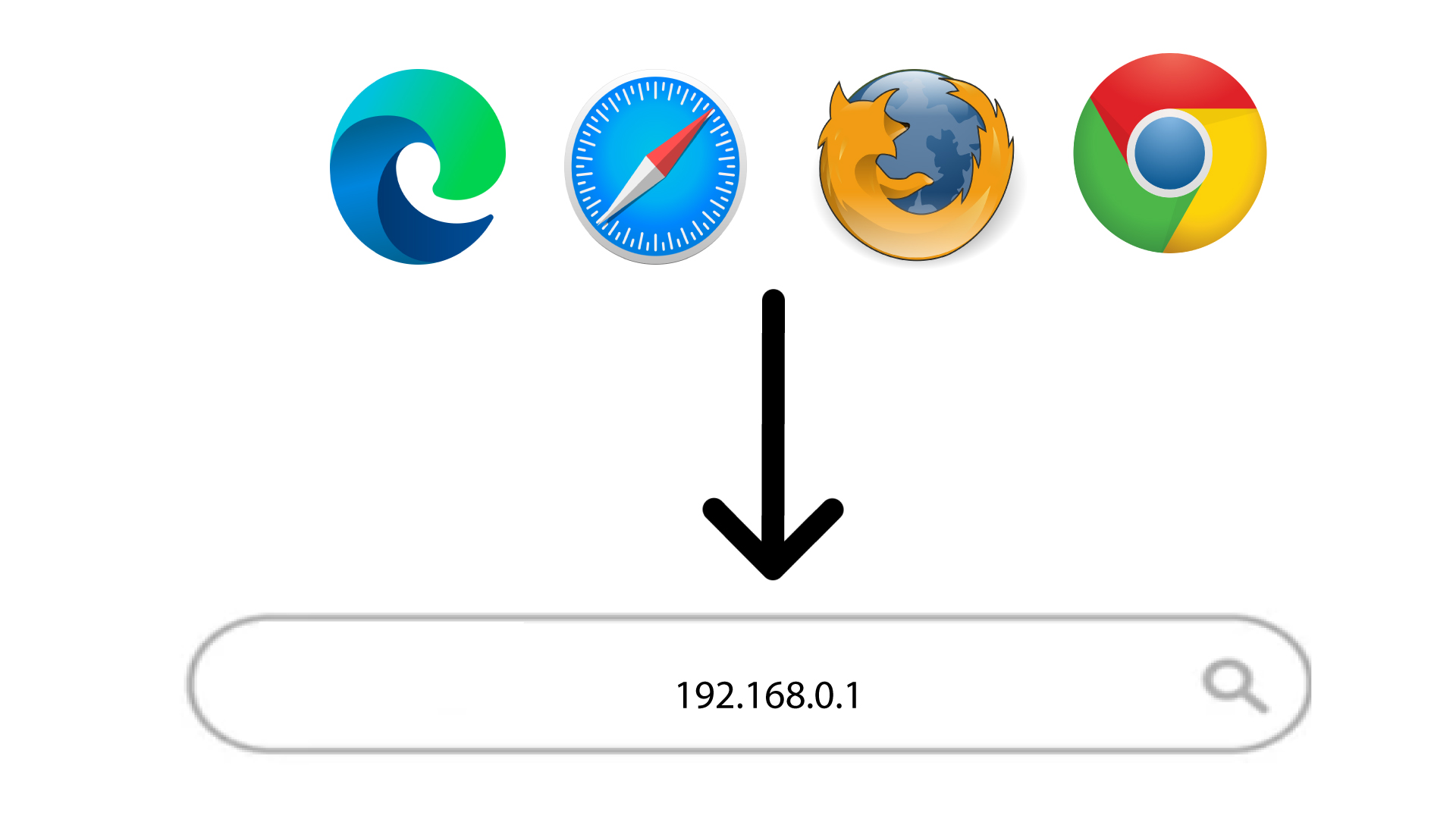
2. Μεταβείτεστη διεύθυνση IP του περιβάλλοντος χρήστη ιστού
Στη συνέχεια, πληκτρολογήστε την ακόλουθη διεύθυνση IP στον περιηγητή σας: 192.168.0.1
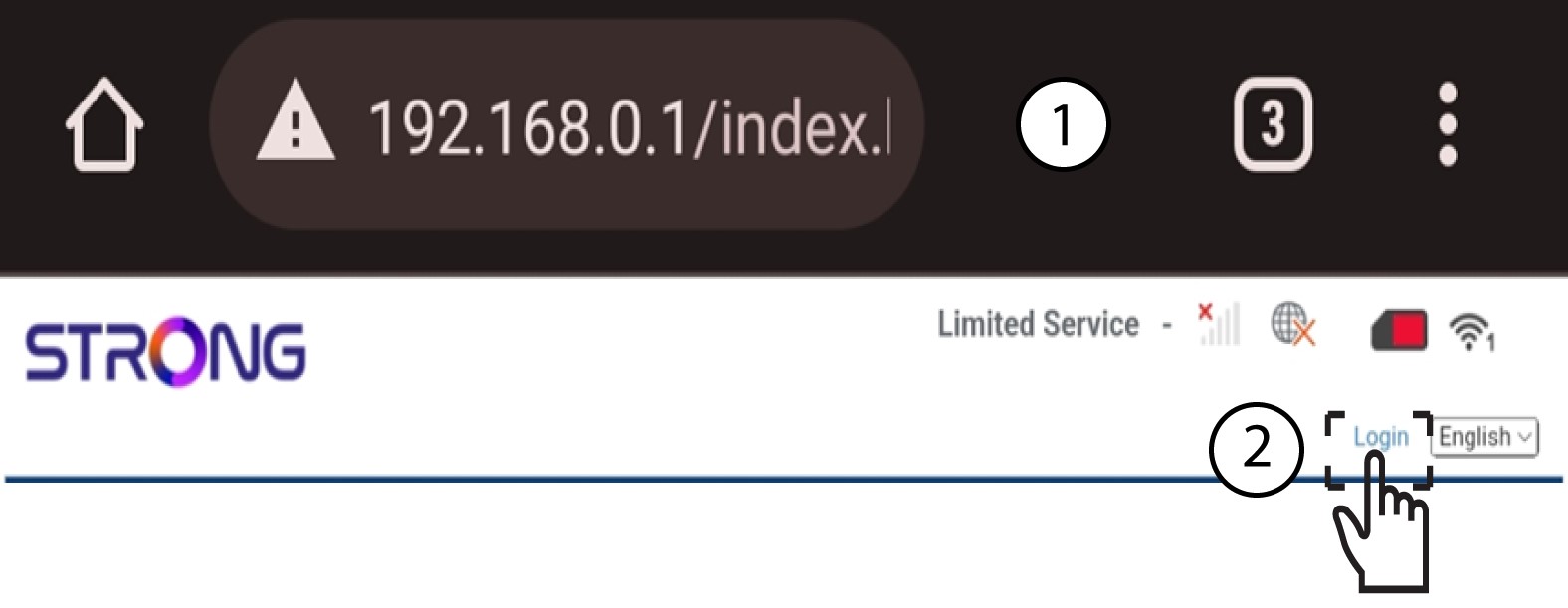
3Σύνδεση
Μόλις μεταβείτε στη διεύθυνση IP, κάντε κλικ στο «Σύνδεση».
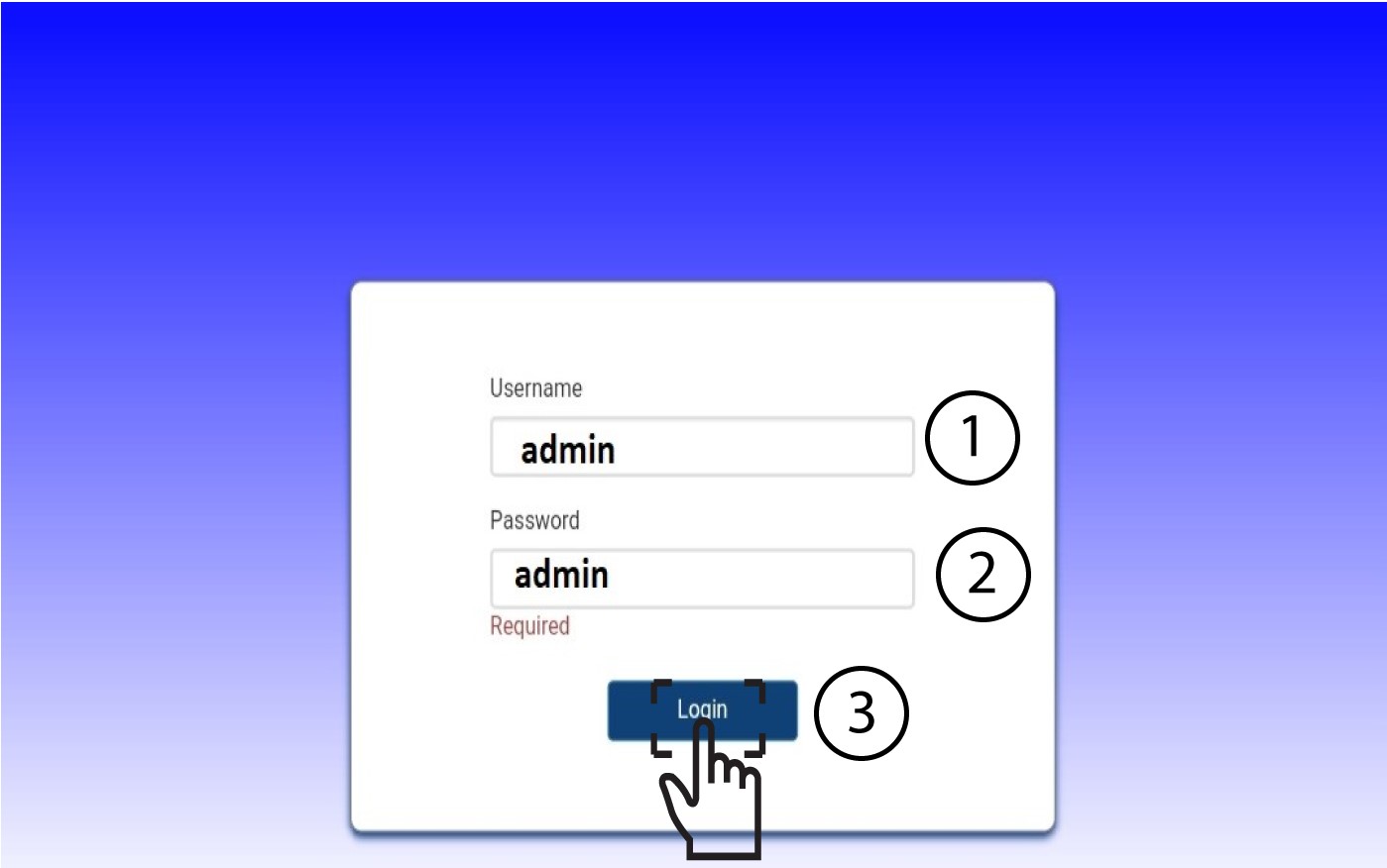
4Εισάγετετα στοιχεία σύνδεσής σας
Πρέπει να εισαγάγετε το όνομα χρήστη και τον κωδικό πρόσβασης. Στη συνέχεια, κάντε κλικ στο κουμπί «Σύνδεση».
5. Ρυθμίσεις Διαδικτύου
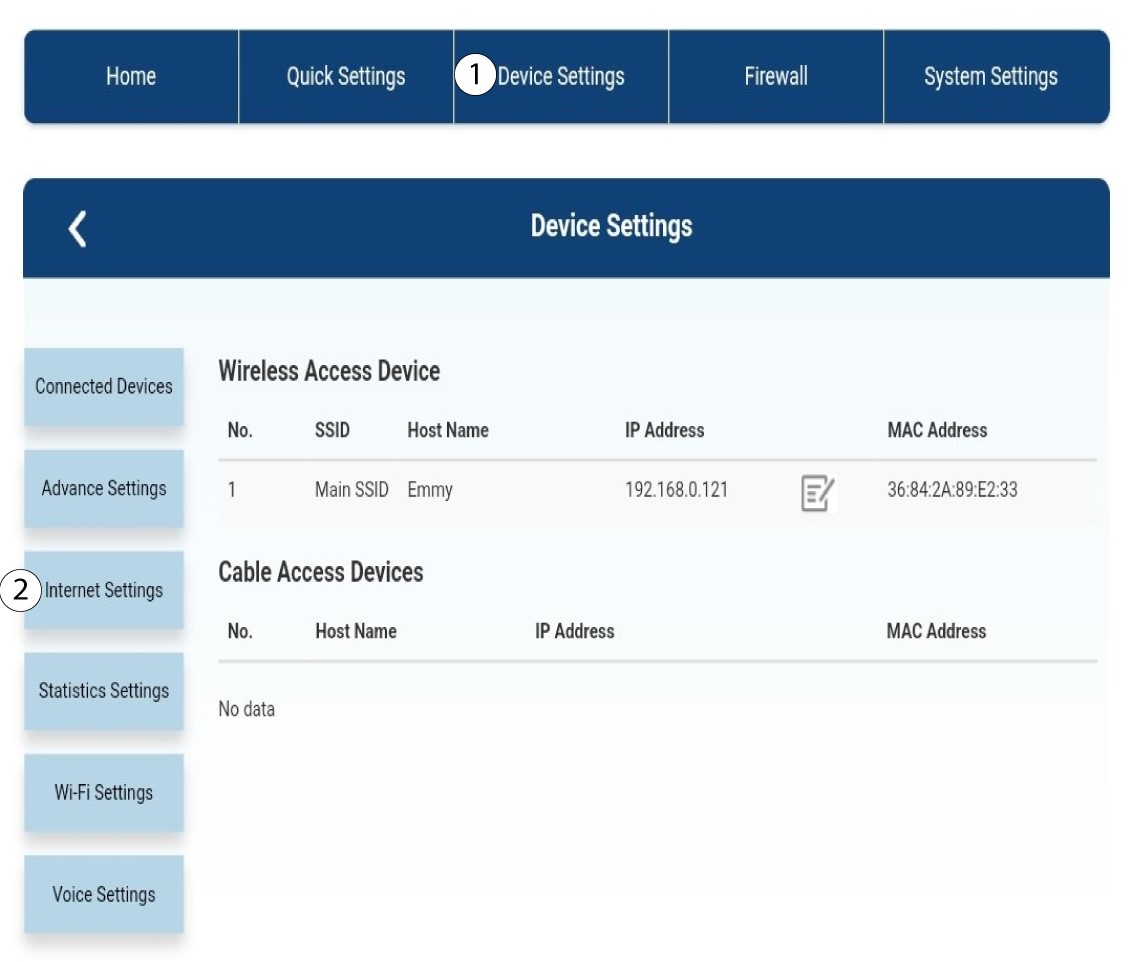
Κάντε κλικ στην επι λογ ή «Ρυθμίσεις συσκευής » και, στη συνέχεια, στην επιλογή «Ρυθμίσεις Internet».
Ρυθμίσεις 6APN
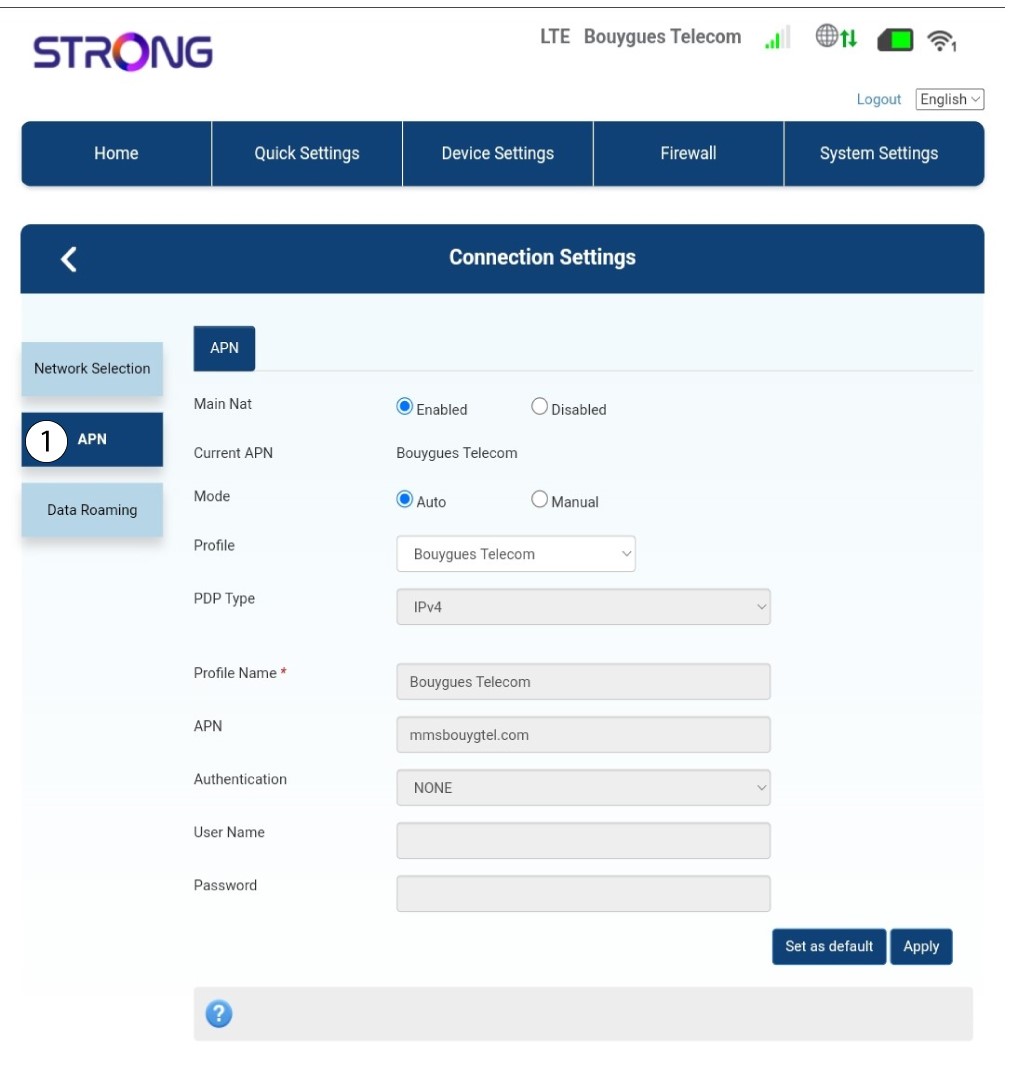
Κάντε κλικ στο APN.
7. Αναζήτησητων ρυθμίσεων APN του παρόχου υπηρεσιών σας
Αναζητήστε τις ρυθμίσεις APN στον ιστότοπο του παρόχου υπηρεσιών σας. Πρέπει να σημειώσετε τις ακόλουθες πληροφορίες:
- Όνομα
- APN
- Όνομα χρήστη
- Κωδικός πρόσβασης
- Τύπος πιστοποίησης
8Επεξεργαστείτετις πληροφορίες αν η ρύθμιση δεν είναι σωστή
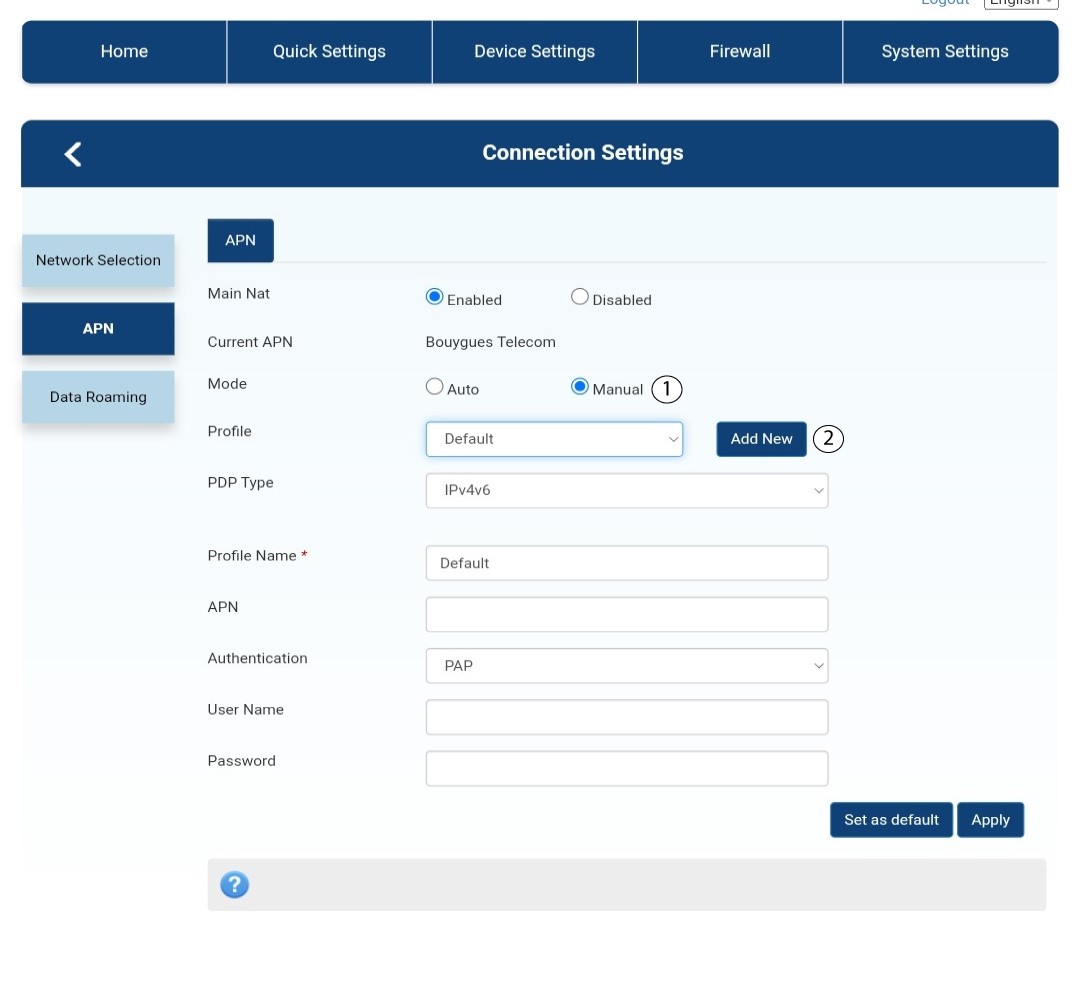
Εάν οι πληροφορίες είναι λανθασμένες, κάντε κλικ στην επιλογή «Μη αυτόματη εισαγωγή» και στη συνέχεια στην επιλογή «Προσθήκη νέου».
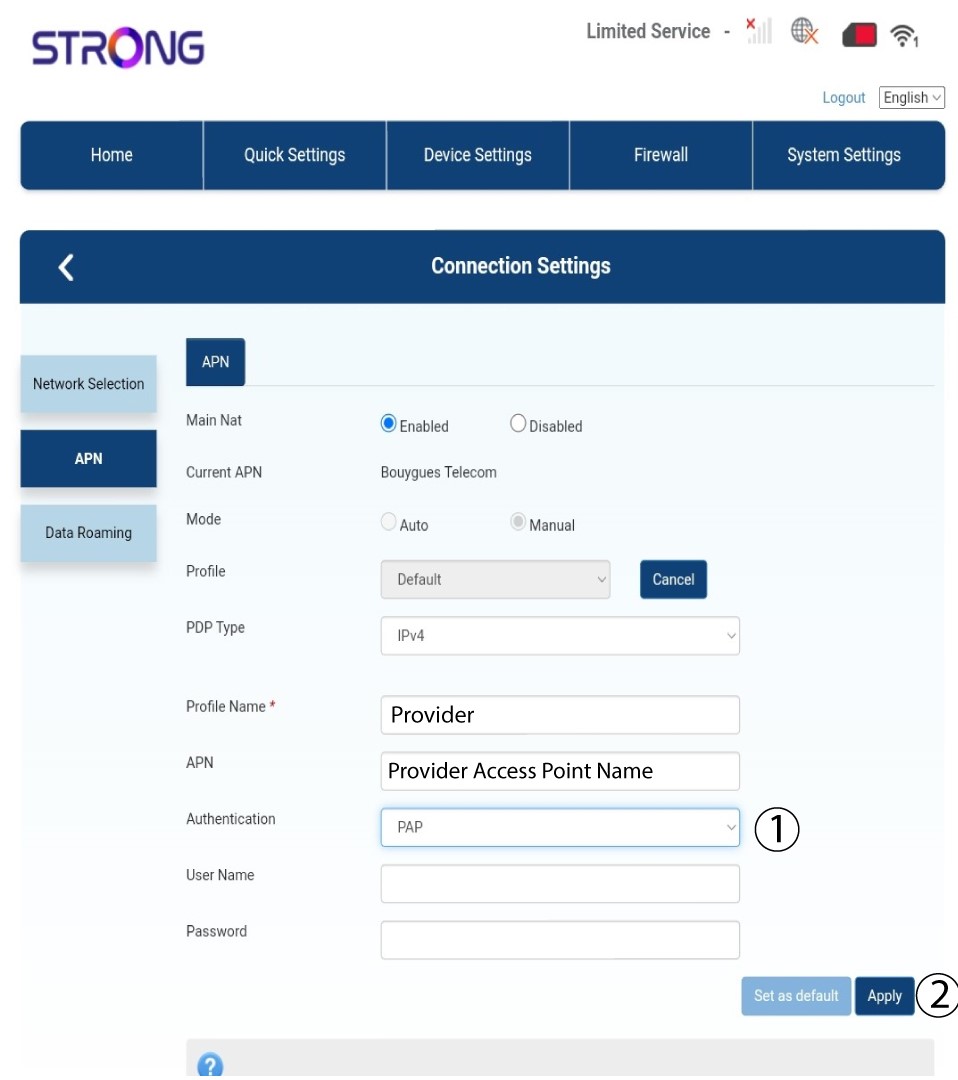
Τύπος 9PDP
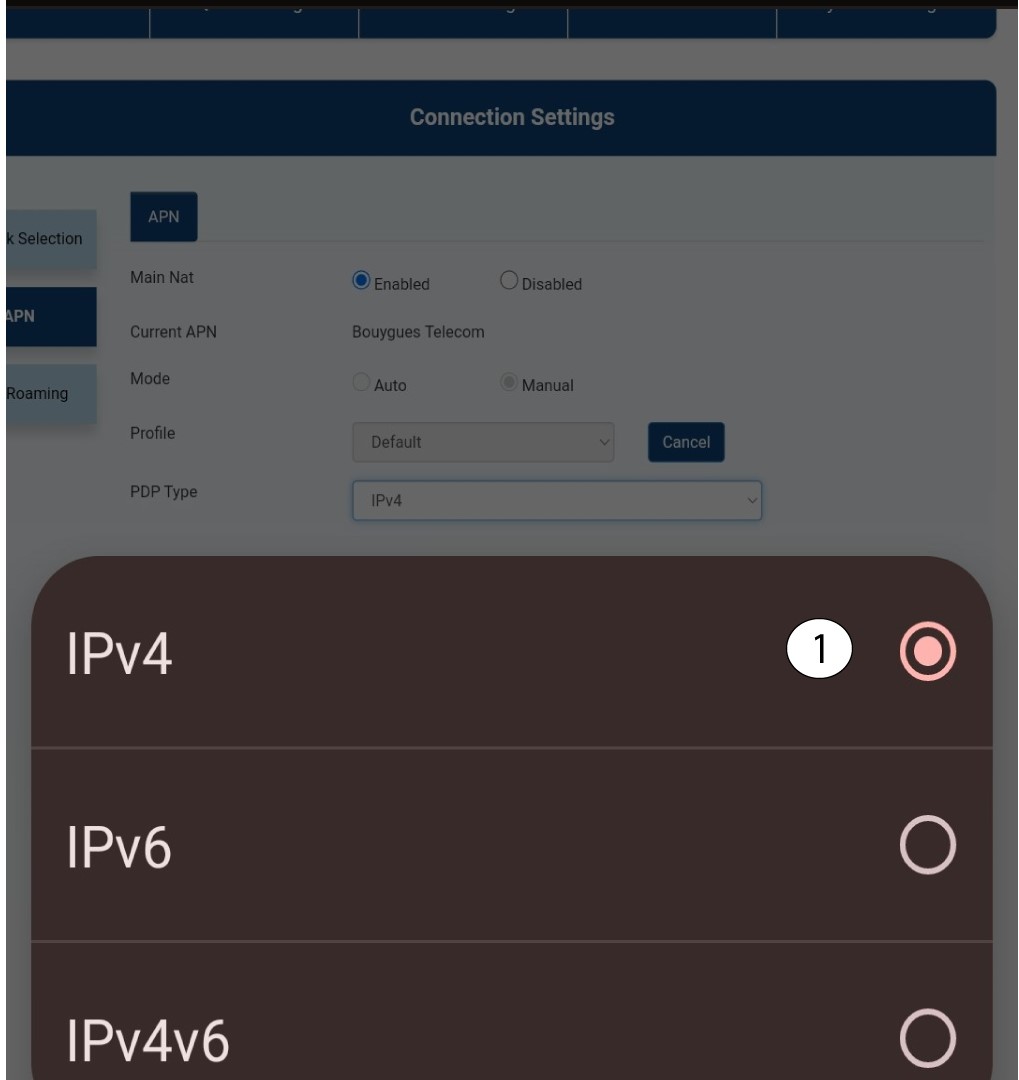
Στο πεδίο «Τύπος PDP», επιλέξτε τον σωστό τύπο APN μεταξύ IPv4, IPv6 ή IPv4v6. Στην περίπτωσή μας, ο τύπος PDP είναι IPv4.
10Εισάγετετα στοιχεία του παρόχου υπηρεσιών σας
Εισάγετε το όνομα του παρόχου υπηρεσιών σας στο πεδίο «Όνομα προφίλ » (μέγιστο μήκος 14 χαρακτήρες, συμπεριλαμβανομένων των κενών). Στη συνέχεια, εισάγετε τη διεύθυνση APN στο πεδίο «APN ».
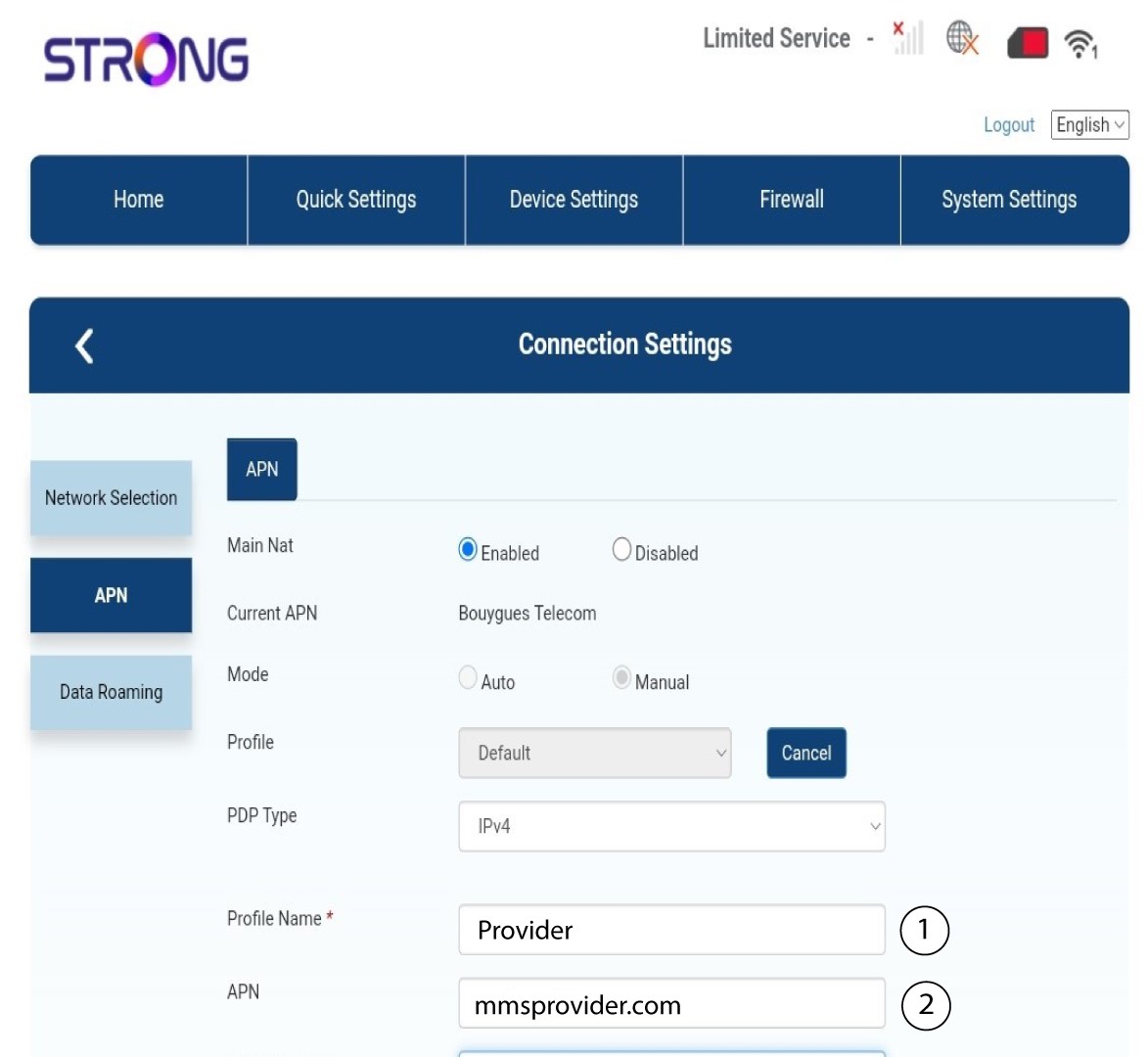
11Τύπος πιστοποίησης
Επιλέξτε τον τύπο πιστοποίησης που έχει ορίσει ο πάροχός σας για το APN σας από τις παρακάτω τιμές και κάντε κλικ στο «Εφαρμογή»:
• NONE
• CHAP
• PAP