
4G AIRHOME 310 με αποσπώμενες κεραίες 4G
Όλες οι ερωτήσεις
4G AIRHOME 310 με αποσπώμενες κεραίες 4G
Πώς μπορώ να απενεργοποιήσω το Wi-Fi;
Αν προτιμάτε να χρησιμοποιείτε το δρομολογητή σας συνδέοντάς τον απευθείας στη συσκευή σας με καλώδιο Ethernet, μπορείτε να απενεργοποιήσετε το Wi-Fi.
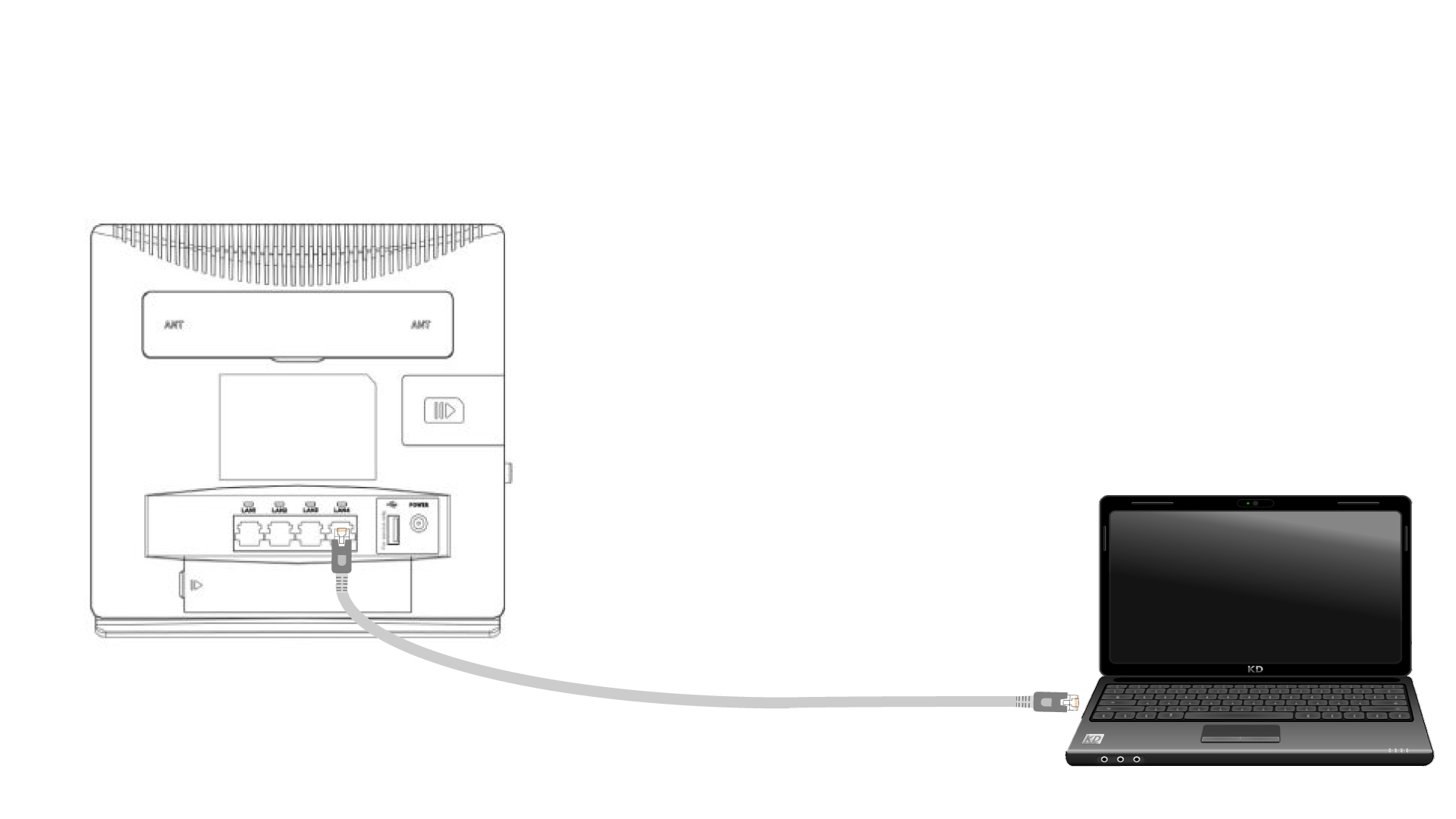
1. Συνδέστετον δρομολογητή με ένα καλώδιο Ethernet
Συνδέστε ένα καλώδιο RJ45 στο δρομολογητή για να αποκτήσετε πρόσβαση στη διεπαφή χρήστη ιστού (Web UI). Ακολουθήστε την παρακάτω διαδικασία για να συνδεθείτε στη διεπαφή χρήστη ιστού (μετά το βήμα 2):
2. Ρυθμίσεις Wi-Fi
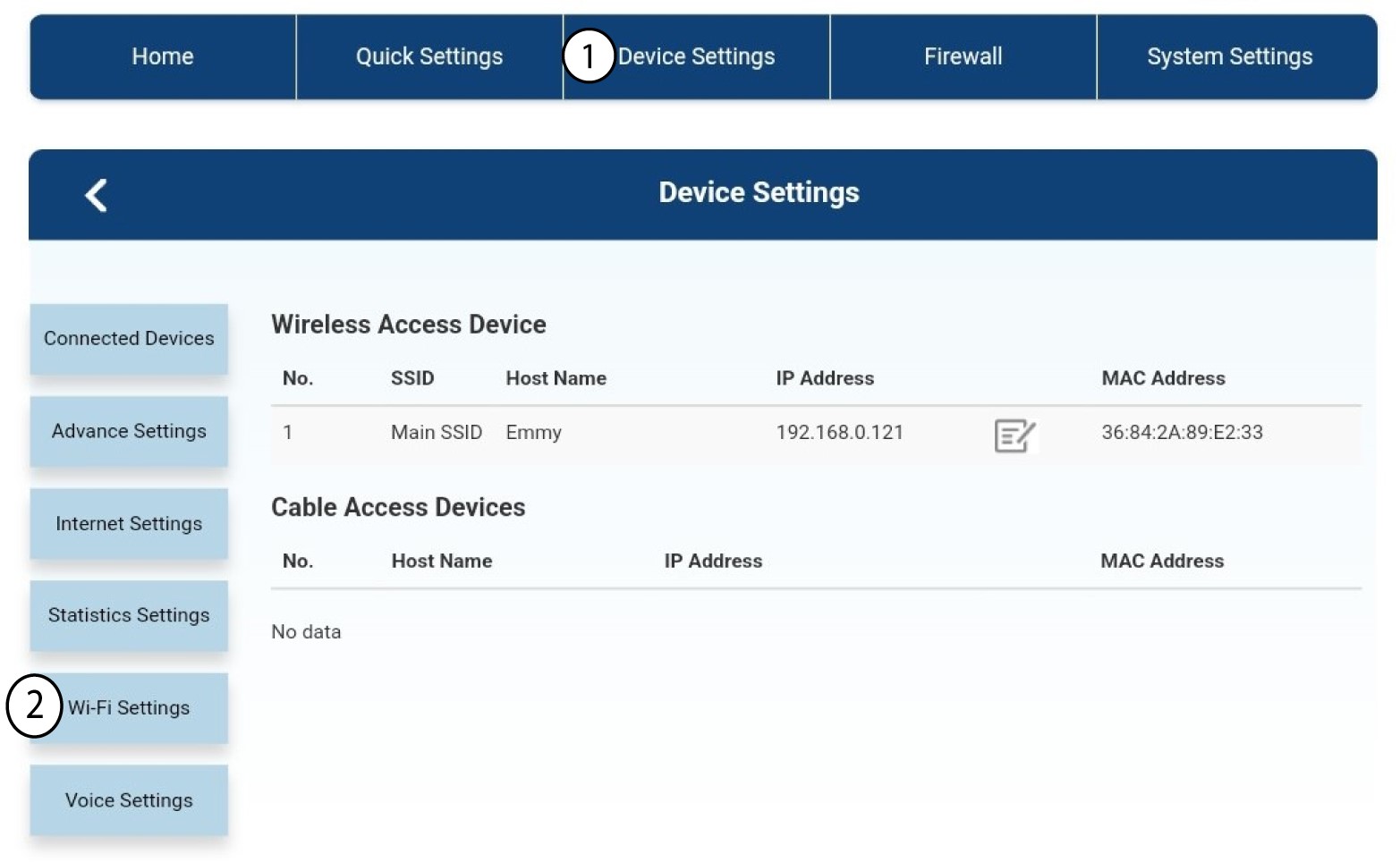
Στη συνέχεια, κάντε κλικ στην επιλογή «Ρυθμίσεις συσκευής » και, μετά, επιλέξτε «Ρυθμίσεις Wi-Fi».
3. ΑπενεργοποίησηWi-Fi
Στις «Ρυθμίσεις Wi-Fi», επιλέξτε «Wi-Fi Switch ». Στη συνέχεια, επιλέξτε το πλαίσιο «Απενεργοποιημένο» και κάντε κλικ στο κουμπί «Εφαρμογή ».
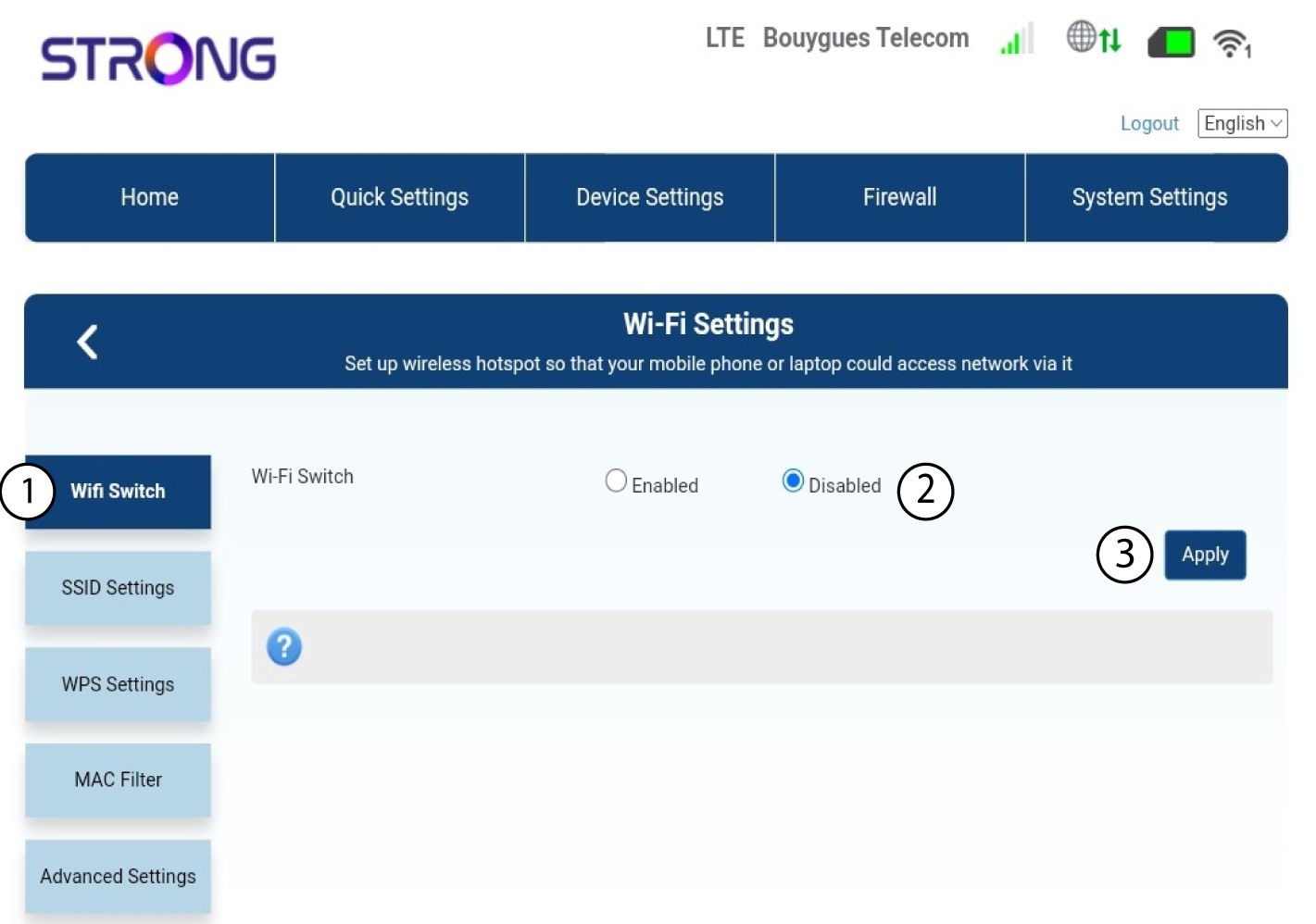

Το δίκτυο Wi-Fi του δρομολογητή έχει απενεργοποιηθεί. Όλες οι συσκευές που ήταν προηγουμένως συνδεδεμένες στο δίκτυο θα αποσυνδεθούν αυτόματα. Για να ενεργοποιήσετε ξανά το Wi-Fi, πρέπει να μεταβείτε στη διεπαφή χρήστη μέσω ιστού ή μπορείτε επίσης να επαναφέρετε τον δρομολογητή στις εργοστασιακές του ρυθμίσεις.