
4G AIRHOME 310 με αποσπώμενες κεραίες 4G
Όλες οι ερωτήσεις
4G AIRHOME 310 με αποσπώμενες κεραίες 4G
Πώς μπορώ να ενημερώσω το firmware της συσκευής;
Όταν είστε συνδεδεμένοι στο περιβάλλον χρήστη ιστού (Web UI), πρέπει να ελέγξετε την έκδοση του firmware που χρησιμοποιεί η συσκευή σας, χρησιμοποιώντας την επιλογή ηλεκτρονικής αναβάθμισης που διατίθεται στο Web UI. Με αυτόν τον τρόπο, θα εγκατασταθεί η πιο πρόσφατη έκδοση του firmware.
Εάν διαθέτετε διαφορετική έκδοση, παρακαλούμε ανατρέξτε στην παρακάτω διαδικασία για να ενημερώσετε το firmware σας.
1. Σύνδεσημε το περιβάλλον χρήστη ιστού
Για να συνδεθείτε στο περιβάλλον χρήστη μέσω ιστού (Web UI), ακολουθήστε την παρακάτω διαδικασία:
2. Ρυθμίσεις για προχωρημένους
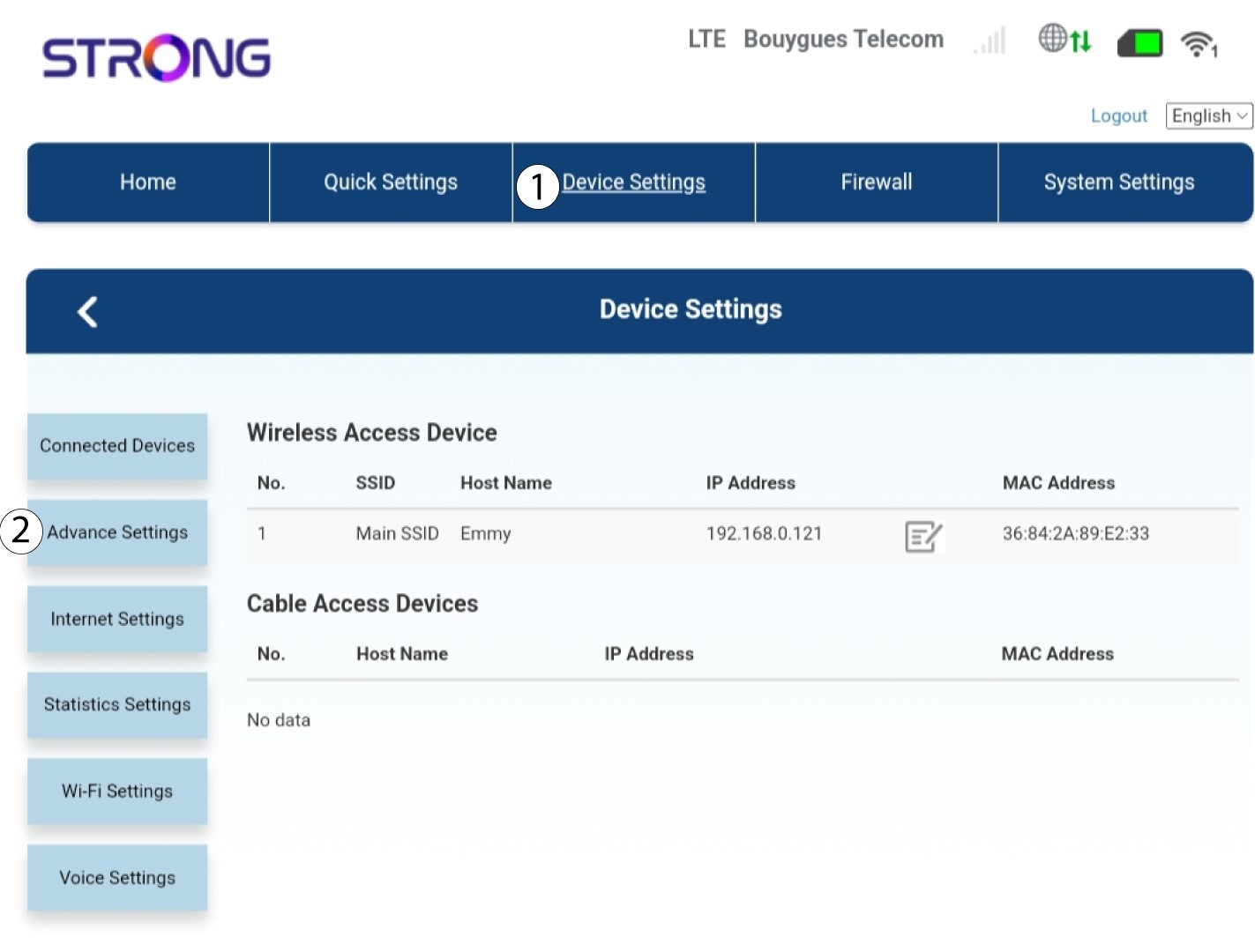
Κάντε κλικ στην επιλογή «Ρυθμίσεις συσκευής » και επιλέξτε «Προηγμένες ρυθμίσεις».
Αναβάθμιση 3FOTA
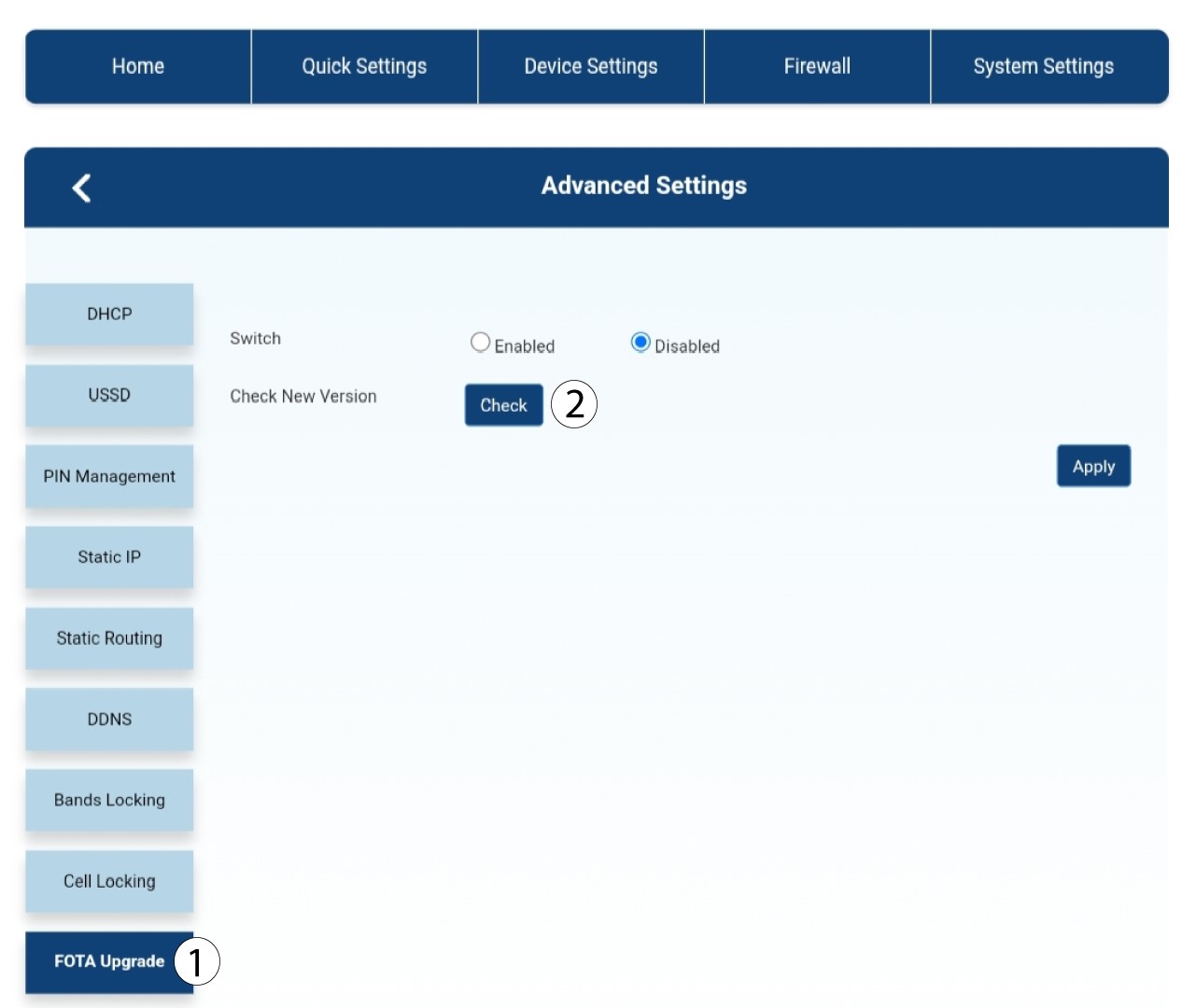
Στις «Σύνθετες ρυθμίσεις», κάντε κλικ στην επιλογή «Αναβάθμιση και έλεγχος FOTA ».
4Μήνυμα ειδοποίησης ενημέρωσης
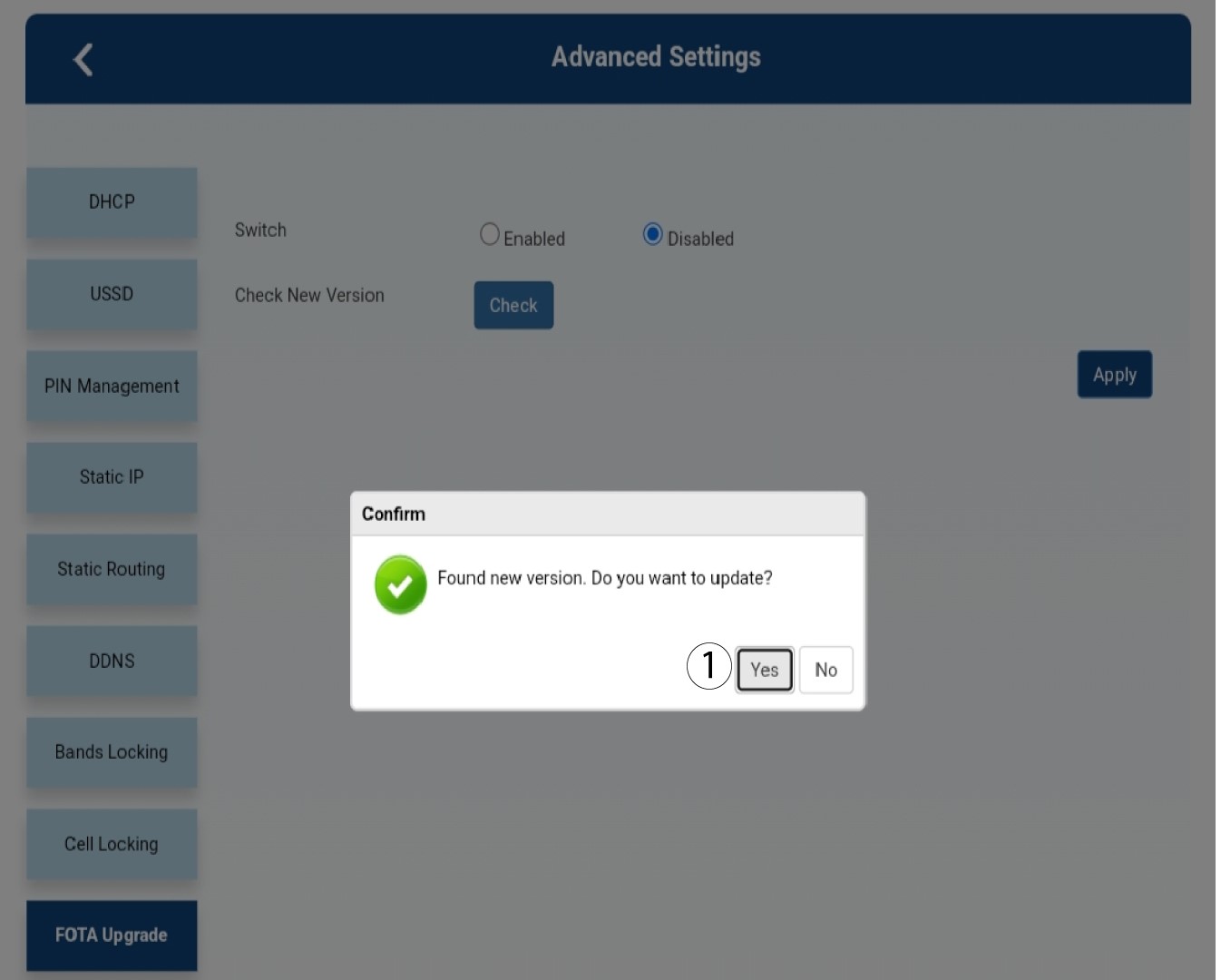
Εμφανίζεται ένα μήνυμα σε αναδυόμενο παράθυρο· κάντε κλικ στο «Ναι».

Πρέπει να περιμένετε μέχρι να ολοκληρωθεί η ενημέρωση. Κατά τη διάρκεια της ενημέρωσης, τα LED των συσκευών ανάβουν μπλε και το μπλε φως κινείται από αριστερά προς τα δεξιά, από το ένα εικονίδιο στο άλλο. Μόλις ολοκληρωθεί η ενημέρωση, τα εικονίδια επανέρχονται στο προηγούμενο χρώμα τους. Η ενημέρωση μπορεί να διαρκέσει έως και 5 λεπτά.