5G AIRHOME 1050 | Wi-Fi 6
Δεν βρέθηκαν αντικείμενα.
Δεν βρέθηκαν αντικείμενα.
Όλες οι ερωτήσεις
5G AIRHOME 1050 | Wi-Fi 6
Δεν βρέθηκαν αντικείμενα.
Δεν βρέθηκαν αντικείμενα.
Πώς μπορώ να συνδέσω τις συσκευές μου μέσω του WPS;

Μπορείτε να χρησιμοποιήσετε τη λειτουργία WPS για να ρυθμίσετε τη σύνδεση Wi-Fi μεταξύ του δρομολογητή σας και, για παράδειγμα, των υπολογιστών, των smartphone ή/και του εκτυπωτή σας.
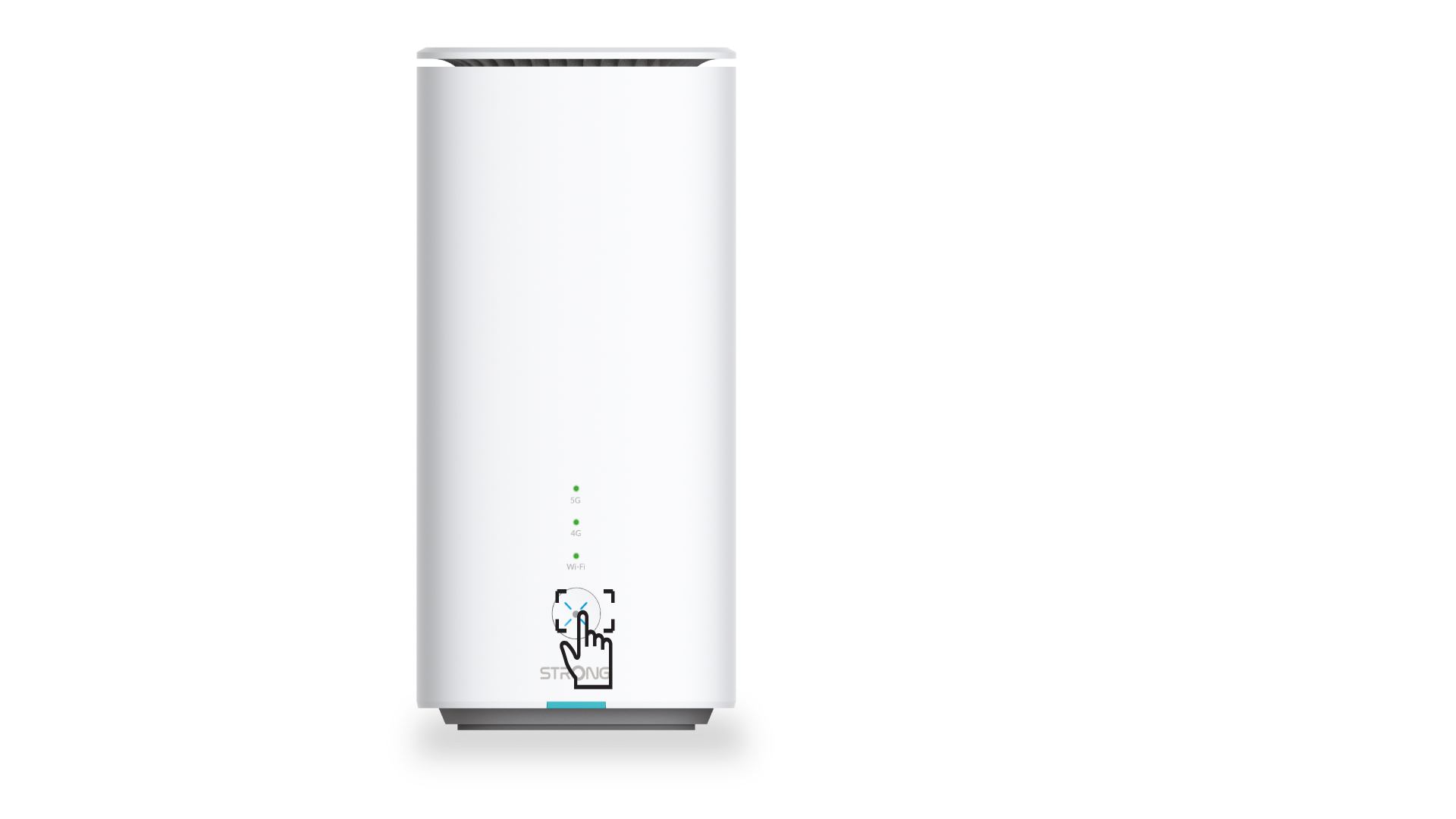
1 Πατήστετο κουμπί WPS
Πατήστε το κουμπί WPS που βρίσκεται στο μπροστινό μέρος του δρομολογητή, ώστε οποιαδήποτε συμβατή συσκευή στο σπίτι σας να μπορεί να συνδεθεί αυτόματα στο δίκτυο Wi-Fi του δρομολογητή.
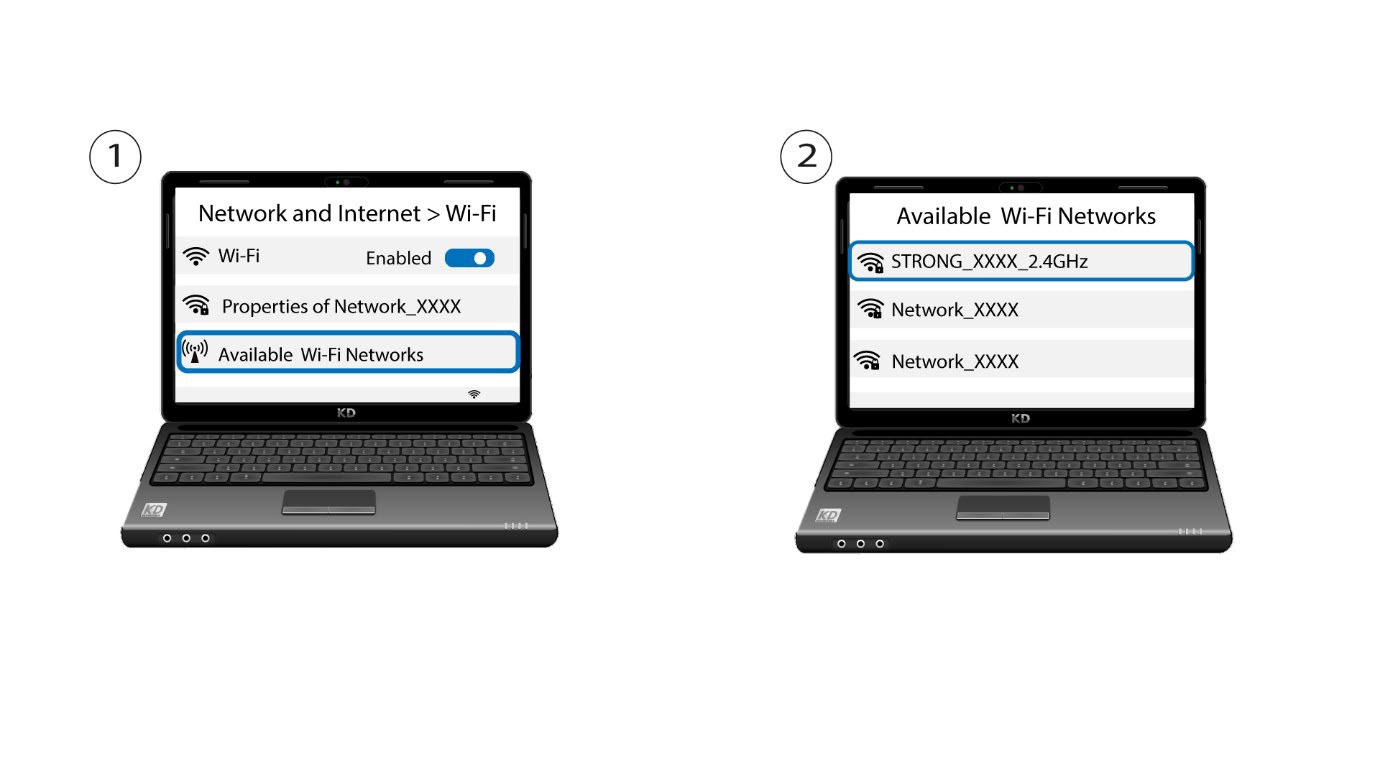
2. Επιλέξτετο δίκτυο Wi-Fi του δρομολογητή
Μεταβείτε στις ρυθμίσεις Wi-Fi του υπολογιστή ή του κινητού σας και κάντε κλικ στο όνομα του δρομολογητή για να τον επιλέξετε.
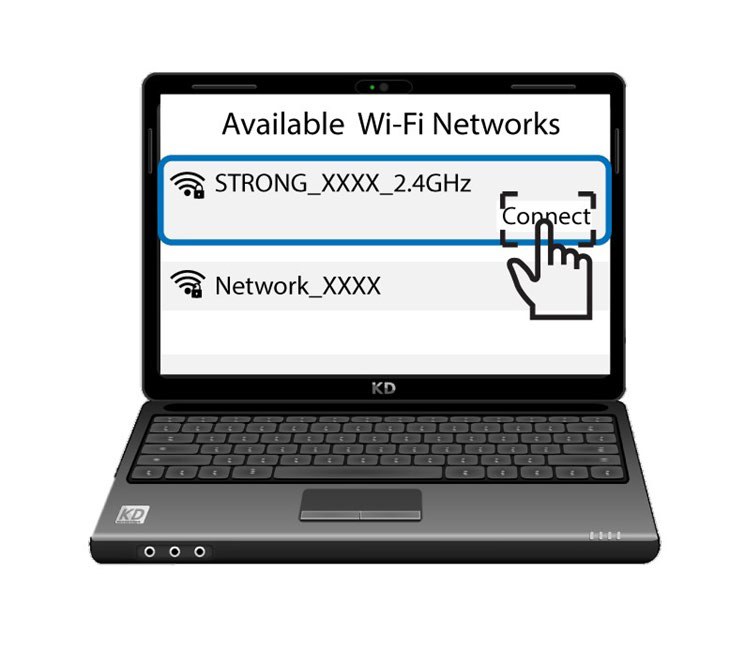
3 Συνδεθείτεστο Wi-Fi
Στη συνέχεια, κάντε κλικ στο κουμπί «Σύνδεση»