
Mesh Wi-Fi 5 Mesh ATRIA 2100 (paquete de 2)
No se han encontrado artículos.
No se han encontrado artículos.
Todas las preguntas
Mesh Wi-Fi 5 Mesh ATRIA 2100 (paquete de 2)
No se han encontrado artículos.
No se han encontrado artículos.
¿Cómo puedo emparejar mis nodos « mesh » si están conectados a mi puerta de enlace de Internet mediante cables Ethernet?
1Inicio Mesh
Debes enchufar la unidad « mesh » para encenderla (el dispositivo no tiene botón de encendido) y conectarla al módem mediante un cable RJ45.
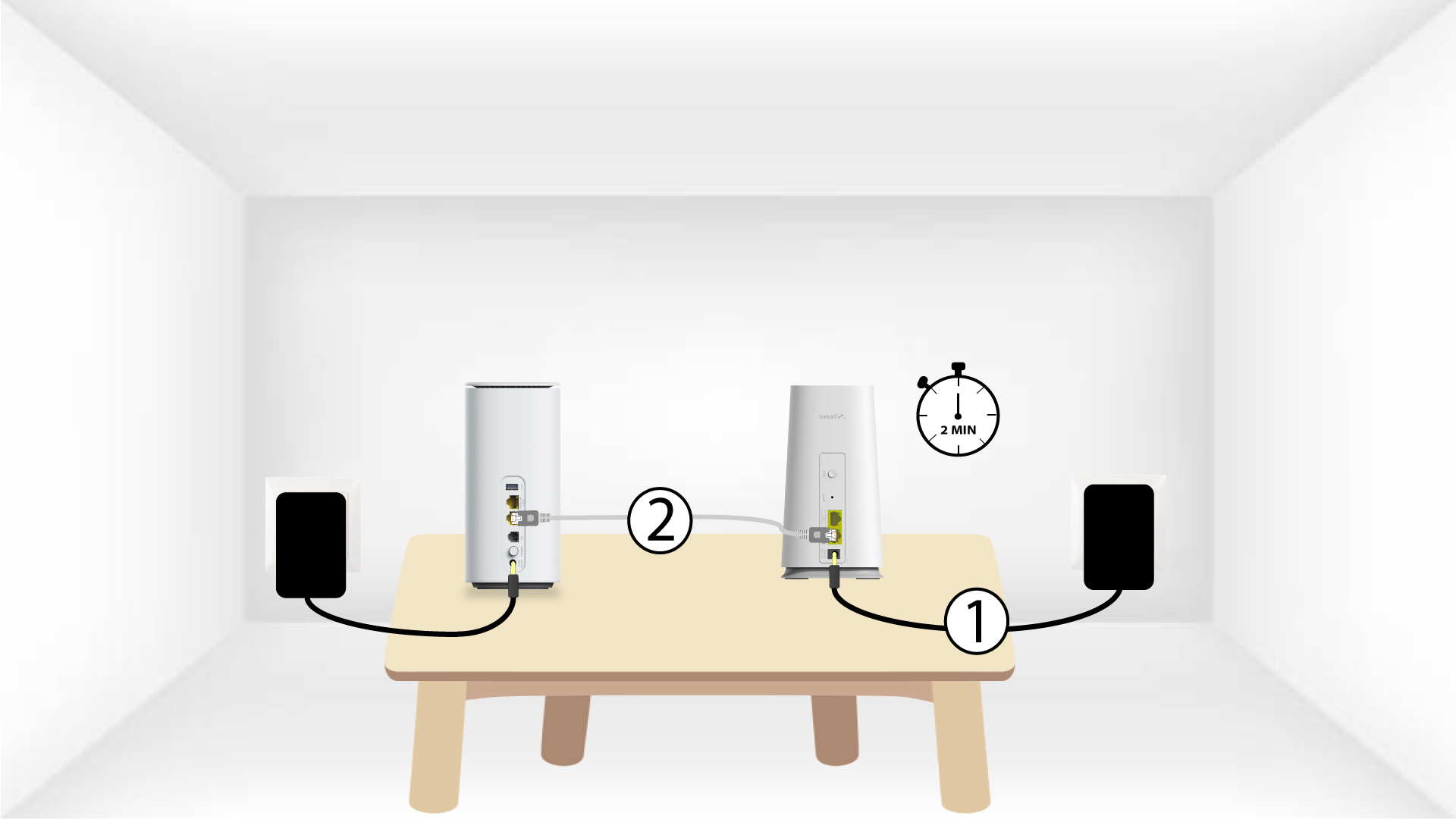
2.ªunidad « Mesh »
Debes enchufar también la segunda unidad mesh para encenderla y, a continuación, conectarla a la unidad principal mesh (puerto LAN) mediante un cable RJ45.
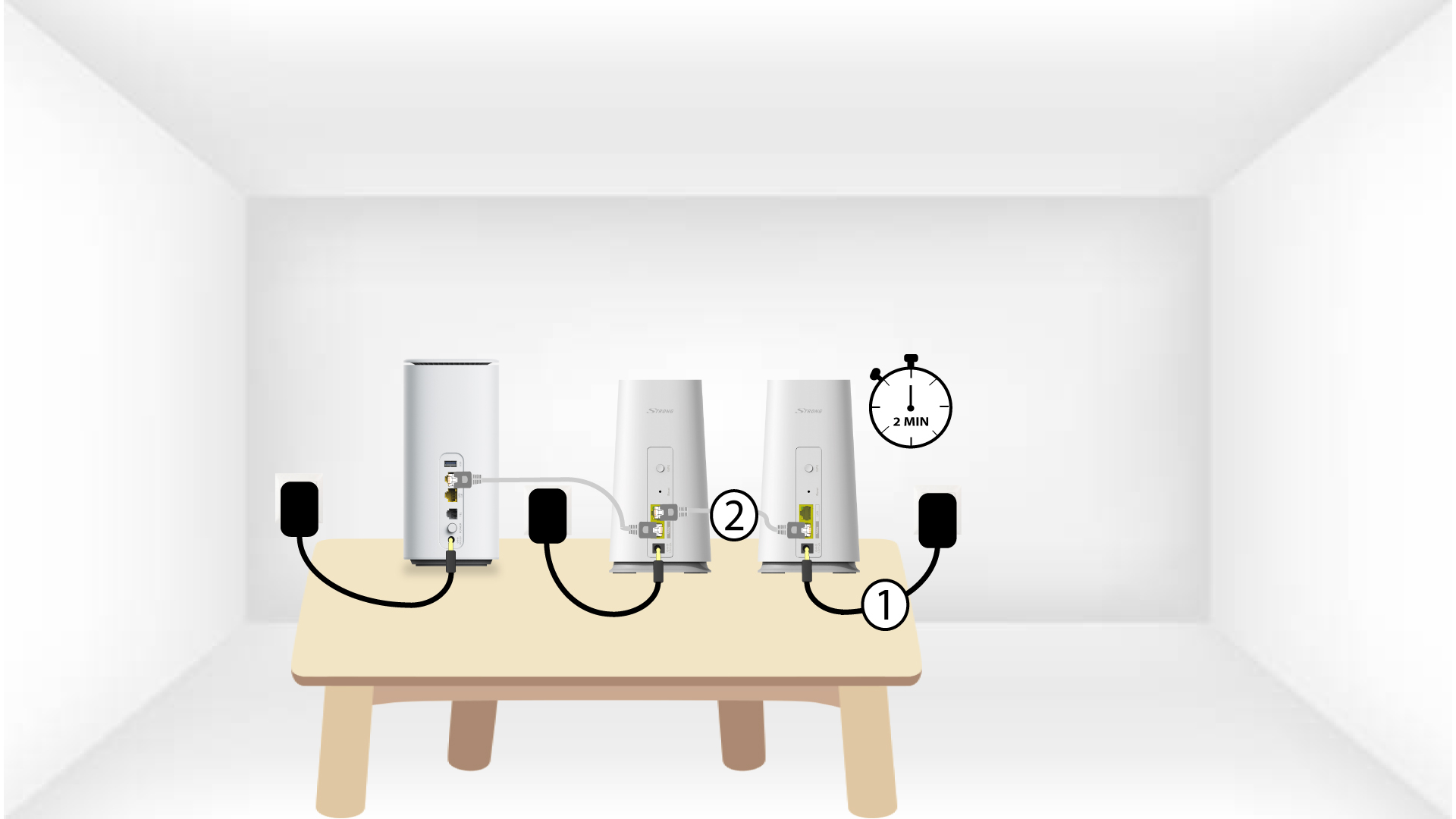
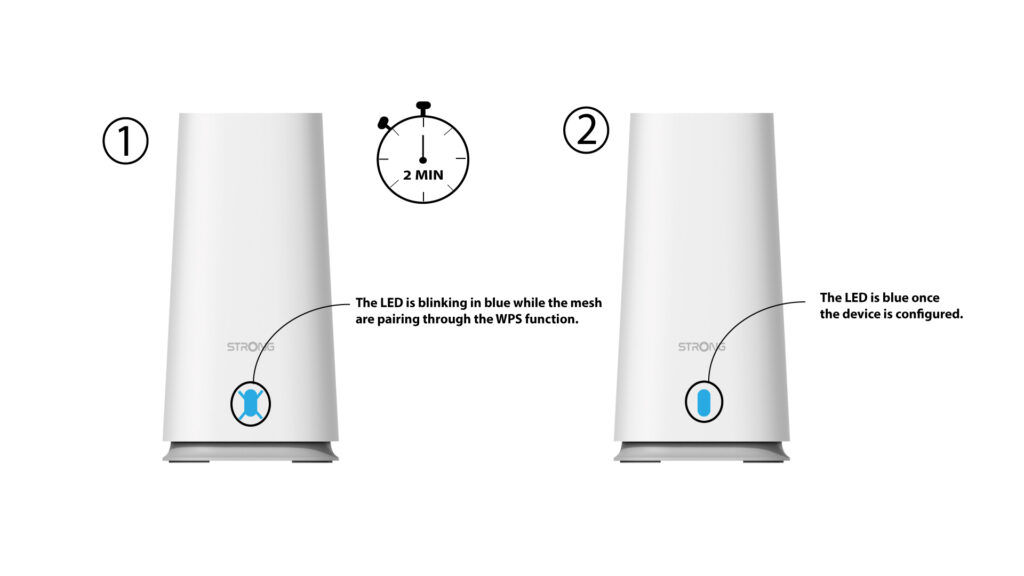
3LED
Espera unos minutos a que ambas unidades « mesh » detecten la configuración de Internet. Cuando los LED de ambos dispositivos se iluminen en azul, significará que ya están configurados.

Advertencia: Debes retirar el cable RJ45 de la segunda unidad mesh y desenchufarla para instalarla en la habitación en la que quieras utilizarla.