
4G+ AIRSPOT 510 mobiili Wi-Fi
Ei löytynyt kohteita.
Ei löytynyt kohteita.
Kaikki kysymykset
4G+ AIRSPOT 510 mobiili Wi-Fi
Ei löytynyt kohteita.
Ei löytynyt kohteita.
Miten vaihdan järjestelmänvalvojan salasanan?
1Siirryverkkokäyttöliittymään
Voit tutustua verkkokäyttöliittymään lukemalla ohjeen ”Miten pääsen verkkokäyttöliittymään?”.
2Siirrysalasana-asetuksiin
Napsauta Hallinta-osiossa Järjestelmäasetukset ja Vaihda salasana.
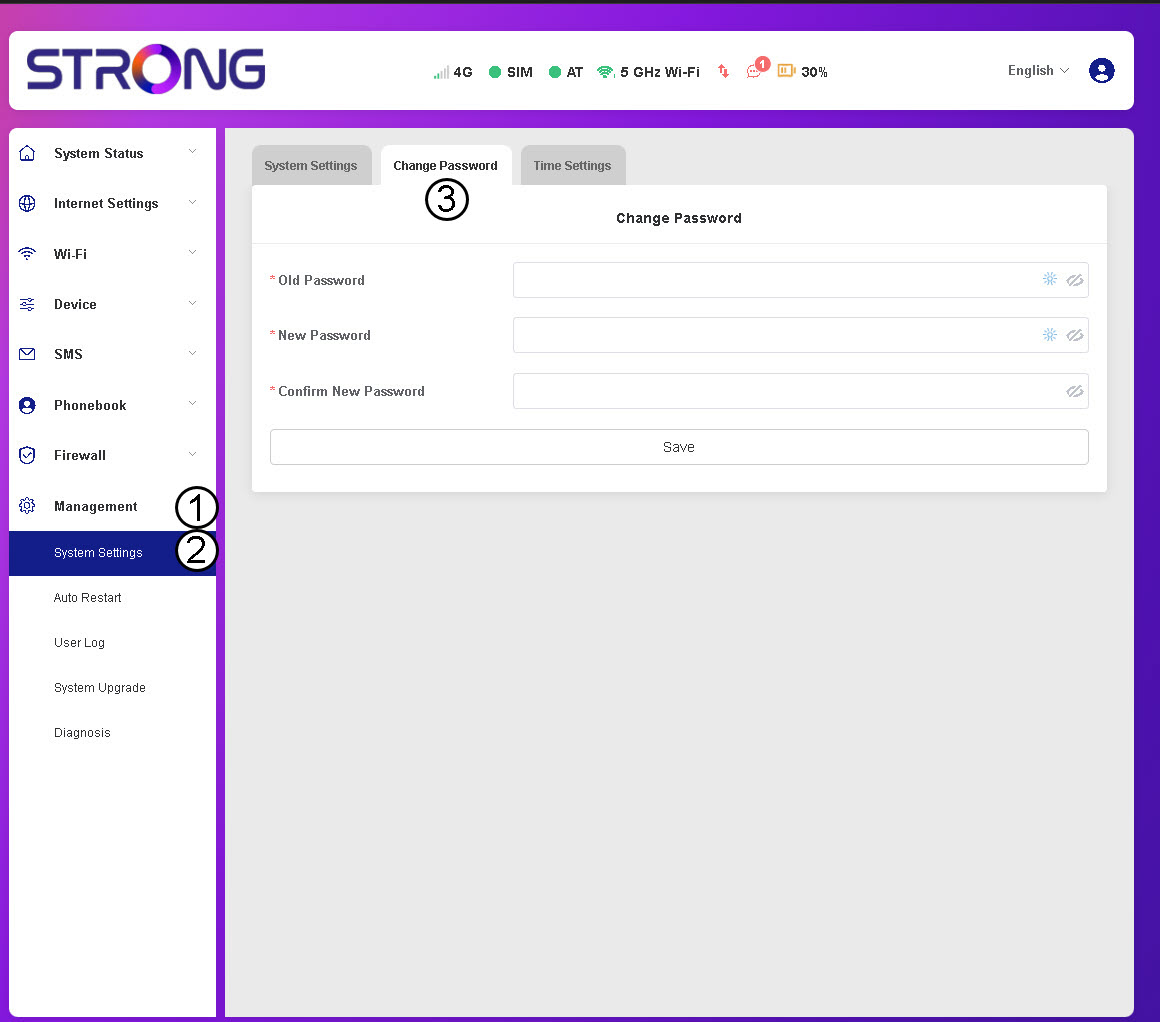
3Syötäsalasanatiedot
Syötä sitten seuraavat tiedot ennen kuin napsautat Tallenna-painiketta:
- Vanha salasana: Kirjoita nykyinen salasanasi.
- Uusi salasana: Anna salasana, joka sisältää vähintään 8 merkkiä ja jossa on sekä isoja että pieniä kirjaimia, numeroita ja erikoismerkkejä. Ainoastaan seuraavat erikoismerkit ovat sallittuja: @$%*&.
- Vahvista uusi salasana: Kirjoita sama salasana kuin edellisessä kentässä.


VAROITUS: Jos olet unohtanut nykyisen salasanasi, laite on palautettava tehdasasetuksiin.