
4G+ AIRSPOT 510 mobiili Wi-Fi
Ei löytynyt kohteita.
Ei löytynyt kohteita.
Kaikki kysymykset
4G+ AIRSPOT 510 mobiili Wi-Fi
Ei löytynyt kohteita.
Ei löytynyt kohteita.
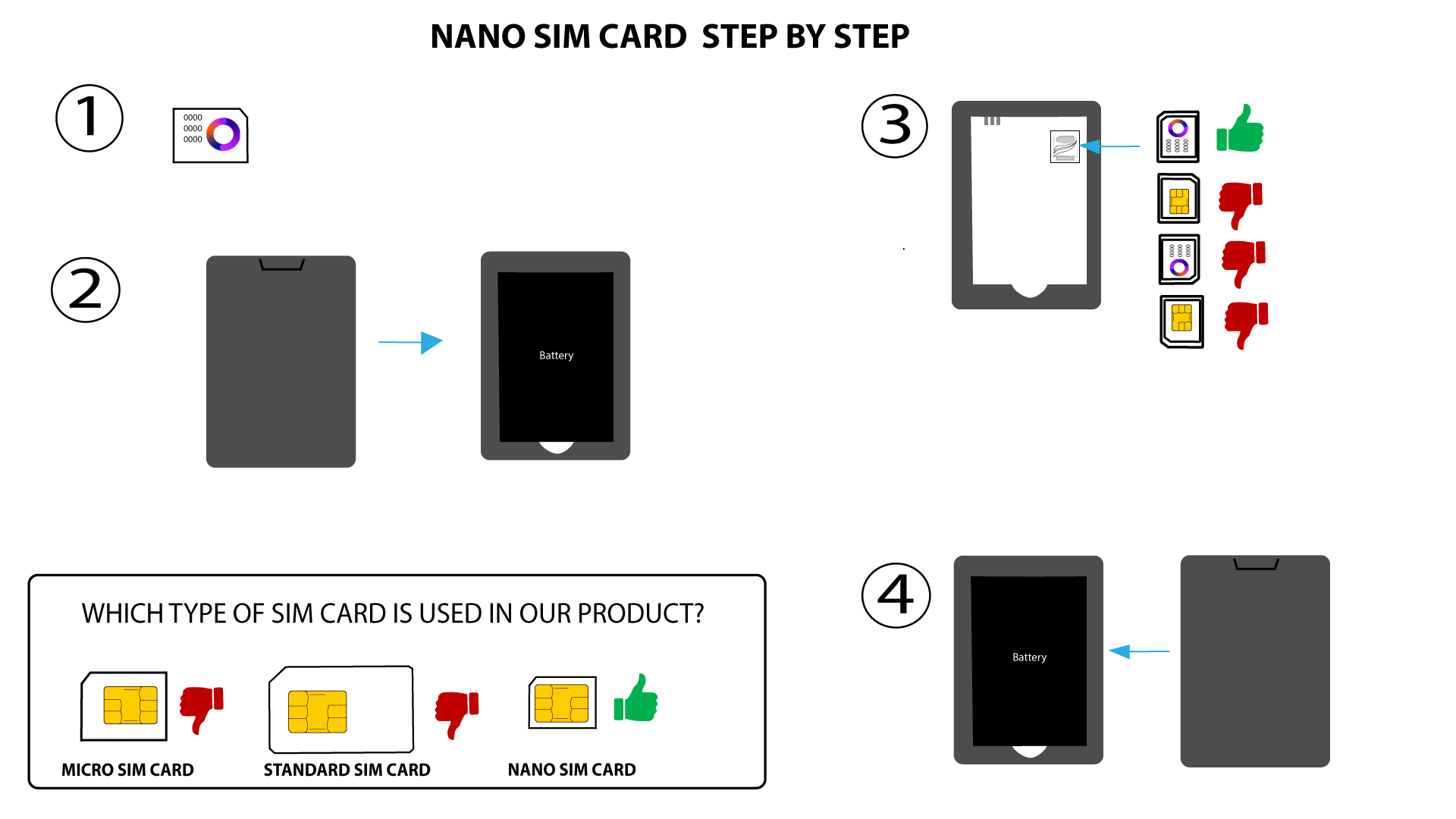
Minkälaista SIM-korttia voin käyttää reitittimessäni?
Nano-SIM-kortti on asetettava 4G PORTABLE HOTSPOT 900:n SIM-korttipaikkaan ennen laitteen käynnistämistä.
Toimi alla olevan kuvan ohjeiden mukaisesti:
- Ota nano-SIM-korttisi esiin.
- Irrota takakansi, jotta akku tulee näkyviin, ja poista akku.
- Aseta SIM-kortti paikalleen.
- Asenna akku, takakansi j switch -laite laitteeseen.

VAROITUS: Jos laite ei tunnista SIM-korttiasi, tarkista vielä kerran, että se on asetettu oikeaan suuntaan. Jos käytät sovitinta, varmista, että se on asetettu kokonaan paikalleen.