Aucun élément n'a été trouvé.
4K GOOGLE TV BOX S3+ | DOLBY VISION ATMOS
Aucun élément n'a été trouvé.
Toutes les questions
Aucun élément n'a été trouvé.
4K GOOGLE TV BOX S3+ | DOLBY VISION ATMOS
Aucun élément n'a été trouvé.
Comment puis-je ajouter ou réorganiser une application sur l'écran d'accueil ?
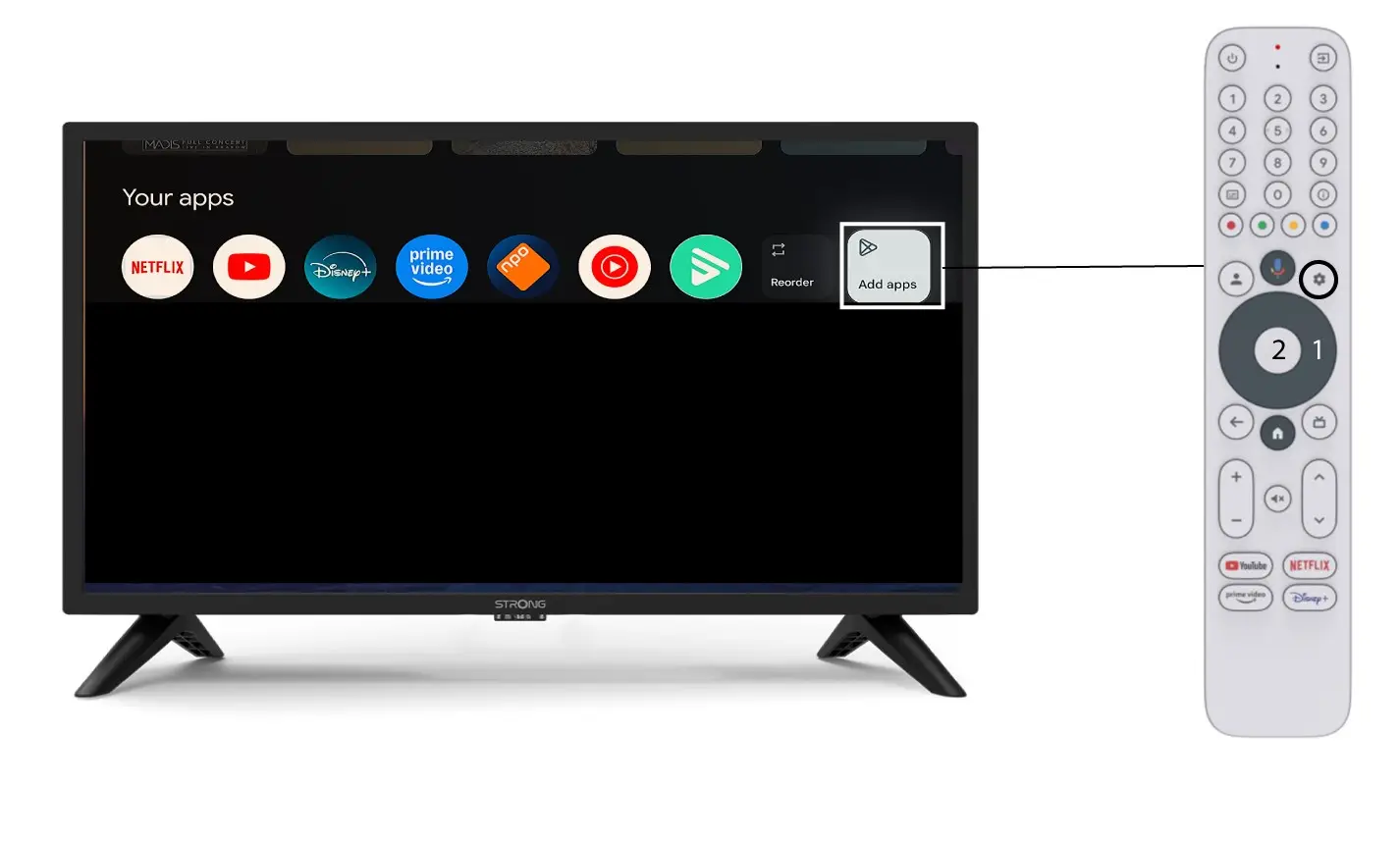
1Casn° 1 : Ajouter une application
Pour ajouter une application sur l'écran d'accueil, cliquez sur le bouton « Ajouter des applications » situé à la fin de la liste des applications déjà présentes sur l'écran d'accueil, puis appuyez sur « OK ».
2Liste des applications
La liste des applications s'affiche alors ; sélectionnez l'application de votre choix et appuyez sur la touche OK de votre télécommande.
Veuillez noter qu'il n'est pas possible de supprimer des applications de la liste des favoris. Si vous souhaitez qu'une application disparaisse de cette page, vous devez la désinstaller.

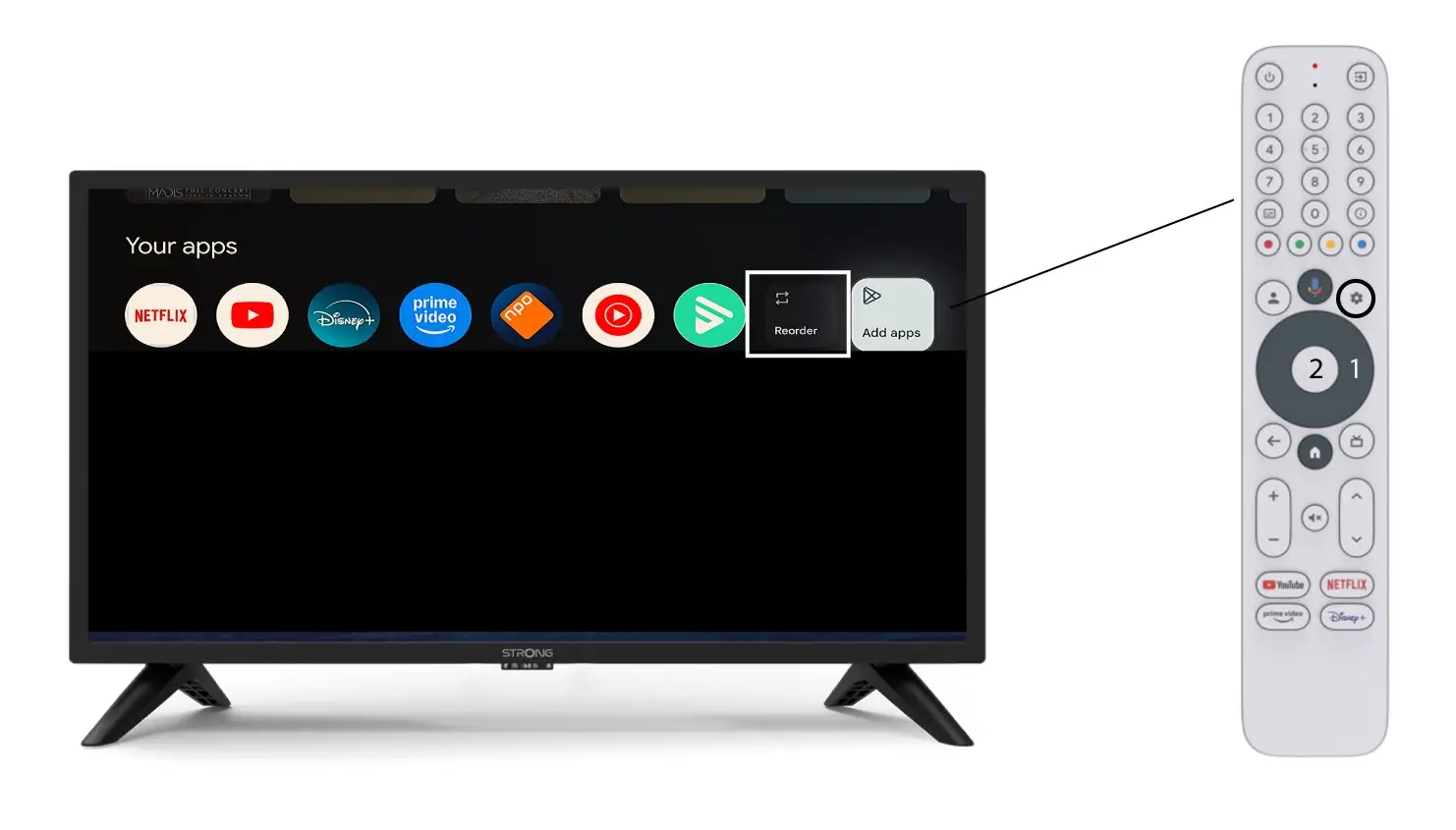
3Casn° 2 : Réorganisation des applications
Pour modifier l'ordre d'affichage des applications sur la page d'accueil, cliquez sur « Réorganiser ».